Introduzione
Thank you for choosing the FLINQ Smart Indoor Surveillance Camera. This device is designed to provide comprehensive indoor monitoring with advanced features such as 3MP HD video, automatic night vision, and intelligent motion and sound detection for people and pets. It offers flexible placement options and supports both local SD card storage and cloud storage via the convenient FlinQ app.

The FLINQ Smart Indoor Surveillance Camera, shown alongside its mobile application interface.
Prodotto finitoview
The FLINQ Smart Indoor Surveillance Camera features a compact design with a spherical camera head mounted on a cylindrical base. It is equipped with a high-resolution lens, infrared sensors for night vision, and a microphone for sound detection. The base houses the power input and an SD card slot.

Vario views of the camera, highlighting its design and ports.

The camera's dimensions: approximately 11 cm in height and 7 cm in width.
Impostare
1. Installazione dell'app
Scarica gratuitamente FlinQ app from your device's app store (iOS or Android). Create an account or log in if you already have one.
2. Accensione
Connect the camera to a power source using the provided power adapter. The camera will power on and indicate its status, usually with an LED light.
3. Posizionamento
The camera offers flexible placement. It can be placed on any flat surface or mounted to a wall using appropriate hardware (not included). Choose a location that provides the desired viewangolo di inclinazione e si trova nel raggio di azione del Wi-Fi.
4. Installazione della scheda SD (facoltativa)
For local storage, insert a microSD card (up to 128GB, not included) into the designated slot on the camera. Ensure the card is inserted correctly. The camera supports continuous recording or event-triggered recording to the SD card.
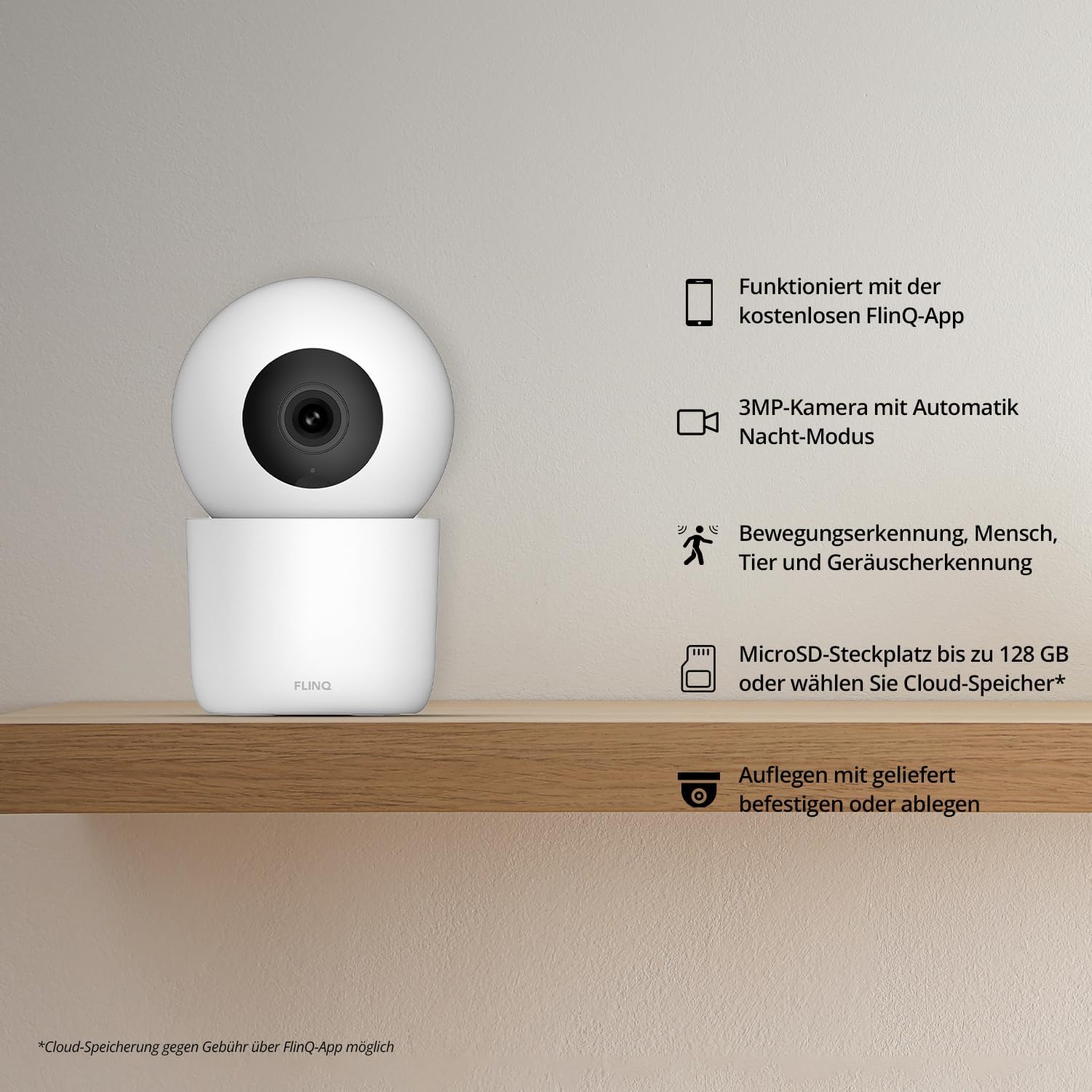
Sopraview of the camera's main features, including app integration and storage options.
Operativo
1. Connessione al Wi-Fi
Open the FlinQ app and follow the on-screen instructions to add your new camera. This typically involves selecting your Wi-Fi network and entering the password. Ensure your phone is connected to a 2.4GHz Wi-Fi network during setup.
2. Vivere View & Monitoring
Once connected, you can access the live video feed from your camera through the FlinQ app from anywhere. The app allows you to pan and tilt the camera remotely to adjust the viewangolo di ing.

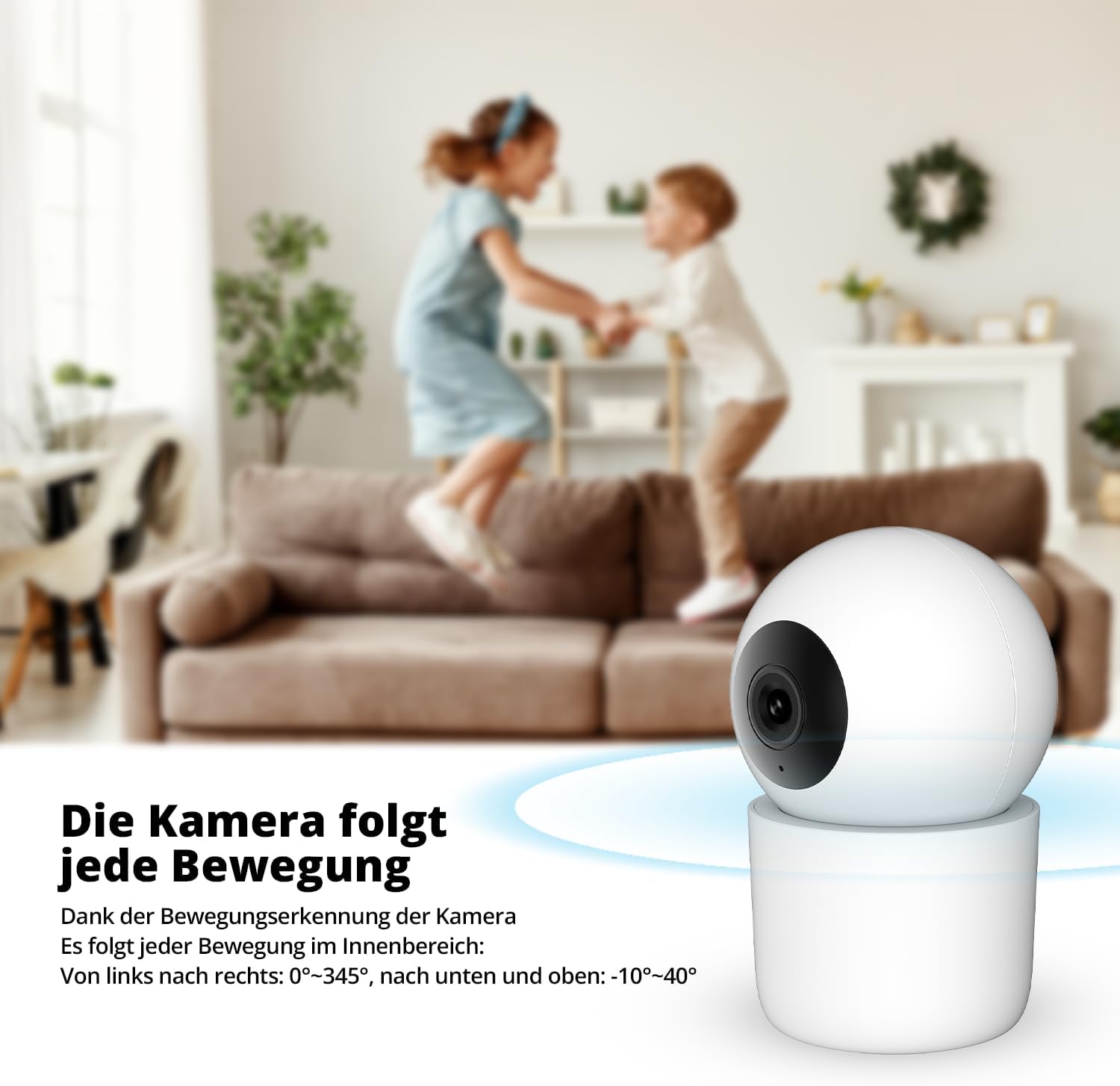
The camera's ability to follow movement within its field of view (0°-345° horizontally, -10°-40° vertically).
3. Rilevamento di movimento e suono
The camera is equipped with intelligent detection capabilities for both motion and sound. You will receive instant notifications on your smartphone when activity is detected.
- Rilevamento persona: Identifica le figure umane, riducendo i falsi allarmi dovuti ad altri movimenti.
- Rilevamento animali domestici: Specifically recognizes pets, allowing you to monitor your furry friends.
- Rilevamento del suono: Alerts you to unusual noises, such as crying or loud sounds.
The camera's pet detection feature in action.

The camera's person detection feature in action.
4. Visione notturna
The camera automatically switches to night vision mode in low-light conditions, providing clear 3MP video footaganche in completa oscurità. Ciò garantisce un monitoraggio continuo giorno e notte.

The camera's automatic day and night sensor for optimal viewing.
5. Two-Way Audio / Baby Monitor Functionality
Utilize the camera's built-in microphone and speaker for two-way communication. This feature is particularly useful for checking in on pets or as a baby monitor, allowing you to hear and speak through the camera.

The camera can function as a baby monitor, alerting to sounds like crying.
6. Opzioni di archiviazione
Le registrazioni possono essere memorizzate in due modi:
- Archiviazione locale: On a microSD card (up to 128GB).
- Archiviazione cloud: Via the FlinQ app (subscription may be required).
Manutenzione
Pulizia
To clean the camera, gently wipe the lens and body with a soft, dry cloth. Do not use liquid cleaners or abrasive materials, as they may damage the device.
Aggiornamenti software
Periodically check the FlinQ app for available firmware updates. Keeping your camera's software up-to-date ensures optimal performance and access to new features.
Risoluzione dei problemi
- Fotocamera non in linea: Ensure the camera is powered on and within range of your Wi-Fi router. Check your internet connection. Try restarting the camera and your router.
- Scarsa qualità dell'immagine: Ensure the lens is clean. Check your Wi-Fi signal strength; a weak signal can affect streaming quality.
- Nessuna notifica: Verify that notifications are enabled in the FlinQ app settings and in your phone's system settings for the app.
- La scheda SD non registra: Ensure the SD card is inserted correctly and is not full. Format the SD card through the app if issues persist (this will erase all data).
- Impossibile connettersi al Wi-Fi: Assicurati di connetterti a una rete Wi-Fi a 2.4 GHz. Controlla attentamente la password della tua rete Wi-Fi.
For further assistance, refer to the support section within the FlinQ app or contact customer support.
Specifiche
| Caratteristica | Specificazione |
|---|---|
| Produttore | Commercio FlinQ |
| Dimensioni | 18 x 8 x 8 cm; 314 grammi |
| Materiale | Metallo |
| Caratteristiche speciali | Night Vision, Motion Detection, Sound Detection |
| Tecnologia di connettività | Senza fili (Wi-Fi) |
| Uso interno/esterno | Al chiuso |
| Tipo di montaggio | Supporto per montaggio a parete |
| Uso consigliato | Rilevamento del movimento |
| ASIN | B0CLB4W1CF |
Garanzia e supporto
For information regarding warranty coverage and terms, please refer to the official FLINQ website or contact FLINQ customer support directly. Support contact details can typically be found within the FlinQ app or on the manufacturer's websito.
Manufacturer: FlinQ Commerce


