
1. Introduzione
This manual provides detailed instructions for the TRIGKEY Green G4 Mini PC, featuring the Intel Alder Lake-N100 processor. It covers initial setup, operation, maintenance, and troubleshooting to ensure optimal performance and user experience. Please read this manual thoroughly before using your device.
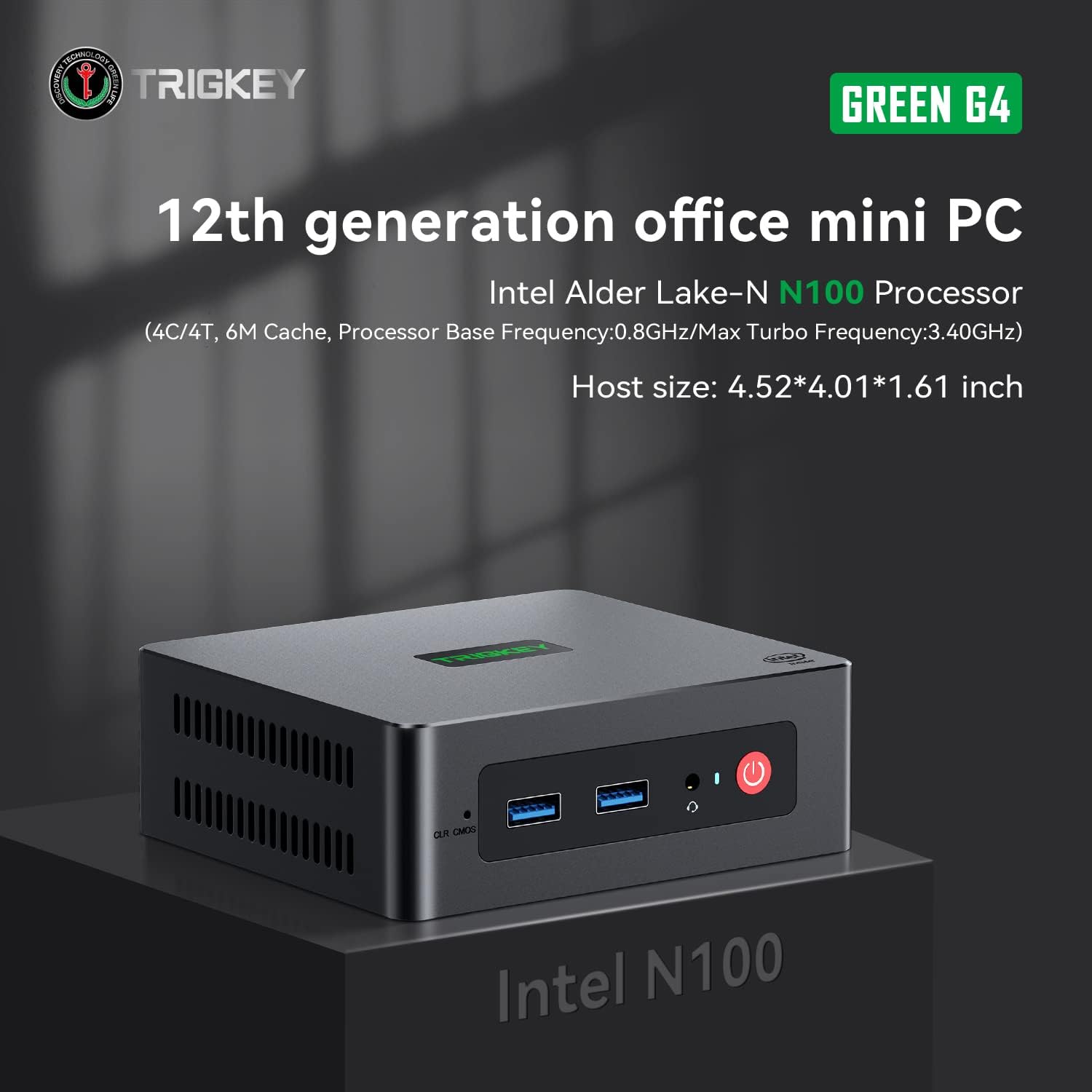
Image: TRIGKEY Green G4 Mini PC, highlighting its compact design and front panel.
2. Prodotto finitoview
2.1 Caratteristiche principali
- Processore: Intel Alder Lake-N100 (4 Cores/4 Threads, up to 3.4GHz)
- Memoria: RAM DDR16 da 4 GB (espandibile)
- Magazzinaggio: SSD NVMe da 500 GB (espandibile fino a 2 TB)
- Grafica: Grafica Intel UHD (24EU)
- Connettività: WiFi 6, Bluetooth 5.2, 1000MB/s LAN
- Uscita di visualizzazione: Dual 4K HDMI (60Hz)
- Design compatto: Host size approximately 4.52 x 4.01 x 1.61 inches
2.2 Porte e interfacce

Image: Front and rear interfaces of the Mini PC.
| Porta/Interfaccia | Descrizione |
|---|---|
| Pulsante di accensione | Accende/spegne il dispositivo. |
| Indicatore di alimentazione | Indica lo stato dell'alimentazione. |
| RTC Key (CLR CMOS) | Utilizzato per cancellare le impostazioni CMOS. |
| USB 3.2 Gen2 (10 Gbps) | Porte di trasferimento dati ad alta velocità. |
| Presa per auricolari | Uscita audio per cuffie. |
| LAN (1000M) | Porta Gigabit Ethernet per la connessione di rete cablata. |
| 4K 60Hz HDMI | Dual HDMI ports for high-definition video output. |
| DC Power Adapter Port | Si collega all'alimentazione. |
| Slot di bloccaggio | Per serratura di sicurezza. |
3. Impostazione
3.1 Connessione iniziale
- Connect your monitor(s) to the HDMI ports on the rear of the Mini PC.
- Collega la tastiera e il mouse alle porte USB disponibili.
- For wired internet, connect an Ethernet cable to the LAN port. For wireless, ensure the WiFi antenna is connected (if external) or that the internal WiFi is enabled.
- Connect the power adapter to the DC power port and then plug it into a power outlet.
- Premere il pulsante di accensione sulla parte anteriore del Mini PC per accenderlo.
3.2 Primo avvio
Upon first boot, the system may guide you through the initial setup of the operating system (e.g., Windows 11). Follow the on-screen prompts to configure language, region, network, and user accounts.
4. Istruzioni per l'uso
4.1 Funzionamento di base
- Accensione/spegnimento: Press the power button once to turn on. To shut down, use the operating system's shutdown option. A short press on the power button can also put the PC to sleep. A long press (5-7 seconds) will force a shutdown.
- Ricomincia: Utilizzare l'opzione di riavvio del sistema operativo.
- Collegamento di periferiche: Use the available USB ports for external devices like printers, external drives, or webcamme.
- Connettività di rete: Connect to a wired network via the LAN port or a wireless network using the built-in WiFi 6.
- Doppio display: Connect two monitors to the HDMI ports for an extended or duplicated desktop experience.

Image: Mini PC supporting dual screen display for enhanced productivity.
4.2 Video Playback and Productivity
The Mini PC supports 4K high-definition output, suitable for media consumption and office tasks. Its compact size and efficient performance make it suitable for various applications, from home theater setups to general office work.
Video: TRIGKEY Mini PC G4 N100 product overview, mostraasinle sue caratteristiche e il design compatto.
5. Manutenzione e aggiornamenti
5.1 Storage Expansion (2.5-inch HDD/SSD)
The TRIGKEY Green G4 Mini PC allows for additional storage expansion by installing a 2.5-inch HDD or SSD. Follow these steps carefully:
- Spegni: Assicurarsi che il Mini PC sia completamente spento e scollegato dall'alimentazione.
- Unscrew Bottom Panel: Locate and unscrew the screws on the bottom panel of the Mini PC.
- Open Back Panel: Carefully open the back panel to reveal the internal components and the storage bay.
- Insert SSD/HDD: Align the 2.5-inch SSD or HDD with the slot in the back panel and gently insert it.
- Unità protetta: Use the provided screws to secure the SSD/HDD to the back panel.
- Reinstall Bottom Panel: Close the back panel and reinstall the bottom screws to secure it.

Image: M.2 PCIe SSD, demonstrating the internal storage component.
Video: Hard disk installation tutorial, demonstrating the steps to install an additional 2.5-inch HDD/SSD.
Aggiornamento RAM 5.2
The Mini PC supports single-channel DDR4 memory. While it comes with 16GB, it can be upgraded depending on the memory type. Consult the product specifications for maximum supported RAM capacity and type before attempting an upgrade.

Image: SO-DIMM DDR4 memory module.
6. Risoluzione Dei Problemi
6.1 Nessun potere
- Assicurarsi che l'adattatore di alimentazione sia collegato saldamente sia al Mini PC sia a una presa di corrente funzionante.
- Verificare che la presa di corrente funzioni collegandovi un altro dispositivo.
- Controllare che l'adattatore di alimentazione non presenti danni visibili.
6.2 Nessuna visualizzazione
- Confirm that the HDMI cable(s) are securely connected to both the Mini PC and the monitor(s).
- Assicurarsi che il monitor sia acceso e impostato sulla sorgente di ingresso corretta (HDMI 1, HDMI 2, ecc.).
- Try connecting to a different monitor or using a different HDMI cable to rule out external issues.
6.3 Operating System Installation Issues
If you encounter difficulties installing or reinstalling an operating system, especially when using custom installation media, note that some Mini PCs may require specific tools or methods for USB boot media creation. Refer to the manufacturer's support resources for guidance on creating compatible installation media.
6.4 Rumore della ventola
The Mini PC features active cooling. While designed to be quiet, a slight fan whine may be noticeable under heavy load or in very quiet environments. This is generally normal operation. Ensure the vents are not obstructed to allow for proper airflow.
7. Specifiche
| Caratteristica | Dettaglio |
|---|---|
| Marca | CHIAVE DI SGANCIO |
| Numero di modello | N100 |
| Modello CPU | Intel Alder Lake-N100 (Celeron) |
| Velocità della CPU | Fino a 3.4 GHz |
| Numero di processori | 4 |
| Dimensione della cache | 6 MB |
| Dimensione della memoria RAM installata | 16 GB |
| Tipo di RAM | Memoria DDR4 |
| Velocità di memoria | 3200 MHz |
| Slot di memoria disponibili | 1 |
| Descrizione del disco rigido | SSD NVMe da 500 GB |
| Interfaccia del disco rigido | NVMe |
| Coprocessore grafico | Grafica Intel UHD |
| Interfaccia di uscita video | HDMI (2 ports) |
| Risoluzione massima dello schermo | 3840 x 2160 pixel (4K) |
| Tecnologia senza fili | Wi-Fi 6 (802.11ax), Bluetooth 5.2 |
| Tecnologia di connettività | Ethernet (1000M) |
| Porte USB totali | 6 (USB 3.2 Gen2) |
| Consumo energetico | 6 Watt (tipico) |
| Colore | Verde |
8. Garanzia e supporto
TRIGKEY is committed to providing excellent customer service and support for your Mini PC.
8.1 Informazioni sulla garanzia
- Politica di ritorno: 30 giorni senza motivo per restituire.
- Sostituzione: Sostituzione disponibile entro 12 mesi dall'acquisto.
- Supporto tecnico: Assistenza post-vendita e supporto tecnico a vita.
8.2 Contatta l'assistenza
For any inquiries, technical assistance, or warranty claims, please contact TRIGKEY customer support. Response is typically provided within 24 hours.
- Supporto via e-mail: Refer to your product packaging or the official TRIGKEY websito per email di contatto.
- Consulenza online: Visit the TRIGKEY official website for online chat or support forms.
- Website Resources: Explore the TRIGKEY website for FAQs, drivers, and additional product information.