
1. Introduzione
Thank you for choosing the cimetech M01-Plata Rechargeable Wireless Mouse. This manual provides detailed instructions for setting up, operating, and maintaining your new mouse. Please read this manual carefully before use to ensure optimal performance and longevity of your device.

Image: The cimetech M01-Plata Rechargeable Wireless Mouse, showcasinil suo design elegante e l'illuminazione RGB.
2. Contenuto della confezione
Si prega di verificare che tutti gli articoli siano presenti nel pacco:
- 1 x cimetech M01-Plata Rechargeable Wireless Mouse
- 1 x USB Receiver (stored in the mouse's battery compartment)
- 1 x Cavo di ricarica di tipo C
- 1 x Manuale utente (questo documento)
3. Caratteristiche principali
- Connettività a doppia modalità: Supports both 2.4Ghz wireless via USB receiver and Bluetooth 5.1 for versatile connection to various devices.
- Batteria ricaricabile: Built-in 450mAh lithium battery provides extended use on a single charge, easily rechargeable via Type-C cable.
- Design silenzioso: Reduces click noise, ideal for quiet environments like offices or libraries.
- DPI regolabile: Three adjustable DPI levels (1000-1200-1600) for precise cursor control.
- Cool RGB Neon Lights: Features dynamic RGB lighting that changes colors, adding a visual element.
- Design ergonomico e sottile: Comfortable palm fit and lightweight, ultra-portable for travel.
- Risparmio energetico automatico: Automatically enters smart sleep mode after 10 minutes of inactivity to conserve battery.
4. Configurazione e connessione
Your cimetech M01-Plata mouse offers two connection modes: 2.4Ghz Wireless and Bluetooth 5.1. Choose the mode that best suits your device.
4.1. Modalità wireless a 2.4 GHz
- Locate the USB receiver, typically stored in the battery compartment at the bottom of the mouse.
- Collega il ricevitore USB a una porta USB disponibile sul tuo computer o laptop.
- Accendere il mouse utilizzando l'interruttore di alimentazione situato nella parte inferiore. Il mouse dovrebbe connettersi automaticamente.
- Il mouse è ora pronto per l'uso.
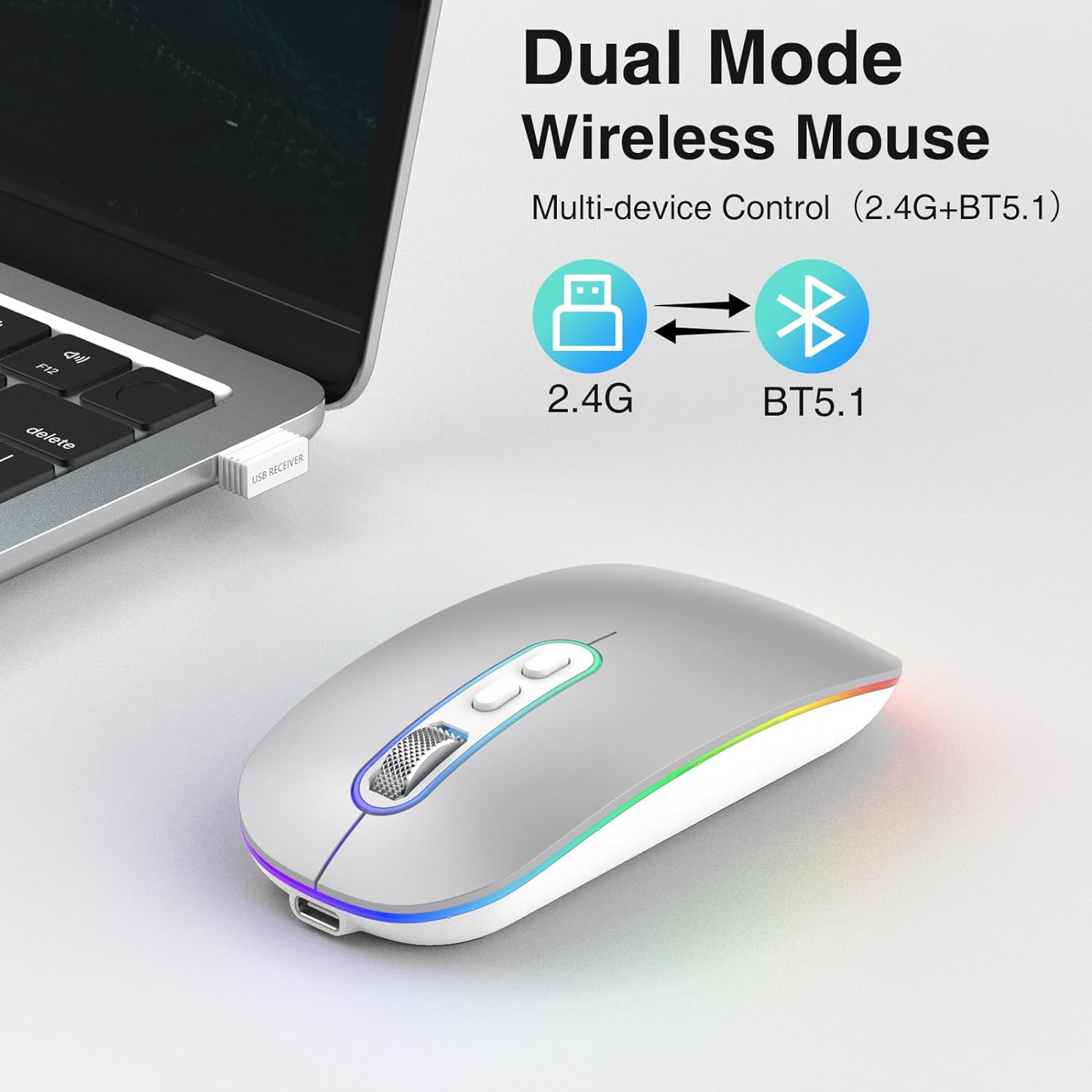
Image: Illustration showing the dual mode capability of the mouse, with icons for 2.4G and BT5.1 connectivity.
4.2. Modalità Bluetooth 5.1
- Assicurati che il tuo dispositivo abbia il Bluetooth abilitato.
- Accendi il mouse utilizzando l'interruttore di alimentazione in basso.
- Press and hold the Bluetooth pairing button (if available, otherwise the mode switch button) on the mouse until the indicator light starts blinking, indicating it's in pairing mode.
- Sul tuo dispositivo, vai alle impostazioni Bluetooth e cerca nuovi dispositivi.
- Select "cimetech Mouse" or a similar name from the list of available devices to pair.
- Once paired, the indicator light on the mouse will become solid or turn off, and the mouse will be ready for use.

Image: The mouse positioned between a laptop and a smartphone, illustrating its ability to connect to multiple devices using its dual mode functionality.
5. Istruzioni per l'uso
5.1. Regolazione DPI
The mouse features a DPI button located on the top surface, usually near the scroll wheel. Press this button to cycle through the three available DPI settings: 1000, 1200, and 1600. Each press will change the cursor sensitivity, allowing you to select the speed that best suits your task.

Image: A visual representation of the three adjustable DPI levels (1000, 1200, 1600) and how they affect cursor control.
5.2. Ricarica del mouse
When the mouse battery is low, the indicator light may flash or the mouse performance may degrade. To charge the mouse:
- Collegare il cavo di ricarica Type-C in dotazione alla porta di ricarica sulla parte anteriore del mouse.
- Collegare l'altra estremità del cavo a una fonte di alimentazione USB (ad esempio, una porta USB del computer, un adattatore USB da parete).
- The indicator light will illuminate during charging and turn off when fully charged. A full charge typically takes 2-3 hours.
- Avoid using fast chargers as they may damage the battery.
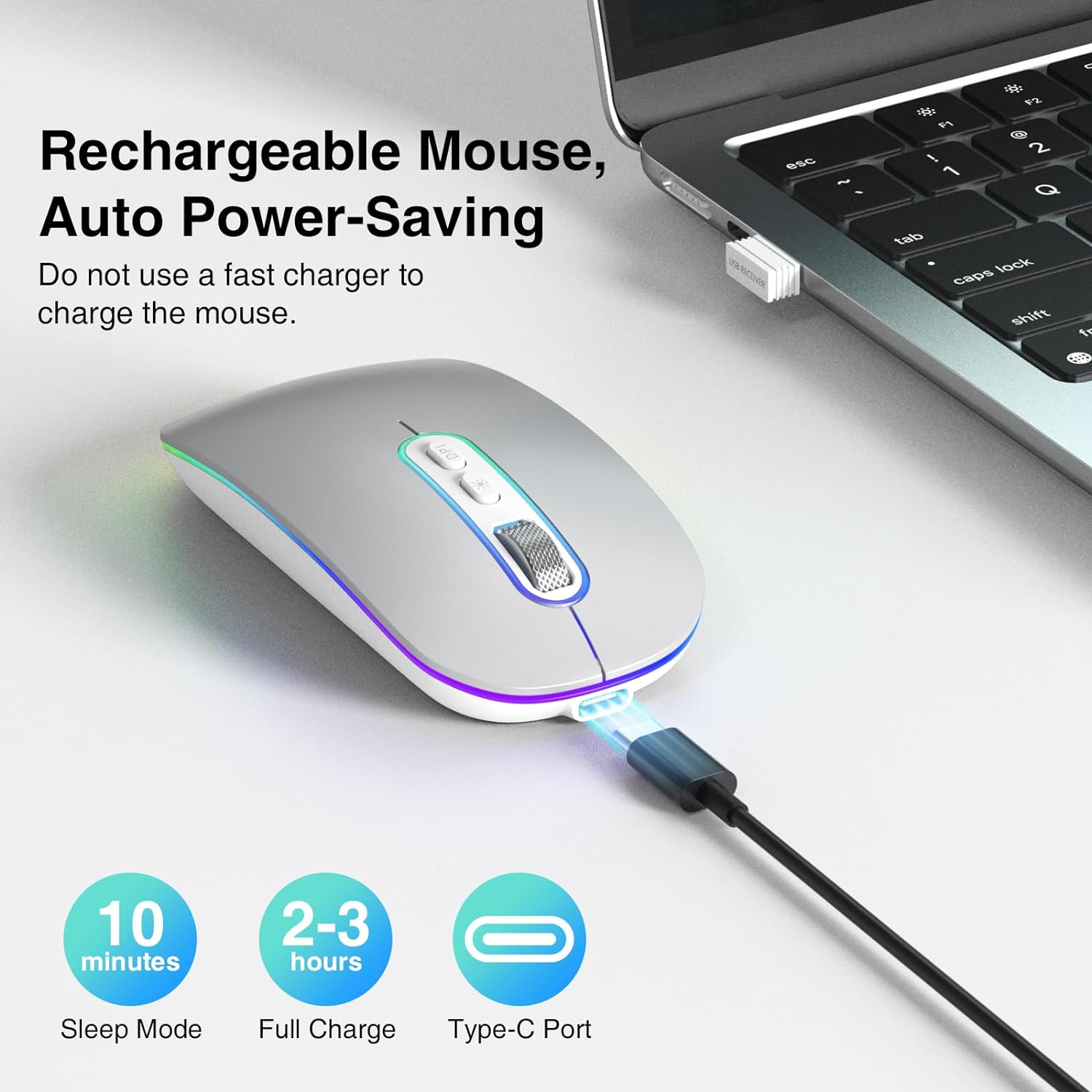
Image: The mouse connected via its Type-C charging cable, highlighting its rechargeable nature and auto power-saving features like sleep mode and full charge time.
5.3. Modalità di risparmio energetico
To conserve battery life, the mouse will automatically enter a smart sleep mode after 10 minutes of inactivity. To wake the mouse, simply click any button or move it.
5.4. Illuminazione RGB
The mouse features cool rainbow RGB neon lights that randomly change colors during use. This provides a dynamic visual effect. The lighting is integrated into the mouse's operation and does not have separate controls for color or pattern selection.
6. Manutenzione
- Pulizia: Utilizzare un panno morbido e asciutto per pulire la superficie del mouse. Per lo sporco ostinato, un panno leggermenteamp È possibile utilizzare un panno, ma assicurarsi che non penetri umidità nel dispositivo.
- Magazzinaggio: Quando non lo si utilizza per lunghi periodi, spegnere il mouse per risparmiare la batteria. Conservarlo in un luogo fresco e asciutto, lontano dalla luce solare diretta e da temperature estreme.
- Cura della batteria: Per prolungare la durata della batteria, evitare di scaricare completamente il mouse frequentemente. Ricaricarlo quando appare l'indicatore di batteria scarica.
7. Risoluzione Dei Problemi
If you encounter issues with your cimetech M01-Plata mouse, please refer to the following common solutions:
| Problema | Possibile causa | Soluzione |
|---|---|---|
| Il mouse non risponde | Low battery; Mouse turned off; Incorrect connection mode; USB receiver not detected (2.4Ghz); Bluetooth not paired (BT5.1) | Charge the mouse; Turn on the mouse; Ensure correct mode is selected (2.4Ghz or BT); Re-insert USB receiver or try another USB port; Re-pair Bluetooth. |
| Il movimento del cursore è irregolare o lento | Low DPI setting; Unsuitable surface; Obstruction of optical sensor | Increase DPI using the DPI button; Use the mouse on a smooth, non-reflective surface; Clean the optical sensor at the bottom of the mouse. |
| RGB lights turn off when moving mouse | Funzionamento normale | This is an intended feature to conserve power and is not a defect. The lights are designed to be active when the mouse is idle. |
| Il mouse non si carica | Faulty cable; Faulty USB port; Using fast charger | Try a different Type-C cable; Try a different USB port; Ensure you are not using a fast charger. |
8. Specifiche del prodotto
- Modello: M01-Plata
- Connettività: Wireless a 2.4 GHz, Bluetooth 5.1
- Livelli DPI: 1000/1200/1600
- Tipo di batteria: Batteria ricaricabile ai polimeri di litio (450 mAh)
- Porta di ricarica: Tipo C
- Dimensioni: 3.2 x 4.6 x 1.2 pollici (circa 8.1 x 11.7 x 3.0 cm)
- Peso: 3.52 once (circa 100 grammi)
- Caratteristiche speciali: LED Lights, Portable, Rechargeable, Slim, Silent Click
- Tecnologia di rilevamento del movimento: Ottico
- Compatibilità: Windows 7/8/10/11/XP, iPadOS, macOS, Chrome OS, Android, Smart TV, Vista 7/8, Linux.
9. Informazioni sulla sicurezza
- Non esporre il mouse a temperature estreme, umidità o luce solare diretta.
- Evitare di far cadere il mouse o di sottoporlo a forti urti.
- Non tentare di smontare o modificare il mouse. Ciò invaliderà la garanzia e potrebbe causare danni.
- Keep the mouse away from children and pets.
- Dispose of the mouse and its battery responsibly according to local regulations.
10. Garanzia e supporto
Specific warranty details for the cimetech M01-Plata mouse are not provided in this manual. For warranty claims, technical support, or further assistance, please refer to the product packaging or contact cimetech customer service through the retailer where the product was purchased.