
1. Introduzione
Thank you for choosing the EMANER Smart Security Light Motion Sensor. This device combines advanced motion detection with smart control features, offering adjustable brightness, color temperature, and seamless integration with smart home systems like Alexa and Google Home. This manual provides detailed instructions for safe installation, configuration, and operation of your new security light.

Image 1.1: EMANER Smart Security Lights with smart home integration.
2. Informazioni sulla sicurezza
WARNING: Risk of electric shock. Installation should be performed by a qualified electrician or a person with electrical knowledge. Disconnect power at the fuse box or circuit breaker before installation or servicing.
- Assicurarsi che l'alimentazione sia spenta prima dell'installazione.
- Rispettare tutti i codici e le ordinanze elettriche locali.
- Non tentare di modificare il prodotto.
- Tenere il prodotto lontano da materiali infiammabili.
- This product is designed for outdoor use and is water-resistant. However, do not submerge it in water.
3. Contenuto della confezione
Verificare che tutti i componenti siano presenti prima di iniziare l'installazione:
- EMANER Smart Security Light (2 units for 2-Pack)
- Hardware di montaggio (viti, dadi per cavi, piastra di montaggio)
- Manuale di istruzioni (questo documento)
4. Specifiche
| Caratteristica | Dettaglio |
|---|---|
| Marca | EMANERO |
| Nome del modello | EMR-8030 |
| Potenza luminosa | 2800 lumen (massimo) |
| Temperatura del colore | 2700K-6500K (Tunable) |
| Dimmerabile | 1% to 100% via App |
| Fonte di alimentazione | Elettrico con filo (120 Volt) |
| Connettività | Wi-Fi a 2.4 GHz |
| Metodi di controllo | App (Smart Life/Tuya Smart), Voice (Alexa, Google Assistant) |
| Gamma del sensore di movimento | Up to 26 feet (adjustable) |
| Durata luce | Da 5 secondi a 60 minuti (regolabile) |
| Materiale | Plastica |
| Dimensioni | 12 cm L x 6.7 cm P x 6 cm A |
| Resistenza all'acqua | Water Resistant (Weatherproof) |

Image 4.1: Product dimensions and adjustable light heads.
5. Impostazione
5.1. Installazione
- Spegni l'alimentazione: Prima di iniziare, assicurarsi che l'alimentazione della scatola di giunzione sia stata interrotta tramite l'interruttore automatico.
- Preparazione del montaggio: Attach the mounting plate to your outdoor junction box using the provided screws.
- Connessioni dei cavi: Connect the light's wires to your household wiring:
- Black wire (Live) to Black wire (Live)
- White wire (Neutral) to White wire (Neutral)
- Green/Bare Copper wire (Ground) to Green/Bare Copper wire (Ground)
- Dispositivo di montaggio: Carefully tuck the wires into the junction box and secure the light fixture to the mounting plate.
- Regola le teste delle luci: The three light heads and the motion sensor are rotatable. Adjust them to cover your desired area.
- Ripristina alimentazione: Riattivare la corrente tramite l'interruttore automatico.
5.2. App Connection (Smart Life / Tuya Smart)
The EMANER Smart Security Light connects via 2.4GHz Wi-Fi to the Smart Life or Tuya Smart app.
- Scarica l'app: Scarica l'app "Smart Life" o "Tuya Smart" dall'app store del tuo smartphone (iOS o Android).
- Registrati/Accedi: Apri l'app e registrati per un nuovo account oppure accedi se ne hai già uno.
- Aggiungi dispositivo:
- Assicurati che il tuo telefono sia connesso a una rete Wi-Fi a 2.4 GHz.
- Nell'app, tocca l'icona "+" nell'angolo in alto a destra per aggiungere un dispositivo.
- Select "Lighting" or "Security & Sensor" and then "Light Source (Wi-Fi)" or "Floodlight (Wi-Fi)".
- Follow the in-app instructions to put the light into pairing mode. This usually involves turning the light off and on a few times until it blinks rapidly.
- Quando richiesto, inserisci la password della tua rete Wi-Fi.
- Wait for the app to discover and connect to the device. Once connected, you can rename the light.
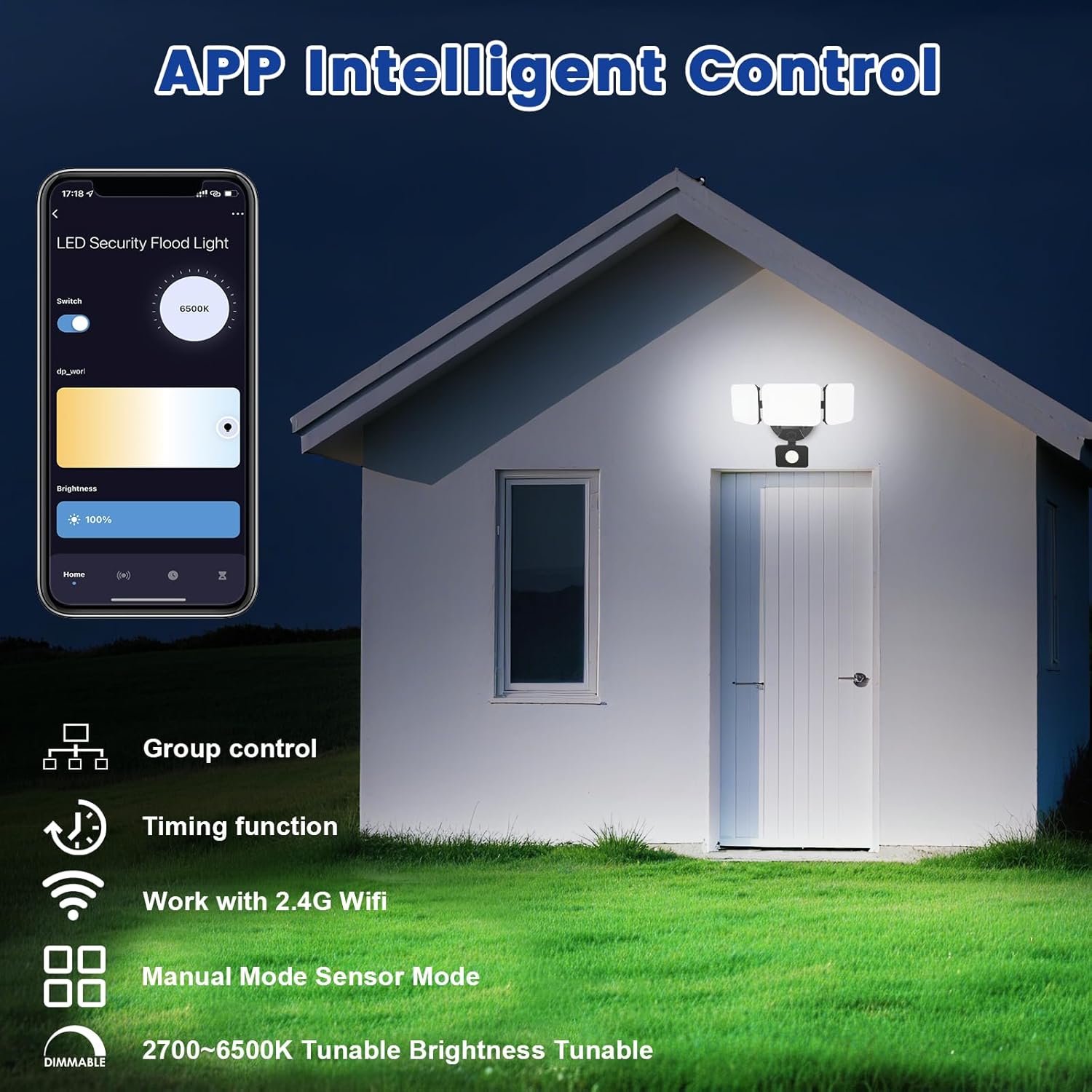
Image 5.1: App interface for intelligent control.
6. Istruzioni per l'uso
6.1. Controllo app
Once connected, use the Smart Life/Tuya Smart app to control your security light:
- Regolazione della luminosità: Regola l'intensità della luce dal 1% al 100%.
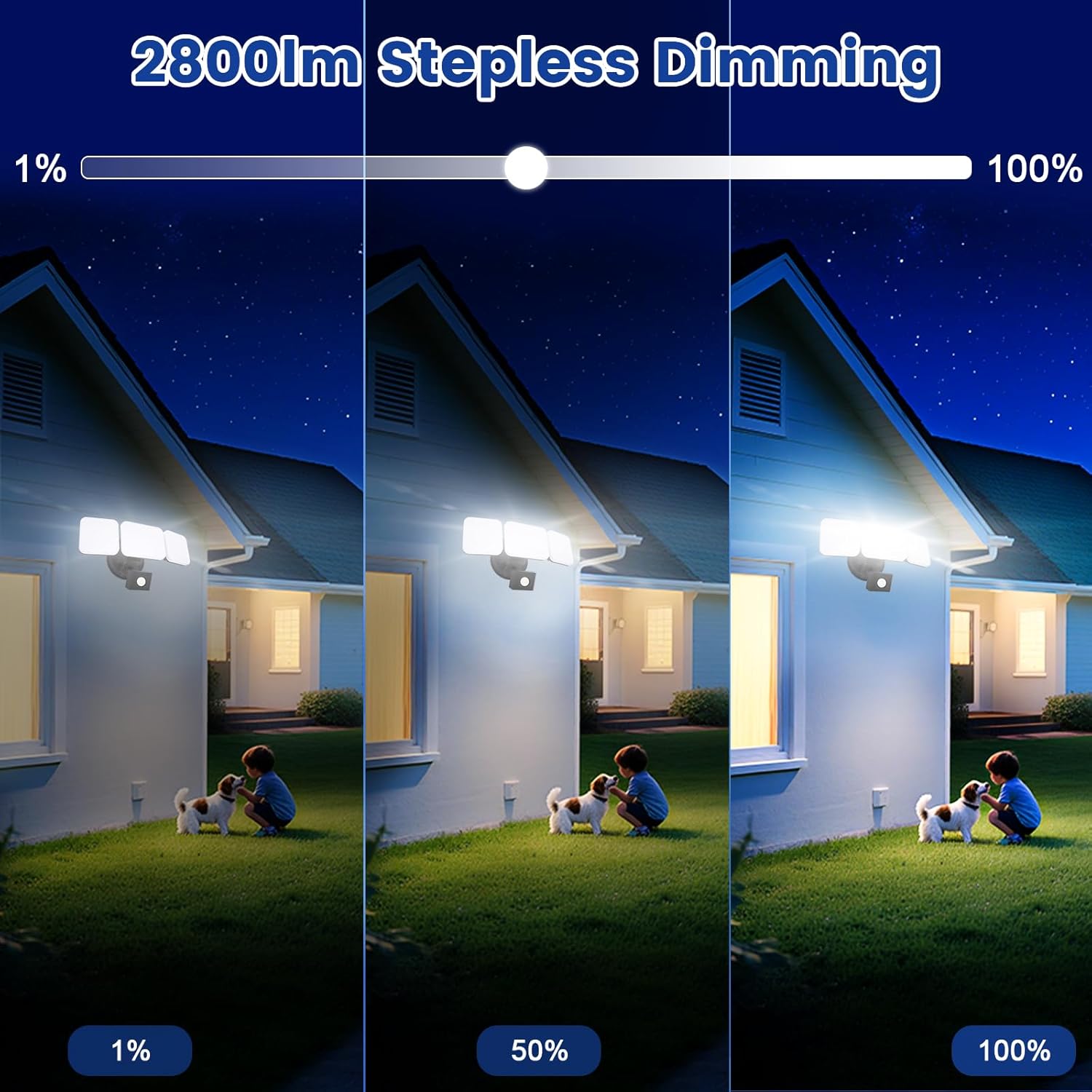
Image 6.1: Stepless dimming from 1% to 100% brightness.
- Regolazione della temperatura del colore: Change the light color from warm white (2700K) to daylight white (6500K).
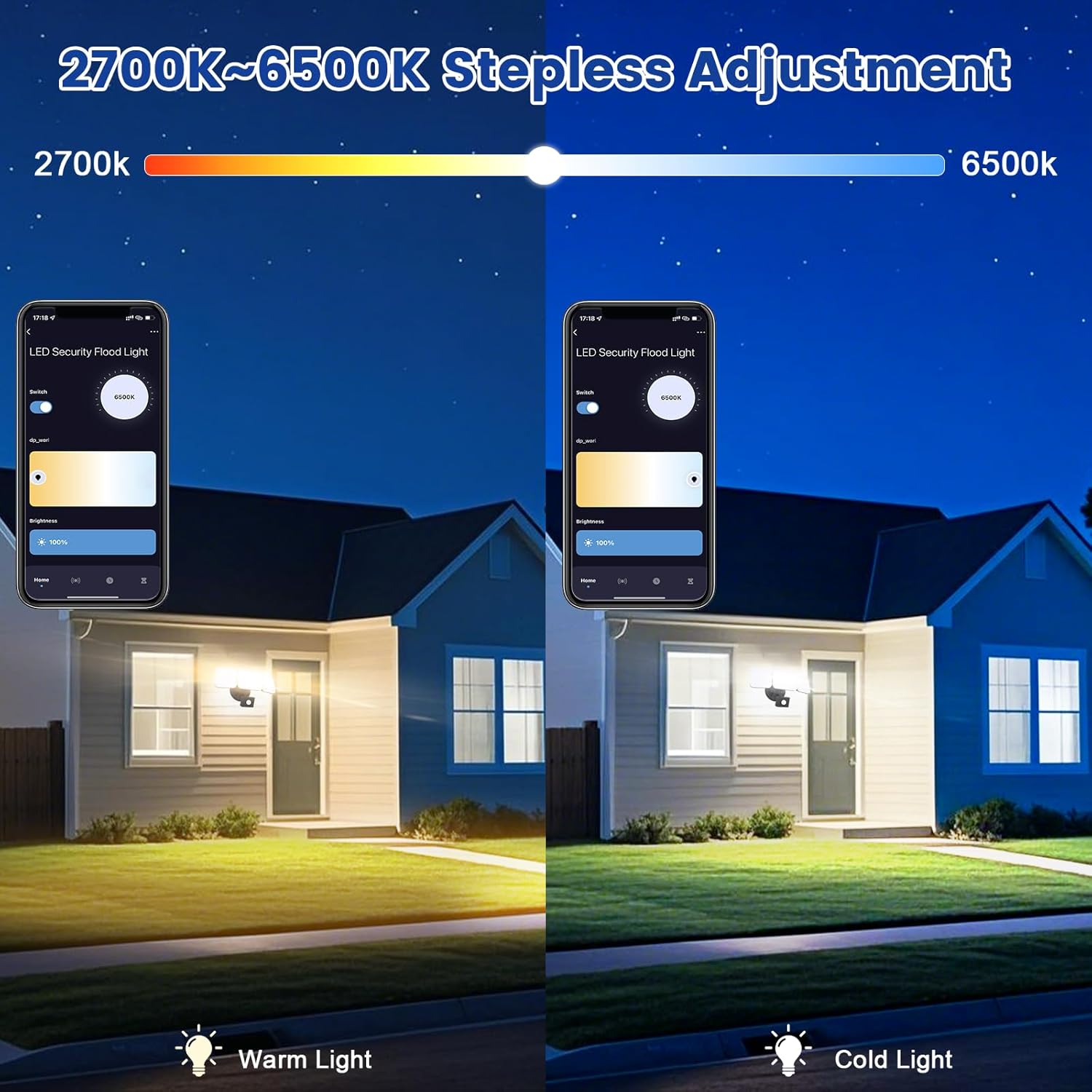
Image 6.2: Tunable white from 2700K (Warm) to 6500K (Daylight).
- Modalità operative:
- Modalità manuale: Functions as a regular light. You can set it to turn on/off at specific times and adjust brightness/color temperature.
- Modalità sensore: Activates the motion sensor. Customize sensor settings like sensitivity and light duration.
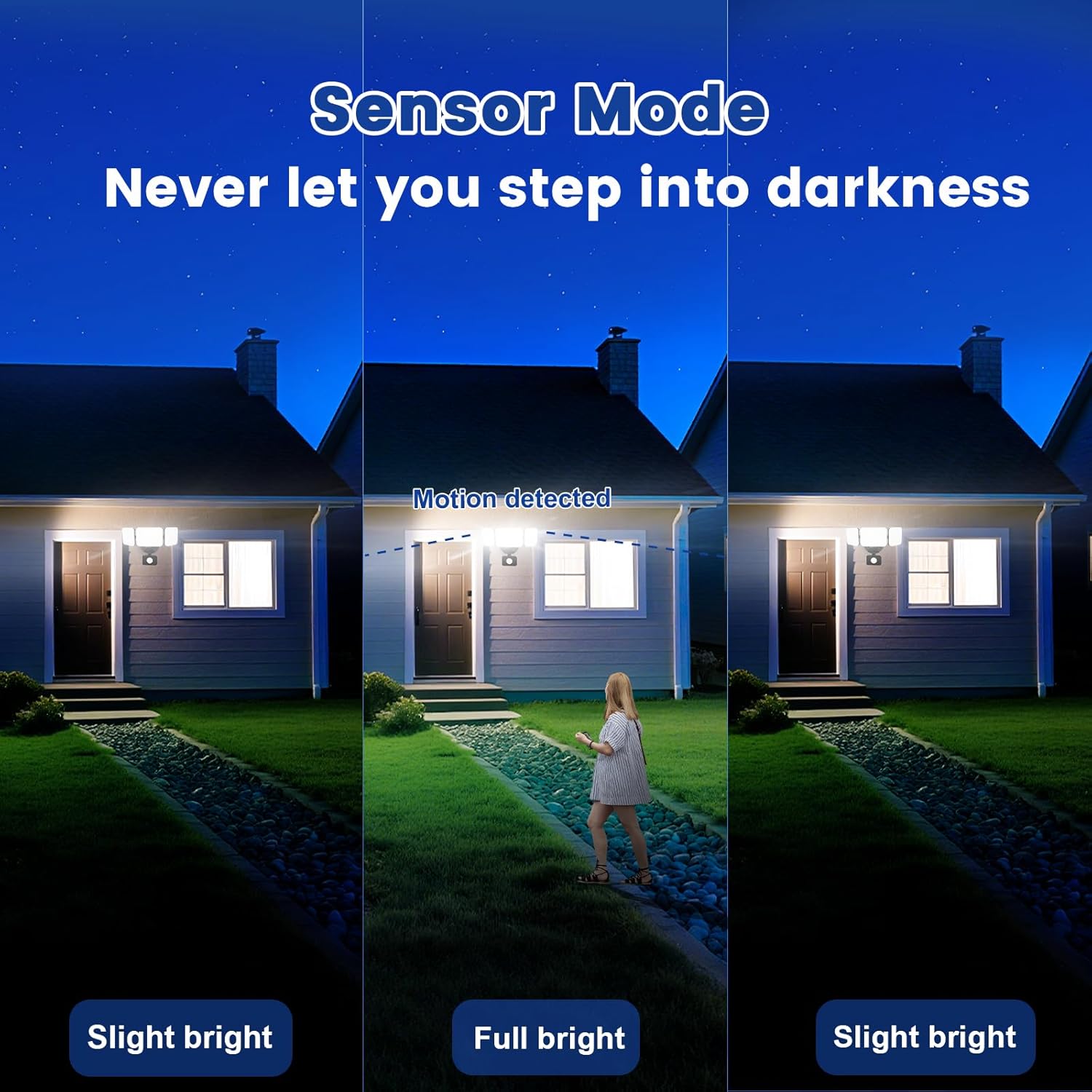
Image 6.3: Sensor Mode operation, detecting motion and adjusting brightness.
- Impostazioni del sensore di movimento: Adjust the detection range (up to 26ft) and the duration the light stays on after motion is detected (5 seconds to 60 minutes).

Image 6.4: Adjustable full light duration time.
- Pianificazione: Set schedules for the light to turn on or off at specific times.

Image 6.5: Time scheduling and delay settings.
- Controllo di gruppo: Group multiple EMANER smart lights together for simultaneous control.
6.2. Controllo vocale (Alexa / Google Assistant)
Integrate your EMANER Smart Security Light with Amazon Alexa or Google Assistant for convenient voice commands.
- Collega account: Nell'app Alexa o Google Home, abilita la skill/servizio "Smart Life" o "Tuya Smart" e collega il tuo account.
- Scopri i dispositivi: Ask Alexa or Google Assistant to "Discover devices."
- Comandi vocali: Utilizzare comandi come:
- "Alexa, turn on the security light."
- "Hey Google, set the security light to 50% brightness."
- "Alexa, change the security light to warm white."
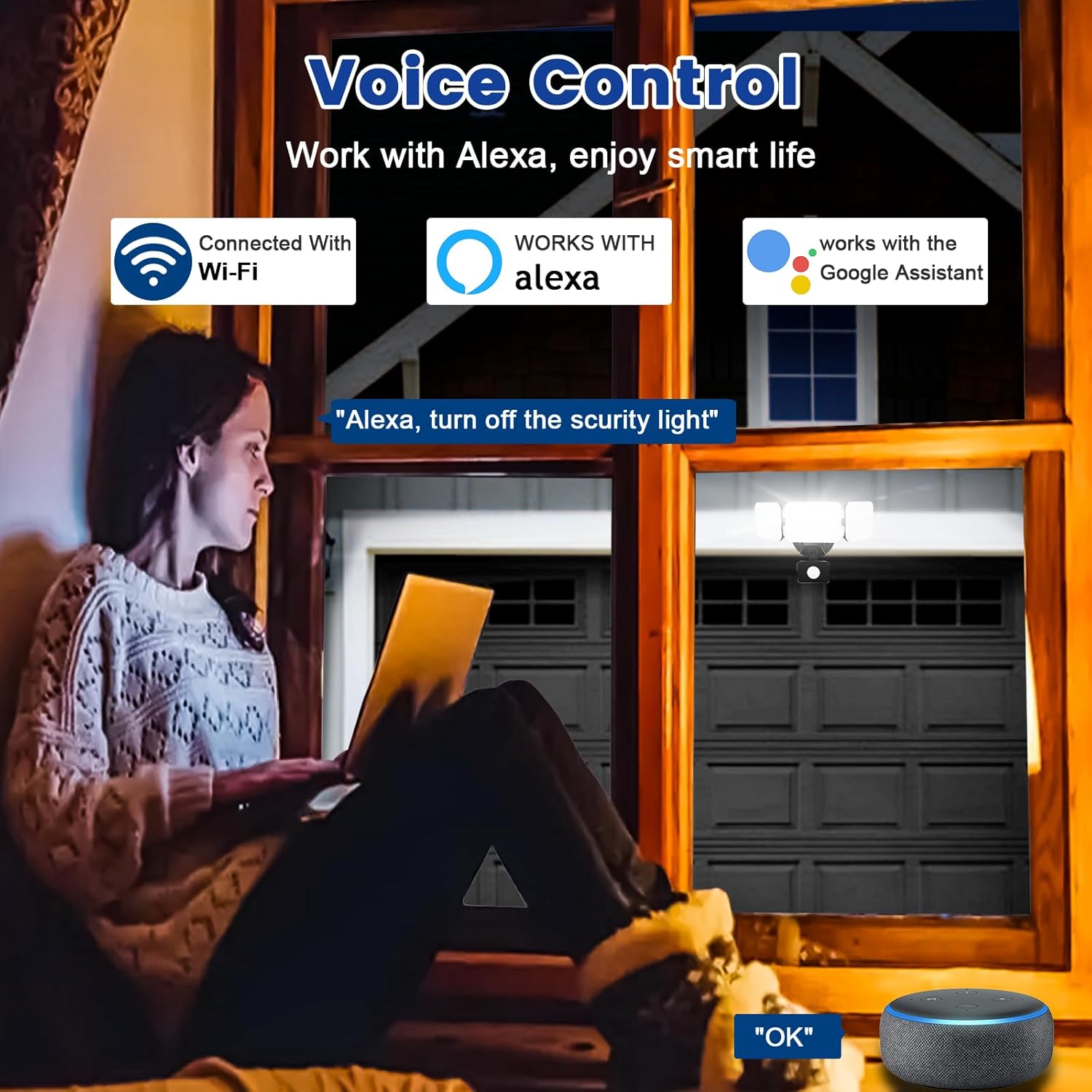
Immagine 6.6: Integrazione del controllo vocale con Alexa e Google Assistant.
7. Manutenzione
- Pulizia: Pulire periodicamente l'apparecchio di illuminazione con un panno morbido eamp panno. Non usare detergenti abrasivi o solventi.
- Ispezione: Regularly check for any loose wiring or damage to the fixture.
- Aggiornamenti del firmware: Keep the Smart Life/Tuya Smart app updated to ensure your device receives the latest firmware for optimal performance and security.
8. Risoluzione Dei Problemi
| Problema | Possibile causa | Soluzione |
|---|---|---|
| La luce non si accende. | No power, loose wiring, faulty fixture. | Check circuit breaker. Ensure all wiring connections are secure. Contact support if issue persists. |
| Impossibile connettersi al Wi-Fi. | Incorrect Wi-Fi band (not 2.4GHz), wrong password, light not in pairing mode, weak signal. | Ensure your router is broadcasting 2.4GHz Wi-Fi. Verify password. Put light into pairing mode (turn off/on several times). Move router closer or use a Wi-Fi extender. |
| Il sensore di movimento non funziona o è troppo sensibile. | Incorrect settings in app, obstruction, environmental factors. | Adjust sensitivity and detection range in the Smart Life/Tuya Smart app. Ensure sensor is not obstructed. Avoid aiming at heat sources or reflective surfaces. |
| Il controllo vocale non risponde. | App account not linked, device not discovered, incorrect commands. | Ensure Smart Life/Tuya Smart skill is enabled and linked in Alexa/Google Home app. Ask to "Discover devices." Use correct voice commands. |
9. Garanzia e supporto
EMANER provides a Lifetime Warranty for this product, ensuring quality and customer satisfaction. For technical support, warranty claims, or any questions regarding your EMANER Smart Security Light, please contact EMANER customer service through the retailer's platform or visit the official EMANER websito per le informazioni di contatto.
Risorse online:
- For app-related issues, refer to the help section within the Smart Life or Tuya Smart application.
- Visitare il EMANER Store on Amazon per informazioni e supporto sui prodotti.