
1. Introduzione
The PhoFuta M832 is an ultra-portable wireless thermal printer designed for convenience and efficiency. Weighing approximately 1.5 pounds and compact in size, it is ideal for use in various settings including business trips, vehicles, offices, homes, and schools. This printer utilizes thermal technology, eliminating the need for ink cartridges and simplifying your printing experience.

2. Informazioni sulla sicurezza
Per garantire un funzionamento sicuro e corretto, leggere attentamente tutte le istruzioni di sicurezza prima di utilizzare il dispositivo.
- Non esporre la stampante a temperature estreme, alla luce solare diretta o a umidità elevata.
- Keep the printer away from water or other liquids to prevent electric shock or damage.
- Utilizzare solo il cavo di ricarica e l'adattatore forniti.
- Non tentare di smontare o riparare la stampante da soli. Contattare l'assistenza clienti per ricevere assistenza.
- Garantire una ventilazione adeguata durante la ricarica del dispositivo.
3. Cosa c'è nella scatola
Verificare che tutti i componenti siano presenti nella confezione:
- 1 x PhoFuta M832 Portable A4 Printer
- 1 x USB Cable and Type-C Converter
- 1 rotolo di carta termica A4
- 1 x Manuale utente
4. Impostazione
4.1 Ricarica del dispositivo
Before first use, fully charge the printer. Connect the provided USB-C cable to the printer's charging port and the other end to a compatible power source (e.g., wall adapter, computer USB port). The indicator light will show charging status.

4.2 Caricamento della carta termica
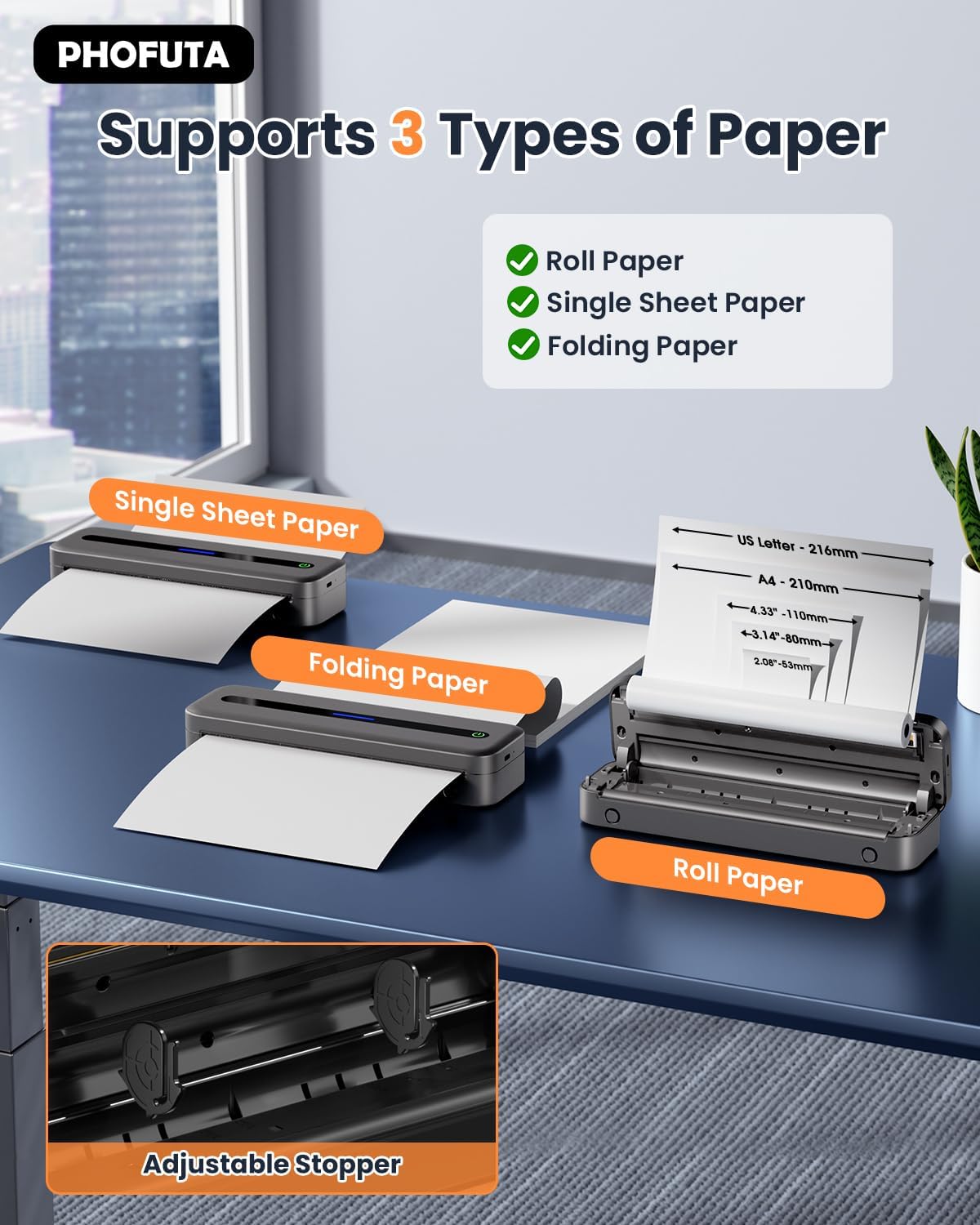
The PhoFuta M832 supports various thermal paper types, including roll paper, single sheets, and folding paper. Open the paper compartment cover, insert the thermal paper according to the diagram, ensuring the printable side faces the print head. Close the cover securely.
4.3 Connessione al dispositivo
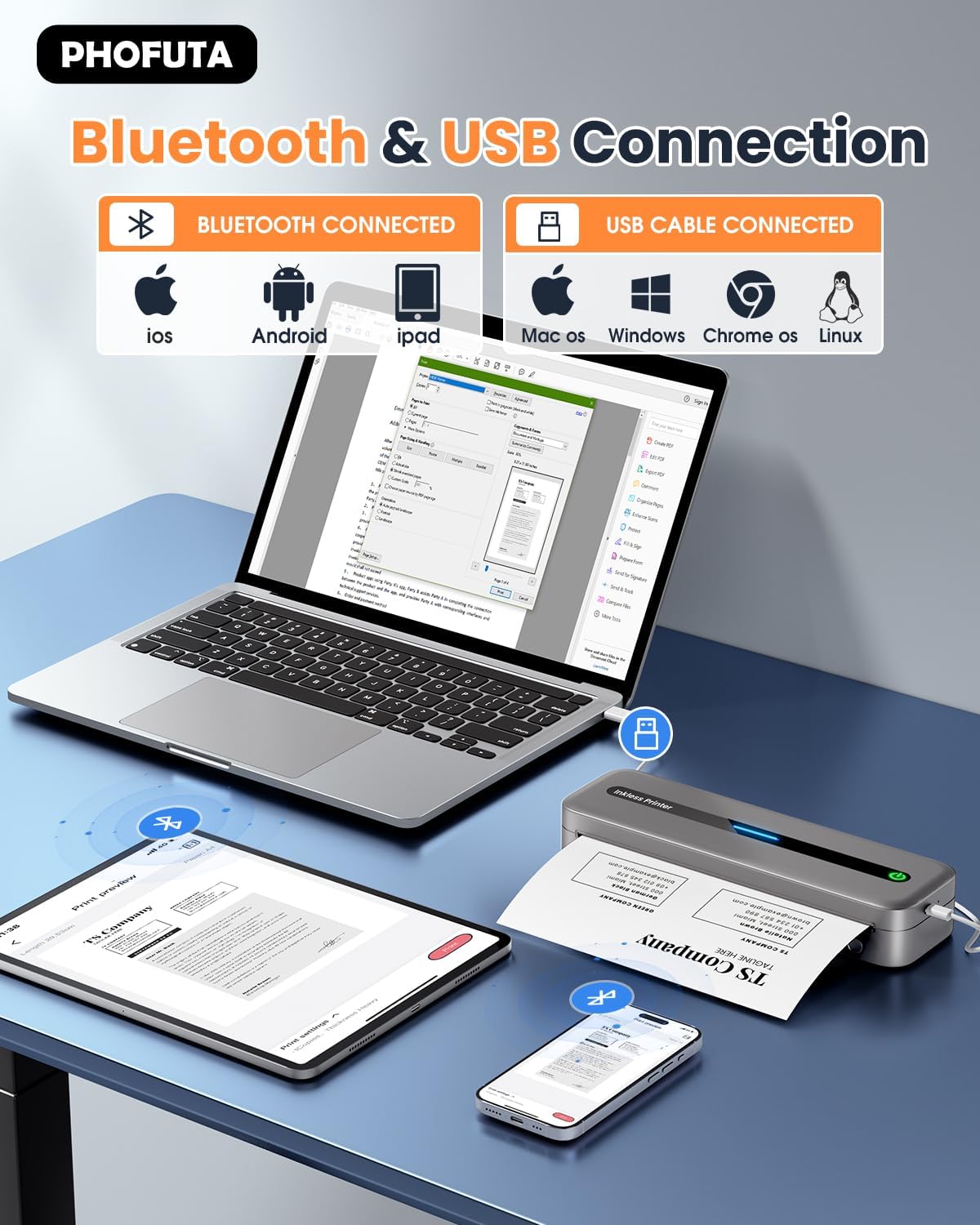
The printer offers both Bluetooth and USB connectivity options.
- Connessione Bluetooth: Turn on the printer and enable Bluetooth on your smartphone or tablet. Download the Phomemo app (available for iOS and Android). Open the app, search for the printer, and pair.
- Connessione USB: Connect the printer to your laptop or computer using the provided USB-C cable. Install the necessary drivers (usually available from the PhoFuta website or included on a small disk/QR code).
5. Istruzioni per l'uso
5.1 Stampa di base
Once connected, open the document or image you wish to print from your device. Select the PhoFuta M832 as your printer. Adjust print settings as needed (e.g., paper size, orientation) and initiate the print command. The printer will feed the thermal paper and produce the printout.
5.2 Qualità di stampa
The PhoFuta M832 offers a maximum print resolution of 300 DPI (dots per inch) for black and white prints, ensuring clear and legible documents.

5.3 Formati carta supportati
The printer supports various paper sizes, including US Letter, A4, and smaller sizes like 4-inch, 3-inch, and 2-inch (216mm, 210mm, 110mm, 80mm, 53mm respectively). Ensure you use thermal paper compatible with these dimensions.
6. Manutenzione
6.1 Pulizia della stampante
Regularly clean the printer to maintain optimal performance. Use a soft, dry, lint-free cloth to wipe the exterior. For the print head, use a cotton swab lightly dampened with isopropyl alcohol, wiping gently. Ensure the printer is off and disconnected from power before cleaning.
6.2 Thermal Paper Considerations
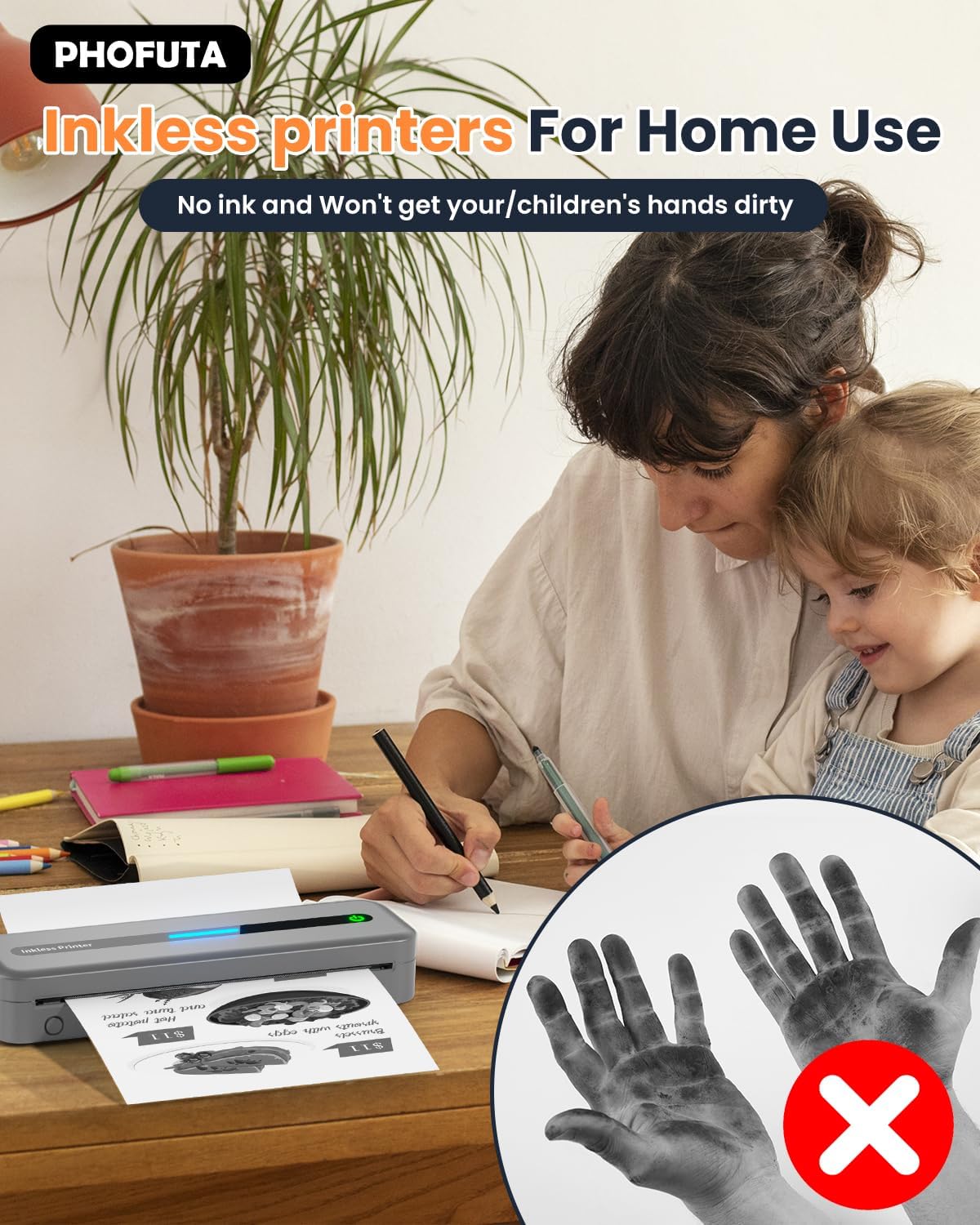
The PhoFuta M832 is an inkless printer, meaning it uses thermal paper that reacts to heat to create images. This eliminates the need for ink cartridges, preventing messy hands and reducing ongoing costs. However, it is crucial to use only thermal paper, as regular paper will not work. Thermal prints may fade over time if exposed to heat, light, or certain chemicals, so store important documents appropriately.

7. Risoluzione Dei Problemi
If you encounter issues with your PhoFuta M832 printer, refer to the following common problems and solutions:
- La stampante non si accende: Assicurarsi che la batteria sia carica. Collegare la stampante a una fonte di alimentazione e riprovare.
- Impossibile connettersi tramite Bluetooth: Make sure Bluetooth is enabled on both devices. Restart the printer and your device. Ensure the Phomemo app is installed and updated.
- Scarsa qualità di stampa: Check if you are using thermal paper. Ensure the paper is loaded correctly. Clean the print head if smudges or lines appear.
- Inceppamento carta: Turn off the printer, open the paper compartment, and carefully remove any jammed paper. Ensure paper is loaded straight and not wrinkled.
- La stampante non risponde: Try restarting the printer. If the issue persists, perform a factory reset (refer to the Phomemo app or detailed user manual for instructions).
8. Specifiche
| Caratteristica | Specificazione |
|---|---|
| Marca | PhoFuta |
| Modello | Numero di modello: M832 |
| Numero di prodotto | PH-M832-GY |
| Colore | Grigio |
| Tecnologia di stampa | Termico |
| Uscita della stampante | Monocromo |
| Risoluzione di stampa massima (B&N) | 300 DPI |
| Velocità di stampa massima (monocromatica) | 5 pagine al minuto |
| Capacità massima del foglio di input | 300 fogli |
| Tipo di supporto supportato | Plain Paper (Thermal Paper) |
| Dimensioni del foglio | US Letter/A4/4"/3"/2" (216mm/210mm/110mm/80mm/53mm) |
| Stampa fronte-retro | NO |
| Tecnologia di connettività | Bluetooth |
| Interfaccia Hardware | USB-C |
| Dispositivi compatibili | Smartphone, tablet, laptop, computer |
| Tipo di scanner | Portatile |
| Risoluzione scanner | 203 x 203 DPI |
| Dimensioni del prodotto | Dimensioni: 31 x 11.4 x 9.2 cm |
| Peso del prodotto | 992 grammi |
| Batteria | 1 ione di litio (incluso) |
| Composizione della batteria | Litio |
| Aggiornamenti software garantiti fino al | Sconosciuto |
9. Garanzia e supporto
9.1 Informazioni sulla garanzia
The PhoFuta M832 Portable Thermal Printer comes with a Garanzia a vita. This warranty covers manufacturing defects and ensures the long-term reliability of your device. Please retain your proof of purchase for warranty claims.
9.2 Assistenza clienti
For technical assistance, troubleshooting, or warranty inquiries, please contact PhoFuta customer support. Refer to the official PhoFuta websito o le informazioni di contatto fornite con l'acquisto per i canali di supporto più aggiornati.