
1. Introduzione
Thank you for choosing the IINE L871 Wireless Pro Controller. This controller is designed for a versatile gaming experience across multiple platforms, including PC, Nintendo Switch, Steam, Android tablets and phones, and iOS devices. It features advanced Hall Effect joysticks and triggers for precision, a motion sensor, NFC functionality, customizable macro buttons, and immersive rumble feedback. Please read this manual carefully to ensure proper use and optimal performance of your controller.
2. Caratteristiche del prodotto
The IINE L871 controller integrates several key features to enhance your gaming:
- Joystick e trigger ad effetto Hall: Fornisce un controllo preciso e senza deriva e una maggiore durata.
- Compatibilità multipiattaforma: Seamlessly switch between Nintendo Switch, PC, Steam, Android, and iOS.
- Connettività wireless: Bluetooth 5.0 for stable and low-latency connection up to 10 meters.
- Funzionalità NFC: Supports Amiibo scanning for compatible games.
- Sensore di movimento: Built-in 6-axis gyroscope for motion control in supported games.
- Pulsanti macro: Two programmable back buttons (MR, ML) for custom command sequences.
- Turbo Auto-Fire: Adjustable turbo function for rapid button presses.
- Rumble Feedback: Dual vibration motors for immersive haptic feedback.
- Porta per cuffie da 3.5 mm: For audio output when connected via Type-C cable to a Nintendo Switch.
- Keylinker APP Support: Mobile application for advanced customization of button mapping, dead zones, sensitivity, and auto-fire rates.

Figura 2.1: Oltreview of the IINE L871 Wireless Pro Controller highlighting its main features including Hall Effect technology, NFC, and headset jack.
3. Configurazione e associazione
The controller supports easy switching and pairing across various devices.
3.1. Device Switching
Locate the 'Easy-Switch Button' on the back of the controller. Use this switch to select the desired platform mode (NS for Nintendo Switch, Android, iOS, or PC) before pairing.
3.2. Istruzioni per l'associazione
- Seleziona modalità: Use the Easy-Switch Button to select the appropriate mode for your device.
- Attiva l'abbinamento: Press and hold the 'Pairing Button' (usually a small button near the Easy-Switch) until the indicator lights begin to flash rapidly.
- Connetti sul dispositivo:
- Nintendo Switch: Go to 'Controllers' > 'Change Grip/Order' on your Switch console.
- PC/Steam: Go to Bluetooth settings on your computer and select 'Add Bluetooth or other device'.
- Android/iOS: Go to Bluetooth settings on your mobile device and search for available devices.
- Conferma connessione: Select 'IINE L871' or similar name from the list of available Bluetooth devices. The indicator lights on the controller will become solid once connected.

Figure 3.1: Location of the Easy-Switch button for platform selection and the Pairing button for initiating Bluetooth connection.

Figure 3.2: The controller features Bluetooth 5.0 for strong pairing and enhanced adaptation, with a range of 10 meters without latency. A USB Bluetooth adaptor may be included for PC connections.
4. Istruzioni per l'uso
4.1. Turbo Auto-Fire
The Turbo function allows a button to be pressed repeatedly as long as it is held down. To activate or deactivate Turbo for a specific button, refer to the controller's specific button combinations or the Keylinker APP.
4.2. Impostazioni macro
The MR and ML back buttons can be programmed to execute a sequence of button presses. Consult the Keylinker APP or the controller's quick start guide for detailed instructions on recording and assigning macros.
4.3. Standard 3.5mm Headset Port
A 3.5mm audio jack is provided for connecting a headset. Nota: This feature is typically functional only when the controller is wired connected to a Nintendo Switch console via a Type-C cable.

Figure 4.1: The 3.5mm headset port allows for audio output. Remember that for Switch, it typically requires a wired connection.
4.4. Keylinker Mobile APP
Download the 'Keylinker' mobile application to unlock advanced customization options for your controller. This app allows you to:
- Modify button mapping.
- Adjust dead zone settings for joysticks.
- Fine-tune sensitivity.
- Modify auto-fire rates.

Figure 4.2: The Keylinker APP provides a graphical interface for modifying various controller settings, including button assignments and joystick parameters.
5. Ricarica e durata della batteria
The controller is equipped with a built-in rechargeable battery.
- Capacità della batteria: 1000mAh
- Estimated Endurance: Up to 15 hours of gameplay on a full charge.
- Tempo di ricarica: Circa 2-3 ore per una carica completa.
Connect the controller to a power source using the provided USB Type-C cable. The indicator lights will show charging status and turn off or change color when fully charged.
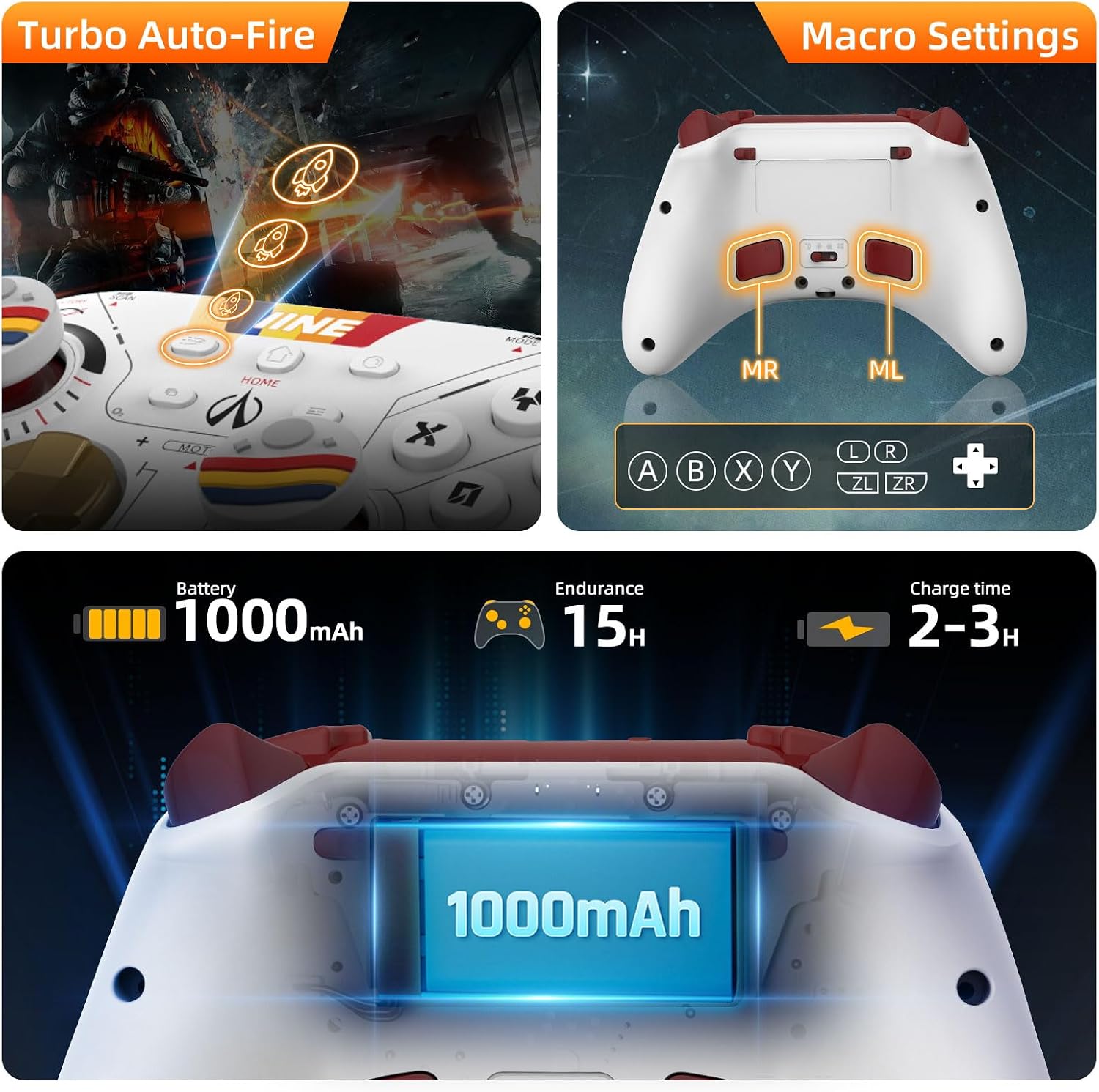
Figure 5.1: Visual representation of the controller's 1000mAh battery, 15-hour endurance, and 2-3 hour charge time, alongside Turbo and Macro button indicators.
6. Manutenzione
Per garantire la longevità e le prestazioni ottimali del tuo controller, segui queste linee guida per la manutenzione:
- Pulizia: Utilizzare un panno morbido e asciutto per pulire il controller. Evitare l'uso di prodotti chimici aggressivi o materiali abrasivi.
- Magazzinaggio: Conservare il controller in un luogo fresco e asciutto, lontano dalla luce solare diretta e da temperature estreme.
- Evitare gocce: Proteggere il controller da urti e cadute, che potrebbero danneggiare i componenti interni.
- Ricarica: Non sovraccaricare la batteria. Scollegare il cavo di ricarica quando la batteria è completamente carica.
7. Risoluzione Dei Problemi
If you encounter issues with your IINE L871 controller, refer to the following common solutions:
- Il controller non si connette:
- Ensure the correct platform mode is selected using the Easy-Switch button.
- Assicurarsi che il controller sia carico.
- Re-initiate pairing mode by holding the Pairing Button.
- Remove previous Bluetooth connections for the controller from your device and try pairing again.
- Input Lag o disconnessioni:
- Assicurati di trovarti entro il raggio di 10 metri del Bluetooth.
- Ridurre al minimo le interferenze provenienti da altri dispositivi wireless.
- Assicurarsi che il controller sia completamente carico.
- I pulsanti non rispondono:
- Controllare che il controller sia collegato correttamente.
- Reimpostare il controller (fare riferimento alle istruzioni di reimpostazione specifiche, se disponibili, solitamente tramite un piccolo pulsante a foro).
- Update controller firmware via the Keylinker APP if available.
- Headset Port Not Working:
- Confirm the controller is connected to the Nintendo Switch via a Type-C cable.
- Ensure the headset is properly plugged in and functional.
8. Specifiche
| Numero di modello | L871 |
| Connettività | Bluetooth 5.0, USB di tipo C |
| Tipo di batteria | 1 batteria agli ioni di litio (inclusa) |
| Capacità della batteria | 1000mAh |
| Durata stimata della batteria | Fino a 15 ore |
| Tempo di ricarica | 2-3 ore |
| Dimensioni (imballaggio) | Dimensioni: 18.01 x 17.5 x 6.71 cm |
| Peso (imballaggio) | 408 grammi |
9. Garanzia e supporto
For warranty information and technical support, please refer to the documentation included with your purchase or contact IINE customer service through their official webo al rivenditore presso cui è stato acquistato il prodotto. Si prega di conservare la prova d'acquisto per eventuali reclami in garanzia.