
Cubitt Tracking Technologies Power GO
Cubitt Power GO Waterproof Portable Speaker User Manual
Model: Power GO
Brand: Cubitt Tracking Technologies
1. Introduzione
Welcome to the user manual for your Cubitt Power GO Waterproof Portable Speaker. This guide provides essential information on setting up, operating, maintaining, and troubleshooting your device to ensure optimal performance and longevity. The Cubitt Power GO is designed for portability and durability, featuring Bluetooth connectivity, IPX7 waterproofing, and the ability to pair two speakers for a stereo audio experience.
2. Informazioni sulla sicurezza
Si prega di leggere attentamente tutte le istruzioni di sicurezza prima di utilizzare il prodotto. Il mancato rispetto di queste istruzioni può causare scosse elettriche, incendi o altri pericoli.
- Non esporre l'altoparlante a temperature estreme (caldo o freddo) o a elevata umidità.
- Ensure the port cover is securely closed when near water to maintain IPX7 waterproof rating.
- Non smontare, riparare o modificare l'altoparlante. Ciò invaliderà la garanzia.
- Tenere l'altoparlante lontano da bambini e animali domestici.
- Utilizzare solo il cavo di ricarica fornito o un equivalente certificato.
- Smaltire l'altoparlante e la batteria in modo responsabile, nel rispetto delle normative locali.
3. Contenuto della confezione
Verifica che tutti gli articoli siano presenti nel tuo pacco:
- Cubitt Power GO Portable Speaker
- Cavo di ricarica USB-C
- Manuale d'uso
4. Prodotto finitoview
Familiarize yourself with the various parts and controls of your Cubitt Power GO speaker.
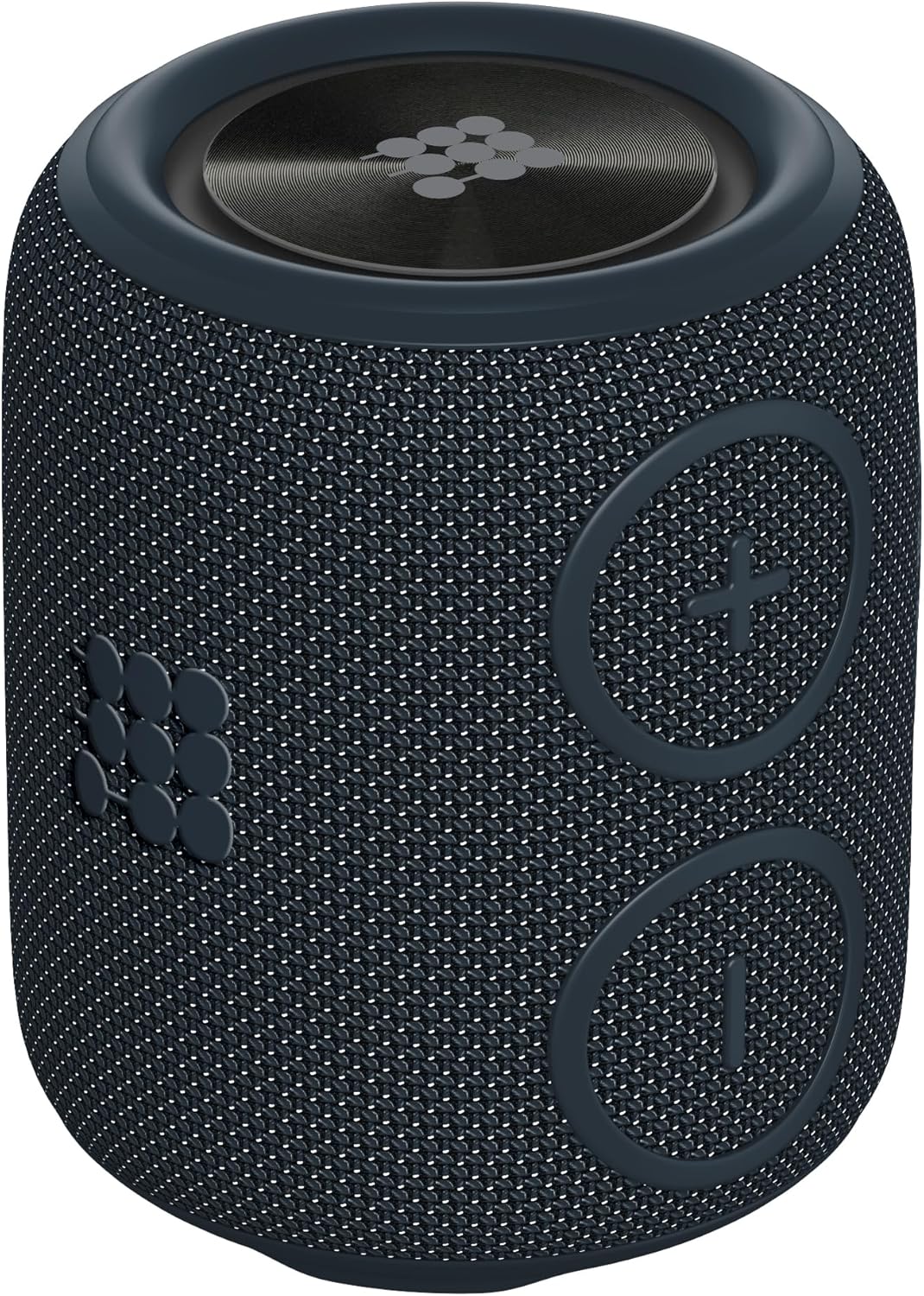
Immagine: Frontale view of the Cubitt Power GO speaker, highlighting the volume up (+), volume down (-), and play/pause buttons.

Image: Close-up of the Cubitt Power GO speaker with the protective port cover open, revealing the USB-C charging port, Micro SD card slot, and AUX-in port.
Controlli:
- Pulsante di accensione: Tenere premuto per accendere/spegnere.
- Volume su (+): Pressione breve per aumentare il volume, pressione prolungata per passare alla traccia successiva.
- Volume basso (-): Pressione breve per abbassare il volume, pressione prolungata per passare alla traccia precedente.
- Pulsante Play/Pausa: Short press to play/pause music, answer/end calls. Long press to reject calls or initiate TWS pairing.
Porte:
- Porta di ricarica USB-C: Per caricare l'altoparlante.
- Slot per scheda microSD: Per riprodurre musica direttamente da una scheda Micro SD.
- Porta AUX-in: Per la connessione audio cablata tramite cavo audio da 3.5 mm.
5. Impostazione
5.1 Carica iniziale
Before first use, fully charge your Cubitt Power GO speaker.
- Open the protective port cover on the side of the speaker.
- Connect the USB-C charging cable to the speaker's USB-C port and the other end to a USB power adapter (not included) or a computer's USB port.
- L'indicatore LED mostrerà lo stato di carica (ad esempio, rosso per la carica, spento quando la carica è completa).
- A full charge takes approximately 3 hours, providing up to 10 hours of playtime.

Image: A purple Cubitt Power GO speaker placed on a picnic blanket, illustrating its long-lasting battery life for outdoor use.
5.2 Accensione/spegnimento
- Per accendere, tieni premuto il pulsante di accensione finché non senti un segnale acustico.
- Per spegnere, tieni premuto nuovamente il pulsante di accensione finché non senti un segnale acustico.
5.3 Associazione Bluetooth
- Power on the Cubitt Power GO speaker. It will automatically enter Bluetooth pairing mode, indicated by a flashing LED.
- Sul tuo smartphone, tablet o altro dispositivo abilitato Bluetooth, vai alle impostazioni Bluetooth.
- Select "Cubitt Power GO" from the list of available devices.
- Una volta effettuata la connessione, l'indicatore LED diventerà fisso e verrà emesso un tono di conferma.
5.4 Accoppiamento True Wireless Stereo (TWS)
For an immersive stereo experience, you can pair two Cubitt Power GO speakers together.
- Ensure both Cubitt Power GO speakers are powered on and not connected to any other Bluetooth device.
- On one of the speakers (this will be your master speaker), press and hold the Play/Pause button for approximately 3 seconds. You will hear a tone indicating it is searching for another speaker.
- I due altoparlanti si connetteranno automaticamente tra loro. Una volta completata l'associazione TWS, sentirai un tono di conferma.
- Now, connect your master speaker to your Bluetooth device as described in section 5.3. Audio will play in stereo through both speakers.
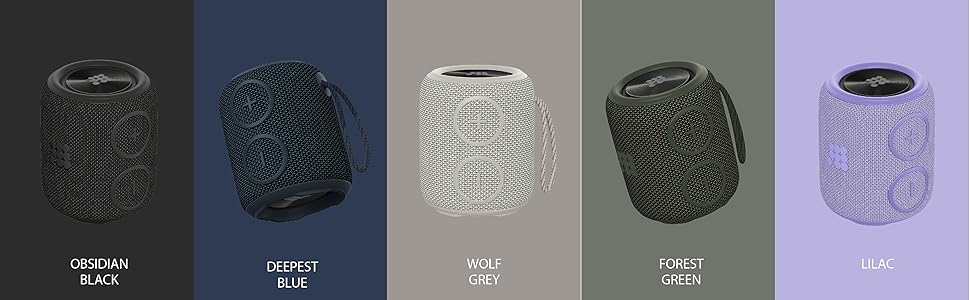
Image: Two Cubitt Power GO speakers positioned to illustrate the stereo sound experience when paired together.
6. Istruzioni per l'uso
6.1 Controlli musicali di base
- Riproduci/Pausa: Premi brevemente il pulsante Riproduci/Pausa.
- Aumenta volume: Premere brevemente il pulsante '+'.
- Volume basso: Premere brevemente il pulsante '-'.
- Traccia successiva: Premere a lungo il pulsante '+'.
- Traccia precedente: Premere a lungo il pulsante '-'.
6.2 Gestione delle chiamate
Il microfono integrato consente di effettuare chiamate in vivavoce quando si è connessi tramite Bluetooth.
- Rispondi/Termina chiamata: Premi brevemente il pulsante Riproduci/Pausa.
- Rifiuta chiamata: Premi a lungo il pulsante Riproduci/Pausa.
6.3 Modalità AUX-in
Collegare un dispositivo audio esterno tramite un cavo audio da 3.5 mm (non incluso).
- Open the protective port cover.
- Connect one end of the 3.5mm audio cable to the speaker's AUX-in port and the other end to your audio device.
- L'altoparlante passerà automaticamente alla modalità AUX-in.
- Controlla la riproduzione e il volume dal tuo dispositivo audio connesso.
6.4 Micro SD Card Mode
Play music directly from a Micro SD card.
- Open the protective port cover.
- Inserire una scheda Micro SD (con musica files) nello slot per schede Micro SD.
- The speaker will automatically switch to Micro SD card mode and begin playing music.
- Use the speaker's controls for playback and volume adjustments.

Image: Three Cubitt Power GO speakers in grey, purple, and green, illustrating the versatile playing modes available.
7. Manutenzione
Proper care ensures the longevity and performance of your speaker.
- Pulizia: Utilizzare un morbido, damp panno per pulire l'esterno dell'altoparlante. Non utilizzare prodotti chimici aggressivi o detergenti abrasivi.
- Magazzinaggio: Store the speaker in a cool, dry place when not in use. Avoid direct sunlight or extreme temperatures.
- Resistenza all'acqua: Always ensure the protective port cover is firmly sealed before exposing the speaker to water to maintain its IPX7 waterproof rating.

Image: A white Cubitt Power GO speaker highlighting its IPX7 waterproof and durable design.
8. Risoluzione Dei Problemi
Se riscontri problemi con l'altoparlante, fai riferimento ai seguenti problemi comuni e alle relative soluzioni:
| Problema | Possibile soluzione |
|---|---|
| L'altoparlante non si accende. | Assicurati che la batteria sia carica. Collega l'altoparlante a una fonte di alimentazione tramite il cavo USB-C. |
| Impossibile effettuare l'associazione tramite Bluetooth. | Ensure the speaker is in pairing mode (flashing LED). Turn off and on your device's Bluetooth. Make sure the speaker is within 10 meters of your device. |
| Nessun suono o volume basso. | Check the volume levels on both the speaker and your connected device. Ensure the correct input mode (Bluetooth, AUX, SD card) is selected. |
| Il suono è distorto. | Move the speaker closer to your Bluetooth device. Check the audio source quality. Ensure the battery is not critically low. |
| L'associazione TWS non riesce. | Ensure both speakers are not connected to any other Bluetooth device. Try repeating the TWS pairing steps. |
9. Specifiche
Detailed technical specifications for the Cubitt Power GO speaker:
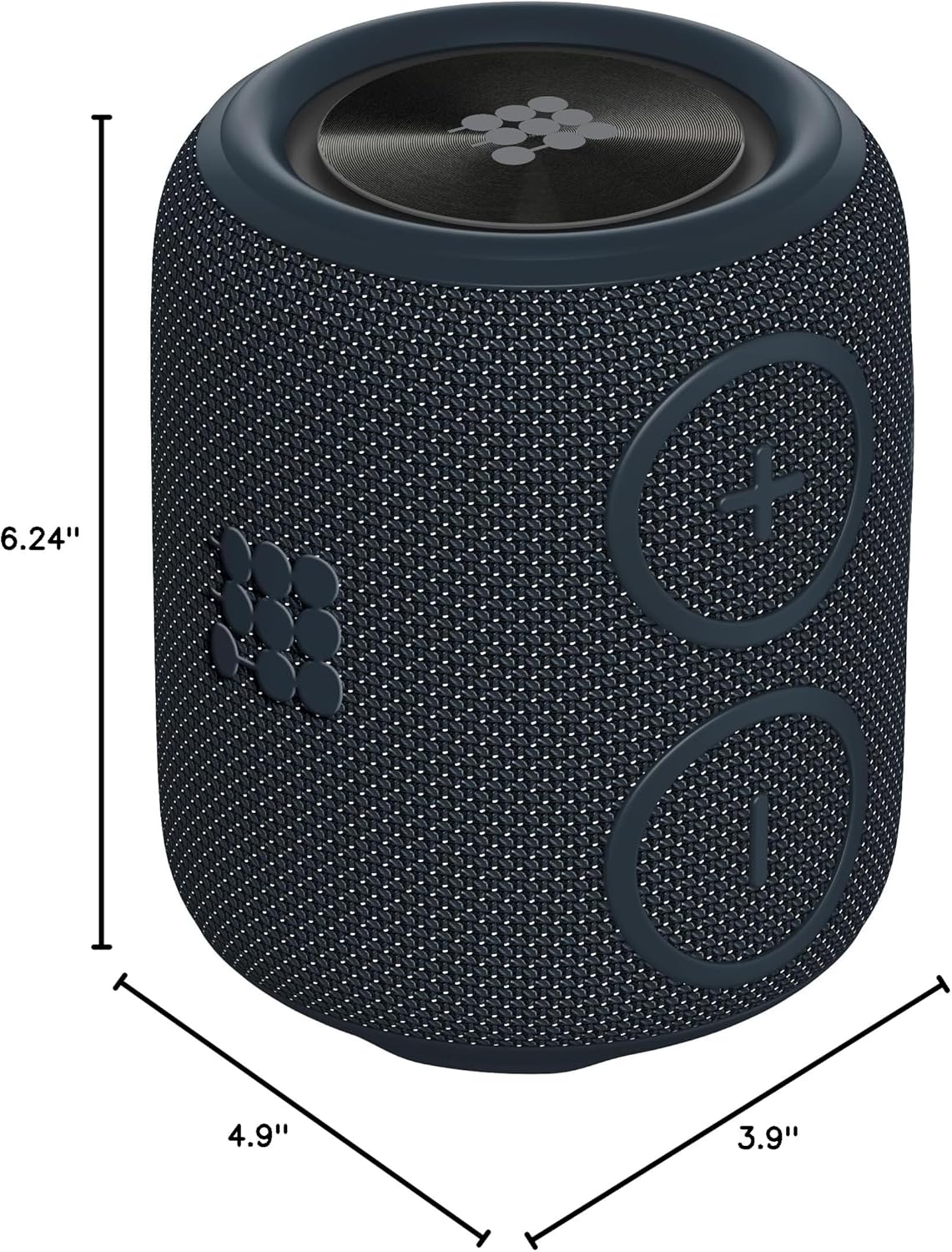
Image: A Cubitt Power GO speaker with its dimensions clearly marked: 4.9 inches deep, 3.9 inches wide, and 6.24 inches high.
- Nome modello: Power GO
- Marca: Cubitt Tracking Technologies
- Materiale: Plastica
- Tipo di altoparlante: Altoparlante singolo
- Caratteristica speciale: Impermeabile (IPX7)
- Utilizzi consigliati: Interno/Esterno
- Dispositivi compatibili: Smartphone, Tablet
- Conteggio unità: 1.0 Conteggio
- Configurazione del canale audio surround: 2.0
- Dimensioni del prodotto: 4.9"P x 3.9"L x 6.24"A
- Livello di resistenza all'acqua: Impermeabile (IPX7)
- Metodo di controllo: Tocco
- Tecnologia di comunicazione wireless: Versione Bluetooth 5.1
- Dimensioni altoparlante: 3.9 pollici
- Fonte di energia: Alimentato a batteria
- Diametro del woofer: 3.9 pollici
- Numero di batterie: 1 ione di litio (incluso)
- Capacità della batteria: 2500 mAh
- Tempo di ricarica: 3 ore
- Potenza massima in uscita dell'altoparlante: 16 Watt
- Modalità di uscita audio: Stereo
- Tipo di montaggio: Oratore
- Peso dell'articolo: 1.48 libbre
10. Video ufficiale del prodotto
Guarda questo video per una panoramica visivaview of the Cubitt Power GO Bluetooth Speaker's features and capabilities.
Video: A demonstration of the CUBITT Power Go Bluetooth Speaker, highlighting its waterproof design, sound quality, and various features. (Duration: 0:30)
11. Garanzia e supporto
11.1 Garanzia limitata
The Cubitt Power GO speaker comes with a limited warranty. Please refer to the warranty card included in your package or visit the official Cubitt Tracking Technologies websito per termini e condizioni di garanzia dettagliati.
11.2 Assistenza clienti
For further assistance, technical support, or inquiries, please visit the Cubitt Tracking Technologies official website or contact their customer service department. Contact information can typically be found on the product packaging or the brand's websito.