
Depusheng US MX8
Depusheng MX8 8-Channel Sound Mixer Audio Mixing Console User Manual
Console di missaggio audio professionale
Prodotto finitoview
The Depusheng MX8 is an 8-channel sound mixer and audio mixing console designed for professional use in various audio environments, including podcasting, live broadcasting, recording studios, and stage performances. It features 48V phantom power, 256 DSP effects, and USB connectivity for PC play and recording.

Davanti view of the Depusheng MX8 8-Channel Sound Mixer, showcasing its comprehensive control layout.
Configurazione e collegamenti
This section details the initial setup and various connection options for your Depusheng MX8 mixer.
Interfacce di ingresso e uscita
The MX8 mixer is equipped with a variety of input and output options to accommodate diverse audio setups.

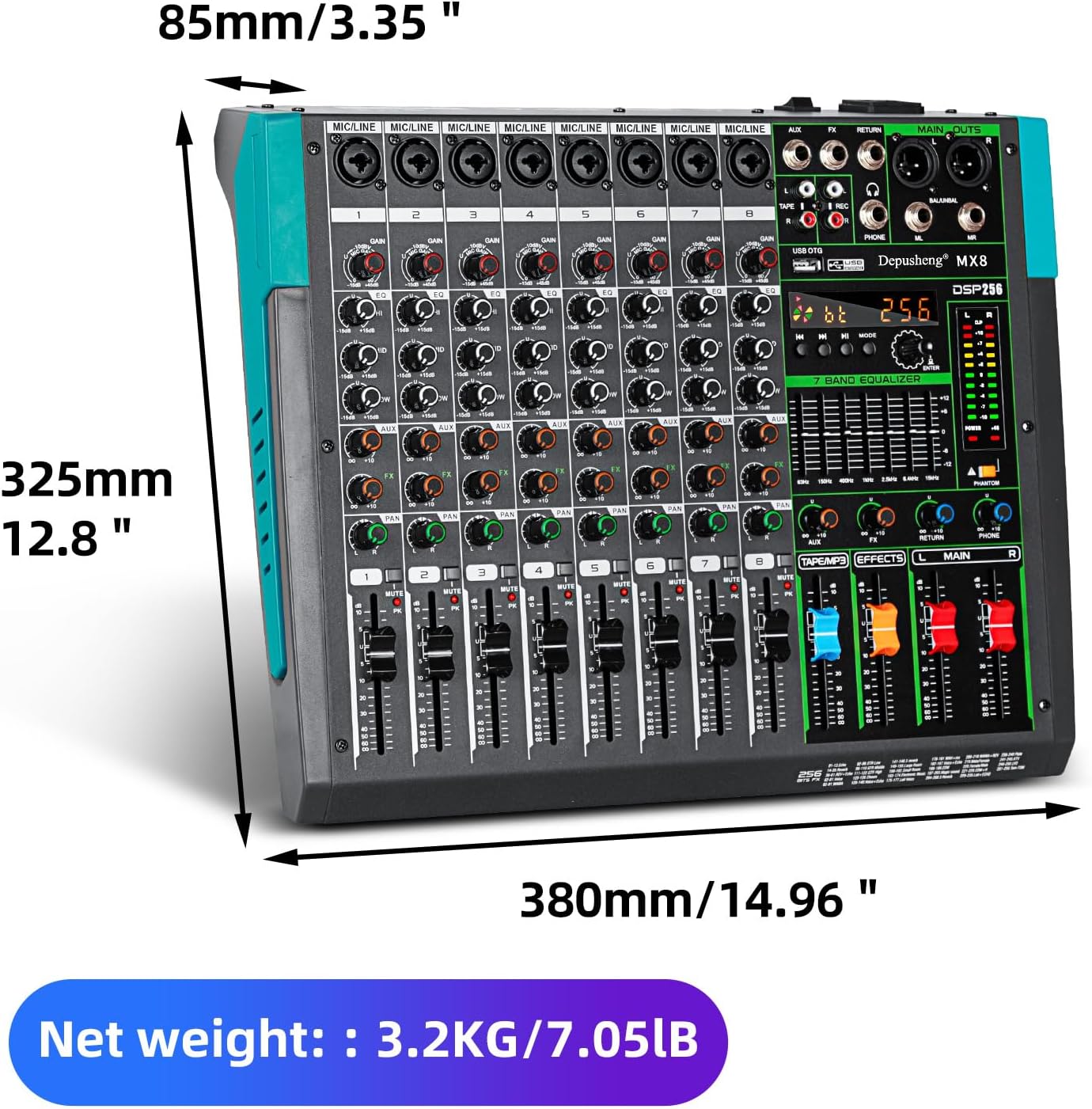
Detailed diagram illustrating all controls and connection ports on the Depusheng MX8 mixer.
- 8-Channel Inputs: Each channel features a dual-purpose input supporting both XLR microphones and 6.35mm (1/4'') line inputs.
- Uscite XLR: For main stereo output to professional audio equipment.
- Uscite da 1/4'' (L/R): Additional stereo outputs.
- Ingressi e uscite RCA (L/R): Per collegare dispositivi audio consumer.
- Porta USB: For direct connection to a PC for recording and playback.
- Connettività Bluetooth: Per lo streaming audio wireless da dispositivi compatibili.
Collegamento di microfoni e strumenti
The mixer's dual-purpose input connectors allow for flexible microphone and instrument connections.
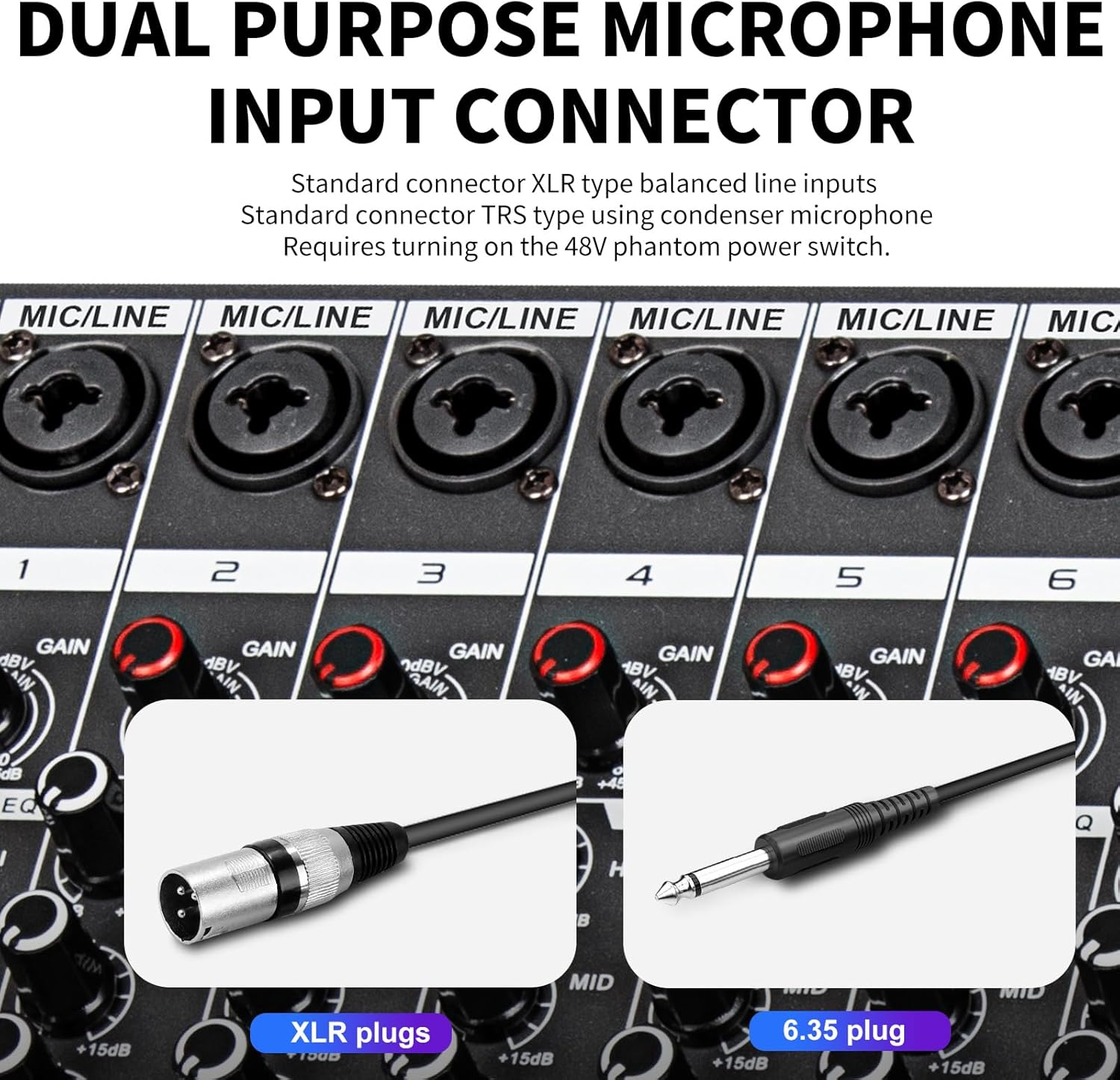
Un primo piano view of the dual-purpose input connectors, showing compatibility with both XLR and 6.35mm plugs. Condenser microphones require the 48V phantom power to be turned on.
- Ingressi XLR: Use for balanced microphones (dynamic or condenser). Ensure 48V phantom power is enabled for condenser microphones.
- 6.35mm (1/4'') Inputs: Use for line-level instruments or dynamic microphones.
Collegamento di potenza
Connect the mixer to a power source using the provided power cable. The power switch is located at the rear of the unit.
Posteriore view of the Depusheng MX8, highlighting the power switch and external power input socket.
Istruzioni per l'uso
Learn how to effectively use the various features of your Depusheng MX8 mixer.
Controlli del canale
Each of the 8 channels on the mixer features dedicated controls for optimal sound shaping.
Detailed diagram illustrating all controls and connection ports on the Depusheng MX8 mixer, including individual channel controls.
- Regolatore GAIN: Regola la sensibilità di ingresso per ciascun canale.
- 3-Band Equalization (EQ): Fine-tune the high, mid, and low frequencies of each audio source independently.
- Controller AUX: Controls the auxiliary send level for external effects or monitor mixes.
- Controller effetti: Adjusts the send level to the internal DSP effects processor.
- Controllore PAN: Positions the sound of the channel within the stereo field (left to right).
- Tasto muto: Disattiva il singolo canale.
- Fader del VOLUME: Controlla il livello di uscita del singolo canale.

Close-up of the 3-band equalization knobs (HI, MID, LOW) for precise tone control on each channel.
Video demonstrating the 3-band equalization controls and their effect on audio. This video also shows the dual-purpose interface, master output jacks, extended fader slide, and DSP reverb effects.
Effetti DSP
The MX8 features 256 built-in Digital Signal Processing (DSP) effects, primarily reverberation, to enhance your audio.

The display indicating the 256 available reverberation effects, which can be adjusted using the dedicated reverb knob.
- Ruotare il Manopola REVERB to select from 256 different reverberation effects.
- Regolare il Controllore FX on each channel to send the desired amount of signal to the effects processor.
Riproduzione e registrazione USB
The integrated USB interface allows for direct audio playback from USB storage devices and recording to a connected computer.

The USB port on the mixer, demonstrating its use for connecting USB storage devices for playback, with a clear LCD color screen display.
- Inserire un dispositivo di archiviazione USB nel Adattatore USB port for direct audio playback.
- Connect the mixer to a computer using the provided USB cable for professional computer recording.
Connessione Bluetooth
Wirelessly connect your smartphone or other Bluetooth-enabled devices to the mixer for audio streaming.

A smartphone connected wirelessly via Bluetooth to the Depusheng MX8 mixer, enabling music playback.
- Activate Bluetooth on your device and search for the mixer.
- Pair your device to stream audio directly to the mixer.
Manutenzione
Proper maintenance ensures the longevity and optimal performance of your Depusheng MX8 mixer.
- Pulizia: Use a soft, dry cloth to clean the surface of the mixer. Avoid abrasive cleaners or solvents.
- Protezione dalla polvere: Quando non lo si utilizza, tenere coperto il mixer per evitare l'accumulo di polvere, soprattutto sui fader e sulle manopole.
- Magazzinaggio: Conservare il mixer in un luogo fresco e asciutto, lontano dalla luce solare diretta e da temperature estreme.
- Gestione dei cavi: Assicurarsi che tutti i cavi siano correttamente avvolti e riposti per evitare danni.
Risoluzione dei problemi
This section provides solutions to common issues you might encounter with your mixer.
| Problema | Possibile causa | Soluzione |
|---|---|---|
| Nessuna uscita audio |
|
|
| Il microfono non funziona |
|
|
| Nessuna riproduzione USB |
|
|
Specifiche
Key technical specifications for the Depusheng MX8 8-Channel Sound Mixer.
| Caratteristica | Dettaglio |
|---|---|
| Numero di modello | US MX8 |
| Numero di canali | 8 |
| Peso dell'articolo | 9.13 libbre (4.15 chilogrammi) |
| Dimensioni del pacco | 17.5 x 15.2 x 5.9 pollici |
| Tipi di connettori | XLR jack, 6.35MM jack, RCA jack, USB, Bluetooth |
| Fonte di alimentazione | Elettrico con cavo |
| Effetti DSP | 256 kinds of reverberation effects |
| Equalizzazione | 3-band EQ per channel, 7-band graphic equalizer |
Garanzia e supporto
For warranty information and technical support, please refer to the official Depusheng weboppure contatta direttamente il servizio clienti. Conserva la ricevuta d'acquisto come prova d'acquisto.
Depusheng is a high-tech enterprise specializing in professional audio equipment, mixers, wireless microphones, power amplifiers, speakers, microphone stand accessories, peripheral equipment, etc.
Visitare il Negozio Depusheng su Amazon per ulteriori prodotti e informazioni.
Ask a question about this manual
Ask about setup, troubleshooting, compatibility, parts, safety, or missing instructions. Manuals+ will review the question and use this page’s manual context to help answer it.