
1. Introduzione
Grazie per l'acquistoasing the BoxWave SlimKeys Bluetooth Keyboard. This portable, backlit keyboard is designed to enhance your typing experience across various devices, including tablets, smartphones, and computers. Its slim profile, customizable LED backlight, and reliable Bluetooth connectivity make it an ideal companion for productivity on the go. This manual provides detailed instructions for setup, operation, maintenance, and troubleshooting to ensure optimal performance of your device.

Image: The SlimKeys Bluetooth Keyboard positioned alongside a Blackview Tab 7 tablet, demonstrating its compact size and compatibility.
2. Caratteristiche del prodotto
- Retroilluminazione LED integrata: Illuminates keys for typing in low-light or dark environments.
- Retroilluminazione personalizzabile: Choose from seven vibrant LED backlight colors to personalize your setup.
- Connettività wireless affidabile: Connects quickly and easily via Bluetooth 3.0 for a stable and responsive typing experience.
- Battery-Saving Power Switch: A dedicated on/off switch helps extend battery life during travel or downtime.
- Design sottile e portatile: Compact and lightweight, making it easy to store and transport without added bulk.
- Chiclet Keys: Caratteristiche low-profile keys designed for quiet and comfortable typing.
- Compatibilità multipiattaforma: Seamlessly connects across Android, Windows, and iOS devices.

Image: An infographic highlighting the main features of the SlimKeys keyboard, including backlit keys, multi-platform compatibility, chiclet keys, and its ultra-slim and light design.
3. Guida all'installazione
3.1. Ricarica della tastiera
Before first use, ensure the keyboard is fully charged. Connect the included charging cable to the keyboard's charging port and to a USB power source (e.g., computer USB port, USB wall adapter). The 'Charge' indicator light will illuminate during charging and turn off when fully charged.

Image: The SlimKeys keyboard with its charging cable connected, demonstrating the charging process and highlighting its long-lasting battery life.
3.2. Accensione/Spegnimento
Locate the ON/OFF switch on the top right side of the keyboard. Slide the switch to the 'ON' position to power on the keyboard. The 'Power' indicator light will briefly illuminate. To conserve battery, slide the switch to 'OFF' when not in use.
3.3. Accoppiamento Bluetooth
- Assicurati che la tastiera sia accesa.
- Press the 'Connect' button located near the ON/OFF switch. The 'Connect' indicator light will start blinking, indicating the keyboard is in pairing mode.
- Sul tuo dispositivo (tablet, smartphone, computer), vai alle impostazioni Bluetooth.
- Abilita il Bluetooth e cerca i dispositivi disponibili.
- Select 'BoxWave SlimKeys Keyboard' (or similar name) from the list of found devices.
- If prompted, enter the pairing code displayed on your device's screen using the SlimKeys keyboard, then press Enter.
- Once paired, the 'Connect' indicator light on the keyboard will stop blinking and remain solid, or turn off, depending on the model. Your keyboard is now ready for use.
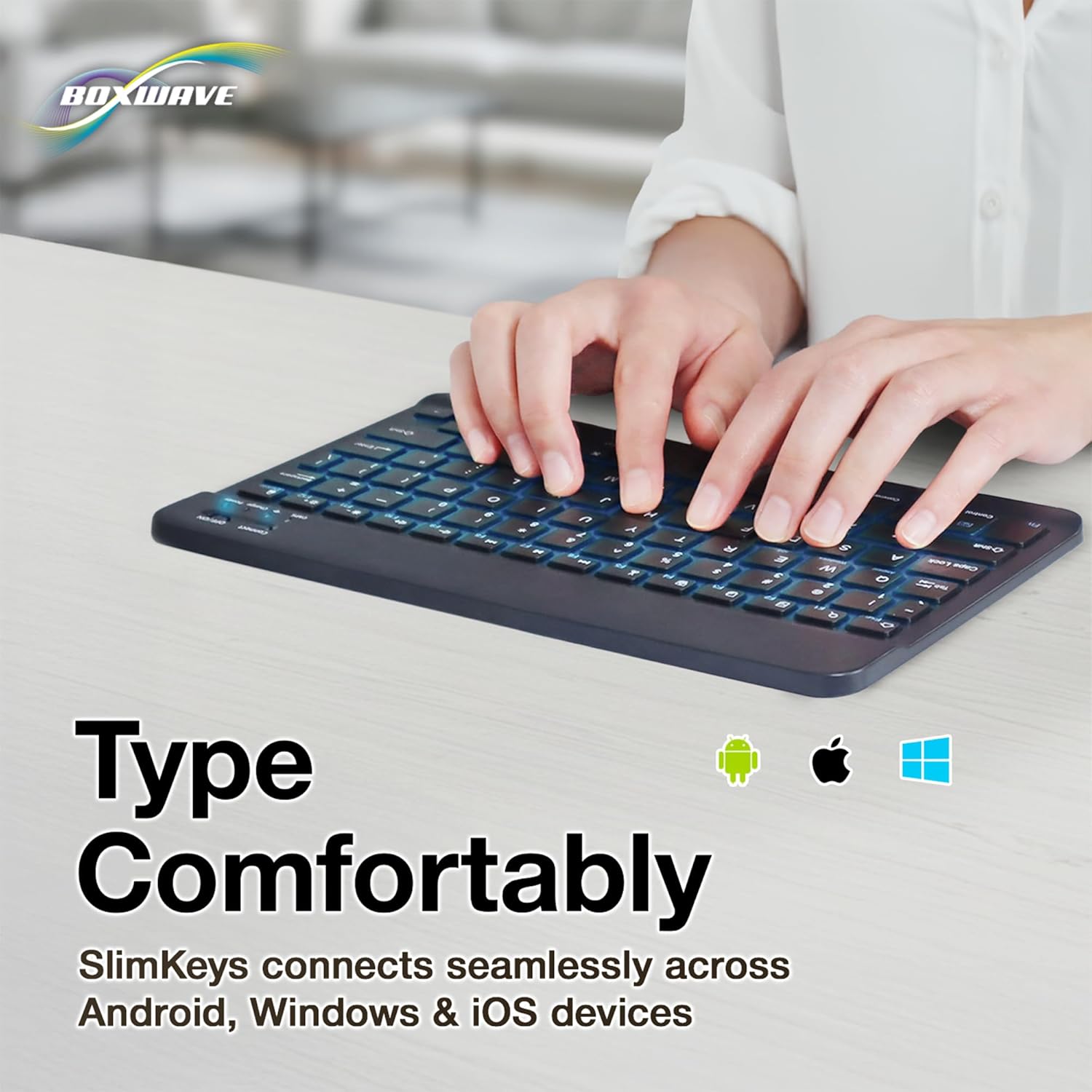
Immagine: Un dettaglio view of the top right section of the SlimKeys keyboard, highlighting the 'Connect' button and the 'ON/OFF' switch, along with the indicator lights.
4. Istruzioni per l'uso
4.1. Digitazione
Once successfully paired, you can use the SlimKeys keyboard for all your typing needs. The chiclet-style keys provide a comfortable and responsive typing experience.
4.2. Controllo della retroilluminazione
The keyboard features an integrated LED backlight with seven customizable colors. To control the backlight:
- Premere il tasto Lampadina key (usually located near the right Ctrl key) to turn the backlight on or off.
- Premere il tasto Colore RGB key (usually located next to the Light Bulb key) to cycle through the seven available backlight colors.

Image: The SlimKeys keyboard showcasing its seven different backlight colors, demonstrating the customization options.
4.3. Specialized Function Keys
The SlimKeys keyboard includes a row of specialized function keys (F1-F12) that provide quick access to common commands. These functions may vary slightly depending on your operating system (Android, Windows, iOS). To use a function key, press the Fn key (usually located near the left Ctrl key) simultaneously with the desired function key.
| Combinazione di tasti | Funzione |
|---|---|
| Fn + Esc (Home) | Vai alla schermata iniziale |
| Fn + F1 (Search) | Apri la ricerca |
| Fn + F2 (Select All) | Select All text/items |
| Fn + F3 (Copy) | Copy selected content |
| Fn + F4 (Paste) | Paste content |
| Fn + F5 (Cut) | Cut selected content |
| Fn + F6 (Skip Back) | Vai alla traccia precedente |
| Fn + F7 (Play/Pause) | Play or Pause media |
| Fn + F8 (Skip Forward) | Passa alla traccia successiva |
| Fn + F9 (Volume Down) | Diminuire il volume |
| Fn + F10 (Volume Up) | Aumentare il volume |
| Fn + F11 (Brightness Down) | Diminuire la luminosità dello schermo |
| Fn + F12 (Brightness Up) | Aumentare la luminosità dello schermo |
| Fn + Delete (Lock) | Lock device screen |

Image: A visual representation of the specialized function keys on the SlimKeys keyboard, detailing their respective commands.
5. Manutenzione
To ensure the longevity and optimal performance of your BoxWave SlimKeys Bluetooth Keyboard, follow these maintenance guidelines:
- Pulizia: Utilizzare un panno morbido e privo di lanugine per pulire la superficie della tastiera. Per lo sporco ostinato, leggermente dampPulire il panno con acqua o con un detergente delicato e non abrasivo. Evitare l'eccessiva umidità.
- Magazzinaggio: Conservare la tastiera in un luogo fresco e asciutto, lontano dalla luce solare diretta e da temperature estreme.
- Evitare i liquidi: Do not expose the keyboard to liquids. In case of accidental spills, immediately power off the keyboard and allow it to dry completely before reuse.
- Maneggiare con cura: Evitare di far cadere la tastiera o di sottoporla a forti urti, che potrebbero danneggiare i componenti interni.
6. Risoluzione Dei Problemi
If you encounter issues with your BoxWave SlimKeys Bluetooth Keyboard, refer to the following common problems and solutions:
| Problema | Possibile causa | Soluzione |
|---|---|---|
| La tastiera non si accende. | La batteria è scarica. | Caricare completamente la tastiera. |
| Cannot pair the keyboard with my device. | Bluetooth not enabled on device; keyboard not in pairing mode; interference. | Ensure Bluetooth is on. Press 'Connect' button on keyboard. Move closer to device. Remove previous pairings. Restart both devices. |
| La tastiera si disconnette frequentemente. | Batteria scarica; troppo lontano dal dispositivo; interferenza. | Charge keyboard. Keep keyboard within 10 meters of device. Avoid strong electromagnetic interference. |
| Backlight is not working or stuck on one color. | Backlight off; low battery; software glitch. | Press the Light Bulb key. Charge the keyboard. Power cycle the keyboard (turn off, then on). |
| I tasti non rispondono. | Keyboard not paired; low battery; hardware issue. | Re-pair the keyboard. Charge the keyboard. If problem persists, contact customer support. |
If the problem persists after trying these solutions, please contact BoxWave customer support for further assistance.
7. Specifiche
| Caratteristica | Dettaglio |
|---|---|
| Nome del modello | SlimKeys Bluetooth Keyboard |
| Connettività | Bluetooth 3.0 |
| Retroilluminazione | 7 colori LED |
| Compatibilità | Android, Windows, iOS |
| Peso dell'articolo | 8.6 once (circa 244 grammi) |
| Dimensioni (circa) | 9.5 in (Width) x 5.75 in (Depth) x 0.2 in (Height) |
| Produttore | ScatolaWave |

Image: The SlimKeys keyboard shown with its approximate dimensions, illustrating its ultra-slim and lightweight design for portability.
8. Garanzia e supporto
BoxWave products are designed for quality and reliability. For information regarding product warranty, returns, or technical support, please refer to the warranty card included with your product or visit the official BoxWave website. You may also contact BoxWave customer service directly for assistance with any product-related inquiries.
Informazioni sui contatti: Please refer to the packaging or BoxWave's official websito per i dettagli di contatto più aggiornati dell'assistenza clienti.