
Introduzione
The summina TONIVENT Cassette to MP3 Converter is an innovative device designed to digitize your favorite audio cassettes into MP3 files. This manual provides detailed instructions on how to set up, operate, and maintain your converter, ensuring a seamless experience.
Le caratteristiche principali includono:
- Direct conversion of cassette tapes to MP3 files su un'unità flash USB.
- Plug and play functionality, requiring no computer for conversion.
- Automatic reverse function for continuous recording.
- Doppia alimentazione: batteria o USB.
- Integrated playback function to review registrato files.
- Can also function as a standalone MP3 player from a USB drive.

Image: A person relaxing and listening to music using the TONIVENT Cassette to MP3 Converter with headphones.
Contenuto della confezione
Si prega di controllare la confezione per verificare la presenza dei seguenti elementi:
- 1 x Cassette Recorder (TONIVENT Cassette to MP3 Converter)
- 1 x auricolare
- 1 cavo USB
- 1 x Manuale inglese

Immagine: Un dettaglio view of the TONIVENT Cassette to MP3 Converter, showing its white casing and silver trim.
Impostare
Accensione del dispositivo
The TONIVENT Cassette to MP3 Converter can be powered in two ways:
- Potenza della batteria: Insert two 1.5V AA batteries (not included) into the battery compartment. Ensure correct polarity.
- Alimentazione USB: Connect the device to a USB power source (e.g., a computer USB port or a USB wall adapter) using the provided USB cable. The device requires USB 5V/0.5A or 3V DC input.
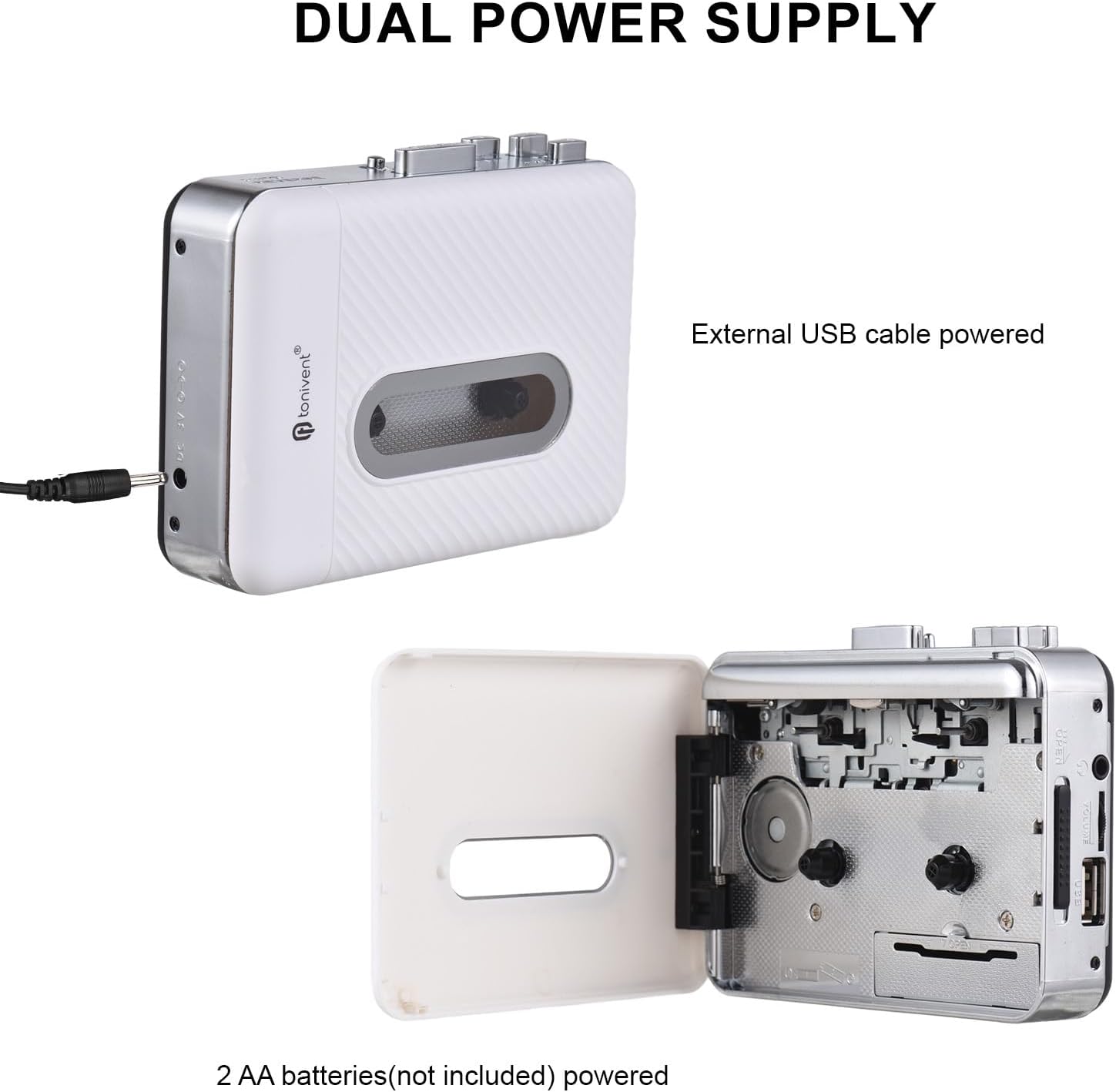
Image: Illustration of the dual power supply options: external USB cable power and 2 AA batteries (not included).
Inserimento di una cassetta
Open the cassette compartment door and carefully insert your audio cassette. Close the door securely.
Collegamento di un'unità flash USB
Insert a USB flash drive into the designated USB port on the device. The USB flash drive should be formatted to FAT, FAT32, or exFAT. NTFS format is not supported. The recommended maximum capacity is 32GB.
Istruzioni per l'uso
Conversione da cassetta a MP3
Follow these steps to convert your cassette tape audio to MP3 files:
- Ensure a cassette tape is inserted and a compatible USB flash drive is connected.
- When the cassette is playing and the USB flash drive is connected, the device will be in standby mode (the blue indicator light will remain on).
- Premere il tasto Registrazione button. The device will begin converting the playing music to MP3 format. The blue indicator light will flash quickly to indicate recording is in progress. If the light does not flash, re-plug your USB flash drive and try again.
- Per interrompere la registrazione, premere il pulsante Registrazione button again. The recorded MP3 file will be saved to your USB flash drive.
- The device will create a new folder named "REC-MP3" on your USB disk, and each saved MP3 file will be named sequentially (e.g., "AUX0001" to "AUX9999").

Image: Visual guide detailing the "Convert and Playback" process, showing how to record from cassette to USB.
Playing Back Recorded MP3s or Other MP3s
The device has a playback function, allowing you to listen to the recorded MP3 files or other MP3 files copied to the USB drive.
- Ensure a USB flash drive containing MP3 files è inserito.
- Connect the included earphones to the earphone jack.
- Use the playback controls (e.g., Play/Pause, Next/Previous track) on the device to navigate and listen to your MP3s. Note that only files within the "REC-MP3" folder can be played back directly by the device if you've copied other MP3s to the drive.
Manutenzione
To ensure the longevity and optimal performance of your TONIVENT Cassette to MP3 Converter, follow these maintenance guidelines:
- Mantenere il dispositivo pulito e privo di polvere. Utilizzare un panno morbido e asciutto per la pulizia.
- Evitare di esporre il dispositivo a temperature estreme, umidità o luce solare diretta.
- Non utilizzare detergenti abrasivi o solventi.
- Quando non si utilizzano le batterie per lunghi periodi, rimuoverle per evitare perdite.
- Handle cassette tapes carefully to prevent damage to the tape and the device's playback mechanism.
Risoluzione dei problemi
Se riscontri problemi con il tuo dispositivo, fai riferimento ai seguenti problemi comuni e alle relative soluzioni:
- Il dispositivo non si accende:
- Controllare che le batterie siano inserite correttamente e non siano scariche.
- Assicurarsi che il cavo USB sia collegato saldamente a una fonte di alimentazione funzionante.
- Recording does not start or blue indicator light does not flash:
- Verify that a USB flash drive is properly inserted.
- Ensure the USB flash drive is formatted to FAT, FAT32, or exFAT (not NTFS).
- Check if the USB flash drive has sufficient free space.
- Try re-inserting the USB flash drive.
- Poor audio quality during recording or playback:
- Ensure the cassette tape is clean and in good condition.
- Controllare il collegamento degli auricolari.
- Clean the tape heads if necessary (refer to general cassette player maintenance).
- Cannot play MP3 files copied to USB drive:
- Assicurare l'MP3 files are located within the "REC-MP3" folder on the USB drive.
Specifiche
| Materiale | addominali |
| Convert Format | MP3 |
| Supporto per unità flash USB | FAT, FAT32, exFAT (NTFS not supported). Max 32GB. |
| Canale audio | Stereo L/R |
| Velocità in bit | 128 Kbps |
| Potenza di uscita | 0.15 L |
| Uscita USB | USB 2.0 |
| Fonte di alimentazione | 2 x 1.5V AA Batteries (not included), USB Port Power (USB 5V/0.5A), 3V DC |
| Dimensioni dell'articolo | 118 x 88 x 33 mm (4.65 x 3.46 x 1.30 pollici) |
| Peso dell'articolo | 188 g (6.65 once) |
| Numero di modello | GNP0484722486638HF |

Image: Diagram showing the physical dimensions of the TONIVENT Cassette to MP3 Converter.
Garanzia e supporto
Per informazioni sulla garanzia o assistenza tecnica, consultare la documentazione fornita con l'acquisto o contattare direttamente il produttore. Conservare la ricevuta d'acquisto come prova d'acquisto.
Produttore: summina
Per ulteriore assistenza, puoi visitare il summina brand store on Amazon.