
symcode 1D 2D Hands-Free Barcode Scanner
Symcode 1D 2D Hands-Free Barcode Scanner User Manual
Model: 1D 2D Hands-Free Barcode Scanner
Brand: Symcode
1. Introduzione
This manual provides comprehensive instructions for the Symcode 1D 2D Hands-Free Barcode Scanner. Designed for efficiency and versatility, this omnidirectional scanner is an ideal solution for various environments including retail, supermarkets, and offices. It supports both 1D and 2D barcodes, offering automatic sensing and reliable data capture.
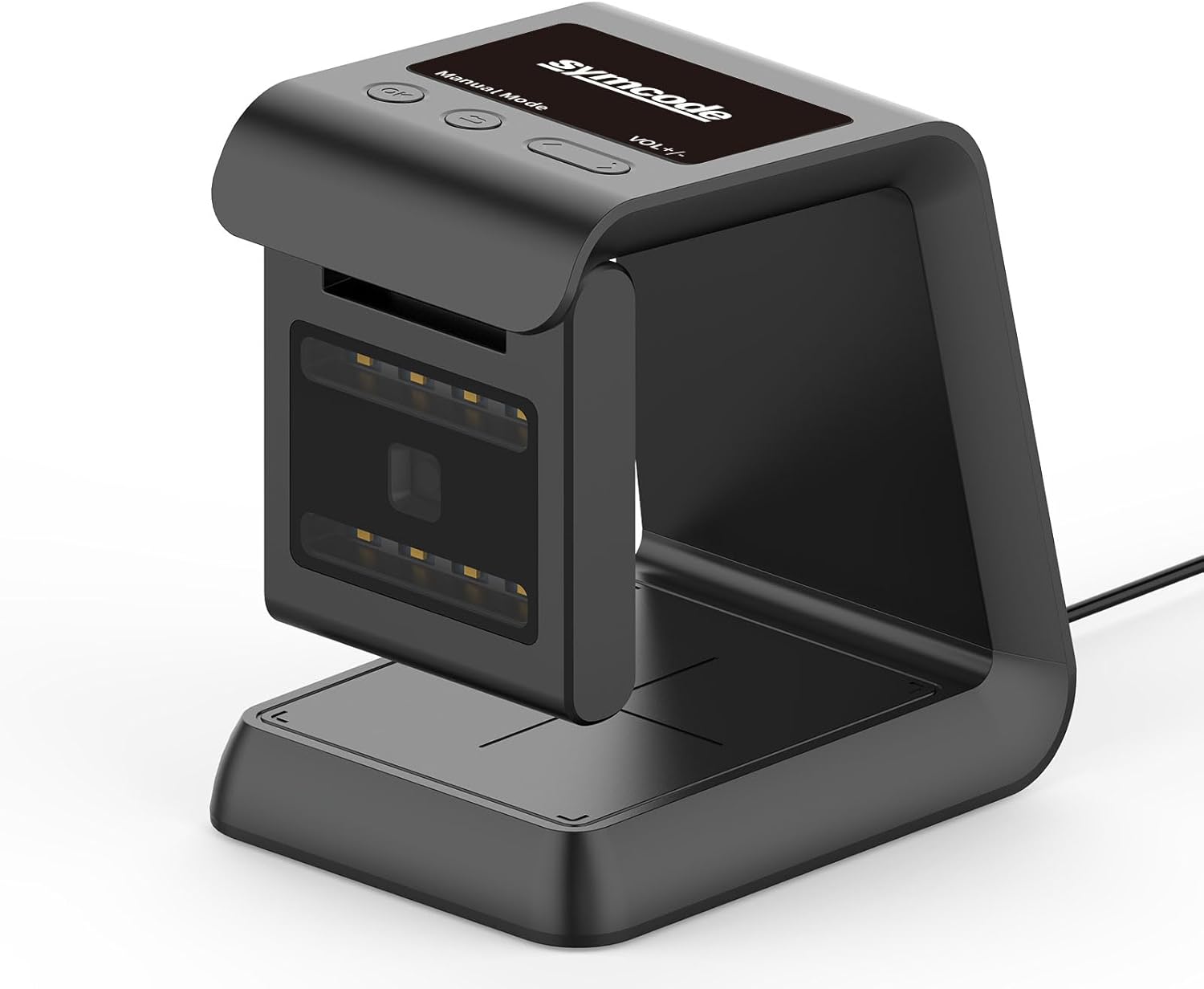
Figura 1.1: Oltreview of the Symcode Hands-Free Barcode Scanner.
2. Caratteristiche principali
- Efficient Hands-Free Operation: Provides convenient and efficient scanning, especially in busy retail or POS environments, without manual handling.
- Scansione omnidirezionale: Captures barcodes from various angles, offering flexibility in item presentation.
- Automatic Sensing Technology: Initiates scanning automatically when a barcode is presented, eliminating the need for manual triggers. The scanner enters sleep mode when idle and wakes up automatically when a barcode is detected.
- Fast and Reliable USB Connection: Ensures a seamless plug-and-play experience with POS systems and computers.
- Versatile Screen Scanning: Capable of scanning barcodes from digital displays, including mobile phones and computer screens, supporting mobile payments and other transactions.
- Forte capacità di decodifica: Decodes common 1D and 2D QR barcodes, even if they are blurred or incomplete.
- Anti-shock Design: Engineered to withstand multiple drops from a height of 5 feet (1.5 meters) onto concrete.
3. Guida all'installazione
The Symcode Barcode Scanner is designed for simple plug-and-play operation, requiring no driver installation for most systems.
3.1 Connessione iniziale
- Posizionare lo scanner su una superficie piana e stabile vicino al computer o al sistema POS.
- Collegare il cavo USB dello scanner a una porta USB disponibile sul computer o sul sistema POS.
- The scanner will automatically power on and be ready for use. No additional drivers are typically required.

Figure 3.1: Connecting the scanner via USB for plug-and-play functionality.
Video 3.1: Demonstration of the Symcode scanner's automatic sensing and omnidirectional capabilities.
4. Istruzioni per l'uso
4.1 Scansione di base
The scanner utilizes automatic sensing technology. Simply present the barcode to the scanning window, and the scanner will automatically detect and decode it.

Figura 4.1: Esamples of scanning items in a retail store and an airport ticket gate.
4.2 Omnidirectional Scanning
The omnidirectional design allows for flexible scanning from various angles. The scan window can also rotate 90 degrees to accommodate different scanning needs.
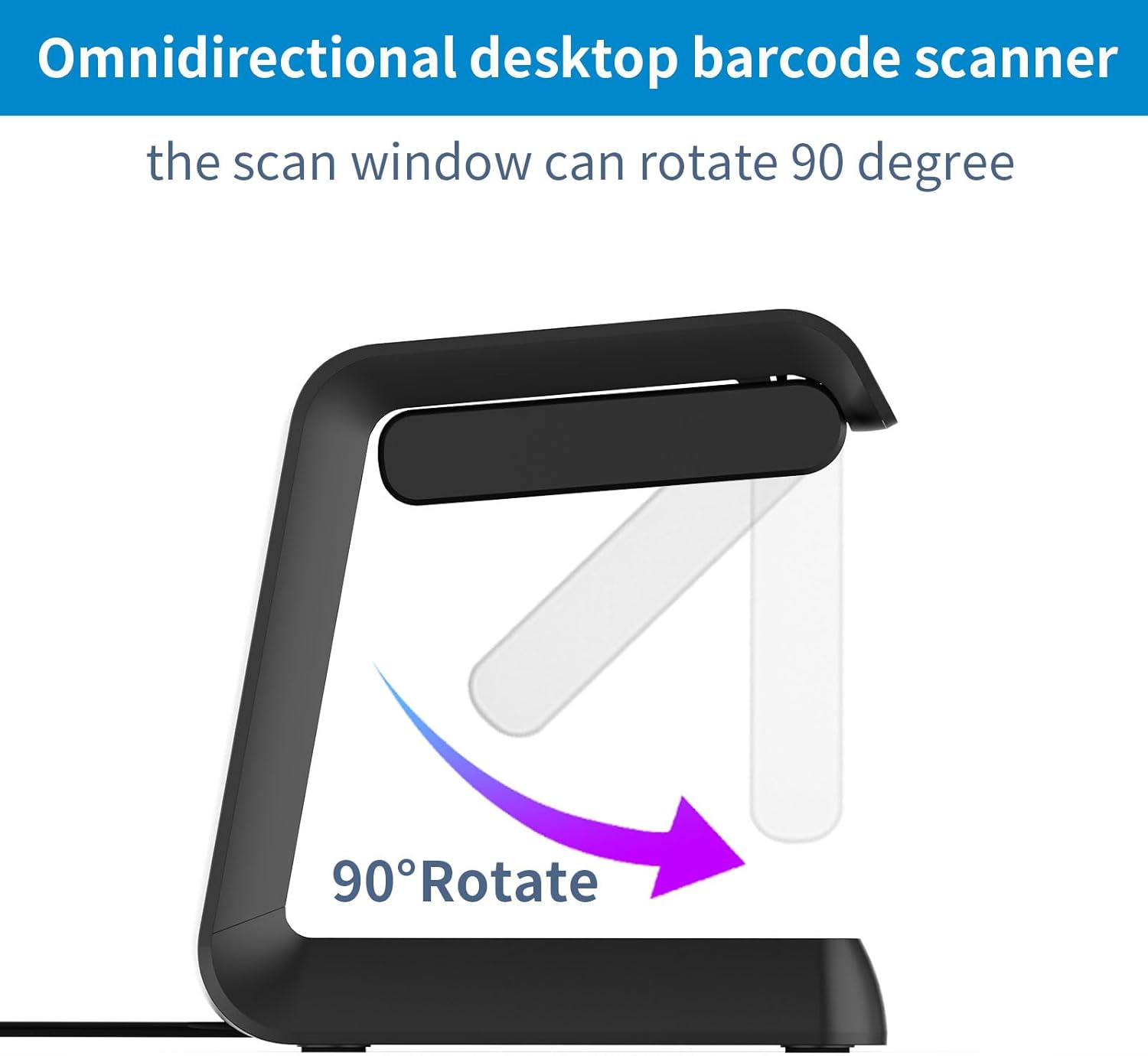
Figure 4.2: The scanner's window can rotate 90 degrees for optimal scanning angles.
Video 4.1: Oltreview of the 2D QR Omnidirectional USB Barcode Scanner in operation.
4.3 Automatic Sleep and Wake-Up
The scanner intelligently conserves power by entering a sleep mode when not in use. It automatically wakes up when a barcode is presented to the scanning window.

Figure 4.3: The scanner's automatic sleep and wake-up function.
Video 4.2: Demonstrating the automatic sensing and scanning capabilities of the desktop barcode reader.
4.4 Capacità di decodifica
The scanner is equipped with a high-resolution scan engine capable of decoding various 1D and 2D barcodes, including those that are blurred or incomplete.

Figure 4.4: The scanner's ability to decode various 1D and 2D barcodes, even from screens.
Video 4.3: Demonstrating the wired barcode reader's screen scanning capability for POS and supermarket use.
4.5 Supported Connections
The scanner supports multiple transport connections, including USB, Serial, and TTL transmission, ensuring compatibility with various systems.
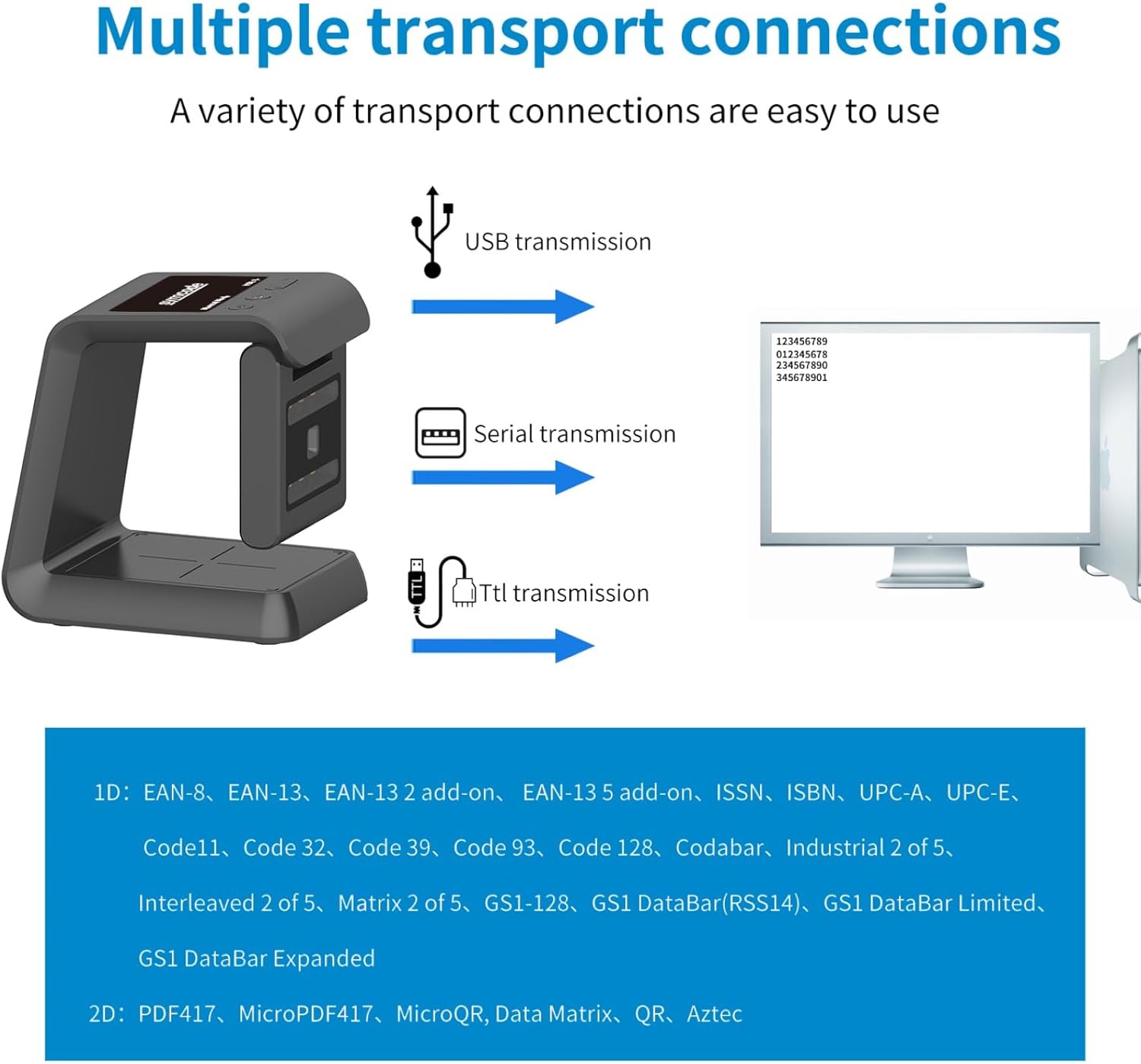
Figure 4.5: The scanner's compatibility with USB, Serial, and TTL connections.
5. Manutenzione
5.1 Durata e pulizia
The Symcode scanner features an anti-shock design, allowing it to remain functional even after drops from up to 5 feet (1.5 meters). To maintain optimal performance, regularly clean the scanning window with a soft, dry cloth. Avoid using abrasive cleaners or solvents.
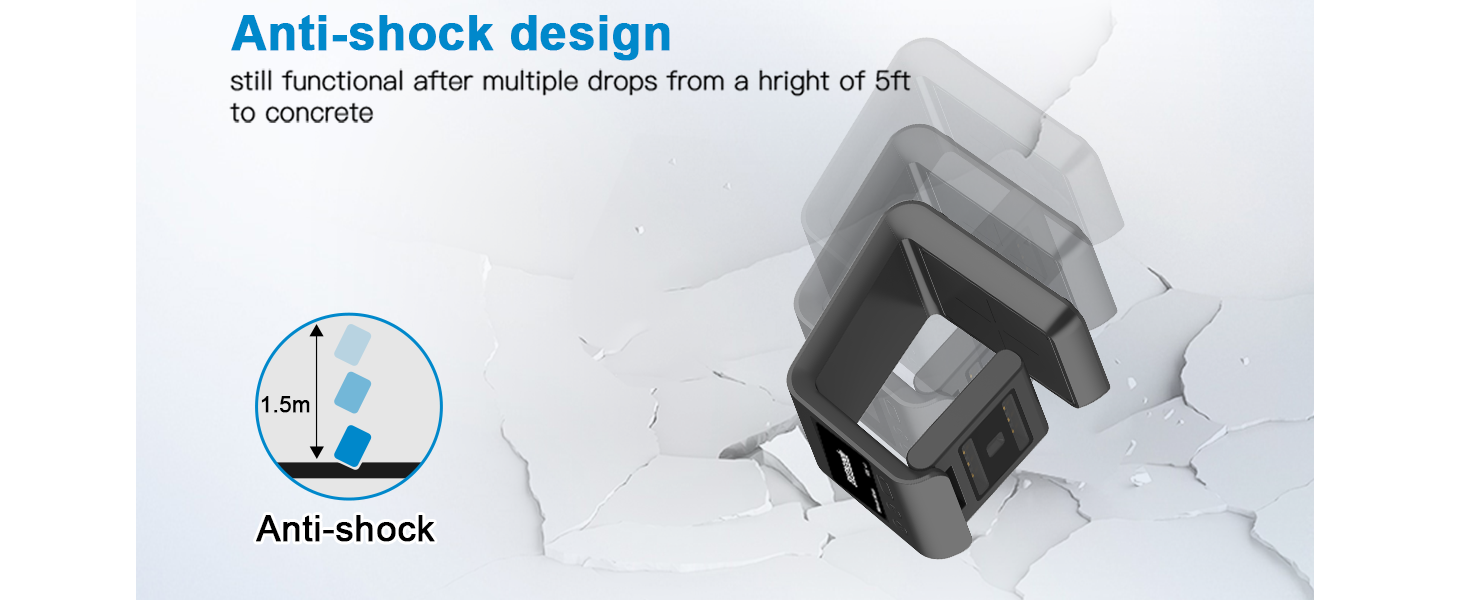
Figure 5.1: The scanner's robust anti-shock design.
6. Risoluzione Dei Problemi
6.1 Problemi comuni e soluzioni
- Lo scanner non risponde: Assicurarsi che il cavo USB sia collegato saldamente sia allo scanner che al computer. Provare a collegarlo a una porta USB diversa.
- Difficulty programming suffixes/prefixes: The instruction manual for advanced programming (like adding suffixes or prefixes) may require careful attention to specific barcode sequences. Refer to the dedicated programming section in the full product manual or contact customer support for detailed guidance.
- Inconsistent scanning: Ensure the barcode is clean and flat. Position the barcode directly in front of the scanning window. Check for any obstructions on the scanning window and clean if necessary.
- Nessun dato in uscita: Verify that the scanner is properly connected and recognized by your computer. Ensure the application you are using is ready to receive input (e.g., a text editor or spreadsheet program).
7. Specifiche del prodotto
| Attributo | Dettaglio |
|---|---|
| Dimensioni del prodotto | 3.25"P x 3.25"L x 5.5"A (8.25 cm P x 8.25 cm L x 13.97 cm A) |
| Peso dell'articolo | 14.1 once (400 grammi) |
| Tecnologia di connettività | Cavo USB |
| Fonte di alimentazione | USB Barcode Reader |
| Dispositivi compatibili | Computer portatile, desktop, smartphone |
| Produttore | codice simbolico |
| Data prima disponibilità | 28 giugno 2021 |

Figure 7.1: Detailed dimensions of the Symcode Barcode Scanner.
8. Garanzia e supporto
Specific warranty details and direct support contact information are not provided in this manual. For warranty claims, technical assistance, or further inquiries, please refer to the product packaging, the seller's website, or your purchase documentation. You may also visit the official Symcode store on Amazon for additional resources and contact options.
Symcode Store Link: Visit the Symcode Store
Ask a question about this manual
Ask about setup, troubleshooting, compatibility, parts, safety, or missing instructions. Manuals+ will review the question and use this page’s manual context to help answer it.