
EBTOOLS EBTOOLS1756ogbieh-12
User Manual for EBTOOLS YEEMI K21+ 4G Flip Phone
Model: EBTOOLS1756ogbieh-12
Introduzione
This manual provides comprehensive instructions for the operation, maintenance, and troubleshooting of your EBTOOLS YEEMI K21+ 4G Flip Phone. Designed with seniors in mind, this phone features large buttons, dual screens, and essential functions like SOS and GPS for enhanced safety and ease of use. Please read this manual carefully to ensure proper use and to maximize the phone's capabilities.
1. Impostazione
1.1 Contenuto della confezione
Prima di iniziare, verifica che tutti gli articoli siano presenti nel pacco:
- EBTOOLS YEEMI K21+ 4G Flip Phone
- Batteria
- Cavo USB
- Manuale dell'utente (questo documento)

Image: The phone, battery, and USB cable included in the package.
1.2 Inserimento della scheda SIM e della batteria
- Aprire il coperchio posteriore: Sollevare delicatamente la cover posteriore del telefono.
- Inserire la/le scheda/e SIM: Locate the SIM card slot(s). This phone supports dual SIM. Carefully insert your 4G compatible SIM card(s) into the designated slot(s) with the gold contacts facing down.
- Inserire la batteria: Allineare i contatti della batteria con quelli del telefono e premere delicatamente la batteria in posizione.
- Chiudi la copertina posteriore: Riposizionare il coperchio posteriore, assicurandosi che scatti saldamente in posizione.

Image: The phone in its open position, ready for SIM card and battery insertion.
1.3 Caricamento della batteria
Prima del primo utilizzo, caricare completamente la batteria del telefono.
- Collegare l'estremità più piccola del cavo USB alla porta di ricarica del telefono.
- Collegare l'altra estremità del cavo USB a un adattatore di alimentazione USB compatibile (non incluso) o alla porta USB di un computer.
- L'indicatore di carica sullo schermo mostrerà lo stato di carica.
2. Istruzioni per l'uso
2.1 Accensione/spegnimento
- Per accendere: Tenere premuto il pulsante di accensione/fine chiamata (pulsante rosso) finché lo schermo non si illumina.
- Per spegnere: Press and hold the Power/End Call button until the power off options appear, then select "Power Off".
2.2 Effettuare e ricevere chiamate
- Effettuare una chiamata:
- Enter the phone number using the large keypad buttons.
- Premere il pulsante Chiama (pulsante verde) per comporre il numero.
- Ricevere una chiamata:
- Quando il telefono squilla, apri il flip per rispondere oppure premi il pulsante Chiama.
- Per terminare una chiamata, premere il pulsante di accensione/fine chiamata.

Image: The phone showcasing its dual display feature, with the internal screen open and the external screen visible when closed.
2.3 Dual Screens and Large Font
The phone features a 2.6-inch high-definition main screen and a 1.77-inch external color high-definition screen. The external screen displays important information like time, date, and incoming call notifications without needing to open the phone. Large fonts and icons are used throughout the interface for improved readability.

Immagine: un primo piano view of the phone's external screen, highlighting its dual SIM dual standby capability.
2.4 SOS and GPS Functionality
For emergencies, the phone is equipped with an SOS button and GPS positioning.
- Impostazione dei contatti SOS: Navigate to the SOS settings in the phone's menu to add emergency contact numbers.
- Attivazione SOS: In an emergency, press and hold the dedicated SOS button (usually located on the back or side of the phone). The phone will automatically call and send an emergency message with your GPS location to the pre-set SOS contacts.
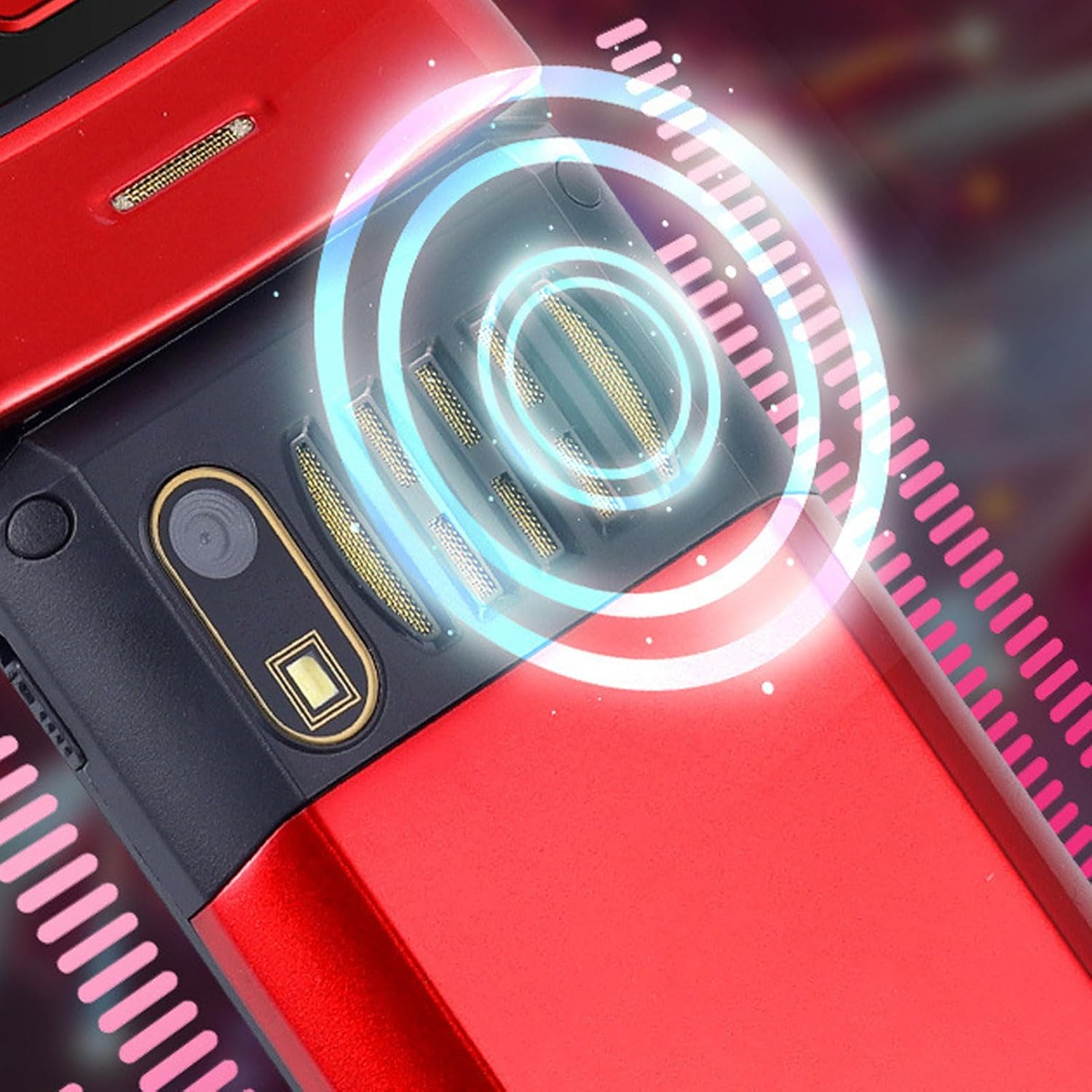
Image: The back of the phone, highlighting the speaker area, which contributes to clear sound for emergency calls.
2.5 Speed Dial and Shortcut Buttons
The phone supports 9 speed dial buttons for quick dialing of family numbers and 3 dedicated shortcut buttons for frequently used functions.
- Impostazione della chiamata rapida: Refer to the phone's menu for instructions on assigning contacts to speed dial numbers (typically 2-9).
- Utilizzo dei pulsanti di scelta rapida: The dedicated shortcut buttons provide quick access to features like Camera, Messaging, or FM Radio.
3. Manutenzione
3.1 Cura della batteria
- Evitare di esporre la batteria a temperature estreme.
- Non forare, smontare o cortocircuitare la batteria.
- Se il telefono non verrà utilizzato per un periodo prolungato, caricare la batteria fino a circa il 50% prima di riporlo.
3.2 Pulizia del telefono
- Per pulire lo schermo e il corpo del telefono, utilizzare un panno morbido e privo di lanugine.
- Non utilizzare prodotti chimici aggressivi, spray detergenti o materiali abrasivi.
- Mantenere la porta di ricarica e le griglie degli altoparlanti libere da polvere e detriti.
4. Risoluzione Dei Problemi
Se riscontri problemi con il tuo telefono, consulta i seguenti problemi comuni e le relative soluzioni:
| Problema | Possibile causa | Soluzione |
|---|---|---|
| Il telefono non si accende. | La batteria è scarica o non è inserita correttamente. | Caricare la batteria. Assicurarsi che la batteria sia inserita correttamente. |
| Impossibile effettuare o ricevere chiamate. | Nessuna scheda SIM, scheda SIM non inserita correttamente o nessun segnale di rete. | Assicurati che la scheda SIM sia inserita correttamente. Controlla la potenza del segnale di rete. Contatta il tuo operatore telefonico. |
| Scarsa qualità delle chiamate. | Weak network signal, or speaker/microphone obstruction. | Move to an area with better signal. Clean speaker and microphone openings. |
| La funzione SOS non funziona. | SOS contacts not set up, or no network signal. | Verify SOS contacts are correctly configured in settings. Ensure phone has network signal. |
5. Specifiche
Key technical specifications for the EBTOOLS YEEMI K21+ 4G Flip Phone:
- Modello: EBTOOLS1756ogbieh-12
- Connettività: 4G (supports 2G, 3G, and 4G network bands including GSM and CDMA)
- Schermo principale: 2.6-inch High Definition
- Schermo esterno: 1.77-inch Color High Definition
- Capacità della batteria: 4800mAh (Long Standby Time)
- Caratteristiche: Large Buttons, Dual Screens, SOS with GPS Positioning, 9 Speed Dial Buttons, 3 Dedicated Shortcut Buttons, Clear Sound Speaker
- Dimensioni: Circa 5.51 x 3.15 x 2.76 pollici (dimensioni della confezione)
- Paese di origine: Cina
6. Garanzia e supporto
Your EBTOOLS YEEMI K21+ 4G Flip Phone comes with a standard manufacturer's warranty. Please refer to the warranty card included in your package for specific terms and conditions. For technical support, troubleshooting assistance beyond this manual, or warranty claims, please contact the seller or manufacturer directly.
Produttore: EBTOOL
Per ulteriore assistenza, puoi visitare il EBTOOLS Store on Amazon.
Ask a question about this manual
Ask about setup, troubleshooting, compatibility, parts, safety, or missing instructions. Manuals+ will review the question and use this page’s manual context to help answer it.