
Introduzione
This manual provides comprehensive instructions for the setup, operation, and maintenance of your TFA Dostmann 60.2036 Mini Digital Clock. Please read these instructions carefully before using the device to ensure proper function and longevity.
Prodotto finitoview
The TFA Dostmann 60.2036 is a versatile mini digital clock designed for portability and multiple functions, including an alarm, stopwatch, and timer. It features a clear digital display and intuitive controls.
Caratteristiche principali:
- Digital alarm mode with stopwatch and timer functions.
- Compact size, ideal for travel, with a key lock feature to prevent accidental settings changes.
- Multiple mounting options: magnetic attachment or integrated stand.
- Powered by 1 AAA 1.5V alkaline battery (included).
- Can be used as a table clock, stopwatch, timer, or alarm clock in various settings.
Componenti:
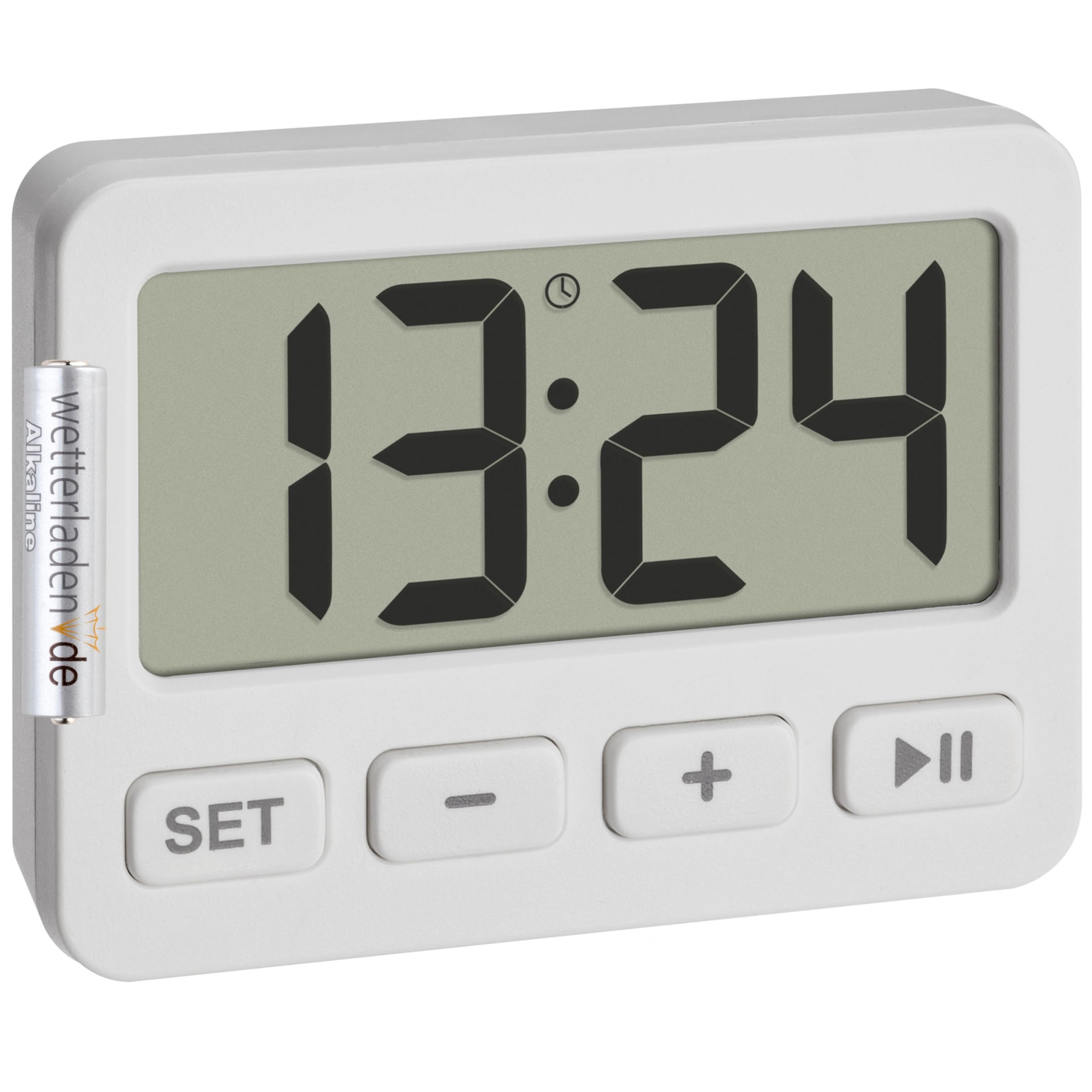
Figura 1: Fronte view of the TFA Dostmann 60.2036 Mini Digital Clock. The clock features a large digital display, a 'SET' button, a '-' (minus) button, a '+' (plus) button, and a 'Play/Pause' button. An alarm icon is visible on the display.
- Display digitale: Shows time, alarm status, stopwatch, or timer.
- Pulsante IMPOSTA: Utilizzato per immettere e confermare le impostazioni.
- - Pulsante (Meno): Diminuisce i valori o naviga tra le opzioni.
- Pulsante + (Più): Aumenta i valori o naviga tra le opzioni.
- Pulsante Play/Pausa: Starts/stops stopwatch or timer, activates/deactivates alarm.
- Vano batteria (posteriore): Holds 1 AAA battery.
- Integrated Stand (Rear): Per posizionamento da tavolo.
- Magnets (Rear): Per il fissaggio su superfici metalliche.
Impostare
1. Installazione della batteria
- Individuare il vano batteria sul retro del dispositivo.
- Aprire il coperchio del vano batterie.
- Insert one AAA 1.5V alkaline battery, ensuring correct polarity (+/-). A battery is included with the product.
- Chiudere saldamente il coperchio del vano batterie.
2. Impostazione iniziale dell'ora
- After battery installation, the display will show a default time or flash.
- Premere e tenere premuto il tasto IMPOSTATO per alcuni secondi finché le cifre delle ore non iniziano a lampeggiare.
- Utilizzare il + or - pulsanti per regolare l'ora.
- Premere il tasto IMPOSTATO nuovamente il pulsante per confermare l'ora e passare all'impostazione dei minuti.
- Utilizzare il + or - pulsanti per regolare i minuti.
- Premere il tasto IMPOSTATO un'ultima volta per confermare i minuti e uscire dalla modalità di impostazione dell'ora.
Istruzioni per l'uso
1. Switching Between Modes (Clock, Alarm, Stopwatch, Timer)
Premere il tasto IMPOSTATO button briefly to cycle through the different modes: Time Display → Alarm Setting → Stopwatch → Timer.
2. Impostazione dell'allarme
- Premere IMPOSTATO repeatedly until the alarm time is displayed (often indicated by an alarm icon).
- Premere e tenere premuto il tasto IMPOSTATO finché le cifre dell'ora della sveglia non lampeggiano.
- Utilizzo + or - per impostare l'ora della sveglia desiderata.
- Premere IMPOSTATO per confermare l'ora e passare ai minuti.
- Utilizzo + or - per impostare i minuti desiderati per la sveglia.
- Premere IMPOSTATO per confermare e uscire dall'impostazione della sveglia.
Attivazione/Disattivazione dell'allarme:
In alarm display mode, press the Riproduci/Pausa button to toggle the alarm ON or OFF. An alarm icon on the display indicates that the alarm is active.
Interruzione dell'allarme:
When the alarm sounds, press any button to silence it. The alarm will reset for the next day.
3. Utilizzo del cronometro
- Premere IMPOSTATO repeatedly until the stopwatch mode is displayed (usually showing "00:00:00").
- Premere il tasto Riproduci/Pausa pulsante per avviare il cronometro.
- Premere il tasto Riproduci/Pausa nuovamente il pulsante per mettere in pausa il cronometro.
- Per riprendere, premere Riproduci/Pausa Ancora.
- Per azzerare il cronometro, premere il tasto - pulsante mentre il cronometro è in pausa.
4. Using the Timer (Countdown)
- Premere IMPOSTATO repeatedly until the timer mode is displayed (usually showing "00:00:00" or the last set timer value).
- Premere e tenere premuto il tasto IMPOSTATO finché le cifre dell'ora non lampeggiano.
- Utilizzo + or - to set the desired timer hour.
- Premere IMPOSTATO per confermare l'ora e passare ai minuti.
- Utilizzo + or - to set the desired timer minutes.
- Premere IMPOSTATO to confirm and exit timer setting.
- Premere il tasto Riproduci/Pausa pulsante per avviare il conto alla rovescia.
- Quando il timer raggiunge lo zero, suonerà un allarme. Premere un pulsante qualsiasi per disattivarlo.
- To pause the timer, press Riproduci/Pausa during countdown. Press again to resume.
- To reset the timer to its last set value, press the - button while the timer is paused or has finished.
5. Funzione di blocco tasti
To prevent accidental changes to settings, especially during travel, the device features a key lock function.
- Per attivare il blocco tasti: tenere premuto il tasto Riproduci/Pausa button for approximately 3 seconds. A lock icon may appear on the display.
- Per disattivare il blocco tasti: tenere premuto il tasto Riproduci/Pausa button again for approximately 3 seconds. The lock icon will disappear.
6. Opzioni di montaggio
- Supporto integrato: Pull out the stand located on the back of the clock to place it on any flat surface.
- Attacco magnetico: Use the integrated magnets on the back of the clock to attach it to metallic surfaces like refrigerators or whiteboards.
Manutenzione
Pulizia:
- Pulisci il dispositivo con un panno morbido e asciutto.
- Non utilizzare detergenti abrasivi o solventi, poiché potrebbero danneggiare il display o il casing.
- Evitare di esporre il dispositivo a umidità eccessiva.
Sostituzione della batteria:
When the display becomes dim or the device stops functioning, it is time to replace the battery.
- Seguire i passaggi di installazione della batteria descritti nel Impostare sezione.
- Always use a fresh AAA 1.5V alkaline battery.
- Smaltire le vecchie batterie in modo responsabile secondo le normative locali.
Risoluzione dei problemi
| Problema | Possibile causa | Soluzione |
|---|---|---|
| Il display è vuoto o poco luminoso. | Batteria scarica o scarica. Installazione errata della batteria. | Replace the AAA battery. Check battery polarity. |
| I pulsanti non rispondono. | Il blocco tasti è attivato. | Deactivate the key lock by pressing and holding the Riproduci/Pausa pulsante per 3 secondi. |
| L'allarme non suona. | La sveglia non è attivata. Il volume della sveglia è troppo basso (se regolabile, anche se non specificato per questo modello). | Ensure the alarm icon is visible on the display. Check battery level. |
| Time/settings reset unexpectedly. | Battery removed or power interrupted. | Re-enter time and settings. Ensure battery is securely in place. |
Specifiche
- Modello: TFA Dostmann 60.2036
- Materiale: Plastica
- Colore: Bianco
- Fonte di energia: 1 batterie AAA da 1.5 V (incluse)
- Product Dimensions (Depth x Height): 15P x 15H millimeters
- Dimensioni della confezione: Dimensioni: 6.5 x 5 x 3 cm
- Peso dell'articolo: 21 grammi
- Dimensioni dello schermo: 55 millimetri
- Funzioni: Clock, Alarm, Stopwatch, Timer, Key Lock
Garanzia e supporto
For warranty information and customer support, please refer to the documentation provided with your purchase or visit the official TFA Dostmann websito. Conservare la prova d'acquisto per eventuali reclami in garanzia.
Produttore: TFA Dostmann