
Introduzione
The DieseRC EW-4CH is a versatile 4-channel WiFi smart switch relay module designed for remote control and automation of various electrical devices. It offers stable and reliable performance with high reception sensitivity via 2.4 GHz WiFi. This module allows you to control devices from anywhere using the eWelink APP and integrates with voice assistants like Amazon Alexa and Google Home. It supports both inching and self-locking operating modes, providing flexibility for different applications.
The module features four independent relays with potential-free (dry) contacts, each rated for 10A. It can be powered by DC 5V (via USB) or DC 7V-48V (via terminal block), making it compatible with a wide range of power sources and applications.
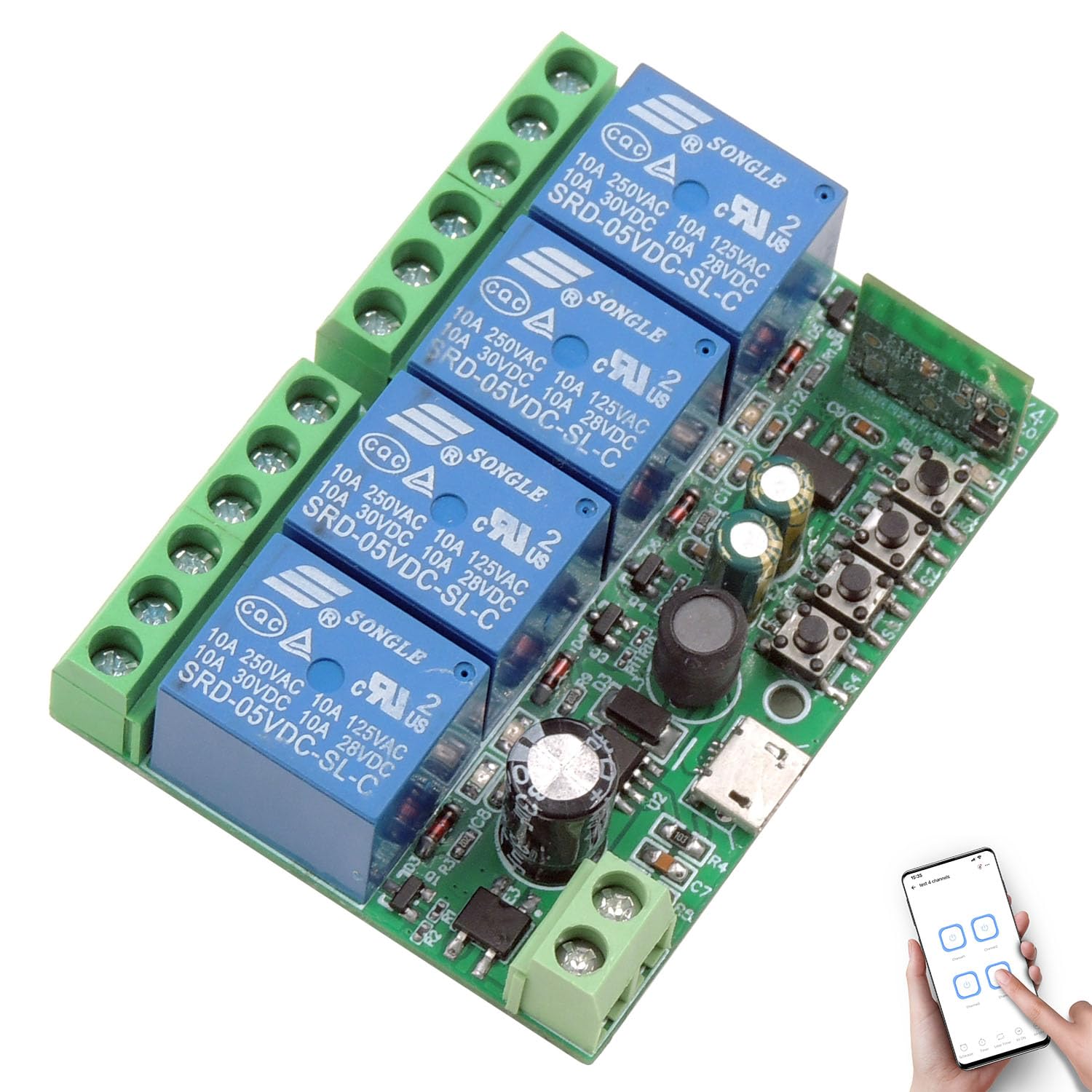
Figura 1: Oltreview of the DieseRC EW-4CH 4-Channel WiFi Smart Switch Module.
Informazioni sulla sicurezza
- Prima dell'installazione o del cablaggio, assicurarsi che tutta l'alimentazione sia scollegata per evitare scosse elettriche.
- This device operates with electrical currents. Improper installation or use can be dangerous.
- Do not exceed the maximum current rating of 10A per relay.
- Ensure proper insulation for all connections.
- Utilizzare il dispositivo entro il volume specificatotage range (DC 5V or DC 7V-48V).
- Tenere il dispositivo lontano da acqua, umidità e temperature estreme.
- In caso di dubbi sulle procedure di cablaggio, consultare un elettricista qualificato.
Impostare
1 Installazione fisica e cablaggio
The EW-4CH module is compact (65x48x17 mm) and can be easily hidden in most electrical boxes or junction boxes. It offers flexible power input options and passive output relays.

Figure 2: Module components including relay indicator lights, WiFi indicator, pairing button, USB input, and terminal definitions (NO, COM, NC).
- Potenza in ingresso: Il modulo può essere alimentato in due modi:
- Via Micro USB: DC 5V/0.5A.
- Via Terminal Block: DC 7V-48V/0.5A.
- Connessioni relè: Each of the four relays has three terminals:
- NO (normalmente aperto): The circuit is open when the relay is off, and closes when the relay is activated.
- COM (Comune): Il terminale comune per il relè.
- NC (normalmente chiuso): The circuit is closed when the relay is off, and opens when the relay is activated.

Figure 3: Power input options: DC 7V-48V via terminal or DC 5V via USB.

Figura 4: Esamples of wiring modes for DC devices (lamps, motors) and AC devices (lamps, motors) using the module's passive output relays.
2. eWelink APP Installation
The smart switch is controlled via the eWelink APP, available for Android and iOS devices.
- Download the eWelink APP from your device's app store or scan the QR code below.
- Crea un account o accedi se ne hai già uno.

Figure 5: Scan this QR code to download the eWelink APP. Alternatively, visit http://app.coolkit.cc/dl.html.
3. Associazione del dispositivo
- Power on the EW-4CH module.
- Open the eWelink APP and tap the '+' icon to add a device.
- Follow the in-app instructions to put the device into pairing mode (usually by pressing and holding the pairing button on the module until the WiFi indicator light blinks).
- Connect the device to your 2.4 GHz WiFi network.
Modalità operative
The EW-4CH supports two main operating modes: Inching (Momentary) and Self-locking (Toggle).
- Modalità di avanzamento lento: The relay activates for a set duration (e.g., 0.5 to 3600 seconds) and then automatically deactivates. This is suitable for applications like garage door openers or pulse-triggered devices.
- Modalità autobloccante: The relay toggles its state with each activation. One press turns it on, another press turns it off. This is suitable for traditional on/off control of lights or appliances.
You can configure these modes within the eWelink APP for each relay independently.
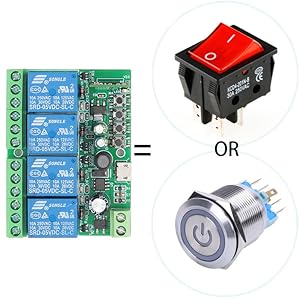
Figure 6: The smart switch module can function as a control interface similar to traditional switches or buttons.
Controllo APP
Control your connected devices anytime, anywhere using the eWelink APP on your smartphone (Android and iOS).

Figure 7: Remote control of devices via the eWelink APP, demonstrating control of a garage door from a beach location.
Controllo vocale
The EW-4CH is compatible with Amazon Alexa and Google Home, allowing for hands-free control of your devices.
- Collega il tuo account eWelink ad Amazon Alexa o Google Home tramite le rispettive app.
- Use voice commands such as "Alexa, turn on the light" or "Hey Google, open the garage door."

Figure 8: Voice control integration with Amazon Alexa and Google Home for convenient device operation.
Pianificazione e timer
The eWelink APP allows you to set schedules, timers, and countdowns for automated operation of your devices.

Figura 9: Esample of setting a schedule to automatically open and close lights using the eWelink APP.
Telecomando opzionale
The smart switch is compatible with an optional RM2.4G Bluetooth remote control (not included) for additional control flexibility.

Figura 10: Oltreview of various control methods: APP, voice, and optional Bluetooth remote control.
Manutenzione
- Mantenere il dispositivo pulito e privo di polvere. Per la pulizia, utilizzare un panno asciutto e morbido.
- Avoid exposing the device to direct sunlight, high humidity, or corrosive environments.
- Controllare regolarmente i collegamenti elettrici per accertarsi che siano sicuri.
- Ensure the device has adequate ventilation if installed in an enclosed space.
Risoluzione dei problemi
- Dispositivo non connesso al Wi-Fi:
- Ensure your WiFi network is 2.4 GHz. The device does not support 5 GHz WiFi.
- Check if the WiFi signal strength is adequate at the device's location.
- Verify your WiFi password is entered correctly in the eWelink APP.
- Try resetting the device to factory settings (refer to the pairing instructions) and re-pairing.
- Device not responding to APP/Voice commands:
- Check if the device is connected to WiFi (WiFi indicator light should be solid).
- Assicurati che il tuo smartphone abbia una connessione Internet attiva.
- Verify that the eWelink APP is updated to the latest version.
- For voice control, ensure your eWelink account is correctly linked to Alexa/Google Home.
- Relay not activating/deactivating:
- Controllare l'alimentazione del modulo.
- Verify the wiring connections to the load are correct (NO, COM, NC).
- Ensure the load's current draw does not exceed 10A.
- Check the operating mode settings (Inching/Self-locking) in the eWelink APP.
Specifiche
| Marca | DieseRC |
| Numero di modello | EW-4CH |
| Dimensioni del prodotto | 65 x 48 x 17 mm (2.6 x 1.9 x 0.7 pollici) |
| Peso | 60 grammi |
| Ingresso volumetage | DC 5V (USB) or DC 7V-48V (Terminal) |
| Tipo di uscita | Uscita passiva (contatti asciutti) |
| Corrente nominale del relè | 10 Ampere per channel |
| Tipo di contatto | Normally Open (NO), Normally Closed (NC), Common (COM) |
| Connettività | WiFi a 2.4 GHz |
| Modalità di controllo | APP Control (eWelink), Voice Control (Alexa/Google Home), Optional Bluetooth Remote Control |
| Modalità operative | A impulsi (momentaneo), autobloccante (a levetta) |
Garanzia
This product comes with a standard manufacturer's warranty. Please refer to the product packaging or contact DieseRC customer support for specific warranty terms and conditions.
Supporto
For technical assistance, troubleshooting, or further inquiries, please contact DieseRC customer support through their official website or the contact information provided with your purchase. Ensure you have your product model number (EW-4CH) ready when seeking support.