
FREEWOLF K8
FREEWOLF K8 Wireless Mechanical Gaming Keyboard User Manual
Modello: K8
1. Introduzione
Thank you for choosing the FREEWOLF K8 Wireless Mechanical Gaming Keyboard. This keyboard offers versatile connectivity options, customizable RGB backlighting, and a hot-swappable design for a personalized typing and gaming experience. This manual provides detailed instructions for setup, operation, and maintenance to ensure optimal performance and longevity of your device.
2. Contenuto della confezione
Si prega di verificare che tutti gli articoli elencati di seguito siano inclusi nel pacchetto:
- FREEWOLF K8 Mechanical Keyboard
- Cavo da USB-C a USB-A
- Ricevitore USB a 2.4 GHz
- Estrattore per tasti
- Estrattore per interruttori
- Extra Mechanical Switches (2 pieces)
- Manuale dell'utente (questo documento)

Image: The FREEWOLF K8 keyboard shown with its included accessories, including the USB-C cable, 2.4GHz receiver, keycap puller, switch puller, and two spare mechanical switches.
3. Prodotto finitoview
The FREEWOLF K8 features an 80% layout with 100 keys, designed for both efficiency and comfort. It incorporates a robust internal structure for enhanced sound and feel.

Immagine: Un esploso view of the FREEWOLF K8 keyboard's internal components, highlighting the aluminum plate, sandwich acoustic foam, PBC board, and insulation foam, which contribute to its sound-dampening properties.
Caratteristiche principali:
- Connettività Tri-Mode: Supporta connessioni Bluetooth, wireless a 2.4 GHz e cablate USB-C.
- Interruttori sostituibili a caldo: Compatible with most 3-pin mechanical switches, allowing for easy customization.
- Retroilluminazione RGB: Features 19 preset lighting effects and 3 customizable gaming backlight modes.
- Batteria a lunga durata: Dotato di una batteria ricaricabile da 4000 mAh per un utilizzo prolungato.
- Design ergonomico: Includes adjustable kickstands for two typing angles and durable PBT keycaps.
- Compatibilità multi-sistema: Works with Windows and Mac operating systems.
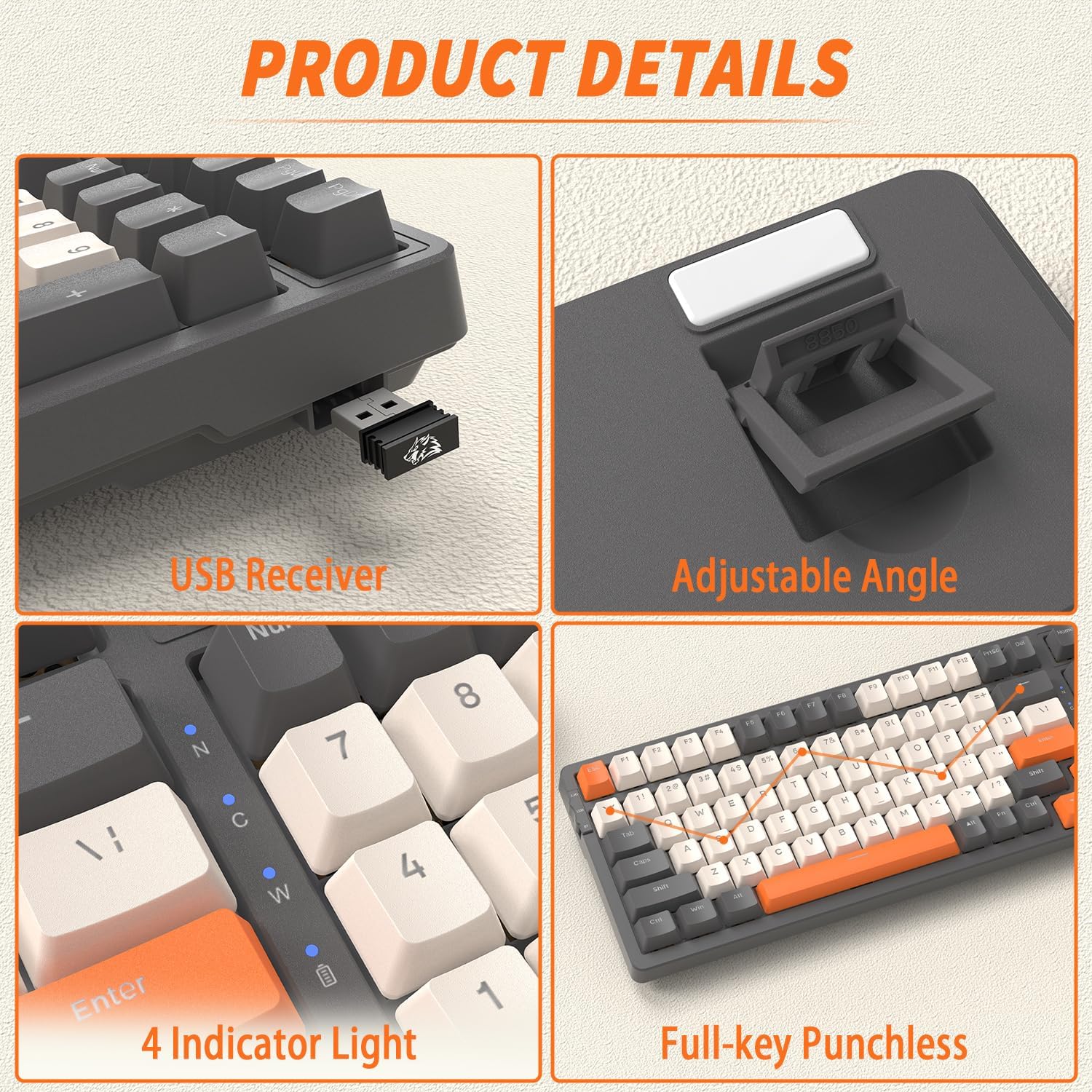
Immagine: Primo piano views of the FREEWOLF K8 keyboard, showing the integrated USB receiver storage, adjustable angle feet, four indicator lights (for connectivity and battery status), and the ergonomic keycap profile.
4. Istruzioni per l'installazione
4.1. Modalità di connettività
The K8 keyboard supports three connection methods: Bluetooth, 2.4GHz wireless, and USB-C wired. You can easily switch between up to five different devices.

Image: The FREEWOLF K8 keyboard demonstrating its ability to connect to multiple devices (up to five) via Bluetooth (BT1, BT2, BT3), 2.4GHz wireless, and USB-C wired connections.
4.1.1. Connessione wireless a 2.4 GHz
- Locate the 2.4GHz USB receiver, usually stored in a compartment on the keyboard's underside.
- Collega il ricevitore USB a una porta USB disponibile sul tuo computer.
- Set the keyboard's mode switch (located on the top left side) to '2.4G'.
- La tastiera si connetterà automaticamente.
4.1.2. Connessione Bluetooth
- Set the keyboard's mode switch to 'BT'.
- Per associare un nuovo dispositivo, tenere premuto FN+Q (per BT1), FN+W (per BT2), oppure FA + MI (for BT3) for 3-5 seconds until the corresponding key flashes rapidly.
- On your device (computer, smartphone, tablet), enable Bluetooth and search for 'FREEWOLF K8'.
- Select the keyboard to pair. The key will stop flashing once connected.
- Per passare da un dispositivo Bluetooth associato all'altro, premere FN+Q, FN+W, O FA + MI brevemente.
4.1.3. Connessione cablata USB-C
- Collegare il cavo USB-C in dotazione alla porta USB-C della tastiera.
- Collega l'altra estremità del cavo a una porta USB disponibile sul computer.
- Set the keyboard's mode switch to 'USB'.
- The keyboard will be recognized as a standard USB device.
4.2. System Compatibility (Windows/Mac)
The K8 keyboard is compatible with both Windows and Mac operating systems. To switch between modes, press FN + LA. The keyboard will adjust its key functions to match the selected operating system.
5. Istruzioni per l'uso
5.1. Controllo della retroilluminazione
The K8 keyboard features extensive RGB backlighting with various effects and customization options.

Image: The FREEWOLF K8 keyboard displaying its vibrant RGB backlighting, illustrating the 19 backlit modes, 3 customized backlit modes, and backlight recording functionality.
- Cambia modalità di retroilluminazione: Premere FN + |\ per scorrere 19 diversi effetti di illuminazione RGB.
- Regola luminosità: Premere FN + per aumentare la luminosità, FN + per diminuire la luminosità.
- Regola la velocità: Premere FN + per rallentare l'effetto, FN+→ per accelerare l'effetto.
- Custom Gaming Backlight Modes:
- FN + 1! (FPS Mode): Lights up W/A/S/D and arrow keys.
- FN + 2@ (LOL Mode): Lights up Q/W/E/R/D/F/G/V/B/Tab/Space/1-6/Esc keys.
- FN + 3# (Office Mode): Lights up A-Z/[/]/;/'/,/.// and arrow keys.
- Record Custom Backlight: To customize and save a backlight mode, select one of the three custom modes (FN+1!, FN+2@, or FN+3#), then press FN + ~ to enter recording mode. Press the keys you wish to light up, then press FN + ~ di nuovo per salvare.
5.2. Gestione della batteria
The K8 keyboard is equipped with a 4000mAh rechargeable battery, providing extended usage time.
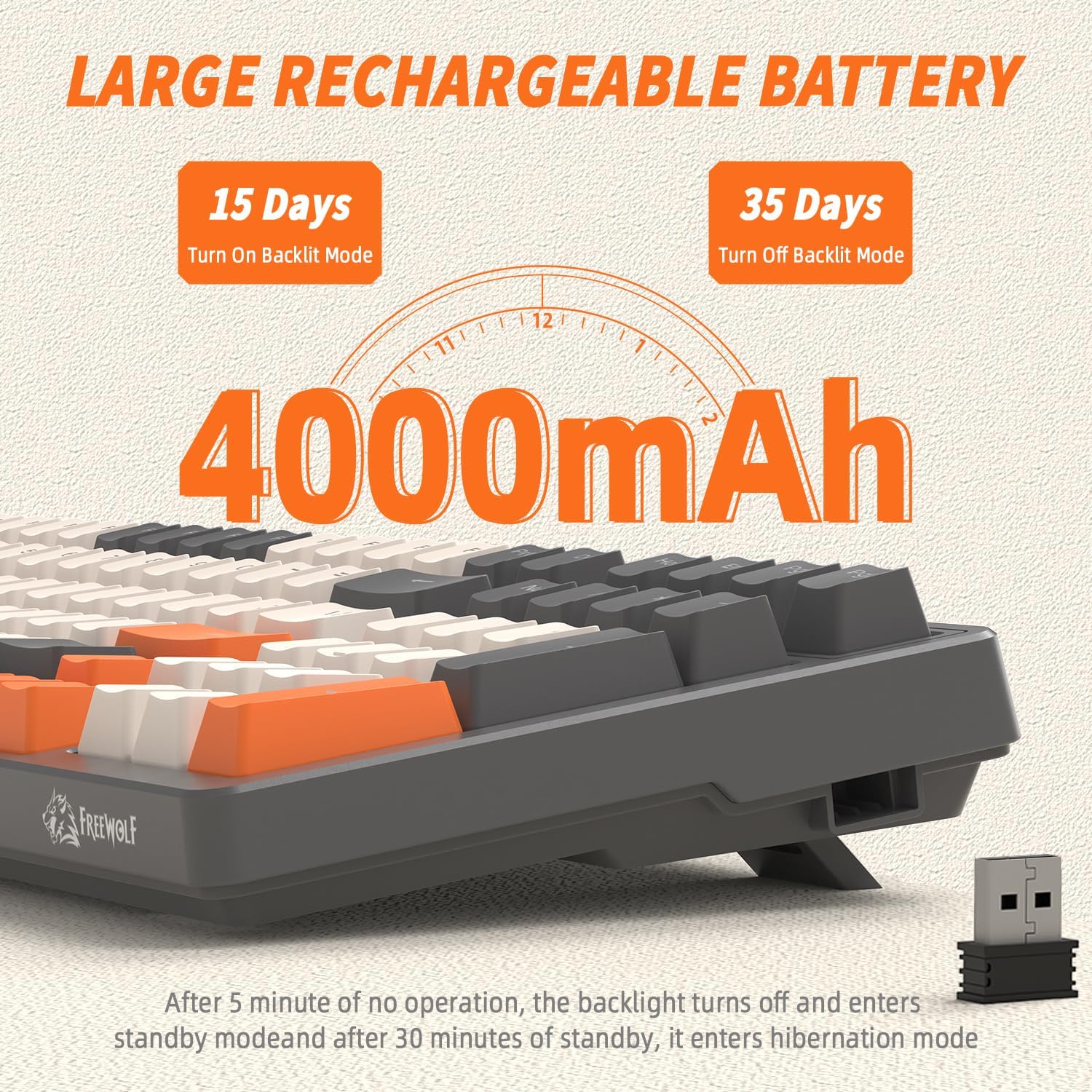
Image: A visual representation of the FREEWOLF K8's 4000mAh battery, indicating approximately 15 days of use with backlighting on and 35 days with backlighting off.
- Ricarica: Connect the keyboard via the USB-C cable to a power source (computer USB port or wall adapter). The battery indicator light will show charging status.
- Risparmio energetico:
- La retroilluminazione si spegnerà dopo 5 minuti di inattività.
- The keyboard will enter hibernation mode after 30 minutes of no operation to conserve power.
- Svegliati: Press any key twice to wake the keyboard from hibernation.
5.3. Switch hot-swap
The K8 keyboard features hot-swappable sockets, allowing you to change mechanical switches without soldering.

Image: The FREEWOLF K8 keyboard demonstrating its hot-swappable switch feature, with keycap and switch pullers, and two spare red switches, indicating support for 3-pin switches.
- Rimuovere il tasto: Use the keycap puller to gently pull the desired keycap straight up.
- Rimuovi interruttore: Use the switch puller to grasp the top and bottom clips of the switch. Gently pull the switch straight up to remove it from the PCB.
- Installa nuovo switch: Align the pins of the new 3-pin mechanical switch with the holes on the PCB. Press down firmly until the switch clicks into place. Ensure the pins are not bent.
- Installa Keycap: Place the keycap onto the new switch and press down until it is secure.
Attenzione: Ensure the keyboard is disconnected or powered off before hot-swapping switches to prevent damage. Use gentle force to avoid bending switch pins or damaging the PCB sockets.
5.4. Other Key Functions (FN Combinations)
The K8 keyboard utilizes the FN key for various secondary functions:
- FN + F1-F12: Typically multimedia controls (e.g., Play/Pause, Stop, Previous, Next, Mute, Volume Up/Down). Refer to the keycap legends for specific functions.
- FN + Vinci: Blocca/sblocca il tasto Windows per evitare pressioni accidentali durante il gioco.
- FN + PrtSc: Screen capture.
- FN + Blocco scorrimento: Toggles certain backlight effects or modes.
- FN + Pause Break: Toggles certain backlight effects or modes.
6. Manutenzione
Una corretta manutenzione garantisce la longevità e le prestazioni della tastiera.
- Pulizia: Use a soft brush or compressed air to remove dust and debris from between the keycaps. For deeper cleaning, remove keycaps using the provided puller and wipe the keyboard surface with a slightly damp, panno privo di lanugine. Evitare l'eccessiva umidità.
- Cura dei tasti: I tasti in PBT sono resistenti, ma possono essere puliti con acqua e sapone neutro, se necessario. Assicurarsi che siano completamente asciutti prima di rimontarli.
- Magazzinaggio: Quando non viene utilizzata per lunghi periodi, conservare la tastiera in un luogo asciutto e fresco, lontano dalla luce solare diretta e da temperature estreme.
7. Risoluzione Dei Problemi
If you encounter issues with your FREEWOLF K8 keyboard, please refer to the following common solutions:
| Problema | Possibile causa | Soluzione |
|---|---|---|
| La tastiera non risponde (cablata) | Loose cable, incorrect mode switch setting, faulty USB port. | Ensure USB-C cable is securely connected. Set mode switch to 'USB'. Try a different USB port on your computer. |
| La tastiera non risponde (2.4 GHz) | USB receiver not plugged in, incorrect mode switch setting, low battery. | Ensure 2.4GHz USB receiver is plugged in. Set mode switch to '2.4G'. Charge the keyboard. |
| La tastiera non risponde (Bluetooth) | Not paired, incorrect mode switch setting, low battery, device Bluetooth off. | Set mode switch to 'BT'. Ensure Bluetooth is enabled on your device. Re-pair the keyboard (FN+Q/W/E). Charge the keyboard. |
| La retroilluminazione non funziona o è fioca | Retroilluminazione disattivata, luminosità impostata troppo bassa, batteria scarica. | Premere FN + |\ per scorrere le modalità. Premere FN + to increase brightness. Charge the keyboard. |
| Tasti digitati due volte o non registrati | Interruttore difettoso, detriti sotto il tasto. | Clean under the keycap. If issue persists, hot-swap the switch with a spare or new one. |
| La tastiera si disconnette frequentemente | Interferenza, distanza dal ricevitore/dispositivo, batteria scarica. | Ensure no strong interference sources nearby. Reduce distance to receiver/device. Charge the keyboard. |
Se il problema persiste dopo aver provato queste soluzioni, contattare l'assistenza clienti.
8. Specifiche
| Caratteristica | Dettaglio |
|---|---|
| Modello | K8 |
| Marca | FREEWOLF |
| Connettività | Bluetooth, wireless a 2.4 GHz, USB-C cablato |
| Disposizione | 80% (100 tasti) |
| Tipo di interruttore | Meccanico (3 pin sostituibili a caldo) |
| Materiale del copritastiera | PBT (Double-shot injection) |
| Retroilluminazione | RGB (19 effects, 3 customizable modes) |
| Capacità della batteria | 4000 mAh |
| Dispositivi compatibili | PC, Laptop, Smartphone, Tablet, Game Console |
| Sistemi operativi | Finestre, Mac |
| Dimensioni (circa) | 395 mm (lunghezza) x 142 mm (larghezza) x 44 mm (altezza) |

Image: The FREEWOLF K8 keyboard with its approximate dimensions (395mm length, 142mm width, 44mm height) and a visual representation of the packing list contents.
9. Garanzia e supporto
FREEWOLF products are designed for reliability and performance. For warranty information, technical support, or any inquiries regarding your K8 keyboard, please refer to the warranty card included in your package or visit the official FREEWOLF websito. Conservare la prova d'acquisto per eventuali reclami in garanzia.
Ask a question about this manual
Ask about setup, troubleshooting, compatibility, parts, safety, or missing instructions. Manuals+ will review the question and use this page’s manual context to help answer it.