
1. Introduzione
This manual provides detailed instructions for the assembly, operation, and maintenance of your MONTECH King 95 PRO Dual-Chamber ATX Mid-Tower PC Gaming Case. Designed for high performance and aesthetic appeal, this case offers a robust foundation for your PC build. Please read this manual thoroughly before beginning your installation to ensure proper setup and to maximize the potential of your new PC case.
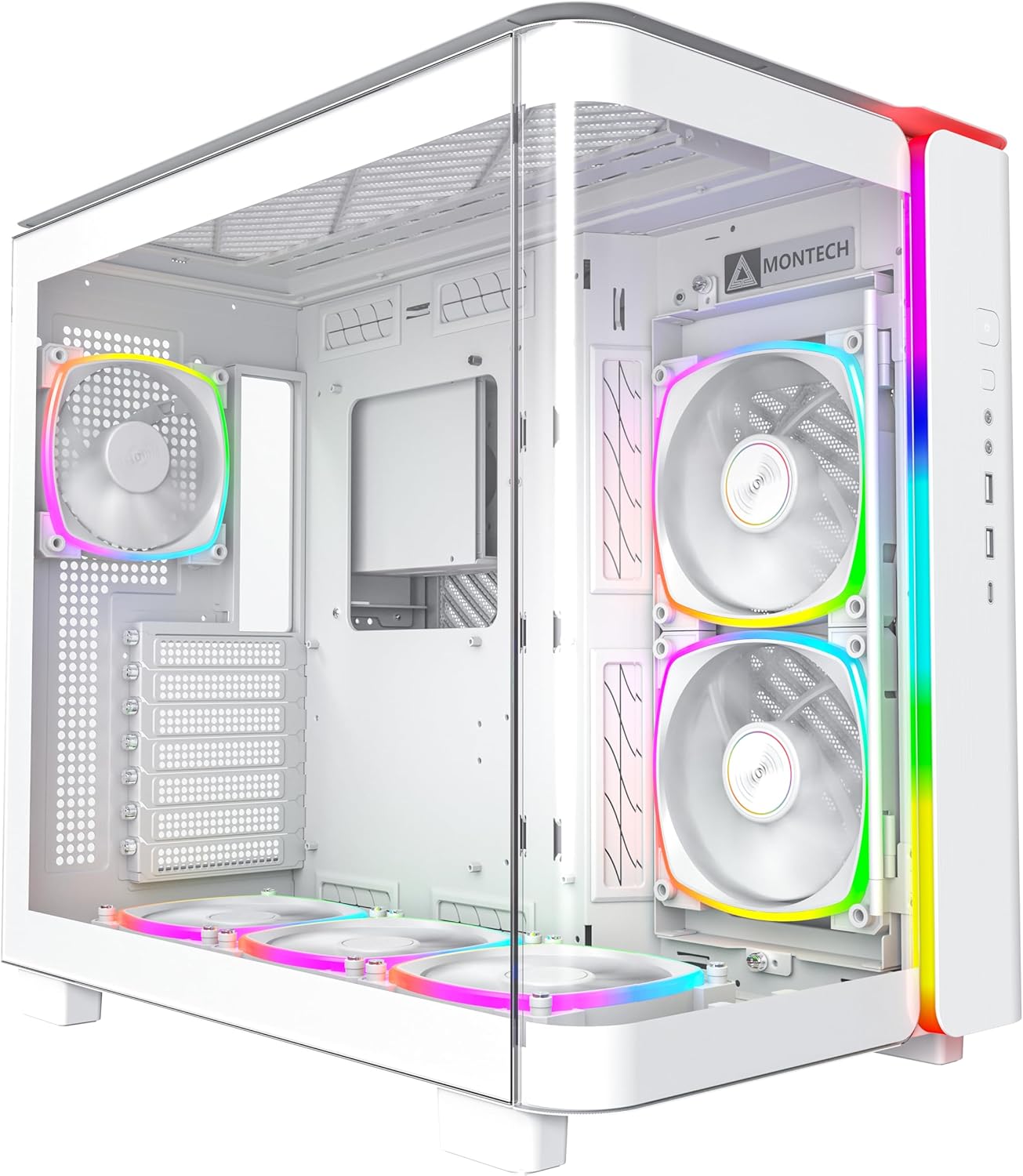
Figura 1.1: Fronte view of the MONTECH King 95 PRO PC Case, showcasing its curved tempered glass and pre-installed ARGB fans.
2. Caratteristiche principali
The MONTECH King 95 PRO is engineered with several advanced features to enhance your PC building and gaming experience:
- Curved Glass Elegance: Features 4mm industrial-grade curved tempered glass for optimal curvature and durability, providing clear component visibility.
- Exceptional Compatibility: Dual-chamber design accommodates 40 series graphics cards, 8 hard drives, dual power supplies, and offers over 35mm of cable management space.
- Innovative Cooling Design: Includes a patented adjustable side fan bracket that can be rotated for improved airflow and personalization.
- Cooling Versatility: Supports a 360mm top radiator, 240mm side radiator (up to 60mm thickness), and up to 175mm air cooler height.
- Building Bliss: Quick-release glass panels and a spacious interior facilitate hassle-free assembly and clean cable management.
- Dynamic Duo Airflow Modes: Offers Elegant Glass Mode for balanced cooling and Turbo Mesh Mode for enhanced 3-directional airflow.
- Pre-Installed ARGB PWM Fans: Comes with 6 pre-installed ARGB PWM fans and a 1 to 10 ARGB PWM Fan Hub for precise control and customizable lighting.
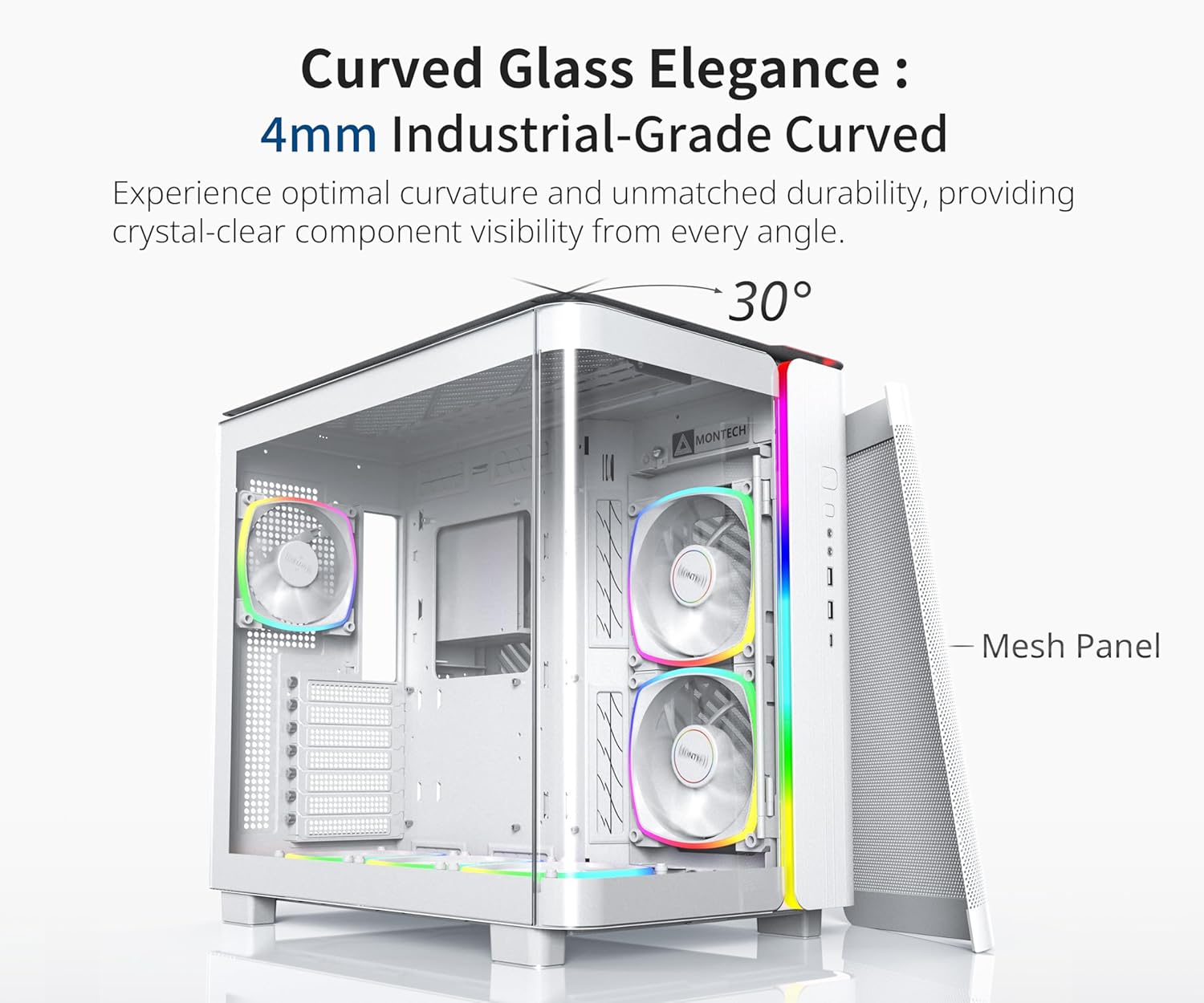
Figure 2.1: The 4mm industrial-grade curved tempered glass panel, offering a 30-degree curvature for enhanced aesthetics and component visibility.

Figure 2.2: Diagram illustrating the extensive cooling support, including radiator and fan placements for optimal thermal performance.

Figure 2.3: Comparison of Elegant Glass Mode and Turbo Mesh Mode, highlighting the case's adaptable airflow configurations.
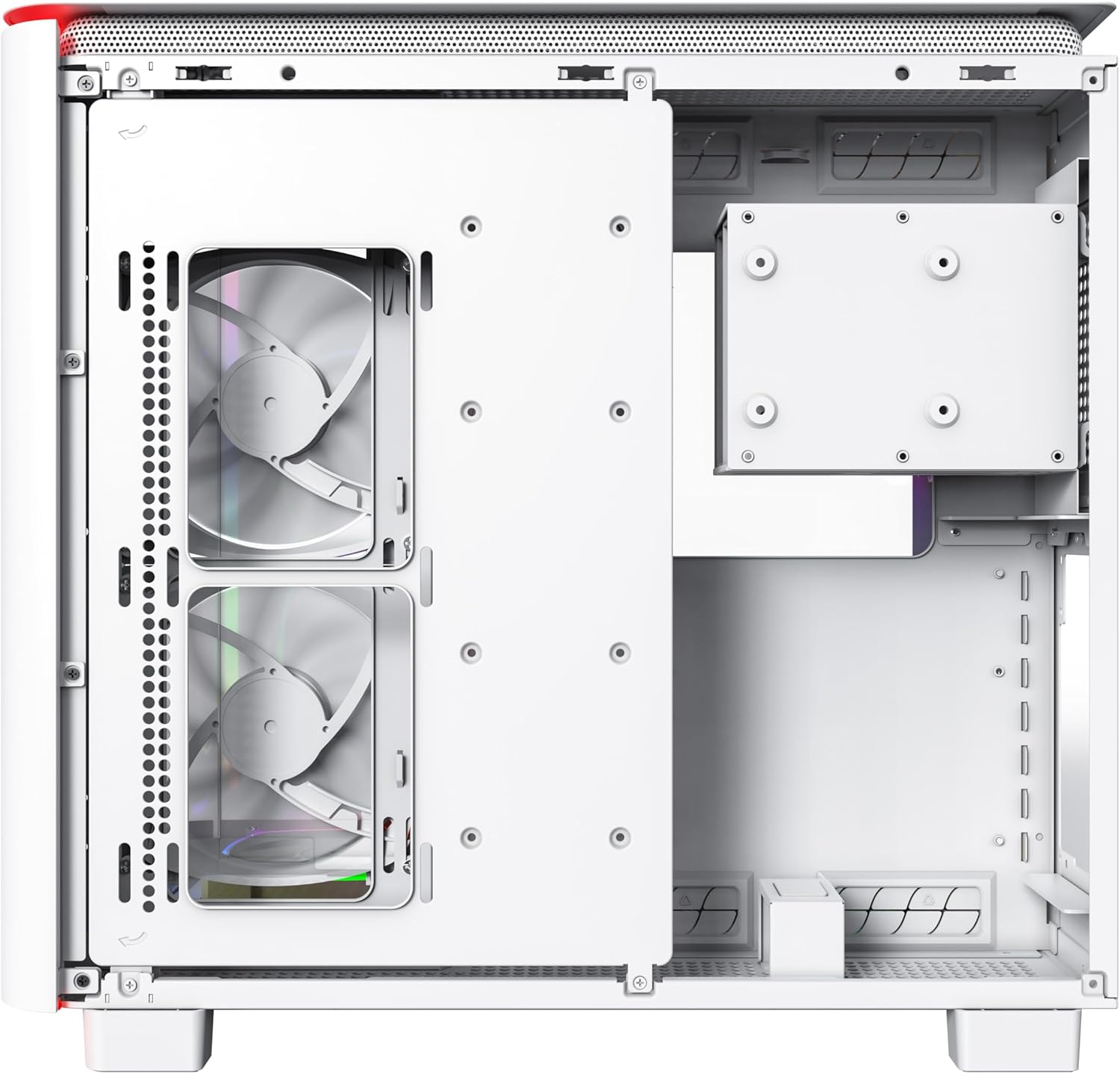
Figura 2.4: dettagliata view of the front I/O panel, including power, LED control, audio, microphone, USB 3.0, and Type-C ports.
3. Configurazione e installazione
The MONTECH King 95 PRO is designed for ease of installation, featuring toolless panels and a spacious interior. Follow these general steps for setting up your PC components:
- Accesso all'interno: Gently remove the quick-release glass panels and side panels to gain full access to the case interior.
- Installazione della scheda madre: Secure your ATX motherboard to the designated standoffs within the main chamber.
- Installazione dell'alimentatore: Install your power supply in the dedicated dual-chamber compartment. The case supports dual power supplies if needed.
- Installazione dell'unità di archiviazione: Utilize the various mounting points for up to 8 hard drives (HDDs) and solid-state drives (SSDs). The dual-chamber design provides ample spazio per riporre gli oggetti.
- Installazione della scheda grafica: Install your graphics card. The case is designed to accommodate large 40 series graphics cards.
- Configurazione ventola e radiatore: Position additional fans or radiators as needed. The patented adjustable side fan bracket can be rotated to optimize airflow.
- Gestione dei cavi: Route cables through the dedicated cable management space (over 35mm) in the dual-chamber to ensure a clean build and unobstructed airflow.
For a visual guide on the case's internal layout and compatibility, please refer to the following official video:
Video 3.1: Official video demonstrating the exceptional compatibility and internal layout of the MONTECH King 95 PRO case, highlighting storage and GPU support.
Another official video provides an overview of the case's features and design, which can be helpful during setup:
Video 3.2: Video ufficiale mostratoasing the MONTECH King 95 PRO, providing a general overview del suo design e delle sue caratteristiche.
4. Funzionamento delle funzioni della custodia
Once your PC is assembled, you can utilize the case's integrated features:
- Controllo dell'illuminazione ARGB: The integrated front panel light strip offers various built-in lighting modes. Use the dedicated LED button on the front I/O panel to cycle through different effects and colors. Ensure the ARGB PWM Fan Hub is correctly connected to your motherboard's ARGB header for software control, if desired.
- Airflow Modes: The case supports two primary airflow configurations:
- Elegant Glass Mode: With the tempered glass front panel installed, airflow is efficiently managed through side and bottom air intakes.
- Turbo Mesh Mode: By replacing the front glass panel with the included mesh panel (if applicable to your model), the case utilizes a 3-directional cooling approach, drawing air from the front, side, and bottom for maximum cooling performance.
- Porte I/O frontali: Utilize the conveniently located front I/O ports for power, audio, microphone, USB 3.0, and Type-C connections.
5. Manutenzione
Regular maintenance ensures optimal performance and longevity of your PC components. The MONTECH King 95 PRO is designed for easy cleaning:
- Filtri antipolvere: The case features easily removable dust filters on the top, side, and bottom panels. Periodically remove and clean these filters to prevent dust buildup inside the case, which can impede airflow and component cooling. Use a soft brush or compressed air for cleaning.
- Pulizia esterna: Wipe the exterior surfaces, including the tempered glass panels, with a soft, lint-free cloth. For stubborn smudges on glass, a mild glass cleaner can be used sparingly on the cloth, not directly on the glass.
- Pulizia interna: With the system powered off and unplugged, use compressed air to clear dust from internal components and fan blades. Avoid touching components directly.
6. Risoluzione Dei Problemi
Se riscontri problemi con il case del tuo PC, prendi in considerazione i seguenti passaggi comuni per la risoluzione dei problemi:
- Nessuna alimentazione/Il sistema non si avvia:
- Ensure all power cables (motherboard, CPU, GPU, storage) are securely connected.
- Verificare che l'alimentatore sia acceso e collegato a una presa funzionante.
- Check front panel connectors (power switch, reset switch) are correctly plugged into the motherboard.
- Le ventole non girano/RGB non si accende:
- Confirm fan cables are properly connected to the fan hub and the fan hub is powered.
- Ensure ARGB cables are connected to the fan hub and the hub is connected to the motherboard's ARGB header.
- Check your motherboard's BIOS/UEFI or software for fan speed and RGB control settings.
- Scarso flusso d'aria/temperature elevate:
- Pulire tutti i filtri antipolvere e i componenti interni.
- Ensure fans are oriented correctly for optimal intake and exhaust.
- Consider switching to Turbo Mesh Mode if temperatures are consistently high.
- Verify no cables are obstructing airflow paths.
- Porte I/O anteriori non funzionanti:
- Check that the USB, audio, and other front panel headers are correctly connected to your motherboard.
For more complex issues, consult your motherboard manual or contact Montech customer support.
7. Specifiche
| Attributo | Dettaglio |
|---|---|
| Marca | Montech |
| Serie | RE 95 PRO |
| Numero di modello | KING 95 PRO (W) |
| Tipo di caso | Mid Tower |
| Compatibilità della scheda madre | ATX |
| Materiale | Vetro temperato, metallo |
| Colore | KING 95 PRO (W) |
| Peso dell'articolo | 26.1 libbre |
| Dimensioni del prodotto (LxWxH) | 17.4 x 11.81 x 18.7 pollici |
| Porte USB 2.0 | 2 |
| Porte USB 3.0 | 2 |
| Metodo di raffreddamento | Aria |
| Colore chiaro | Colore RGB |
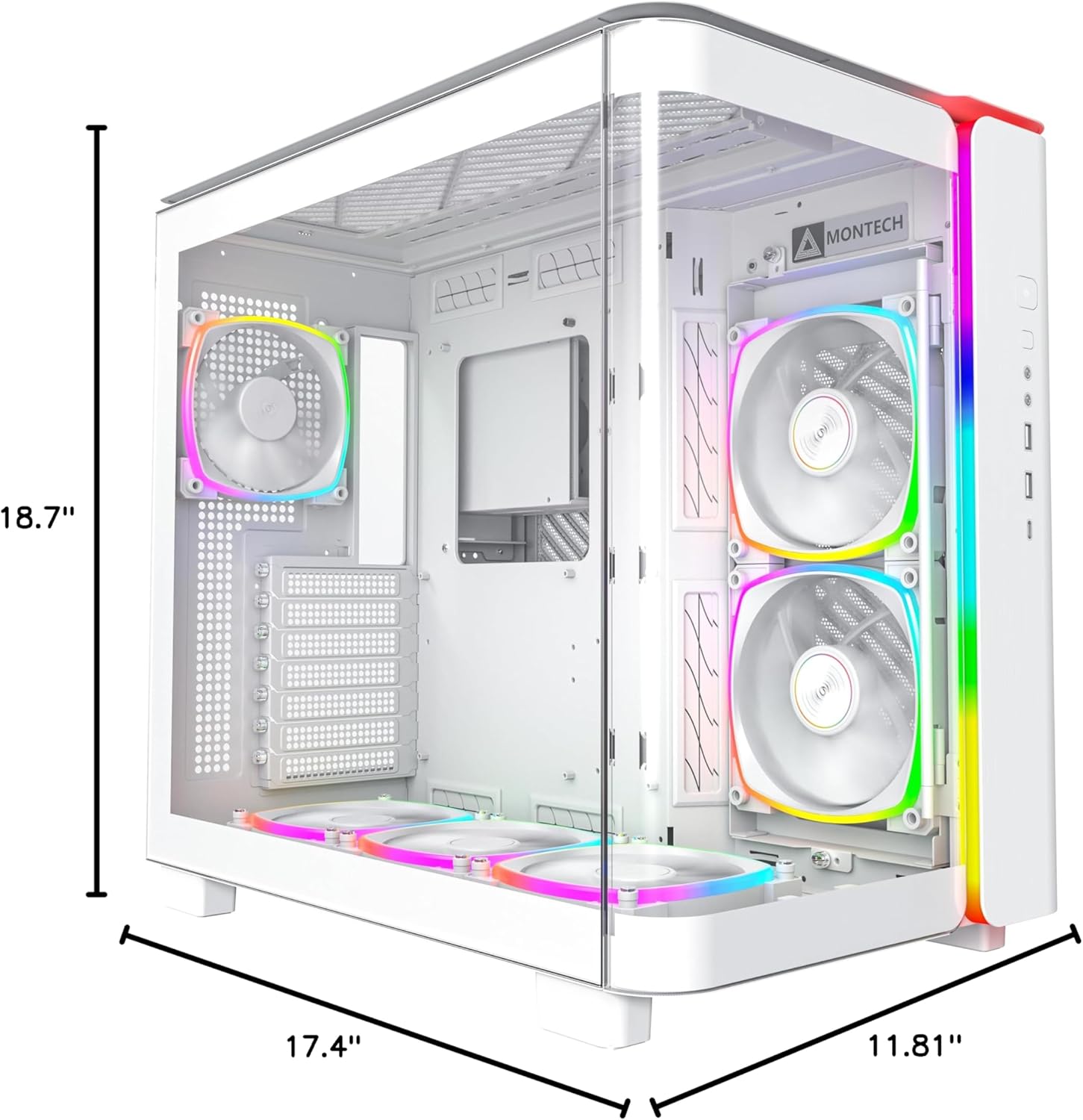
Figura 7.1: Dimensionale suview of the MONTECH King 95 PRO PC Case.
8. Garanzia e supporto
Warranty information for the MONTECH King 95 PRO PC Gaming Case is typically provided with your product packaging or can be found on the official Montech websito. Conservare la prova d'acquisto per eventuali reclami in garanzia.
For technical support, product inquiries, or warranty service, please visit the official Montech support page or contact their customer service department. Contact details are usually available on the manufacturer's websito.