
Introduzione
The Manhattan 7-in-1 USB-C & USB-A Multi-Card Reader, Model 102605, is a versatile device designed for quick and efficient data transfer from various memory card formats to your computer or mobile device. Featuring both USB-C and USB-A connectors, this reader offers broad compatibility and high-speed data transfer rates, simplifying your workflow for photos, videos, and other files.
Caratteristiche del prodotto
- Seven dedicated slots for popular flash card formats: SD / MMC, microSD / TF, MS, xD, and CF.
- USB 3.2 Gen 1 compliant, supporting SuperSpeed transfer rates up to 5 Gbps.
- Integrated 3 ft (1m) 2-in-1 combo cable with nestable USB-C and USB-A plugs for universal connectivity.
- Plug-and-play functionality, requiring no additional drivers.
- Compatible with Windows, macOS, Linux, Chrome OS, iPadOS, and Android operating systems.
Impostare
Setting up your Manhattan Multi-Card Reader is a straightforward process:
- Collega il lettore: Identify the appropriate USB port on your computer, laptop, tablet, or smartphone (USB-A or USB-C). Connect the reader's integrated cable to the port. The 2-in-1 connector allows you to switch between USB-A and USB-C by detaching the USB-C adapter from the USB-A plug.
- Accensione: The card reader is bus-powered, meaning it draws power directly from the USB port. No external power adapter is required.
- Installazione del driver: The device is plug-and-play. Your operating system will automatically detect and install any necessary drivers. No manual driver installation is typically needed.
- Indicatore LED: A small LED indicator on the reader will illuminate when connected and active, indicating readiness for use.

Image: The Manhattan 7-in-1 Multi-Card Reader connected via its 3-foot USB-C and USB-A combo cable.
Istruzioni per l'uso
To transfer data using your multi-card reader:
- Identifica lo slot della carta: Locate the correct slot on the reader for your specific memory card type. Refer to the labels next to each slot.
- Inserire la scheda di memoria: Gently insert your memory card into the corresponding slot. Ensure the card is oriented correctly; do not force it. The card should slide in smoothly and typically click into place.
- Dati di accesso: Once the card is inserted, your operating system will recognize it as a removable drive. Open your file esploratore (ad esempio, File Explorer on Windows, Finder on macOS) to access the contents of the memory card.
- Trasferire Files: Ora puoi copiare, incollare o spostare files between your memory card and your connected device.
- Espulsione sicura: Before removing the memory card, always safely eject the drive from your operating system to prevent data corruption. After ejection, gently pull the memory card out of its slot.

Immagine: in alto view of the card reader highlighting the various card slots and their labels.

Image: Close-up of the card reader with an illuminated LED indicator, signifying active operation.
Tipi di media supportati
The Manhattan 7-in-1 Multi-Card Reader supports the following memory card formats:
- SD / MMC: SD, SDHC, SDXC, RS-MMC
- microSD / TF: microSD, microSDHC, microSDXC
- SM: Memory Stick, MS Pro Duo, MS Duo
- xD: xD Picture Card
- Punto di forza: CompattoFlash

Image: A visual representation of the different memory card types compatible with the reader.
Compatibilità
This card reader offers wide compatibility with various devices and operating systems:
- Sistemi operativi: Windows, macOS, Linux, Chrome OS, iPadOS, Android.
- Dispositivi compatibili: Computers, Laptops, Tablets, Smartphones.
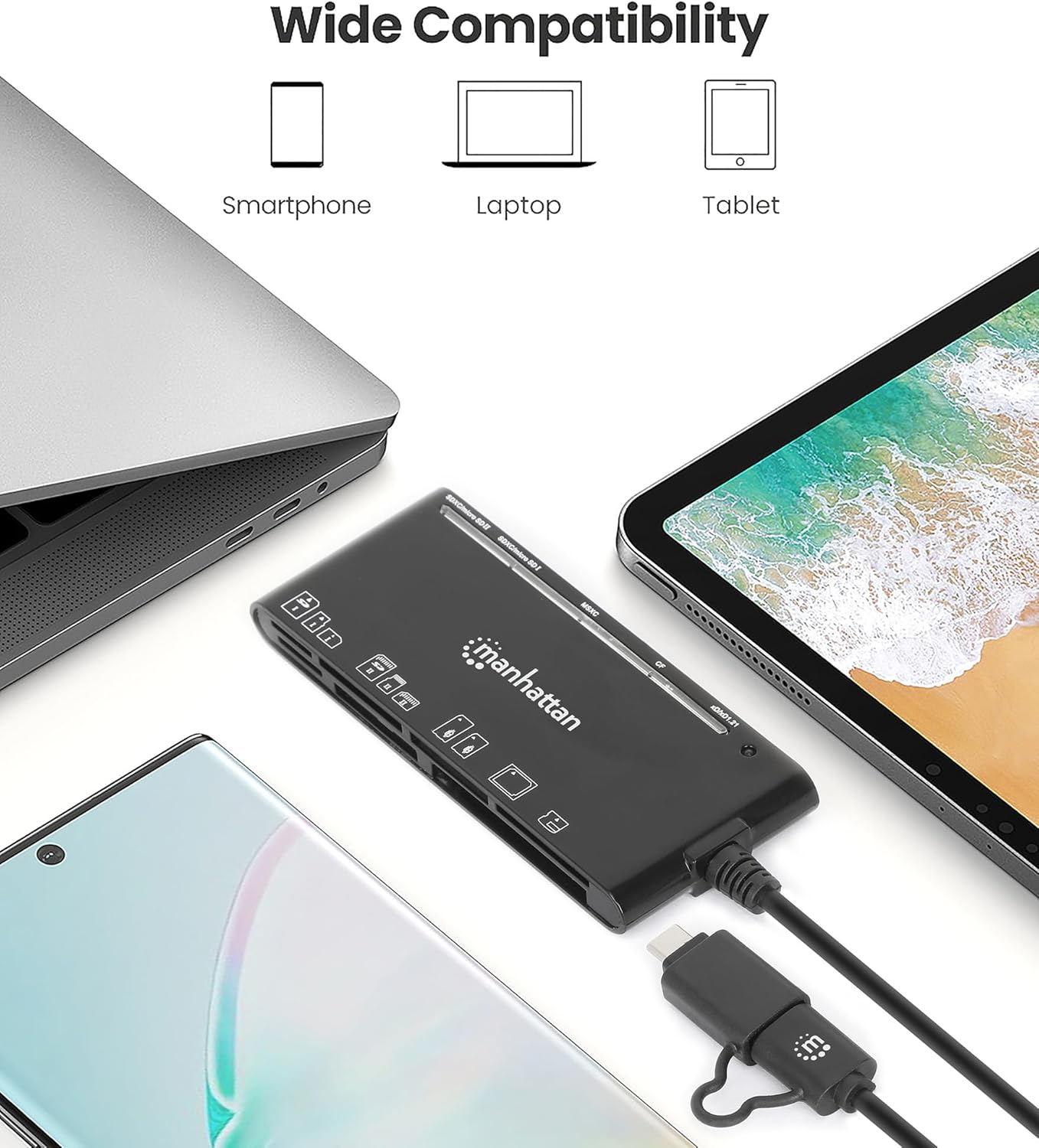
Image: The card reader shown with a laptop, tablet, and smartphone, demonstrating its broad device compatibility.

Image: The card reader connected to a smartphone, illustrating mobile device compatibility.
Risoluzione dei problemi
If you encounter issues with your card reader, consider the following troubleshooting steps:
- Dispositivo non riconosciuto:
- Ensure the USB cable is fully and securely connected to both the reader and your device.
- Prova a collegare il lettore a una porta USB diversa del tuo dispositivo.
- If using a USB hub, try connecting the reader directly to your computer's USB port.
- Riavvia il computer o il dispositivo mobile.
- La scheda di memoria non legge:
- Verify that the memory card is inserted correctly into the appropriate slot. Do not force the card.
- Test with a different memory card to determine if the issue is with the card or the reader.
- Check the memory card for any visible damage or dirt on the contacts.
- Velocità di trasferimento dati lente:
- Ensure the reader is connected to a USB 3.0 (or higher) port on your device to achieve SuperSpeed transfer rates. Connecting to a USB 2.0 port will result in slower speeds.
- The actual transfer speed also depends on the speed class of your memory card. Use high-speed cards for optimal performance.
- Evitare di trasferire molti piccoli filecontemporaneamente, poiché questo può essere più lento del trasferimento di pochi grandi files.
Specifiche
| Marca | MANHATTAN |
| Numero di modello | 102605 |
| Tecnologia di connettività | USB tipo A, USB tipo C |
| Velocità di trasferimento dati | Fino a 5 Gbps (USB 3.2 Gen 1) |
| Tipi di media supportati | CompactFlash, MMC, Memory Stick, SD Card, microSD, xD Picture Card |
| Slot Count | 7 |
| Compatibilità del sistema operativo | Chrome OS, Linux, Mac OS, Windows, iPadOS, Android |
| Lunghezza del cavo | 3 piedi (1 m) |
| Colore | Nero |
Manutenzione
To ensure the longevity and optimal performance of your card reader:
- Mantenere il dispositivo pulito e privo di polvere e detriti. Utilizzare un panno morbido e asciutto per la pulizia.
- Avoid exposing the reader to extreme temperatures or humidity.
- Do not force memory cards into slots, as this can damage both the card and the reader.
- Store the reader in a safe place when not in use to prevent physical damage to the connectors or slots.
Garanzia e supporto
This Manhattan 7-in-1 USB-C & USB-A Multi-Card Reader is backed by a Garanzia del produttore di 3 anno.
For technical support, warranty claims, or further assistance, please visit the official Manhattan Products website or contact their customer service department. Refer to your product packaging or the manufacturer's websito per le informazioni di contatto dell'assistenza più aggiornate.