
1. Introduzione
The ambie Sound Earcuffs are innovative open-ear earbuds designed to provide a unique audio experience. Unlike traditional in-ear earbuds, these ear cuffs allow you to enjoy your favorite music or calls while remaining fully aware of your surroundings. This design is ideal for activities such as jogging, hiking, cycling, or using public transportation, ensuring both entertainment and safety. Featuring a built-in CVC8.0 compatible microphone, the earcuffs effectively reduce wind and environmental noise for crystal-clear calls. The high-quality driver unit delivers excellent acoustic performance. Lightweight and comfortable, they weigh only 0.16oz (4.6g) and stay securely in place even during strenuous activities. They are also waterproof, making them suitable for various outdoor conditions. The mechanical switch prevents accidental operations, and the earphones offer 6 hours of continuous playback on a single charge, with the charging case providing an additional 12 hours of power.

Figure 1: Ambie Sound Earcuffs (Lemon Sorbet)
2. Cosa c'è nella scatola
Your ambie Sound Earcuffs package includes the following items:
- Ambie Sound Earcuffs (Left and Right)
- Custodia di ricarica
- Cavo di ricarica USB di tipo C.
- Instruction Manual (English, Japanese, Chinese)
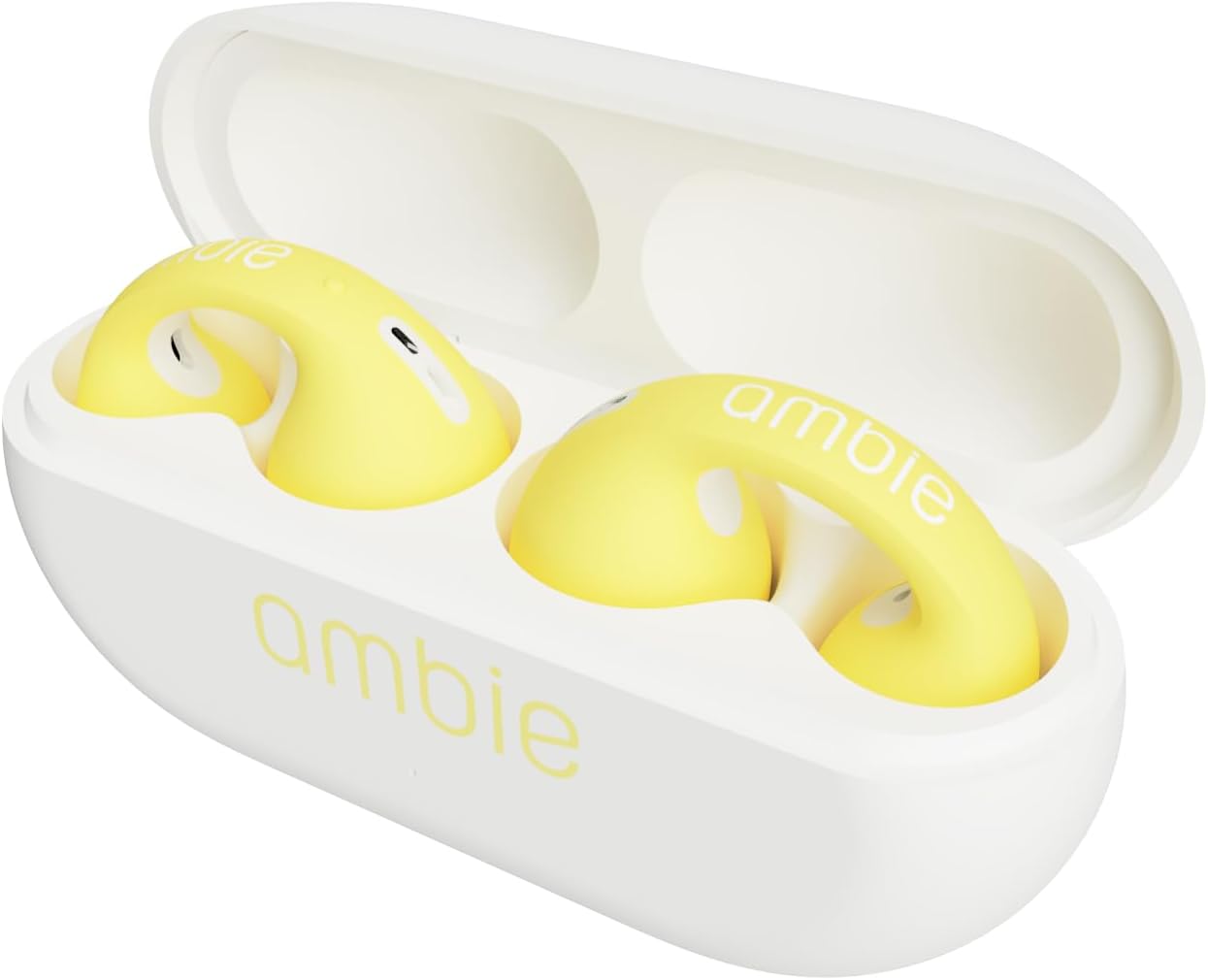
Figure 2: Earcuffs in Charging Case
3. Guida all'installazione
3.1 Carica iniziale
Before first use, ensure your ambie Sound Earcuffs are fully charged.
- Place both earcuffs into their charging case.
- Connect the USB Type-C charging cable to the charging port on the back of the case.
- Collegare l'altra estremità del cavo USB a una fonte di alimentazione USB compatibile (ad esempio, computer, adattatore da parete).
- La spia luminosa sulla custodia indicherà lo stato di carica. Una volta completata la carica, la spia cambierà colore o si spegnerà.
3.2 Associazione Bluetooth
To connect your earcuffs to a device:
- Ensure the earcuffs are in the charging case and the case lid is open.
- Sul tuo dispositivo (smartphone, tablet, computer), vai alle impostazioni Bluetooth e abilita il Bluetooth.
- Select "ambie Sound Earcuffs" from the list of available devices.
- Once connected, a confirmation sound or indicator will confirm successful pairing.
3.3 Wearing the Earcuffs
The unique ear cuff design ensures a secure and comfortable fit:
- Gently pull your earlobe down.
- Slide the earcuff onto your ear, ensuring the speaker portion is positioned just outside your ear canal.
- Adjust for a snug and comfortable fit. The earcuffs are designed to stay on securely during movement.
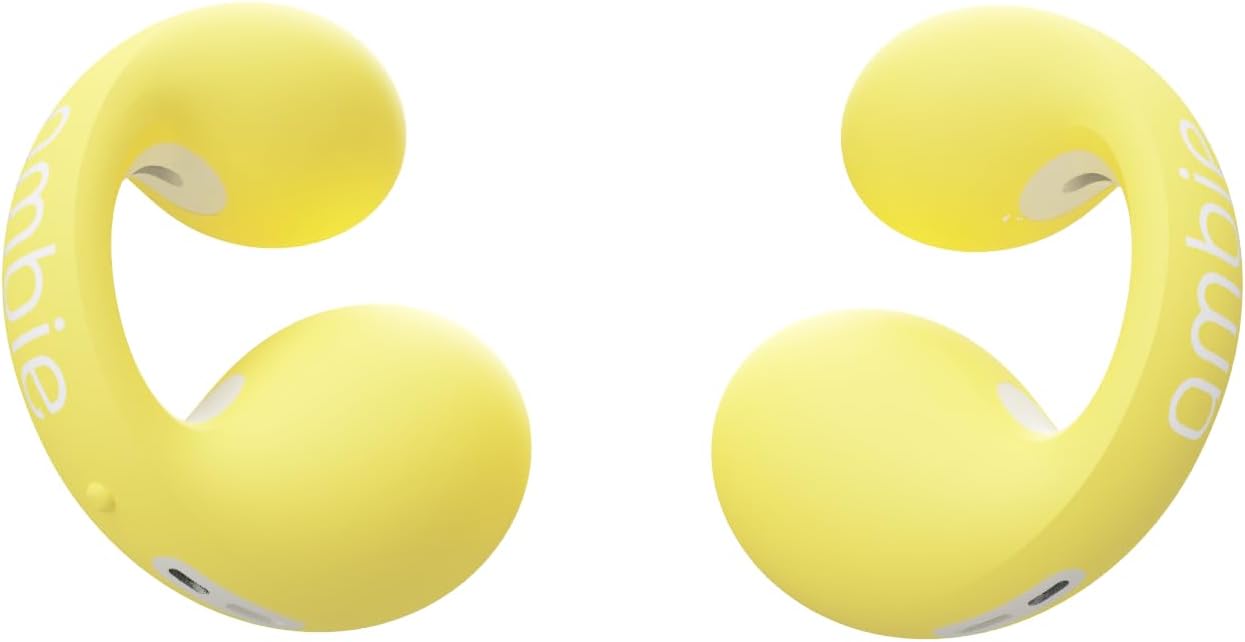
Figura 3: lato view of an Ambie Earcuff
4. Istruzioni per l'uso
4.1 Controlli di base
The ambie Sound Earcuffs feature clickable mechanical switches for easy control:
- Riproduci/Pausa: Click either button once.
- Prossima canzone: Double-click the button on the right earcuff.
- Canzone precedente: Double-click the button on the left earcuff.
- Aumenta volume: Press and hold the button on the right earcuff.
- Volume basso: Press and hold the button on the left earcuff.
4.2 Gestione delle chiamate
Manage your calls with ease using the earcuff controls:
- Rispondi/Termina chiamata: Click either button once.
- Rifiuta chiamata: Press and hold either button.
5. Manutenzione
To ensure the longevity and optimal performance of your ambie Sound Earcuffs, follow these maintenance guidelines:
- Pulizia: After each use, especially after strenuous activity or if exposed to moisture, wipe off any dirt or sweat from the charging terminals and the earcuffs with a dry, soft cloth or cotton swab.
- Magazzinaggio: Always store the earcuffs in their charging case when not in use to protect them and keep them charged.
- Esposizione all'acqua: While waterproof, avoid prolonged submersion in water. If they get wet, ensure they are completely dry before placing them back in the charging case or attempting to charge.
6. Risoluzione Dei Problemi
If you encounter issues with your ambie Sound Earcuffs, try the following solutions:
| Problema | Possibile causa/soluzione |
|---|---|
| Nessun suono / Disconnessione |
|
| Scarsa qualità del suono |
|
| Earcuffs Not Charging |
|
| Vestibilità scomoda |
|
7. Specifiche
| Caratteristica | Dettaglio |
|---|---|
| Nome del modello | AM-TW01 |
| Tecnologia di connettività | Senza fili, Bluetooth |
| Componenti inclusi | USB cable, Storage charger case |
| Materiale | Plastica |
| Peso dell'articolo | 0.16oz (4.6g) per earbud, 0.882 ounces total (25 Grams) |
| Gamma di frequenza | 20 Hz - 20,000 Hz |
| Durata della batteria (auricolari) | 6 ore |
| Durata della batteria (con custodia) | Up to 12 hours additional recharge power |
| Portata Bluetooth | 10 metri |
| Impermeabile | SÌ |
| Microfono | Built-in CVC 8.0 compatible microphone |
| Tipo di controllo | Mechanical Switch (Media Control) |
| Posizionamento dell'orecchio | Orecchio aperto |
| Fattore di forma | Vero wireless |
8. Garanzia e supporto
For warranty information and customer support, please refer to the official ambie webo contattare direttamente il servizio clienti. Conservare la prova d'acquisto per eventuali reclami in garanzia.
Nota: i termini e le condizioni di garanzia specifici possono variare in base alla regione.