
Introduzione
This manual provides essential information for setting up, operating, maintaining, and troubleshooting your HP Pro Mini 400 G9 Business Mini Desktop Computer. This compact and powerful system is designed for business environments, featuring a 12th Gen Intel Core i5-12500T processor, 16GB DDR4 RAM, and a 512GB PCIe NVMe SSD, running Windows 11 Pro.
Please read this manual thoroughly before using your new computer to ensure proper operation and to maximize its lifespan.
Cosa c'è nella scatola
Verificare che tutti gli articoli siano presenti nella confezione:
- HP Pro Mini 400 G9 Desktop PC
- Tastiera cablata
- ha fissato il mouse
- Adattatore di alimentazione e cavo
- Documentazione (Guida rapida, Informazioni sulla garanzia)
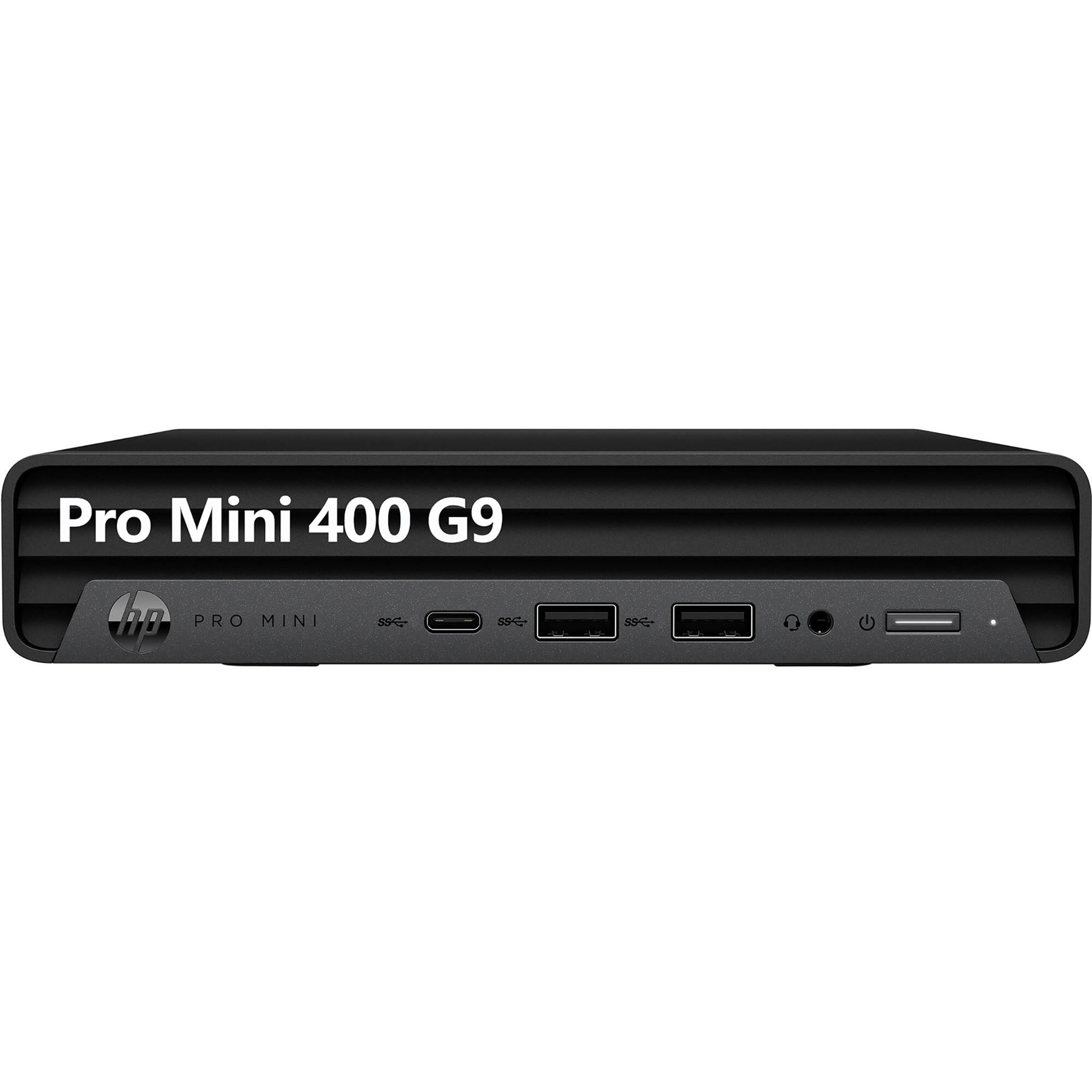
Image: The HP Pro Mini 400 G9 desktop computer shown with its accompanying wired keyboard and mouse.
Impostare
Follow these steps to set up your HP Pro Mini 400 G9 desktop computer:
- Connetti le periferiche:
- Connect the wired keyboard to an available USB Type-A port on the front or rear of the computer.
- Connect the wired mouse to another available USB Type-A port.
- Connect your monitor(s) to the DisplayPort or HDMI ports on the rear of the computer. The system supports up to two DisplayPort 1.4 and one HDMI 2.1 output.
- Connettiti all'alimentazione:
- Connect the power cable to the power connector on the rear of the computer.
- Collegare l'altra estremità del cavo di alimentazione a una presa elettrica dotata di messa a terra.
- Connessione di rete (facoltativa):
- For a wired connection, connect an Ethernet cable from your router or network switch to the RJ-45 port on the rear of the computer.
- For wireless connectivity, the system includes Wi-Fi 6 (802.11ax) and Bluetooth 5.2. Configuration will occur during initial Windows setup or via Windows settings.
- Avvio iniziale:
- Press the power button located on the front of the computer.
- Follow the on-screen instructions to complete the Windows 11 Pro setup process. This includes setting up your user account, network preferences, and other initial configurations.

Image: Front panel of the HP Pro Mini 400 G9, highlighting USB-C, USB-A ports, headphone/microphone jack, and power button.

Image: Rear panel of the HP Pro Mini 400 G9, showing DisplayPort, HDMI, USB-A ports, RJ-45 Ethernet, and power connector.
Istruzioni per l'uso
Accensione/spegnimento
- Per accendere: Premere il pulsante di accensione sul pannello frontale.
- Spegnere: Fare clic sul pulsante Start in Windows, quindi selezionare Arresta il sistema > Arresta il sistema.
- Ricominciare: Fare clic sul pulsante Start in Windows, quindi selezionare Arresta > Riavvia.
- Per dormire: Fare clic sul pulsante Start in Windows, quindi selezionare Alimentazione > Sospensione.
Collegamento dei dispositivi
- Dispositivi USB: Use the SuperSpeed USB Type-A (10Gbps and 5Gbps signaling rate) and SuperSpeed USB Type-C (20Gbps signaling rate) ports for connecting external drives, printers, and other USB peripherals. One front USB Type-A port supports charging.
- Dispositivi audio: Connect headphones or a headset to the headphone/microphone combo jack on the front panel.
- Dispositivi di visualizzazione: Connect up to three displays using the two DisplayPort 1.4 and one HDMI 2.1 ports on the rear.
Connettività wireless
- Wifi: To connect to a wireless network, open Windows Settings, navigate to Network & internet > Wi-Fi, and select your desired network.
- Bluetooth: To pair Bluetooth devices, open Windows Settings, navigate to Bluetooth & devices, and turn on Bluetooth. Select "Add device" to pair new devices.
Manutenzione
Pulizia
- Prima di procedere alla pulizia, assicurarsi che il computer sia spento e scollegato.
- Utilizzare un panno morbido e privo di lanugine leggermente damppulire con acqua o una soluzione detergente delicata per pulire le superfici esterne.
- Use compressed air to clear dust from ventilation grilles and ports. Avoid spraying liquid directly into openings.
Aggiornamenti software
- Regularly check for and install Windows updates to ensure system security and performance. Go to Settings > Windows Update.
- Keep device drivers updated. HP provides driver updates through their support websito o software HP Support Assistant.
Gestione dell'archiviazione
- Eliminare periodicamente ciò che non è necessario files and empty the Recycle Bin to free up storage space.
- Prendi in considerazione l'utilizzo di storage cloud o unità esterne per grandi files to maintain optimal performance of the internal 512GB M.2 PCIe NVMe SSD.
Risoluzione dei problemi
Nessun potere
- Assicurarsi che il cavo di alimentazione sia collegato saldamente sia al computer sia alla presa elettrica.
- Verificare che la presa elettrica funzioni collegandovi un altro dispositivo.
- Controllare che l'adattatore di alimentazione non sia danneggiato.
Nessuna visualizzazione
- Confirm that the monitor is powered on and its input source is correctly selected (e.g., HDMI, DisplayPort).
- Ensure the video cables (HDMI/DisplayPort) are securely connected to both the computer and the monitor.
- Prova a collegare il monitor a una porta video diversa del computer, se disponibile.
Problemi di connettività di rete
- Wired: Check if the Ethernet cable is properly connected to the RJ-45 port and your router/modem. Verify router/modem status.
- Senza fili: Ensure Wi-Fi is enabled in Windows Settings. Restart your router/modem. Try forgetting and re-connecting to the Wi-Fi network.
Rallentamento del sistema
- Chiudere le applicazioni non necessarie in esecuzione in background.
- Controllare Task Manager (Ctrl+Maiusc+Esc) per individuare i processi che consumano elevate risorse di CPU, memoria o disco.
- Assicurarsi che Windows e i driver siano aggiornati.
- Esegui una pulizia del disco e verifica la presenza di malware.
Specifiche
| Marca | HP |
| Nome del modello | Pro Mini 400 G9 |
| Sistema operativo | Windows 11 Pro |
| Modello CPU | 12th Gen Intel Core i5-12500T (6 Cores, 12 Threads, 2.00 GHz to 4.40 GHz Turbo) |
| Grafica | Grafica Intel UHD 770 (integrata) |
| Memoria RAM | 16GB DDR4 RAM (Max 64GB) |
| Magazzinaggio | SSD M.2 PCIe NVMe da 512 GB |
| Connettività wireless | Realtek RTL8852BE Wi-Fi 6 (2x2) and Bluetooth 5.2 combo |
| Porte anteriori |
|
| Porte posteriori |
|
| Dimensioni (A x L x P) | 1.34 x 6.97 x 6.89 pollici (circa) |
| Consumo energetico | 90 Watt |
Informazioni sulla garanzia
This HP Pro Mini 400 G9 desktop computer typically comes with a 1-year limited warranty. The warranty covers defects in materials and workmanship under normal use. Specific terms and conditions may vary by region and retailer.
For detailed warranty information, please refer to the warranty documentation included with your product or visit the official HP support websito.
Supporto
If you encounter issues that cannot be resolved using the troubleshooting steps in this manual, or if you require further assistance, please contact HP customer support.
- Supporto online: Visita il sito ufficiale Supporto HP websito per driver, manuali e guide alla risoluzione dei problemi.
- Supporto telefonico: Refer to your product documentation for regional phone support numbers.
- Assistente assistenza HP: Utilize the pre-installed HP Support Assistant software for system diagnostics, updates, and direct access to support resources.