
Introduzione
This manual provides essential information for the proper use and maintenance of your Infinix Smart 8 X6525 mobile phone. Please read it carefully to ensure optimal performance and longevity of your device.
The Infinix Smart 8 features a 6.6-inch HD+ display, 13MP AI dual rear camera, 8MP front camera, 5000 mAh battery, and runs on Android 13. It supports dual nano SIM cards and Type-C charging.
Impostare
1. Installazione della scheda SIM e della scheda di memoria
Per installare la/le scheda/e SIM e una scheda microSD opzionale:
- Individuare il vassoio della SIM sul lato del dispositivo.
- Inserire lo strumento di espulsione della SIM nel piccolo foro accanto al vassoio e spingere delicatamente finché il vassoio non fuoriesce.
- Place your Nano-SIM card(s) and/or microSD card into the tray with the gold contacts facing down, ensuring they are correctly oriented as indicated on the tray.
- Spingere con cautela il vassoio nello slot finché non è a filo con il corpo del telefono.
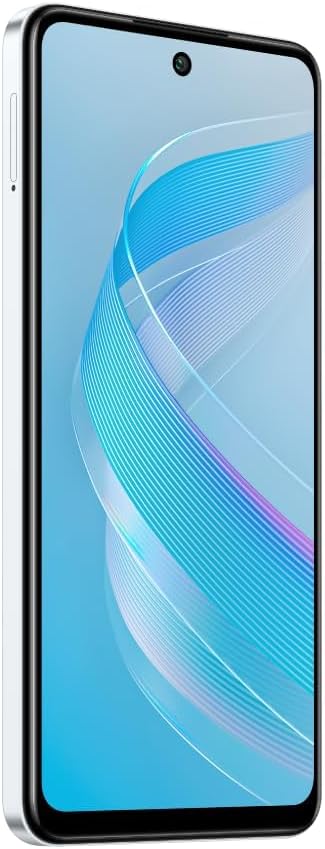
Immagine: Lato view of the Infinix Smart 8 X6525, illustrating the location of the SIM card tray.
2. Accensione iniziale
Press and hold the Power button (located on the right side of the device) until the Infinix logo appears. Follow the on-screen instructions to complete the initial setup, including language selection, Wi-Fi connection, and Google account setup.
3. Carica del dispositivo
Connect the USB Type-C cable to the phone's charging port and the other end to the power adapter. Plug the power adapter into a wall outlet. The battery indicator on the screen will show the charging status. For optimal battery life, use the provided charger and cable.
Utilizzo del dispositivo
1. Navigazione di base
Your Infinix Smart 8 X6525 uses a touchscreen for navigation. Swipe up, down, left, or right to move between screens and menus. Tap icons to open applications. Use gestures or the navigation bar at the bottom of the screen for Home, Back, and Recent Apps functions.

Immagine: Frontale view of the Infinix Smart 8 X6525, showing the display and front camera.
2. Utilizzo della fotocamera
To open the camera, tap the Camera icon on your home screen or lock screen. The device features a 13MP AI dual rear camera and an 8MP front camera. Switch between modes like Photo, Video, Portrait, and Panorama. Tap the shutter button to capture images or start/stop video recording. The AI features automatically optimize settings for various scenes.
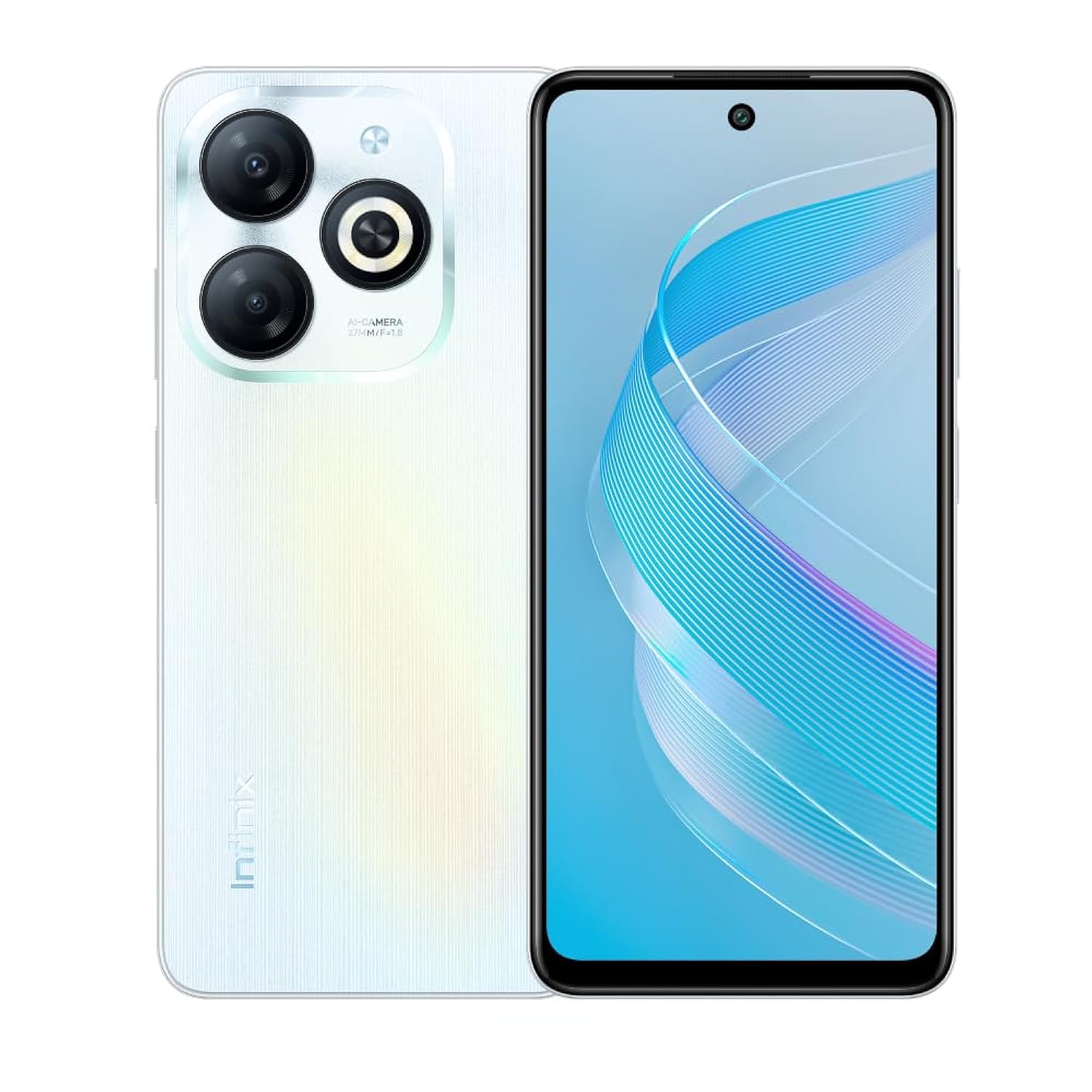
Immagine: Posteriore view of the Infinix Smart 8 X6525, highlighting the dual camera module and ring flashlight.
3. Connettività
- Wifi: Vai su Impostazioni > Rete e Internet > Wi-Fi per connetterti alle reti wireless disponibili.
- Bluetooth: Vai su Impostazioni > Dispositivi connessi > Preferenze di connessione > Bluetooth per associarlo ai dispositivi Bluetooth.
- Dati mobili: Ensure your SIM card is active and go to Settings > Network & internet > Mobile network to enable or disable mobile data.
4. Funzionalità di sicurezza
The device supports a side-mounted fingerprint sensor and face unlock for enhanced security. To set them up, go to Settings > Security > Fingerprint Unlock or Face Unlock and follow the on-screen instructions.
Manutenzione
1. Cura della batteria
- Evitare di esporre il dispositivo a temperature estreme.
- Non scaricare completamente la batteria regolarmente.
- Utilizzare solo caricabatterie e cavi originali o certificati.
- Se il dispositivo non verrà utilizzato per un periodo prolungato, caricarlo fino a circa il 50% prima di riporlo.
2. Aggiornamenti software
Regularly check for and install software updates to ensure your device has the latest features, security patches, and performance improvements. Go to Settings > System > System update to check for updates.
3. Pulizia del dispositivo
Utilizzare un panno morbido e privo di lanugine per pulire lo schermo e il corpo del telefono. Evitare l'uso di prodotti chimici aggressivi o materiali abrasivi. Per le macchie ostinate, utilizzare un panno leggermenteampPulire il panno con acqua o con un detergente per schermi specifico per dispositivi elettronici.
Risoluzione dei problemi
Problemi comuni e soluzioni
- Il dispositivo non si accende: Assicurarsi che la batteria sia carica. Collegare il caricabatterie e attendere qualche minuto prima di riprovare ad accendere.
- Le app si bloccano o si bloccano: Close and restart the app. If the issue persists, clear the app's cache (Settings > Apps > [App Name] > Storage & cache > Clear cache).
- Scarsa durata della batteria: Reduce screen brightness, close unused apps, disable unnecessary connectivity features (Wi-Fi, Bluetooth, GPS) when not in use.
- Problemi di connettività di rete: Check if your SIM card is properly inserted. Try restarting the device. Ensure mobile data or Wi-Fi is enabled.
- Dispositivo non risponde: Per forzare il riavvio, tenere premuto il pulsante di accensione per circa 10-15 secondi.
Specifiche
| Caratteristica | Dettaglio |
|---|---|
| Nome del marchio | Infinito |
| Nome del modello | Intelligente 8 |
| Sistema operativo | Androide 13.0 |
| RAM installata | 4 GB |
| Capacità di archiviazione della memoria | 128 GB |
| Dimensioni dello schermo | 6.6 pollici |
| Risoluzione | 720 x 1612 pixel |
| Frequenza di aggiornamento | Frequenza 90 Hz |
| Colore | Bianco |
| Numero di slot per schede SIM | Doppia SIM |
| Tipo di connettore | Porta USB di tipo C |
| Funzione di sicurezza biometrica | Riconoscimento delle impronte digitali |
| Risoluzione del sensore fotografico anteriore | 8 Megapixel |
| Rear Camera Photo Sensor Resolution | 13 Megapixel |
| Descrizione della fotocamera | 13MP rear camera, AI dual camera with ring flashlight |
| Risoluzione di acquisizione video | Formato: 1080p |
| Tipo di visualizzazione | LCD |
| Tecnologia cellulare | 4G |
| Tecnologia di connettività | Wifi bluetooth |
| Capacità della batteria | 5000 mAh |
| Peso dell'articolo | 184 grammi |
| Dimensioni dell'articolo | Dimensioni: 16.4 x 0.8 x 7.6 cm |
| Componenti inclusi | Headset, Phone Cover, USB Cable, Power Adapter, Screen Protector |
Informazioni sulla sicurezza
- Non smontare né tentare di riparare da soli il dispositivo.
- Tenere il dispositivo lontano da acqua e umidità.
- Evitare di esporre il dispositivo alla luce solare diretta o a temperature elevate.
- Use only accessories approved by Infinix.
- Smaltire il dispositivo e la batteria in modo responsabile, nel rispetto delle normative locali.
Garanzia e supporto
Your Infinix Smart 8 X6525 comes with a standard manufacturer's warranty. Please refer to the warranty card included in the product packaging for specific terms and conditions, including warranty period and coverage details.
Per supporto tecnico, assistenza o ulteriori richieste, visita il sito ufficiale Infinix websito o contattare il servizio clienti. Conservare la prova d'acquisto per eventuali reclami in garanzia.