
Introduzione
This manual provides detailed instructions for the setup, operation, maintenance, and troubleshooting of your Tera P161 Android 11 Barcode Scanner PDA. The P161 is a robust portable data terminal designed for various industrial and retail environments, featuring a Qualcomm processor, Android 11 operating system, and a high-performance Zebra SE4710 scan engine.
Le caratteristiche principali includono:
- Sistema operativo: Android 11 for enhanced data protection and application compatibility.
- Processore: Qualcomm Octa-Core 2.0GHz for robust performance and stable connectivity.
- Scanner: Integrated Zebra SE4710 1D/2D/QR scan engine for fast and accurate barcode capture.
- Batteria: 6700mAh hot-swappable battery with a 100mAh backup for continuous operation.
- tastiera: 37-key numeric keypad for easy operation, even with gloves.
- Durata: IP65 rated for water, dust, and drop resistance (up to 1.5 meters).
- Connettività: Dual-band Wi-Fi (2.4G/5G), Bluetooth 5.0, GPS, and NFC.
Contenuto della confezione
Dopo aver disimballato, verificare che tutti gli articoli elencati di seguito siano presenti e in buone condizioni:
- 1 x Tera P161 Android 11 Barcode Scanner PDA
- 1 x Pistol Grip
- 1 x Base di ricarica
- 1 x cinturino da polso
- 1 x adattatore di ricarica
- 1 x QC Adapter
- 1 x Pellicola protettiva per lo schermo
- 1 strumento di espulsione della scheda SIM
- 1 cavo USB
- 1 x Manuale utente (questo documento)
- 1 x SDK (Software Development Kit)

Image: The Tera P161 PDA shown with its included pistol grip and charging cradle, illustrating the main components of the package.
Impostare
1. Installazione e ricarica della batteria
The Tera P161 is equipped with a 6700mAh removable battery and a 100mAh backup battery for hot-swapping. Before first use, fully charge the device.
- Locate the battery compartment on the back of the PDA.
- Insert the 6700mAh battery, ensuring proper alignment of the contacts.
- Place the PDA into the charging cradle or connect the USB cable directly to the device using the provided charging adapter.
- La spia di carica si illuminerà. Una carica completa richiede in genere circa 3.5 ore.

Image: The Tera P161 PDA securely placed in its charging cradle, indicating the charging process.
2. SIM Card and MicroSD Card Installation (Optional)
If you plan to use cellular data or expand storage, install a SIM card or MicroSD card.
- Spegnere il dispositivo.
- Use the SIM ejector tool to open the SIM/MicroSD card tray.
- Insert the SIM card and/or MicroSD card into the tray with the contacts facing down.
- Reinserire con attenzione il vassoio nel dispositivo.
3. Attaching the Pistol Grip and Hand Strap (Optional)
The pistol grip provides ergonomic handling for extended scanning tasks, and the hand strap offers additional security.
- To attach the pistol grip: Align the connectors on the grip with the corresponding ports on the bottom of the PDA and secure it firmly.
- To attach the hand strap: Thread the strap through the designated loops on the PDA.
Istruzioni per l'uso
1. Accensione/spegnimento
- Accensione: Tenere premuto il pulsante di accensione sul lato del dispositivo finché lo schermo non si illumina.
- Spegni: Tieni premuto il pulsante di accensione, quindi seleziona "Spegni" tra le opzioni che appaiono sullo schermo.
- Ricomincia: Tieni premuto il pulsante di accensione, quindi seleziona "Riavvia" dalle opzioni.
2. Scansione del codice a barre
The Tera P161 features a Zebra SE4710 2D scan engine for efficient barcode reading.
- Open a scanning application or a field that requires barcode input.
- Puntare la finestra dello scanner sul codice a barre.
- Press the scan button (typically located on the side or the pistol grip) to activate the scanner.
- Ensure the red aiming beam covers the entire barcode for optimal reading.
- Una scansione riuscita sarà solitamente indicata da un segnale acustico e/o da una conferma visiva sullo schermo.
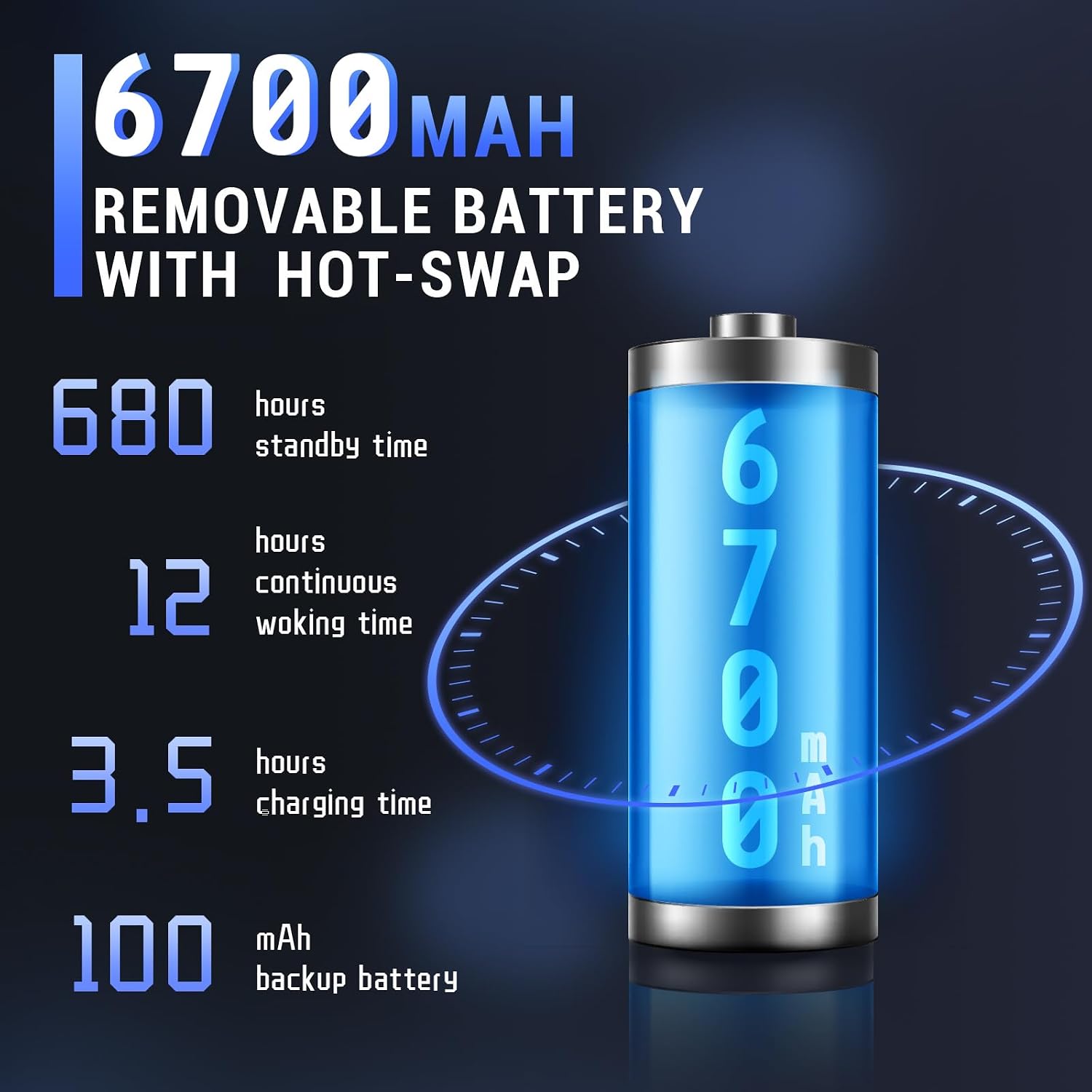
Image: The Tera P161 PDA actively scanning a barcode, demonstrating its primary function.
3. Keypad and Touchscreen Usage
The device combines a 4-inch touchscreen with a physical 37-key numeric keypad.
- Schermo tattile: Navigate the Android interface by tapping, swiping, and pinching.
- tastiera: Use the physical keys for data entry, navigation, and quick access functions. The keypad is designed for use even with gloves.

Immagine: Un dettaglio view of the Tera P161 PDA's 37-key physical keypad, highlighting its layout and design.
4. Connettività
- Wifi: Connect to available Wi-Fi networks via the Android settings menu. Supports 2.4G and 5G bands.
- Bluetooth: Pair with Bluetooth devices (e.g., headphones, printers) through the Bluetooth settings. The device uses Bluetooth 5.0 for faster data transfer.
- Posizione GPS: The integrated GPS module allows for location-based services and tracking.
- NFC: For Near Field Communication, ensure the pistol grip is removed for optimal performance. Access NFC settings in the Android menu.
Manutenzione
1. Pulizia del dispositivo
Per mantenere prestazioni e igiene ottimali:
- Pulire lo schermo e il corpo con un panno morbido e privo di lanugine.
- Per sporco ostinato, leggermente dampBagnare il panno con acqua o un detergente delicato e non abrasivo.
- Non utilizzare prodotti chimici aggressivi, solventi o materiali abrasivi.
- Assicurarsi che nessun liquido penetri nelle porte o nelle aperture.
2. Cura della batteria
The 6700mAh battery is designed for long operational periods. The 100mAh backup battery allows for hot-swapping the main battery without losing data.
- Evitare di scaricare completamente la batteria frequentemente.
- Conservare il dispositivo in un luogo fresco e asciutto quando non viene utilizzato per lunghi periodi.
- If replacing the main battery, ensure the device is powered on and the backup battery is charged to facilitate a hot-swap.
3. Considerazioni ambientali
The Tera P161 has an IP65 rating, indicating resistance to dust and water jets, and can withstand drops up to 1.5 meters.
- While robust, avoid intentional exposure to extreme conditions.
- Assicurarsi che tutti i coperchi delle porte siano ben chiusi per garantire la resistenza all'acqua e alla polvere.
- Non immergere il dispositivo in acqua.

Image: The Tera P161 PDA being shown to withstand drops and splashes, illustrating its IP65 durability rating.
Risoluzione dei problemi
If you encounter issues with your Tera P161, refer to the following common problems and solutions:
| Problema | Possibile causa | Soluzione |
|---|---|---|
| Il dispositivo non si accende. | Batteria scarica o scarica. | Connect the device to the charger and allow it to charge for at least 30 minutes before attempting to power on. |
| Barcode scanner not reading. | Barcode damaged, scanner window dirty, incorrect symbology settings, or scanner application not active. | Clean the scanner window. Ensure the barcode is clear and undamaged. Check scanner settings in the application. Verify the scanning application is open and active. |
| Problemi di connettività Wi-Fi o Bluetooth. | Out of range, incorrect password, or interference. | Move closer to the Wi-Fi router or Bluetooth device. Re-enter the password. Restart the device and try again. |
| Il dispositivo è lento o non risponde. | Troppe applicazioni in esecuzione, poca memoria o problemi software. | Chiudere le applicazioni non necessarie. Riavviare il dispositivo. Cancellare la cache, se possibile. |
| Forgotten PIN or password. | Security lock activated. | If you have forgotten your device PIN or password, you may need to perform a factory reset. Warning: A factory reset will erase all data on the device. Consult the online support resources or contact customer service for guidance before proceeding. |
If the problem persists after trying these solutions, please contact Tera customer support.
Specifiche
| Caratteristica | Dettaglio |
|---|---|
| Numero di modello | FUN-PDA-P161-EU |
| Sistema operativo | Androide 11 |
| Processore | Qualcomm Octa-Core 2.0GHz |
| Motore dello scanner | Zebra SE4710 (1D/2D/QR) |
| Display | Touchscreen da 4 pollici |
| Memoria | 3GB RAM, ROM 32GB |
| Batteria principale | 6700mAh (Removable, Hot-swappable) |
| Batteria di backup | 100mAh |
| Tempo di ricarica | Circa 3.5 ore |
| Tastiera | 37-key Numeric Keypad |
| Connettività | Wi-Fi (2.4G/5G), Bluetooth 5.0, GPS, NFC |
| Valutazione della durata | IP65 (Water, Dust, 1.5m Drop Resistance) |
| Fonte di alimentazione | Cavo elettrico |
Garanzia e supporto
Tera is committed to providing high-quality products and excellent customer service.
- Assistenza clienti: 24/7 customer support is available for any inquiries or assistance.
- Assistenza tecnica: Comprehensive technical support is provided to help with setup, operation, and troubleshooting.
- SDK and Customization: SDKs are provided, and customization services are available to meet specific business needs.
- Informazioni sui contatti: For support, please refer to the contact details provided with your product documentation or visit the official Tera websito.
For more information about Tera products and services, you can visit the Tera Brand Store.