
Introduzione
Thank you for choosing the KIVI 43U750NB 43-inch UHD 4K Smart TV. This television combines advanced display technology with the versatility of Android 11, offering a superior entertainment experience. This manual provides essential information for setting up, operating, and maintaining your new TV. Please read it thoroughly before use and keep it for future reference.
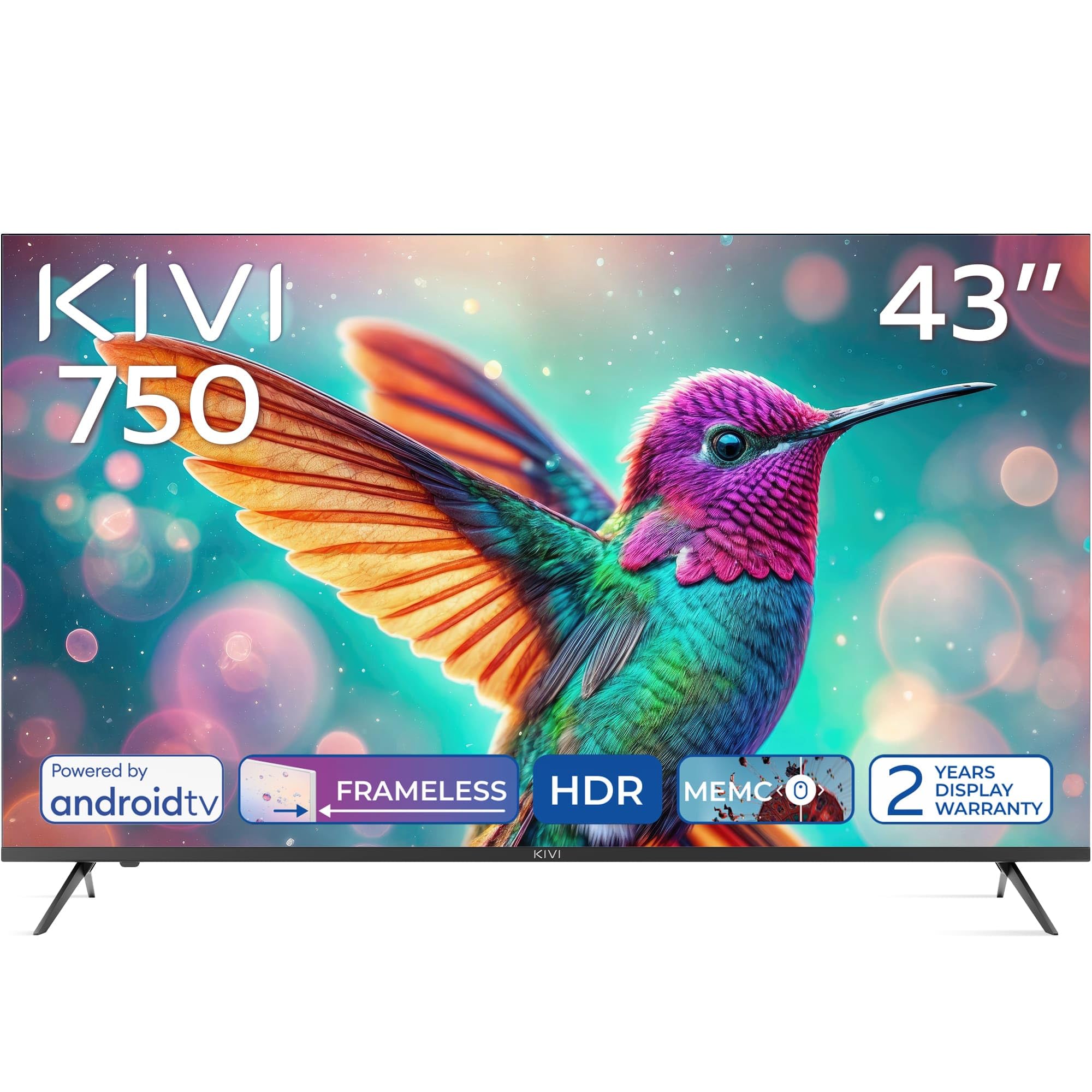
Davanti view of the KIVI 43U750NB 43-inch UHD 4K Smart TV.
Informazioni sulla sicurezza
Per garantire un funzionamento sicuro ed evitare danni, osservare le seguenti precauzioni di sicurezza:
- Non esporre il televisore alla pioggia o all'umidità.
- Non aprire la TV casing; affidare ogni intervento di manutenzione a personale qualificato.
- Garantire un'adeguata ventilazione intorno al televisore.
- Evitare di posizionare il televisore vicino a fonti di calore o alla luce diretta del sole.
- Utilizzare solo il cavo di alimentazione fornito con il televisore.
- Tenere le batterie fuori dalla portata dei bambini.
- Scollegare la spina di alimentazione durante i temporali o quando non si utilizza l'apparecchio per lunghi periodi.
Contenuto della confezione
Verificare che tutti gli articoli siano presenti nel pacco:
- KIVI 43U750NB 43-inch UHD 4K Smart TV
- Telecomando
- 2 batterie AAA (per il telecomando)
- Cavo di alimentazione
- Manuale dell'utente (questo documento)
- TV Stands (if included for tabletop setup)
- Viti per supporti TV
Impostare
1. Installazione dei supporti TV
If you are placing the TV on a flat surface, attach the included stands to the bottom of the TV using the provided screws. Ensure the stands are securely fastened before placing the TV upright.
2. Montaggio a parete
For wall mounting, use a VESA-compatible wall mount (not included) that supports a 200 x 200 mm pattern. Follow the instructions provided with your wall mount. Ensure the wall can support the weight of the TV.
3. Collegamento di dispositivi esterni
Connect your external devices such as Blu-ray players, game consoles, or sound systems to the TV's ports.
- Porte HDMI (x3): For high-definition audio and video. Supports HDMI (eARC) for enhanced audio return channel.
- Porte USB 2.0 (x2): Per collegare dispositivi di archiviazione USB per riprodurre contenuti multimediali o per assistenza.
- Porta Ethernet: Per una connessione Internet cablata.
- Antenna (75Ω) Input: Per collegare un'antenna terrestre o via cavo.
- Uscita audio ottica: Per il collegamento a un ricevitore audio esterno o a una soundbar.
- Jack per cuffie: Per collegare le cuffie.
- Mini RCA: Per collegare dispositivi analogici più vecchi.

Posteriore view of the KIVI 43U750NB TV, illustrating the various connection ports including HDMI, USB, Ethernet, and audio outputs.
4. Collegamento elettrico
After all connections are made, plug the power cord into the TV and then into a wall outlet (220 VAC, 50 Hz).
Istruzioni per l'uso
1. Controllo remoto
Insert the two AAA batteries into the remote control. The remote uses Bluetooth technology for enhanced control.

The KIVI Smart TV remote control, powered by two AAA batteries.
2. Initial Setup (Android TV 11)
Alla prima accensione, il televisore ti guiderà attraverso la procedura di configurazione iniziale.
- Selezione della lingua: Scegli la tua lingua preferita.
- Connessione di rete: Connect to your Wi-Fi network or use the Ethernet cable.
- Accesso all'account Google: Sign in with your Google account to access Android TV features, apps, and voice control.
- Scansione canali: Scan for available TV channels (DVB-T2 tuner).
- Impostazioni sulla privacy: Configura le tue preferenze sulla privacy.

The Android TV 11 interface, providing access to a wide range of applications and services.
3. Funzionalità della Smart TV
- Applicazioni: Access popular streaming services like Netflix and HBO directly from the Android TV home screen. Download more apps from the Google Play Store.
- Controllo vocale: Use the built-in voice control feature (via the remote) to search for content, control playback, and manage TV settings.
- Google Cast: Wirelessly cast content from your compatible smartphone, tablet, or computer to the TV screen.
4. Impostazioni immagine
Regola le impostazioni dell'immagine per ottimizzare la tua viewesperienza di acquisizione.
- HDR10 e HLG: The TV supports HDR10 and HLG for enhanced contrast and color reproduction with compatible content.
- MEMC: Motion Estimation, Motion Compensation technology reduces motion blur in fast-moving scenes.
- Modalità immagine: Select from various preset picture modes (e.g., Standard, Vivid, Movie, Game) or customize your own.

Visual representation of KIVI TV's picture quality features, including Max Vivid, Super Contrast Control, Ultra Clear, and ALLM & Game Mode.
5. Impostazioni audio
Personalizza l'uscita audio per una qualità del suono ottimale.
- Audio Dolby: The TV features Dolby Audio for clear and powerful sound.
- Modalità audio: Scegli tra le modalità audio preimpostate (ad esempio, Standard, Musica, Film, Parlato) oppure regola le impostazioni dell'equalizzatore.
- Uscita audio: Select between TV speakers, optical output, or Bluetooth audio devices.
Manutenzione
Regular maintenance helps prolong the life of your TV.
- Pulizia dello schermo: Pulisci delicatamente lo schermo con un panno morbido e privo di lanugine. Per le macchie ostinate, utilizza una soluzione detergente specifica per TV, da applicare sul panno, non direttamente sullo schermo.
- Pulizia del Casing: Utilizzare un panno morbido e asciutto per pulire la TV casing. Non utilizzare detergenti abrasivi o solventi.
- Ventilazione: Assicurarsi che le aperture di ventilazione sul retro del televisore non siano ostruite per evitare il surriscaldamento.
Risoluzione dei problemi
Se riscontri problemi con il tuo televisore, fai riferimento ai seguenti problemi comuni e alle relative soluzioni:
| Problema | Possibile causa/soluzione |
|---|---|
| Nessun potere | Controllare che il cavo di alimentazione sia collegato saldamente al televisore e alla presa a muro. Assicurarsi che la presa a muro funzioni. |
| Nessuna immagine, ma l'audio è presente | Controlla la sorgente di ingresso. Assicurati che il dispositivo collegato sia acceso e funzioni correttamente. Prova un altro cavo HDMI. |
| Nessun suono, ma l'immagine è presente | Check the volume level. Ensure the TV is not muted. Verify audio output settings (TV speakers, optical, etc.). |
| Il telecomando non funziona | Replace the AAA batteries. Ensure there are no obstructions between the remote and the TV. Re-pair the Bluetooth remote if necessary. |
| Impossibile connettersi al Wi-Fi | Ensure your Wi-Fi router is on and working. Re-enter the Wi-Fi password. Try restarting the TV and your router. |
| Le app non si caricano/prestazioni lente | Check your internet connection speed. Clear app cache or data. Restart the TV. Ensure sufficient storage space. |
Specifiche
| Caratteristica | Dettaglio |
|---|---|
| Numero di modello | 43U750NB |
| Dimensioni dello schermo | 43 pollici |
| Risoluzione | UHD 4K (3840 x 2160) |
| Tecnologia di visualizzazione | LED (Direct LED backlight, VA-panel) |
| Frequenza di aggiornamento | Frequenza 60 Hz |
| Supporto HDR | HDR10, HLG |
| Sistema operativo | Androide 11.0 |
| Tecnologia audio | Dolby Audio (2.0 channels) |
| Porte HDMI | 3 (incluso eARC) |
| Porte USB | 2 (USB 2.0) |
| Connettività | Wi-Fi, Bluetooth 5.1, Ethernet |
| Caratteristiche speciali | Voice Control, Google Cast, MEMC |
| Consumo energetico | 53 Watt |
| Alimentazione elettrica | 220 VAC 50 Hz |
| Dimensioni del prodotto (PxLxA) | Dimensioni: 6.4 x 96 x 55.6 cm |
| Peso del prodotto | 9.7 kg |
| Standard di montaggio VESA | 200 x 200 millimetri |

Energy label for KIVI 43U750NB, indicating energy efficiency class G and power consumption.
For detailed energy information, visit: https://eprel.ec.europa.eu/qr/1326921
Garanzia e supporto
Your KIVI 43U750NB Smart TV comes with a limited warranty. KIVI offers a 3-year display warranty. Please retain your proof of purchase for warranty claims.
For technical support, troubleshooting assistance, or warranty inquiries, please contact KIVI customer service through their official websito o le informazioni di contatto fornite con l'acquisto.