
Introduzione
Thank you for choosing the LEXIP Madara Design Headset. This manual provides detailed instructions for setting up, operating, and maintaining your headset. Please read this manual thoroughly before use to ensure optimal performance and longevity of your device.
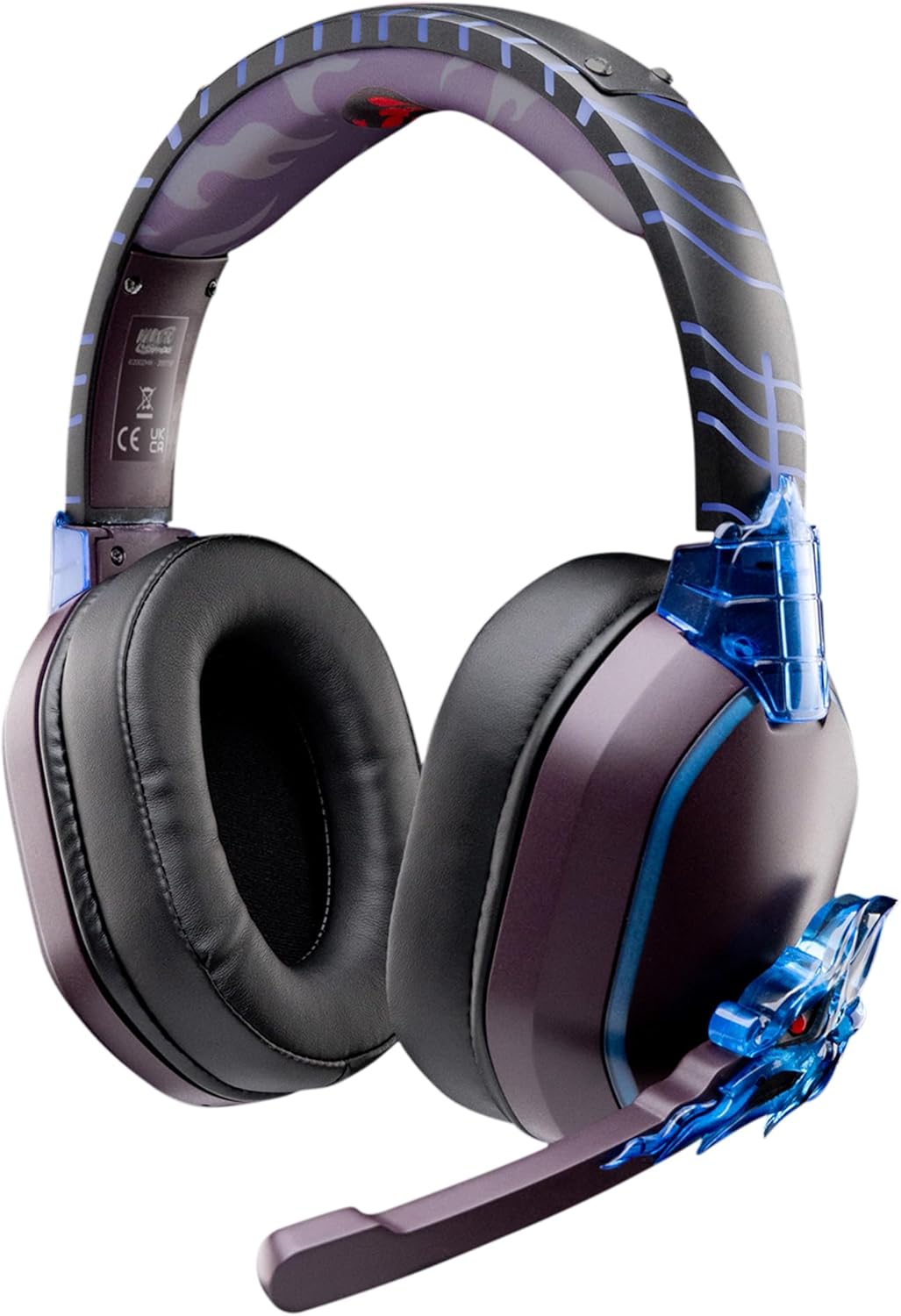
Image: The LEXIP Madara Design Headset, featuring a distinctive purple and blue color scheme with intricate design elements inspired by Madara.
Contenuto della confezione
Assicurarsi che tutti gli articoli siano presenti nel pacco:
- LEXIP Madara Design Headset
- Microfono staccabile
- Cavo audio da 3.5 mm
- Cavo di ricarica USB
- Manuale d'uso
Prodotto finitoview
Familiarize yourself with the components and design features of your headset.

Image: Close-up of the headset's ear cup, highlighting the intricate blue dragon design element.

Immagine: View of the soft earcups and adjustable headband, designed for comfort during extended use.
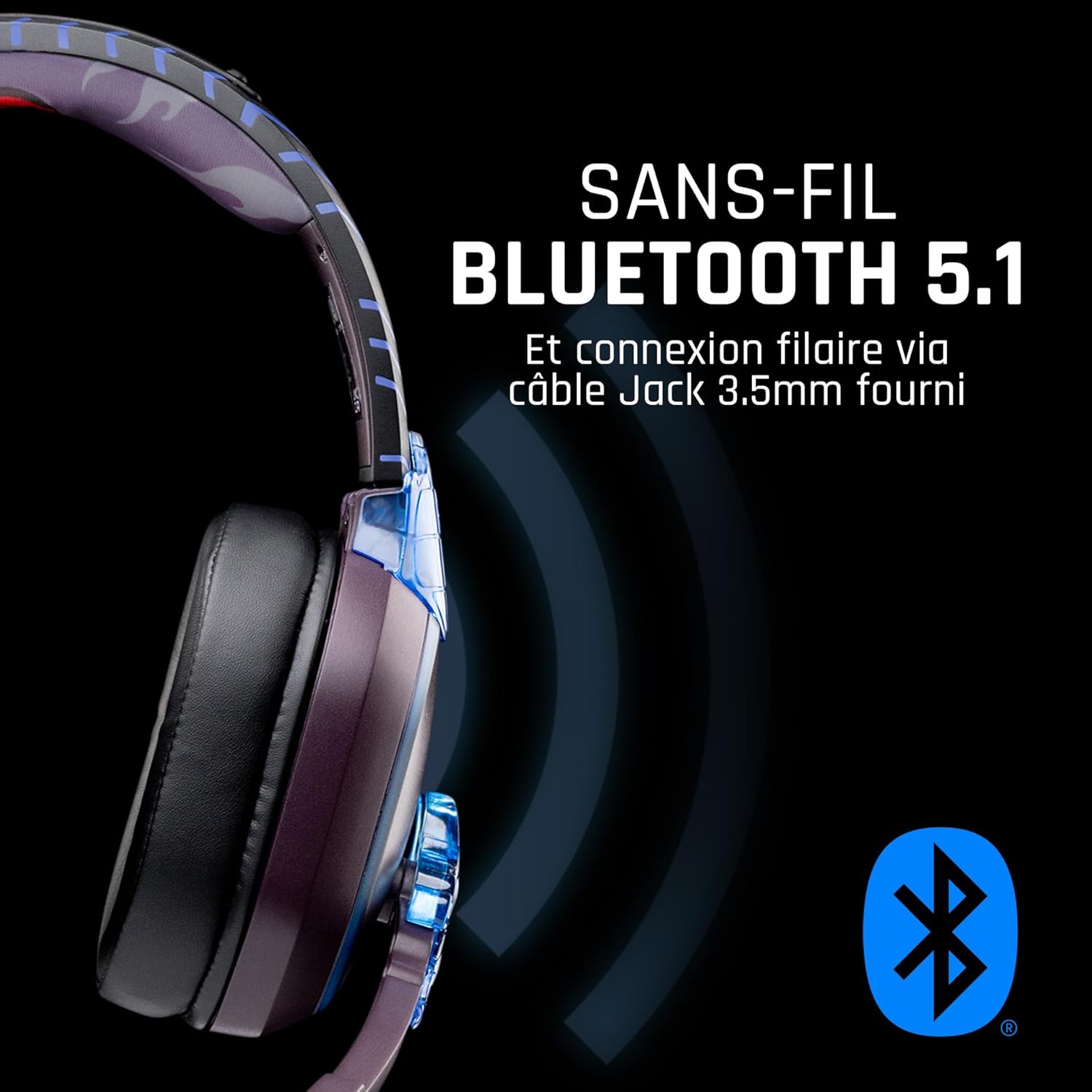
Immagine: Lato view of the headset, illustrating its wireless Bluetooth 5.1 capability and connection points.

Image: The headset displayed on a stand, alongside a matching game controller, showcasing its gaming application.
Caratteristiche principali:
- Bluetooth 5.1 senza fili: For seamless wireless audio.
- Connettività cablata: Via the included 3.5mm Jack cable.
- Microfono staccabile: For clear communication and versatility.
- Controllo del volume: Integrated controls for easy audio adjustment.
- Isolamento acustico: Passive noise reduction for an immersive experience.
- Design confortevole: Adjustable headband and over-ear form factor.
Impostare
1. Caricare l'auricolare
- Collegare il cavo di ricarica USB alla porta di ricarica dell'auricolare.
- Collegare l'altra estremità del cavo USB a una fonte di alimentazione USB compatibile (ad esempio, una porta USB del computer, un adattatore da parete USB).
- The LED indicator on the headset will show the charging status. A full charge typically takes approximately 2-3 hours.
2. Collegamento del microfono
- Locate the microphone input port on the headset, usually on the left earcup.
- Align the detachable microphone connector with the port and gently push it in until it clicks into place.
- Regolare la posizione del microfono per una ricezione vocale ottimale.
Istruzioni per l'uso
1. Accensione/Spegnimento
- Per accendere: Tenere premuto il pulsante di accensione per circa 3 secondi finché l'indicatore LED non si accende.
- Per spegnere: Tenere premuto il pulsante di accensione per circa 5 secondi finché l'indicatore LED non si spegne.
2. Accoppiamento Bluetooth (modalità wireless)
- Assicurati che le cuffie siano spente.
- Tenere premuto il pulsante di accensione per circa 5-7 secondi finché l'indicatore LED non lampeggia rapidamente, indicando la modalità di associazione.
- On your device (Windows 10/11, Mac, PS5, PS4, Xbox Series X/S, Xbox One, Nintendo Switch, Android, iOS, tablets), navigate to Bluetooth settings.
- Cercare available devices and select "LEXIP Madara Headset" (or similar name).
- Una volta abbinato, l'indicatore LED smetterà di lampeggiare e rimarrà blu fisso.
3. Connessione cablata (jack da 3.5 mm)
- Insert one end of the 3.5mm audio cable into the headset's audio jack.
- Insert the other end into the 3.5mm audio port of your desired device.
- The headset will operate in passive wired mode, even if the power is off.
4. Controllo del volume
- Use the volume control dial or buttons located on the headset to adjust the audio level.
Manutenzione
- Pulizia: Per pulire le cuffie, utilizzare un panno morbido e asciutto. Non utilizzare detergenti abrasivi o solventi.
- Magazzinaggio: Conservare le cuffie in un luogo fresco e asciutto, lontano dalla luce solare diretta e da temperature estreme.
- Cura della batteria: Per una durata ottimale della batteria, evitare di scaricare completamente l'auricolare frequentemente. Caricarlo regolarmente.
- Resistenza all'acqua: L'auricolare non è impermeabile. Evitare l'esposizione ai liquidi.
Risoluzione dei problemi
| Problema | Possibile causa | Soluzione |
|---|---|---|
| Nessun suono dalle cuffie | Headset not powered on; Volume too low; Not paired/connected; Incorrect audio output selected on device. | Ensure headset is powered on and charged. Increase volume. Re-pair Bluetooth or check 3.5mm cable connection. Select headset as audio output on your device. |
| Impossibile effettuare l'associazione tramite Bluetooth | Headset not in pairing mode; Device Bluetooth off; Too far from device; Interference. | Ensure headset is in pairing mode (flashing LED). Turn device Bluetooth off and on again. Move headset closer to device. Avoid strong Wi-Fi signals or other Bluetooth devices. |
| Il microfono non funziona | Microphone not properly attached; Muted on headset/device; Incorrect input selected on device. | Ensure microphone is securely attached. Check if microphone is muted. Select headset microphone as input device in your device's sound settings. |
| Durata breve della batteria | Headset not fully charged; Old battery. | Ensure headset is fully charged before use. Battery performance may degrade over time. |
Specifiche
| Numero di modello | TSXLXHS0003 |
| Marca | Lexip |
| Tecnologia di connettività | Wireless (Bluetooth 5.1), Cablato (jack da 3.5 mm) |
| Gamma di frequenza | 20 Hz - 20,000 Hz |
| Impedenza | 3 ohm |
| Sensibilità | 116 dB |
| Isolamento del rumore | Riduzione passiva del rumore |
| Microfono | Staccabile |
| Controlli | Volume Control, Remote Control |
| Dispositivi compatibili | Windows 10/11, Mac, PS5, PS4, Xbox Series X/S, Xbox One, Nintendo Switch, Android, iOS, tablets |
| Fattore di forma | Over-ear, Extra-aural |
| Materiale | Materiali misti |
| Fascia di età | Adulto |
| Livello di resistenza all'acqua | Non resistente all'acqua |
| Batteria | 1 non-standard battery (included) |
Garanzia e supporto
The LEXIP Madara Design Headset comes with a Garanzia del produttore di 2 anni dalla data di acquisto. Questa garanzia copre difetti di materiali e lavorazione in condizioni di normale utilizzo.
For warranty claims, technical support, or further assistance, please contact LEXIP customer service through their official website or the retailer where the product was purchased. Please have your proof of purchase and model number (TSXLXHS0003) ready when contacting support.
Nota: al momento non sono disponibili informazioni sulla disponibilità dei pezzi di ricambio e sugli aggiornamenti software.