
1. Prodotto finitoview
The Irfora SZ305 is a professional digital multimeter designed for accurate and rapid measurement of various electrical parameters. It features a high-definition backlit LCD display for clear readings in diverse environments and a retractable stand for convenient use.
Le funzioni principali includono:
- Volume AC/DCtage e Misurazione della corrente
- Diode, Resistance, and Capacitance testing
- Misurazione della frequenza
- Buzzer continuity test
- hFE Triode testing for NPN/PNP transistors
- Volume senza contattotage (NCV) rilevamento
- Battery detection (1.5V, 3V, 9V, 12V)

Image 1.1: The Irfora SZ305 Digital Multimeter highlighting its various measurement functions including AC/DC voltage/current, diode, capacitance, frequency, buzzer, resistance, NCV induction, hFE, and battery detection.
2. Informazioni sulla sicurezza
Please read and understand all safety instructions before operating the multimeter. Failure to follow these instructions may result in electric shock, fire, or damage to the device.
- Prima di effettuare qualsiasi misurazione, assicurarsi sempre che il multimetro sia impostato sulla funzione e sull'intervallo corretti.
- Non tentare di misurare il voltages or currents exceeding the maximum specified limits for the device.
- Prestare la massima attenzione quando si lavora con circuiti sotto tensione. Alta vol.tagpossono essere pericolosi.
- Inspect test leads for damage before each use. Do not use if insulation is cracked or damaged.
- Non utilizzare il multimetro se appare danneggiato o non funziona correttamente.
- Evitare di utilizzare il multimetro in ambienti umidi o durante temporali.
- Per garantire letture accurate, sostituire tempestivamente le batterie quando compare l'indicatore di batteria scarica.
- Scollegare sempre i puntali di prova dal circuito prima di modificare le funzioni o gli intervalli.
3. Configurazione e utilizzo iniziale
3.1 Installazione della batteria
Il multimetro necessita di batterie per funzionare. Per installare o sostituire le batterie:
- Assicurarsi che il multimetro sia spento e che i puntali di prova siano scollegati.
- Individuare il coperchio del vano batteria sul retro del dispositivo.
- Utilizzare un cacciavite per aprire il vano.
- Inserire le batterie nuove, rispettando la polarità corretta (+ e -).
- Riposizionare il coperchio del vano batteria e fissarlo con la vite.
3.2 Using the Retractable Support Stand
The multimeter is equipped with a retractable stand on its back for convenient viewdurante le misurazioni.
- To deploy the stand, gently pull it outwards from the back of the device until it locks into position.
- Place the multimeter on a flat surface.
- To retract the stand, push it back into its original position until it is flush with the device body.
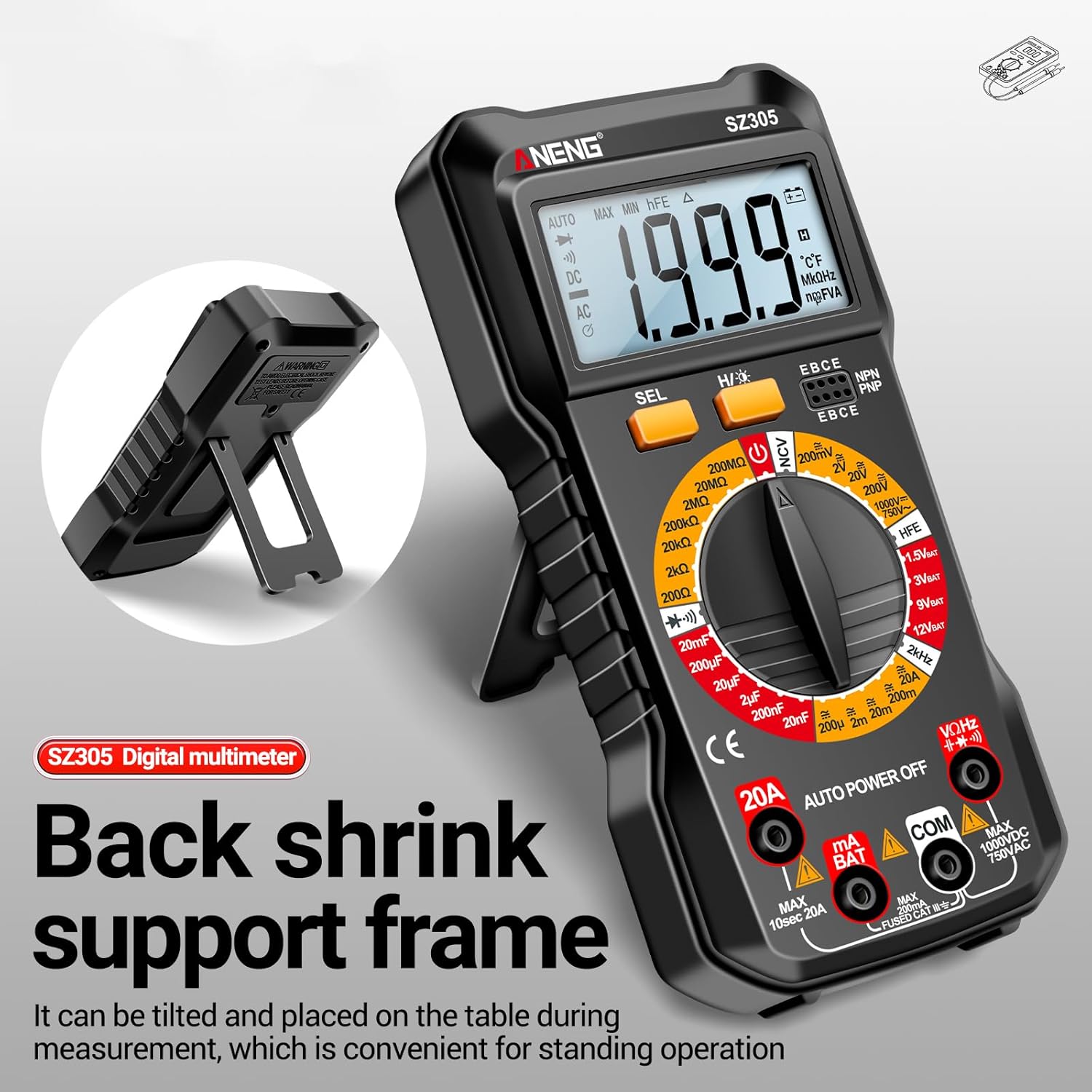
Image 3.1: The Irfora SZ305 Digital Multimeter demonstrating its retractable back support frame for angled viewing on a table.
4. Istruzioni per l'uso
This section details how to perform various measurements with your Irfora SZ305 Digital Multimeter.
4.1 Accensione/spegnimento e retroilluminazione
- To power on the device, rotate the rotary switch from "AUTO POWER OFF" to any desired measurement function.
- To power off, rotate the switch back to "AUTO POWER OFF". The device also features an auto-power-off function after a period of inactivity.
- To activate the LCD backlight, press and hold the "H/☝" button. The backlight will illuminate, improving visibility in dark environments. Press and hold again to turn off.

Image 4.1: The Irfora SZ305 Digital Multimeter displaying its high-definition backlit LCD screen, enhancing readability in low-light conditions.
4.2 CA/CC voltage Misurazione
- Insert the red test lead into the "VHz" jack and the black test lead into the "COM" jack.
- Rotate the rotary switch to the "V~" (AC Voltage) o "V=" (Volume DCtage) gamma.
- Collegare le sonde di prova al circuito o al componente da misurare.
- Leggi il vol.tage valore visualizzato sullo schermo LCD.
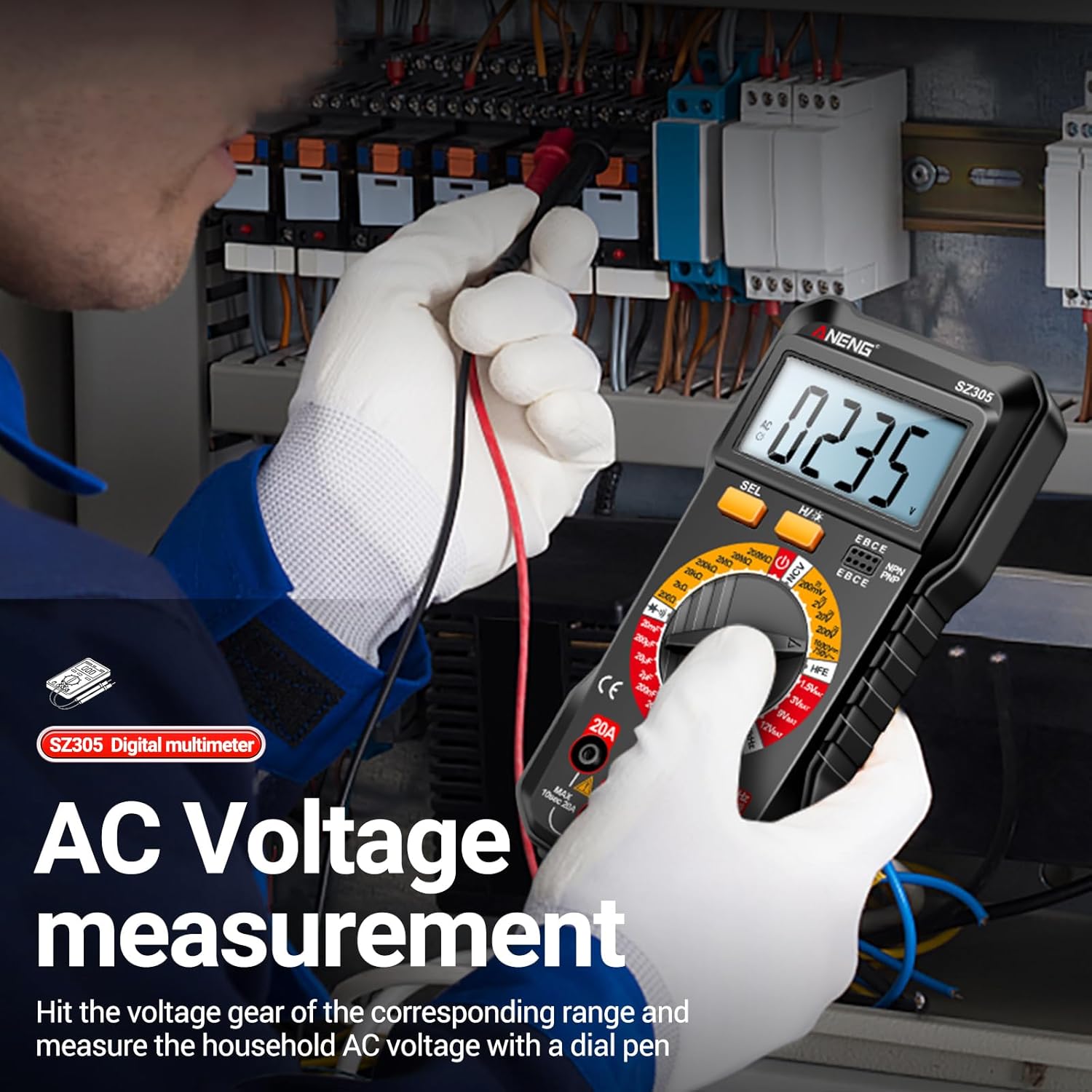
Image 4.2: A user measuring AC voltage with the Irfora SZ305 Digital Multimeter in an electrical panel, demonstrating proper probe placement.
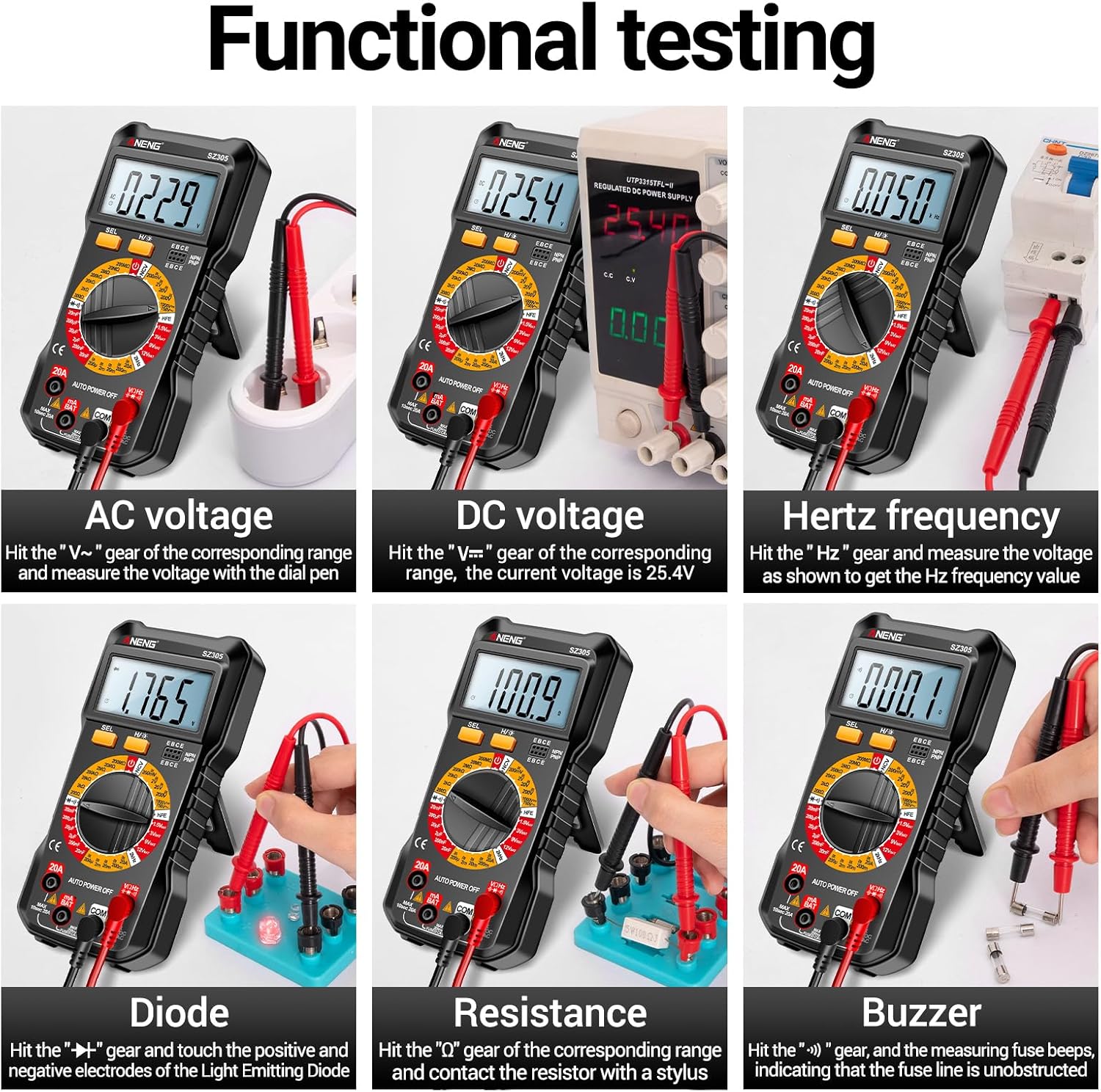
Immagine 4.3: Es.amples of functional testing with the Irfora SZ305, showing measurements for AC voltage, DC voltage, Hertz frequency, diode, resistance, and continuity (buzzer).
4.3 Misurazione della corrente CA/CC
Attenzione: Ensure the circuit is de-energized before connecting the multimeter in series for current measurement. Incorrect connection can blow the fuse or damage the meter.
- Insert the red test lead into the "mA" or "20A" jack (depending on expected current) and the black test lead into the "COM" jack.
- Rotate the rotary switch to the appropriate "mA~" / "mA=" or "20A~" / "20A=" range.
- Aprire il circuito in cui si desidera misurare la corrente e collegare il multimetro in serie.
- Alimentare il circuito e leggere il valore della corrente.

Immagine 4.4: Es.amples of functional testing with the Irfora SZ305, showing measurements for 9V, 3V, 1.5V, and 12V batteries, hFE, capacitance, AC current, and DC current.
4.4 Misurazione della resistenza
- Insert the red test lead into the "VHz" jack and the black test lead into the "COM" jack.
- Rotate the rotary switch to the "Ω" (Resistance) range.
- Ensure the component to be measured is de-energized. Connect the test probes across the component.
- Leggere il valore della resistenza.
4.5 Misurazione della capacità
- Insert the red test lead into the "VHz" jack and the black test lead into the "COM" jack.
- Rotate the rotary switch to the "F" (Capacitance) range.
- Prima di effettuare la misurazione, assicurarsi che il condensatore sia completamente scarico per evitare danni al misuratore.
- Collegare le sonde di prova ai terminali del condensatore.
- Leggere il valore della capacità.
4.6 Diode Test and Continuity (Buzzer)
- Insert the red test lead into the "VHz" jack and the black test lead into the "COM" jack.
- Rotate the rotary switch to the "Diode/Buzzer" symbol.
- Per il test dei diodi: Collegare la sonda rossa all'anodo e la sonda nera al catodo del diodo. Una tensione direttatage drop will be displayed. Reverse the probes; an open circuit ("OL") should be displayed.
- Per il test di continuità: Connect the probes across the circuit or component. If resistance is below a certain threshold, the buzzer will sound, indicating continuity.
4.7 Misurazione della frequenza (Hz)
- Insert the red test lead into the "VHz" jack and the black test lead into the "COM" jack.
- Rotate the rotary switch to the "Hz" range.
- Collegare le sonde di prova alla sorgente del segnale.
- Read the frequency value displayed.
Test del triodo 4.8 hFE
This function measures the DC current gain (hFE) of transistors.
- Rotate the rotary switch to the "hFE" position.
- Identify whether the transistor is NPN or PNP type.
- Insert the transistor leads (Emitter, Base, Collector) into the corresponding sockets on the multimeter's hFE test port.
- Read the hFE value displayed on the screen.

Image 4.5: The Irfora SZ305 Digital Multimeter conducting an hFE test, showing a transistor inserted into the dedicated test socket.
4.9 Senza contatto voltage (NCV) Rilevamento
La funzione NCV consente il rilevamento della tensione alternatatage senza contatto diretto, aumentando la sicurezza.
- Rotate the rotary switch to the "NCV" position.
- Bring the top front part of the multimeter close to the suspected AC voltage fonte (ad esempio, un filo sotto tensione, una presa).
- The multimeter will emit an audible alarm and the NCV indicator will flash. The closer the device is to the voltage source, the more urgent the alarm will be.

Image 4.6: The Irfora SZ305 Digital Multimeter demonstrating its Non-Contact Voltage (NCV) detection feature near an electrical outlet, indicating the presence of AC voltage.
4.10 Battery Detection (1.5V, 3V, 9V, 12V)
The multimeter can test common battery voltages.
- Rotate the rotary switch to the desired battery voltage range (e.g., "1.5V BAT", "3V BAT", "9V BAT", "12V BAT").
- Collegare il puntale di prova rosso al terminale positivo della batteria e il puntale di prova nero al terminale negativo.
- Leggi il vol.tage visualizzato sullo schermo.
5. Manutenzione
5.1 Pulizia
Per pulire il multimetro, pulire la custodia con un pannoamp panno e un detergente delicato. Non utilizzare abrasivi o solventi. Assicurarsi che il dispositivo sia spento e scollegato da qualsiasi circuito prima di pulirlo.
5.2 Sostituzione della batteria
Refer to section 3.1 for instructions on battery installation and replacement. Replace batteries when the low battery indicator appears on the display to maintain measurement accuracy.
5.3 Sostituzione del fusibile
If the current measurement function fails, the fuse may need replacement. This typically requires opening the back casing of the multimeter. Refer to the specifications for the correct fuse type and rating. If unsure, consult a qualified technician.
6. Risoluzione Dei Problemi
- Nessun display o display debole:
- Controllare la carica della batteria. Sostituire le batterie se sono scariche.
- Ensure the multimeter is powered on by rotating the switch from "AUTO POWER OFF".
- Letture errate:
- Assicurarsi che siano selezionati la funzione e l'intervallo corretti per la misurazione.
- Check test leads for proper connection and damage.
- Verify battery charge. Low batteries can affect accuracy.
- Ensure the circuit or component is properly prepared (e.g., capacitor discharged).
- Misurazione della corrente non funzionante:
- Check if the fuse is blown. Replace if necessary (refer to section 5.3).
- Ensure test leads are connected to the correct current jacks ("mA" or "20A").
- Verify the multimeter is connected in series with the circuit.
- NCV function not responding:
- Ensure the rotary switch is set to "NCV".
- Confirm there is an AC voltage source present.
7. Specifiche
| Caratteristica | Dettaglio |
|---|---|
| Modello | SZ305 |
| Marca | Ifora |
| Display | 1999 conteggi, LCD retroilluminato |
| Funzioni | Volume AC/DCtage, AC/DC Current, Resistance, Capacitance, Frequency, Diode, Continuity, hFE, NCV, Battery Test |
| Spegnimento automatico | SÌ |
| Colore | Nero |
| Riferimento produttore | TYHDEE24863B |
Note: Detailed measurement ranges and accuracies are typically found in the full product datasheet.