1. Introduzione
This manual provides detailed instructions for the installation, configuration, and operation of your Rebel KOM1031 Dual-Band Wireless Network Repeater. This device is designed to extend the coverage of your existing Wi-Fi network, providing a stronger and more reliable signal in areas with weak or no coverage. It supports both 2.4 GHz and 5 GHz wireless bands, offering flexible connectivity options and high data transfer rates.
2. Contenuto della confezione
Si prega di verificare che tutti gli articoli siano presenti nel pacco:
- Rebel KOM1031 Wireless Network Repeater
- Manuale dell'utente (questo documento)
- Ethernet Cable (may be included, check packaging)

Figura 2.1: The Rebel KOM1031 Repeater packaging, showing the device and its key features.
3. Prodotto finitoview
Familiarize yourself with the physical components and indicators of the Rebel KOM1031 Repeater.
3.1. Disposizione del dispositivo

Figura 3.1: Davanti view of the Rebel KOM1031 Repeater, highlighting the LED indicators and Ethernet ports.

Figura 3.2: Lato view of the Rebel KOM1031 Repeater, showing the four external antennas in an extended position.

Figura 3.3: Metter il fondo a view of the Rebel KOM1031 Repeater, illustrating the integrated power plug and two RJ45 Ethernet ports.
3.2. Indicatori LED
| Indicatore | Stato | Descrizione |
|---|---|---|
| SIST/POTENZA | Acceso fisso | Il dispositivo è acceso e funziona normalmente. |
| 2.4G | Acceso fisso | 2.4 GHz Wi-Fi band is active. |
| 5.8G | Acceso fisso | 5 GHz Wi-Fi band is active. |
| LAN3 / LAN4 | Solid On/Flashing | Indicates an active Ethernet connection and data transfer on the respective LAN port. |
4. Guida all'installazione
Follow these steps to set up your Rebel KOM1031 Repeater.
4.1. Initial Placement and Power On
- Scegli una posizione: Plug the repeater into an electrical outlet in an area between your main router and the location where you need improved Wi-Fi coverage. Ensure it is within the range of your existing Wi-Fi signal.
- Accensione: Plug the device directly into a standard wall socket. The SYS/POWER LED should illuminate. Wait approximately 30-60 seconds for the device to boot up.
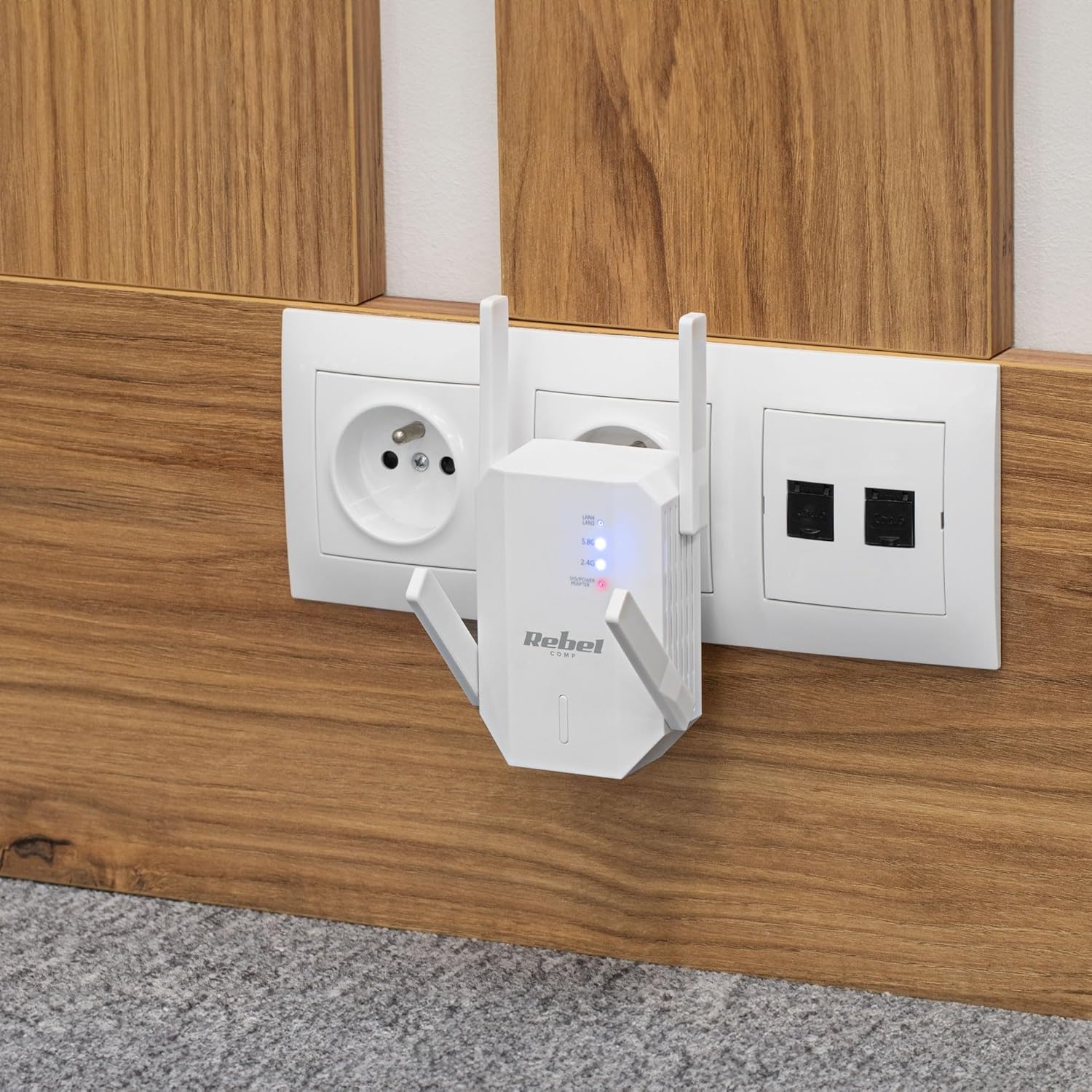
Figura 4.1: The Rebel KOM1031 Repeater plugged into a wall outlet, ready for configuration.
4.2. Connessione al ripetitore
- Connessione wireless: On your computer or mobile device, search for available Wi-Fi networks. Connect to the network named "Rebel_XXXX" or similar (check the label on the device for the default SSID). No password is required for the initial connection.
- Accesso Web Interfaccia: Aprire un web browser (e.g., Chrome, Firefox, Edge) and enter the default IP address or domain name (usually 192.168.10.1 or rebelrepeater.net) nella barra degli indirizzi. Premi Invio.
- Login: When prompted, enter the default username and password (usually amministratore per entrambi).
4.3. Configuration Wizard (Repeater Mode)
Most users will configure the device in Repeater Mode to extend an existing Wi-Fi network.
- Seleziona la modalità ripetitore: Sul web interface, select "Repeater Mode" or "Wi-Fi Repeater" from the available options.
- Ricerca reti: The device will scan for available Wi-Fi networks. Select your main Wi-Fi network (SSID) from the list.
- Inserisci la password: Enter the Wi-Fi password (security key) of your main router.
- Configurare l'SSID del ripetitore (facoltativo): You can choose to keep the same SSID as your main network or create a new one (e.g., "MyHome_EXT"). It is recommended to use a different SSID to easily distinguish between networks.
- Applica impostazioni: Click "Apply" or "Save" to confirm your settings. The repeater will restart. This process may take a few minutes.
- Riconnetti: After the repeater restarts, disconnect from the repeater's default Wi-Fi network and connect to your newly configured extended network (e.g., "MyHome_EXT") using the password you entered.
Your Rebel KOM1031 Repeater should now be extending your Wi-Fi network. Check the signal strength in previously weak areas.
5. Modalità operative
The Rebel KOM1031 supports multiple operating modes to suit various networking needs.
5.1. Modalità ripetitore (predefinita)
In Repeater Mode, the device extends the coverage of an existing wireless network. It receives the wireless signal from your main router and re-transmits it, effectively expanding the Wi-Fi range. This is the most common mode for eliminating Wi-Fi dead zones.
5.2. Modalità punto di accesso (AP)
In AP Mode, the device connects to a wired network (via an Ethernet cable) and broadcasts a new wireless network. This is useful for adding Wi-Fi capability to a wired-only network or creating a new Wi-Fi hotspot from a wired internet connection.
- Connetti Ethernet: Connect an Ethernet cable from your router or modem to one of the RJ45 ports on the KOM1031.
- Accesso Web Interfaccia: Follow steps 4.2 to access the web interfaccia.
- Seleziona modalità AP: Choose "AP Mode" or "Access Point" from the configuration options.
- Configura le impostazioni Wi-Fi: Imposta un nuovo SSID (nome della rete) e una password complessa per la tua nuova rete wireless.
- Applica impostazioni: Save the configuration. The device will restart and operate as an Access Point.
6. Manutenzione
Una corretta manutenzione garantisce la longevità e le prestazioni ottimali del tuo dispositivo.
- Pulizia: Per pulire il dispositivo, utilizzare un panno morbido e asciutto. Non utilizzare detergenti liquidi o spray.
- Ventilazione: Ensure the device is placed in a well-ventilated area. Do not block the ventilation slots.
- Aggiornamenti del firmware: Controllare periodicamente le istruzioni del produttore website for firmware updates. Updating firmware can improve performance and security.
- Reimpostazione: If the device malfunctions or you forget the login credentials, you can perform a factory reset. Locate the reset button (usually a small pinhole) and press it with a paperclip for 5-10 seconds while the device is powered on. The device will revert to factory default settings.
7. Risoluzione Dei Problemi
In caso di problemi, fare riferimento ai seguenti problemi comuni e alle relative soluzioni.
7.1. Nessun accesso a Internet dopo l'installazione
- Controllare il router principale: Assicurati che il router principale abbia una connessione Internet attiva.
- Verifica Password: Double-check that you entered the correct Wi-Fi password for your main router during setup.
- Sposta ripetitore: The repeater might be too far from your main router. Move it closer to ensure it receives a strong signal.
- Riavvia i dispositivi: Restart your main router, the repeater, and your client devices.
7.2. Impossibile accedere Web Pagina di gestione
- Verifica connessione: Ensure your device is connected to the repeater's Wi-Fi network (either the default "Rebel_XXXX" or your configured extended network).
- Verifica indirizzo IP: Confirm you are using the correct IP address (e.g., 192.168.10.1) or domain name (rebelrepeater.net).
- Cancella la cache del browser: Prova a cancellare il tuo web cache del browser o utilizzando un browser diverso.
- Ripristino di fabbrica: If all else fails, perform a factory reset (see Section 6. Maintenance) and try setting up again.
7.3. Segnale debole o velocità lenta
- Posizionamento ottimale: Ensure the repeater is placed optimally, roughly halfway between your router and the dead zone. Avoid physical obstructions like thick walls or metal objects.
- Interferenza: Other electronic devices (microwaves, cordless phones) can cause interference. Try moving the repeater away from such devices.
- Regolazione dell'antenna: Regolare le antenne esterne per una migliore ricezione e trasmissione del segnale.
8. Specifiche tecniche
| Caratteristica | Dettaglio |
|---|---|
| Modello | COM1031 |
| Marca | Ribelle |
| Chipset | MTK7612 |
| Standard wireless | Standard di trasmissione dati IEEE 802.11a/b/g/n/ac |
| Bande di frequenza | 2.4 GHz / 5 GHz (Dual-Band) |
| Velocità di trasmissione dei dati | Fino a 300 Mbps (2.4 GHz), fino a 867 Mbps (5 GHz) |
| Antenne | 4 External (2 dBi each) |
| Protocolli di sicurezza | WEP, WPA/WPA2, WPS (64/128 bit) |
| Porte Ethernet | 2x RJ45 (10/100 Mbps) |
| wireless Range | Fino a 100 metri (dipendente dall'ambiente) |
| Alimentazione elettrica | 110-240 V; 50/60 Hz; 2 A |
| Dimensioni | Dimensioni: 87 x 63 x 55 mm |
| Peso | 76 grammi |
| Utenti simultanei | Supporta fino a 10 utenti contemporaneamente |
9. Informazioni sulla sicurezza
Si prega di leggere e seguire queste linee guida di sicurezza per evitare danni al dispositivo o lesioni personali.
- Non esporre il dispositivo ad acqua, umidità o temperature estreme.
- Non tentare di smontare o riparare il dispositivo da soli. Per qualsiasi intervento di assistenza, rivolgersi a personale qualificato.
- Ensure the power outlet used is easily accessible and provides the correct voltage (110-240 V).
- Evitare di posizionare il dispositivo vicino a fonti di calore o alla luce diretta del sole.
- Tenere il dispositivo lontano dalla portata dei bambini e degli animali domestici.
10. Garanzia e supporto
For warranty information, technical support, or further assistance, please refer to the official Rebel website or contact your retailer. Please have your product model number (KOM1031) and purchase details ready when seeking support.