
1. Introduzione
Thank you for choosing the DATOUBOSS 2000W/4000W Pure Sine Wave Inverter. This device is designed to convert 24V DC battery power into stable 230V AC power, suitable for a wide range of household appliances, power tools, and electronic devices. Its pure sine wave output ensures compatibility with sensitive electronics, providing clean and reliable electricity for your home, RV, or outdoor activities.
This manual provides essential information for the safe and efficient operation of your inverter. Please read it thoroughly before use and keep it for future reference.
2. Istruzioni di sicurezza
ATTENZIONE: la mancata osservanza di queste istruzioni di sicurezza può provocare scosse elettriche, incendi, lesioni gravi o morte.
- Ensure the inverter is connected to a 24V DC power source only. Connecting to an incorrect voltage potrebbe danneggiare l'unità.
- Non esporre l'inverter ad acqua, pioggia, neve o spruzzi.
- Operate the inverter in a well-ventilated area. Do not block the ventilation openings.
- Avoid operating the inverter near flammable materials or in environments with explosive gases.
- Non aprire l'inverter casing. All'interno non sono presenti parti riparabili dall'utente. Per qualsiasi intervento di manutenzione, rivolgersi a personale qualificato.
- Garantire la corretta messa a terra dell'inverter.
- Scollegare l'inverter dalla batteria prima di effettuare qualsiasi operazione di manutenzione o pulizia.
- Tenere fuori dalla portata dei bambini.

Immagine: Interna view of the inverter highlighting various protection mechanisms such as undervoltage, voltage, overload, short circuit, overheating, and reverse polarity protection.
3. Contenuto della confezione
Si prega di controllare la confezione per verificare la presenza dei seguenti elementi:
- 1 x DATOUBOSS 2000W Pure Sine Wave Inverter
- 1 x coppia di cavi della batteria (rosso per positivo, nero per negativo)
- 1 x telecomando
- 1 x Manuale utente (questo documento)

Image: The inverter unit, remote control, battery connection cables, and a separate LCD display module.
4. Prodotto finitoview
Familiarize yourself with the components of your DATOUBOSS inverter:

Image: Detailed diagram of the inverter's front panel, indicating the LCD display, AC output socket, USB 2.1A port, Type-C port, GND (ground) terminal, and power switch.
- Schermo LCD: Mostra il volume della batteriatage, uscita AC voltage, potenza di uscita e frequenza.
- Presa di uscita CA: Standard European socket for connecting AC appliances.
- Porte USB: Includes USB 2.1A and Type-C ports for charging small electronic devices.
- Terminale di terra (GND): Per una messa a terra di sicurezza.
- Interruttore di alimentazione: Per accendere/spegnere l'inverter.
- Ventole di raffreddamento: Integrated smart fans for heat dissipation.
5. Configurazione e installazione
- Scegli una posizione: Select a dry, well-ventilated area away from direct sunlight, heat sources, and flammable materials. Ensure sufficient space around the inverter for proper airflow.
- Collegamento della batteria:
- Assicurarsi che l'inverter sia spento prima di collegarlo alla batteria.
- Collegare il rosso cavo della batteria al positivo (+) terminale dell'inverter e il positivo (+) terminale della batteria da 24 V.
- Collegare il nero cavo della batteria al negativo (-) terminale dell'inverter e il negativo (-) terminale della batteria da 24 V.
- Assicurarsi che tutti i collegamenti siano ben saldi e sicuri per evitare collegamenti allentati e scintille.
- Messa a terra: Connect the ground terminal of the inverter to a proper earth ground using a suitable grounding wire. This is crucial for safety.
- Collegamento del telecomando: Collegare il cavo del telecomando alla porta designata sull'inverter.

Image: The inverter with devices connected to its AC output and USB/Type-C ports, demonstrating its connectivity.
6. Istruzioni per l'uso
- Accensione: After all connections are secure, press the power button on the inverter or the ON button on the remote control. The LCD display will light up, showing the battery voltage stato di uscita.
- Collegamento degli elettrodomestici: Plug your AC appliances into the AC output socket. For USB-powered devices, use the USB or Type-C ports.
- Monitoraggio: Il display LCD fornisce informazioni in tempo reale:
- Volume batteriatage(DC): Mostra il volume correntetage of your 24V battery.
- Volume di uscita CAtage (CA): Visualizza il volume di uscitatage (ad esempio, 230 V).
- Potenza in uscita (W): Indica il consumo energetico attuale dei dispositivi collegati.
- Frequenza (Hz): Shows the output frequency (50Hz or 60Hz).
- Spegnimento: To turn off the inverter, press the power button on the unit or the OFF button on the remote control. Disconnect appliances before turning off the inverter for safety.
Importante: Ensure the total power consumption of your connected devices does not exceed the inverter's continuous power rating (2000W). The inverter has a peak power rating of 4000W for starting inductive loads, but continuous operation should remain within 2000W.
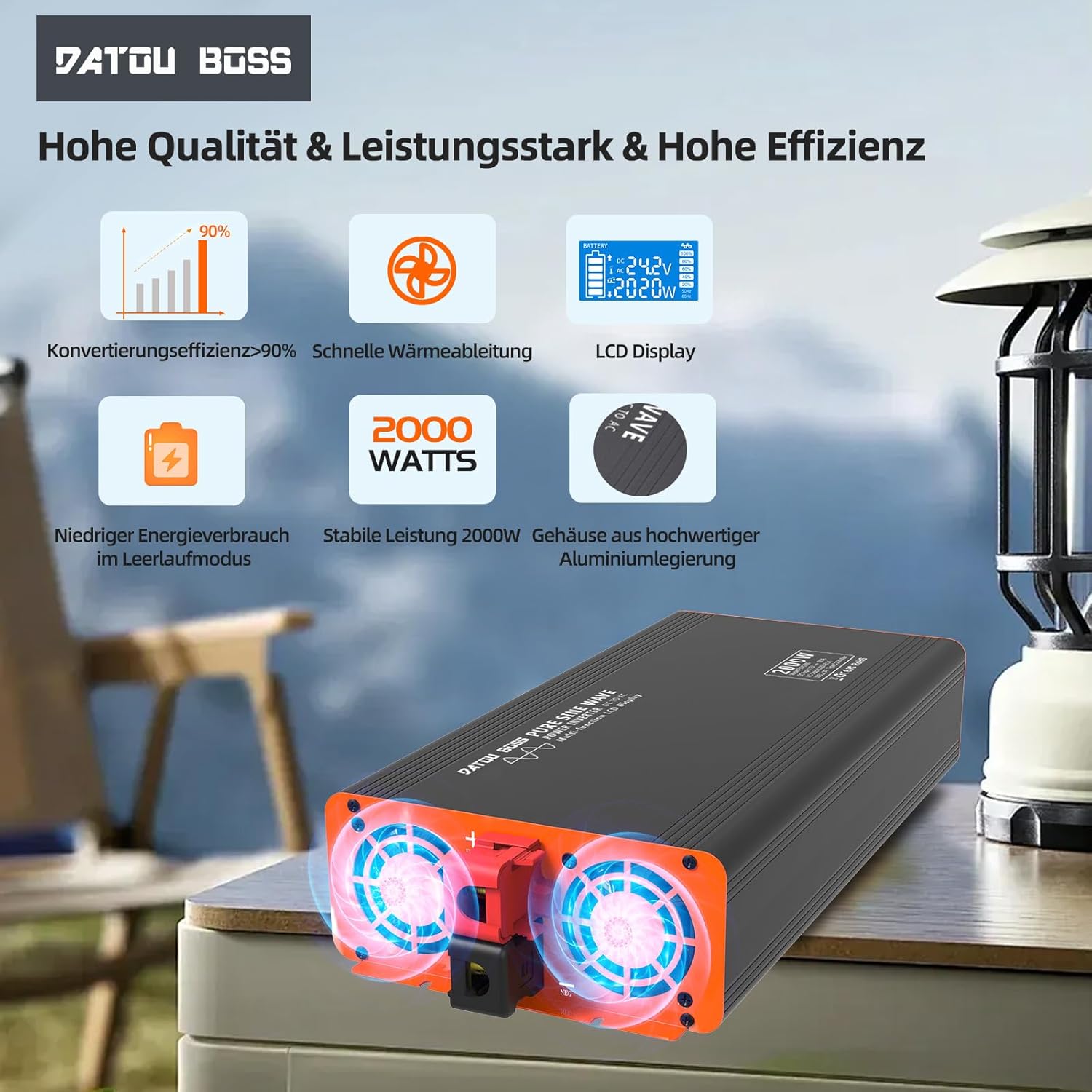
Image: Close-up of the inverter's cooling fans, showing their operation for efficient heat dissipation.
7. Manutenzione
- Pulizia: Pulire regolarmente l'esterno dell'inverter con un panno morbido e asciutto. Non utilizzare detergenti liquidi o solventi.
- Ventilazione: Assicurarsi che le prese d'aria di raffreddamento siano libere da polvere e detriti. Prese d'aria ostruite possono causare surriscaldamento.
- Connessioni: Periodically check battery cable connections to ensure they remain tight and free from corrosion.
- Magazzinaggio: Se si conserva l'inverter per un periodo prolungato, scollegarlo dalla batteria e conservarlo in un luogo fresco e asciutto.
8. Risoluzione Dei Problemi
| Problema | Possibile causa | Soluzione |
|---|---|---|
| L'inverter non si accende. | Nessuna connessione alla batteria, basso livello della batteriatage, loose cables, blown fuse. | Check battery connections, charge battery, tighten cables, check internal fuses (professional service recommended). |
| Nessuna uscita CA. | Overload, short circuit, overheating, low/high battery voltage. | Reduce load, check for short circuits, allow inverter to cool, check battery voltage. |
| Cooling fan constantly running. | Temperatura interna elevata dovuta a carico pesante o scarsa ventilazione. | Ensure adequate ventilation, reduce load. Fan activates automatically when temperature exceeds 55°C. |
| Il display LCD mostra il codice di errore. | Protezione specifica attivata (ad esempio, sovratensionetage, sottovoltage, sovraccarico). | Refer to the display for the specific error and consult the relevant section of this manual or contact support. |
9. Specifiche
| Caratteristica | Specificazione |
|---|---|
| Nome del modello | 2000W 24V UE |
| Potenza continua | 2000 Watt |
| Potenza di picco | 4000 Watt |
| Ingresso volumetage | 24 Volt CC |
| Volume di uscitatage | 230 Volt CA |
| Forma d'onda di uscita | Onda sinusoidale pura |
| Efficienza di conversione | > 95% |
| Uscita USB | USB 2.1A, Type-C |
| Dimensioni (L x P x A) | 36L x 17W x 8H centimetri |
| Raffreddamento | Smart Integrated Fan |
| Protezioni | Basso volumetage, oltre il volumetage, Overheat, Overload, Short Circuit, Reverse Polarity |
| Usi consigliati | Office, Home, Vehicle (RV, Camping, Car) |

Image: A clear representation of the LCD display interface, detailing battery level, DC input voltage, uscita AC voltage, power output, and frequency indicators.
10. Garanzia e supporto
I prodotti DATOUBOSS sono realizzati secondo elevati standard qualitativi. Per informazioni sulla garanzia, supporto tecnico o richieste di assistenza, contattare il rivenditore o direttamente il produttore. Conservare la ricevuta d'acquisto come prova d'acquisto.
For further assistance, please visit the official DATOUBOSS websito o contattare il loro servizio clienti.