
SYLVOX 15.6 inch Kitchen Smart TV
Manuale utente della Smart TV da cucina SYLVOX da 15.6 pollici
Model: 15.6 inch Kitchen Smart TV
1. Introduzione
This user manual provides comprehensive instructions for the SYLVOX 15.6 inch Kitchen Smart TV. It covers setup, operation, maintenance, and troubleshooting to ensure optimal performance and user experience. Please read this manual thoroughly before using the product.
Prodotto finitoview
The SYLVOX 15.6 inch Kitchen Smart TV is designed for versatile use in kitchen environments, offering entertainment and smart functionalities. Its compact and foldable design allows for various installation options, including under-cabinet and wall mounting. Featuring a 1080P Full HD display, Google TV with voice assistant, built-in speakers, and multiple connectivity options, it provides a high-quality viewing and interactive experience.
2. Informazioni sulla sicurezza
Per evitare scosse elettriche, incendi o danni al dispositivo, attenersi sempre alle seguenti linee guida di sicurezza:
- Garantire l'alimentazione voltage corrisponde ai requisiti del prodotto.
- Non esporre il televisore alla pioggia o all'umidità.
- Evitare di bloccare le aperture di ventilazione per evitare il surriscaldamento.
- Non tentare di riparare il dispositivo da soli. Per qualsiasi intervento di assistenza, rivolgersi a personale qualificato.
- Tenere il televisore lontano dalla luce solare diretta e da fonti di calore.
3. Cosa c'è nella scatola
Verificare che tutti i componenti siano presenti al momento dell'apertura della confezione:
- Smart TV da 15.6 pollici
- Adattatore
- Telecomando
- Manuale dell'utente
- Base telecomando
- Fixed Fittings
- Batterie (per il telecomando)

Image: All items included in the SYLVOX 15.6 inch Kitchen Smart TV package, including the TV, remote, adapter, and mounting accessories.
4. Configurazione e installazione
Opzioni di montaggio
The SYLVOX Kitchen TV offers flexible installation to suit your space:
- Montaggio sottopensile: The TV features a foldable bracket that allows it to be neatly tucked away under kitchen cabinets when not in use. It can fold from 0-90 degrees.
- Montaggio a parete: For a fixed position, the TV can be mounted on a wall. The bracket allows for horizontal adjustment of ±45 degrees.
- Posizionamento della tabella: The TV can also be placed on a countertop or table using its integrated stand.

Image: The SYLVOX Kitchen TV shown with its foldable bracket extended, ready for under-cabinet or wall mounting.

Image: Diagram illustrating the dimensions of the SYLVOX Kitchen TV, including screen size and overall unit measurements.

Immagine: Lato view of the SYLVOX Kitchen TV, highlighting its slim profile and the dimensions of the mounting bracket.

Immagine: Posteriore view of the SYLVOX Kitchen TV, displaying the various input and output ports available for connectivity.
Collegamento dell'alimentazione
Connect the provided adapter to the TV's power input and then plug it into a standard electrical outlet. Ensure the connection is secure.
5. Istruzioni per l'uso
Telecomando
The SYLVOX Kitchen TV comes with a Bluetooth remote control featuring voice control capabilities. Insert the provided batteries into the remote control before first use.
- Pulsante di accensione: Accende o spegne la TV.
- Pad di navigazione: Utilizzare le frecce direzionali e il pulsante centrale "OK" per navigare nei menu e selezionare le opzioni.
- Pulsante di controllo vocale: Press and hold to activate the voice assistant for commands and searches.
- Pulsanti del volume: Regola il volume dell'audio.
- Pulsanti canale: Change TV channels (if connected to an antenna/cable).
- Pulsanti di scelta rapida delle app: Pulsanti dedicati per i servizi di streaming più diffusi, come Netflix e YouTube.
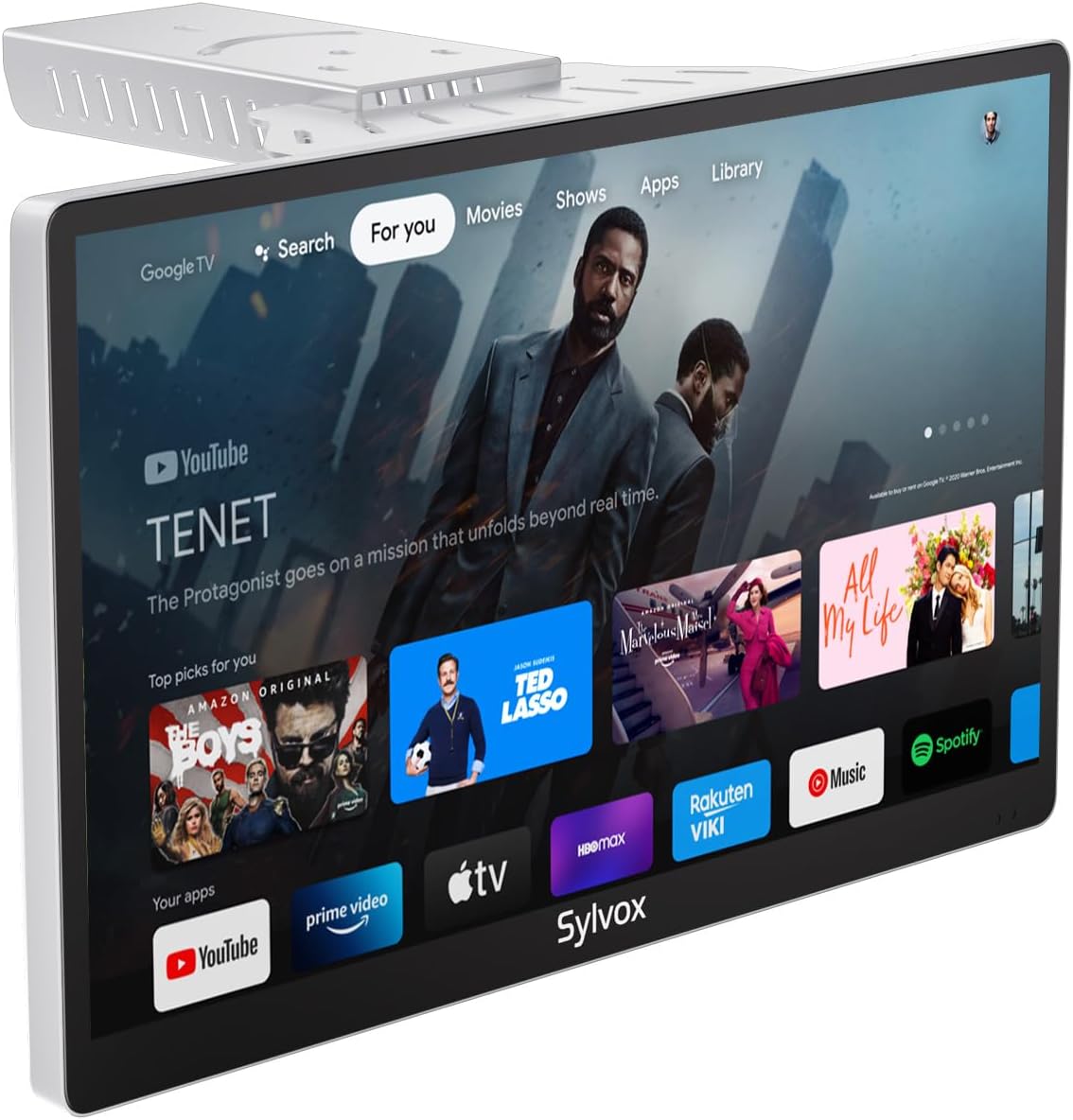
Image: The SYLVOX Kitchen TV screen showing the Google TV interface with various streaming app icons.
Interfaccia di Google TV
The TV runs on Google TV, providing access to a vast library of content and applications. The main interface offers personalized recommendations and easy access to your installed apps.
- Per te: Consigli personalizzati sui contenuti.
- Vivere: Access to live TV channels (requires antenna or compatible service).
- Applicazioni: Sfoglia e avvia le applicazioni installate.
- Biblioteca: Accedi ai contenuti acquistati o noleggiati.
Connettività
La TV supporta diverse opzioni di connettività:
- Wifi: Collegati alla rete wireless di casa per accedere a Internet e guardare contenuti in streaming.
- Bluetooth: Abbinalo a dispositivi audio esterni come cuffie o altoparlanti.
- Chromecast integrato: Trasmetti i contenuti direttamente dal tuo smartphone o tablet alla TV.
- Porte HDMI: Connect external devices such as gaming consoles, Blu-ray players, or set-top boxes.
- Porte USB: Riproduci contenuti multimediali files da unità USB.
- Coaxial Antenna Input: Collegare un'antenna per i canali di trasmissione via etere.

Image: A user casting content from a smartphone to the SYLVOX Kitchen TV, demonstrating the built-in Chromecast feature.
6. Manutenzione e cura
- Pulizia: Utilizzare un panno morbido e asciutto per pulire lo schermo e l'esterno. Per i segni ostinati, strofinare leggermenteampLavare il panno con acqua. Evitare prodotti chimici aggressivi o materiali abrasivi.
- Ventilazione: Ensure adequate airflow around the TV to prevent overheating. Do not cover ventilation slots.
- Magazzinaggio: Se si conserva il televisore per un periodo prolungato, scollegarlo dall'alimentazione e riporlo in un luogo fresco e asciutto.
7. Risoluzione Dei Problemi
| Problema | Possibile causa | Soluzione |
|---|---|---|
| Nessun potere | Power cable not connected; Outlet not working. | Controllare il collegamento del cavo di alimentazione; provare una presa diversa. |
| Nessuna immagine | Incorrect input source; Loose HDMI/antenna cable. | Select correct input source; Secure cable connections. |
| Nessun suono | Volume too low or muted; External audio device issue. | Aumentare il volume/riattivare l'audio; controllare le connessioni audio esterne. |
| Il telecomando non risponde | Batteries dead; Remote not paired. | Replace batteries; Re-pair remote control (refer to Google TV pairing instructions). |
| Problemi di connessione Wi-Fi | Password errata; Router troppo lontano; Problema di rete. | Verify password; Move TV closer to router; Restart router. |
8. Specifiche
| Caratteristica | Dettaglio |
|---|---|
| Marca | SILVOX |
| Modello | 15.6 inch Kitchen Smart TV |
| Dimensioni dello schermo | 15.6 pollici |
| Tecnologia di visualizzazione | GUIDATO |
| Risoluzione | 1080p Full HD |
| Frequenza di aggiornamento | Frequenza 60 Hz |
| Sistema operativo | TV di Google |
| Caratteristiche speciali | Google TV, Foldable bracket, Under-cabinet/Wall mountable, Lightweight, Voice Remote Control, Chromecast Built-in, Built-in Speakers |
| Connettività | Ethernet, Wireless, WiFi, Bluetooth, HDMI, USB |
| Peso dell'articolo | 6.25 libbre |
| Dimensioni del prodotto | 1.4 x 14.28 x 8.76 pollici |
| Consumo energetico in modalità On | 16.0 watt |
| Consumo energetico (annuale) | 23040 Watt-hours per year |
9. Garanzia e supporto
SYLVOX offers the following support for your product:
- 12-month free defect protection: Copre i difetti di fabbricazione per un anno dalla data di acquisto.
- Free returns for quality issues: If the product has quality-related issues, free returns are available.
- 30-day hassle-free returns: Returns for any reason are accepted within 30 days, requiring original packaging.
For further assistance, please refer to the official SYLVOX websito o contattare l'assistenza clienti.
10. Video di prodotto
Watch these official product videos for visual guides and demonstrations:
Al momento non sono disponibili video ufficiali del venditore da incorporare.
Ask a question about this manual
Ask about setup, troubleshooting, compatibility, parts, safety, or missing instructions. Manuals+ will review the question and use this page’s manual context to help answer it.