
1. Prodotto finitoview
The Porodo Universal Wireless Remote & Mouse is a compact and versatile input device designed to combine the functionalities of a keyboard and a mouse. It offers convenient control for various devices, including Smart TVs, PCs, laptops, Android projectors, and more. This device features a full QWERTY keyboard, a multi-touch touchpad, and dedicated media control keys, all operating via 2.4GHz wireless technology or Bluetooth.
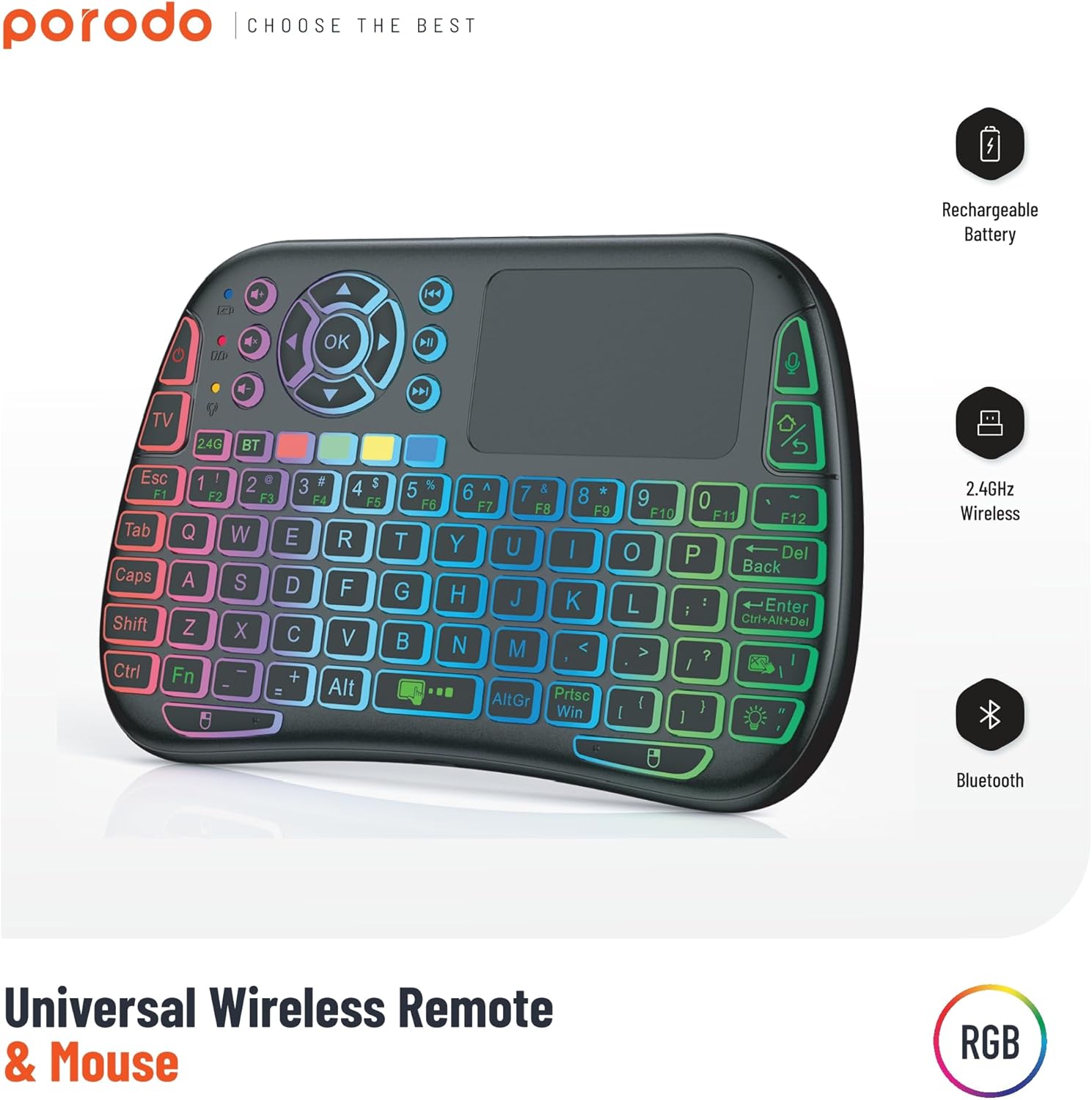
Image 1: The Porodo Universal Wireless Remote & Mouse, highlighting its RGB backlighting, rechargeable battery, 2.4GHz wireless, and Bluetooth connectivity.

Immagine 2: Fronte e retro views of the remote and mouse, illustrating its compatibility with various devices such as All-in-one PCs, Computers, Android Projectors, Smart TVs, HTPCs, PADs (OTG), Phones (OTG), and TV Boxes.
2. Guida all'installazione
2.1 Contenuto della confezione
- Porodo Universal Wireless Remote & Mouse
- USB Receiver (typically stored in the battery compartment)
- Cavo di ricarica
- Manuale d'uso
2.2 Ricarica del dispositivo
Before first use, ensure the device is fully charged. Connect the provided charging cable to the charging port on the remote and to a standard USB power source (e.g., computer USB port, USB wall adapter). The charging indicator light will illuminate during charging and turn off when fully charged.
2.3 Connecting the USB Receiver (2.4GHz Wireless Mode)
- Locate the USB receiver, usually found in the battery compartment of the remote.
- Insert the USB receiver into an available USB port on your target device (e.g., Smart TV, PC, Android box).
- Turn on the Porodo Remote & Mouse using the power switch. The device should automatically connect to the receiver.
- The device is plug-and-play; no additional drivers are typically required.
2.4 Connecting via Bluetooth (if applicable)
If your device supports Bluetooth connectivity, you can pair it directly without the USB receiver. Refer to your device's Bluetooth pairing instructions. On the Porodo Remote & Mouse, activate Bluetooth pairing mode (refer to specific key combinations in the operating section if available).

Image 3: The remote and mouse highlighting its dual connectivity options: 2.4 GHz wireless and Bluetooth.
3. Istruzioni per l'uso
3.1 Funzionalità della tastiera
- Digitando: Per l'inserimento del testo utilizzare il layout QWERTY.
- Tasti funzione (F1-F12): These keys often have secondary functions (e.g., media control, volume) accessible by pressing the 'Fn' key simultaneously.
- Retroilluminazione: Some models feature RGB backlighting. Press the dedicated backlight key (often indicated by a light bulb icon) to cycle through colors or turn it on/off.
3.2 Funzionalità del touchpad
- Tocco con un solo dito: Funziona come un clic sinistro.
- Tocco con due dita: Funziona come un clic destro.
- Two-Finger Drag: For scrolling up/down or left/right.
- Trascinamento con un solo dito: Moves the cursor on the screen.
- Pulsanti dedicati per clic sinistro/destro: Situato sotto il touchpad per i clic tradizionali del mouse.
3.3 Media Control Keys
Dedicated buttons for volume up/down, mute, play/pause, next/previous track are typically located above the touchpad or integrated into the function keys.
3.4 Voice Control (if applicable)
Some models may include a microphone for voice input. Press the dedicated microphone button to activate voice commands or search functions on compatible devices.
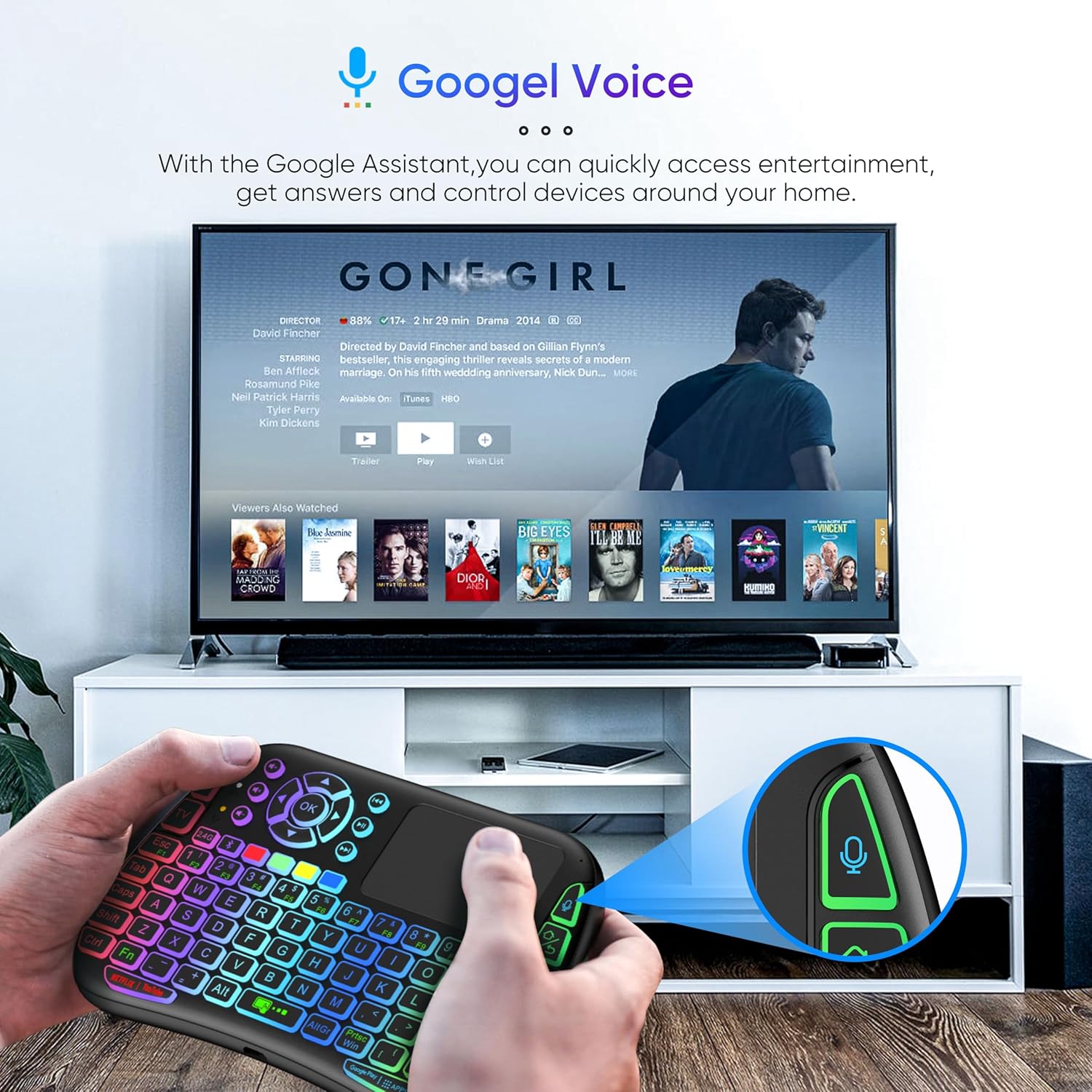
Image 4: The remote and mouse in use, demonstrating its Google Voice integration for controlling entertainment and accessing information on a connected TV.
3.5 Operational Range
The device offers an extended operational range of up to 10 meters (approximately 33 feet), allowing flexible control from a comfortable distance.
Video 1: Un video dimostrativo del prodotto mostraasing the features and ease of use of a similar wireless keyboard with touchpad. This video illustrates comfortable wireless control, long battery life, and plug-and-play connectivity.
4. Manutenzione
4.1 Pulizia
Per pulire il dispositivo, utilizzare un panno morbido e asciutto. Per lo sporco ostinato, leggermente dampen the cloth with water or a mild cleaning solution. Avoid using harsh chemicals, abrasives, or solvents, as these can damage the surface.
4.2 Cura della batteria
- Recharge the device when the battery indicator is low to ensure continuous operation.
- Evitare di scaricare completamente la batteria frequentemente per prolungarne la durata.
- Se si conserva il dispositivo per un periodo prolungato, caricarlo al 50% circa e conservarlo in un luogo fresco e asciutto.
4.3 Conservazione
Store the device in a dry environment, away from extreme temperatures, direct sunlight, and high humidity. Keep it away from liquids and dust.
5. Risoluzione Dei Problemi
5.1 Il dispositivo non risponde
- Controllare la batteria: Assicurati che il dispositivo sia carico. Collegalo a una fonte di alimentazione e riprova.
- Interruttore di alimentazione: Verify that the power switch on the device is in the 'ON' position.
- Ricevitore USB: For 2.4GHz mode, ensure the USB receiver is securely plugged into the target device's USB port. Try a different USB port.
- Riassociazione: If using Bluetooth, try re-pairing the device with your host system.
- Interferenza: Move the device closer to the receiver/host device and away from other wireless devices that might cause interference.
5.2 Touchpad or Keys Unresponsive
- Superficie pulita: Ensure the touchpad surface and keys are clean and free from debris.
- Ricomincia: Spegnere e riaccendere il dispositivo.
- Dispositivo host: Restart the host device (PC, Smart TV, etc.).
5.3 Durata breve della batteria
- Carica completa: Assicurarsi che il dispositivo sia completamente carico prima dell'uso.
- Utilizzo della retroilluminazione: If your model has a backlight, frequent or continuous use will consume more battery. Turn it off when not needed.
- Sospensione automatica: The device is designed to enter sleep mode after a period of inactivity to save power. Waking it up should be quick.
6. Specifiche
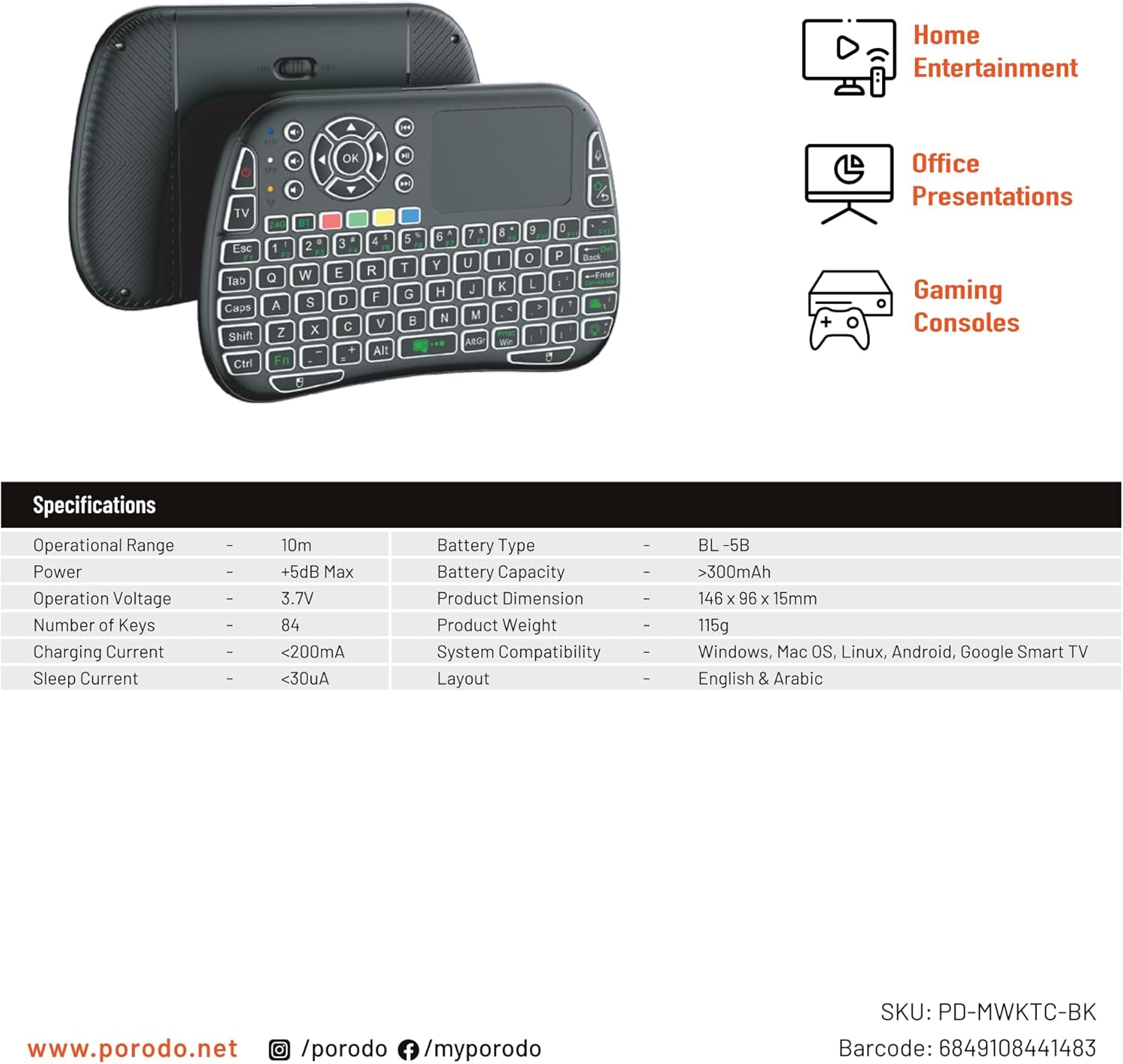
Image 5: The remote and mouse, illustrating its use for home entertainment, office presentations, and gaming consoles, alongside a table of detailed product specifications.
| Caratteristica | Dettaglio |
|---|---|
| Produttore | Porodo |
| Numero di modello | PD-MWKTC-BK (68491084488) |
| Dimensioni del prodotto | Dimensioni: 14.6 x 9.6 x 1.5 cm |
| Peso dell'articolo | 115 grammi |
| Colore | Nero |
| Tecnologia di connettività | Radio Frequency (2.4GHz) / Bluetooth |
| Caratteristica speciale | Programmable Buttons, Touchpad, Backlight |
| Dispositivi compatibili | Laptop, PC, Smart TV, Android Box, Projector |
| Descrizione della tastiera | Internal (Integrated) |
| Tecnologia di rilevamento del movimento | Ottico |
| Fonte di alimentazione | Alimentato a batteria (ricaricabile) |
| Capacità della batteria | > 300 mAh |
| Portata operativa | 10 metri |
| Compatibilità del sistema | Windows, Mac OS, Linux, Android, Google Smart TV |
| Disposizione | English & Arabic |
7. Garanzia e supporto
For warranty information, technical support, or further assistance, please refer to the official Porodo webo contattare direttamente il servizio clienti. Conservare la ricevuta d'acquisto come prova d'acquisto per eventuali reclami in garanzia.