
1. Informazioni sulla sicurezza
Si prega di leggere attentamente tutte le istruzioni di sicurezza prima di montare e utilizzare questo prodotto. Il mancato rispetto di queste istruzioni può causare lesioni o danni al prodotto.
- Prima dell'uso, assicurarsi sempre che la scrivania sia correttamente montata e stabile.
- Do not overload the desk, especially with heavy items on the power outlet.
- Keep the desk and its surroundings clean and free of flammable materials.
- Seguire sempre le istruzioni del produttore per il montaggio, l'uso e la manutenzione.
- Assicurarsi che tutti i collegamenti elettrici siano sicuri e conformi alle normative elettriche locali.
2. Prodotto finitoview
The AODK 40 Inch Computer Desk is designed for versatility and functionality, suitable for various uses such as a computer desk, office desk, study table, or vanity desk. It features integrated power outlets, USB and Type-C charging ports, three fabric drawers for storage, and a versatile iron hook.
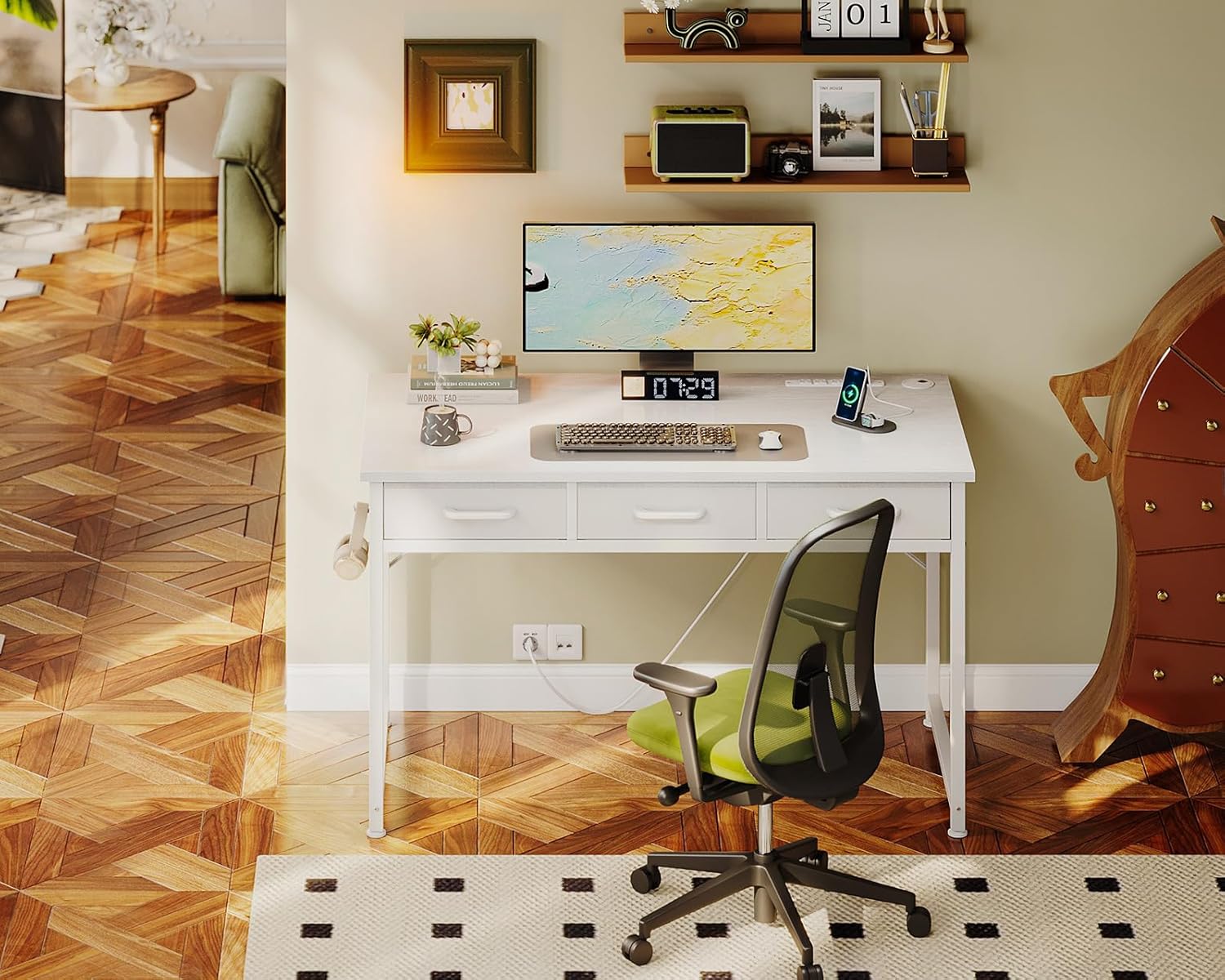
Image: The AODK 40 Inch Computer Desk, showcasing its design and functionality in a typical setup.
3. Installazione e montaggio
The AODK computer desk is designed for straightforward assembly. All necessary parts are clearly labeled, and detailed instructions are included to guide you through each step.
3.1. Fasi di assemblaggio
- Disimballare tutti i componenti e verificarli rispetto all'elenco delle parti fornito nel manuale.
- Assemblare la struttura della scrivania seguendo gli schemi. Assicurarsi che tutte le viti siano ben serrate.
- Fissare il piano del tavolo al telaio assemblato.
- Installare la presa di corrente nell'apposito slot sulla scrivania.
- Inserire i cassetti in tessuto nei rispettivi scomparti.
- Attach the iron hook to the side of the desk.
- Regolare i piedini per garantire che la scrivania sia livellata e stabile sul pavimento.

Image: Visual guide for the assembly process, showing the main steps.
3.2. Guida video all'assemblaggio
For a visual demonstration of the assembly process, please refer to the official installation video:
Video: Official installation guide for the AODK Small Desk with 3 Fabric Drawers, provided by the manufacturer.

Image: Detailed dimensions of the desk and its components to assist with placement and assembly.
4. Funzionamento
4.1. Integrated Charging Ports & Power Outlets
The desk is equipped with a recessed power strip featuring 3 standard AC power outlets, 1 USB charging port (5V/2A), and 1 Type-C charging port (5V-2A). These ports allow for convenient charging of electronic devices directly from your desktop.

Immagine: Primo piano view of the integrated power strip, highlighting the AC, USB, and Type-C ports.
4.2. Cassetti in tessuto
Three fabric drawers provide organized storage for your office supplies, personal items, or cosmetics. These drawers are designed for ease of use and can be cleaned as needed.

Image: The three fabric drawers, demonstrating their capacity for storing various items.
4.3. Versatile Iron Hook
An iron hook is located on the side of the desk, offering a convenient spot to hang headphones, bags, or other small accessories, keeping your desktop clear and organized.

Image: The iron hook in use, holding a pair of headphones.
5. Manutenzione
5.1. Cleaning the Desk Surface
The desk surface is made of high-quality MDF board, designed to be scratch-resistant and water-resistant. To clean, wipe with a soft, damp panno. Evitare l'uso di prodotti chimici aggressivi o detergenti abrasivi, che potrebbero danneggiare la finitura.

Image: The smooth desktop surface, illustrating its water-resistant properties.
5.2. Fabric Drawer Care
The fabric drawers are easy to clean. For light dust, use a lint roller or a soft brush. For spills, spot clean with a mild detergent and a damp panno, quindi lasciare asciugare completamente all'aria.
5.3. Foot Pad Adjustment
The adjustable non-slip foot pads protect your floor from scratches and ensure stability on uneven surfaces. Periodically check and adjust them as needed to maintain desk stability.

Image: Close-up of an adjustable foot pad, demonstrating its function.
6. Risoluzione Dei Problemi
If you encounter any issues with your AODK computer desk, please refer to the following general troubleshooting tips:
- La scrivania ondeggia: Ensure all screws are securely tightened. Adjust the foot pads on each leg to stabilize the desk on uneven flooring.
- Prese di corrente non funzionanti: Check if the desk's power cord is securely plugged into a functional wall outlet. Verify that the devices you are trying to charge are properly connected to the desk's ports. Avoid overloading the power strip.
- I cassetti non scorrono fluidamente: Ensure the fabric drawers are correctly inserted and not obstructed. Check for any debris in the drawer compartments.
For persistent issues or concerns not addressed here, please contact AODK customer support.
7. Specifiche
| Caratteristica | Dettaglio |
|---|---|
| Marca | AODK |
| Numero di modello | B0CQYHC2DD |
| Dimensioni del prodotto (P x L x A) | 18.9" x 39.4" x 31" |
| Colore | Bianco |
| Materiale | Legno ingegnerizzato, metallo |
| Numero di cassetti | 3 (Tessuto) |
| Prese di corrente | 3 prese CA (125 V/12 A) |
| Porta di ricarica USB | 1 (5 V/2 A) |
| Porta di ricarica di tipo C | 1 (5V-2A) |
| Lunghezza del cavo di alimentazione | 6.6 piedi |
| Caratteristiche speciali | Power Outlets, Fabric Drawers, Iron Hook, Adjustable Foot Pads |
| Assemblaggio richiesto | SÌ |
| Componenti inclusi | Scrivania, vassoio per tastiera, gancio per cuffie, vassoio per la gestione dei cavi |
8. Garanzia e supporto
8.1. Informazioni sulla garanzia
This AODK product comes with a Garanzia limitata. Please refer to the warranty card included with your purchase for specific terms, conditions, and duration of coverage. Keep your proof of purchase for warranty claims.
8.2. Assistenza clienti
If you have any questions, require assistance with assembly, or experience any issues such as damaged or missing parts, please do not hesitate to contact our professional customer support team. We are committed to helping you resolve any problems within 24 hours.
For support, please visit the AODK store on Amazon or use the contact information provided in your product packaging.