
Prodotto finitoview
The Baseus 65W USB C Charger is a compact and powerful charging solution featuring GaN technology. It includes three ports (two USB-C and one USB-A) for simultaneous charging of multiple devices, offering fast charging capabilities for a wide range of electronics including smartphones, tablets, and laptops.
This charger is designed for efficiency and portability, making it suitable for various environments from home to travel.
Cosa c'è nella scatola
- Baseus 65W USB C Charger
- 100W USB-C to USB-C Cable with E-marker Chip
- Guida per l'utente

Image: The Baseus 65W USB C Charger shown with its included 100W USB-C to USB-C cable.
Impostare
- Aprire i rebbi: Estrarre delicatamente i rebbi pieghevoli dal corpo del caricabatterie.
- Collegare alla presa di corrente: Insert the charger firmly into a standard wall power outlet (Type A - 2 pin, North American).
- Connetti dispositivi: Use appropriate USB-C or USB-A cables to connect your devices to the charger's available ports. For optimal fast charging, use the included 100W USB-C to USB-C cable or other high-quality cables.

Image: The Baseus 65W USB C Charger with its foldable prongs extended, ready for use.
Video: Demonstrates the foldable prongs and compact design of the Baseus 65W USB C Charger.
Istruzioni per l'uso
Dispositivi di ricarica
The Baseus 65W charger features three output ports: two USB-C ports and one USB-A port. It supports various fast-charging protocols, including 45W Samsung Super Fast Charging.
- Ricarica a porta singola: When only one port is in use, the charger delivers maximum power output. For example, a single USB-C port can provide up to 65W, capable of charging a MacBook Pro 13" in approximately 2 hours.
- Ricarica multiporta: When multiple devices are connected, the charger intelligently distributes power across the ports.
Condivisione intelligente del potere
The charger automatically adjusts power output based on the number and type of connected devices to ensure efficient and safe charging.
- Singola porta USB-C: Fino a 65W.
- Single USB-A Port: Fino a 60W.
- Two Ports (e.g., USB-C1 + USB-C2): Typically 45W + 18W.
- Three Ports (USB-C1 + USB-C2 + USB-A): Power is distributed, for example, 45W + 15W.
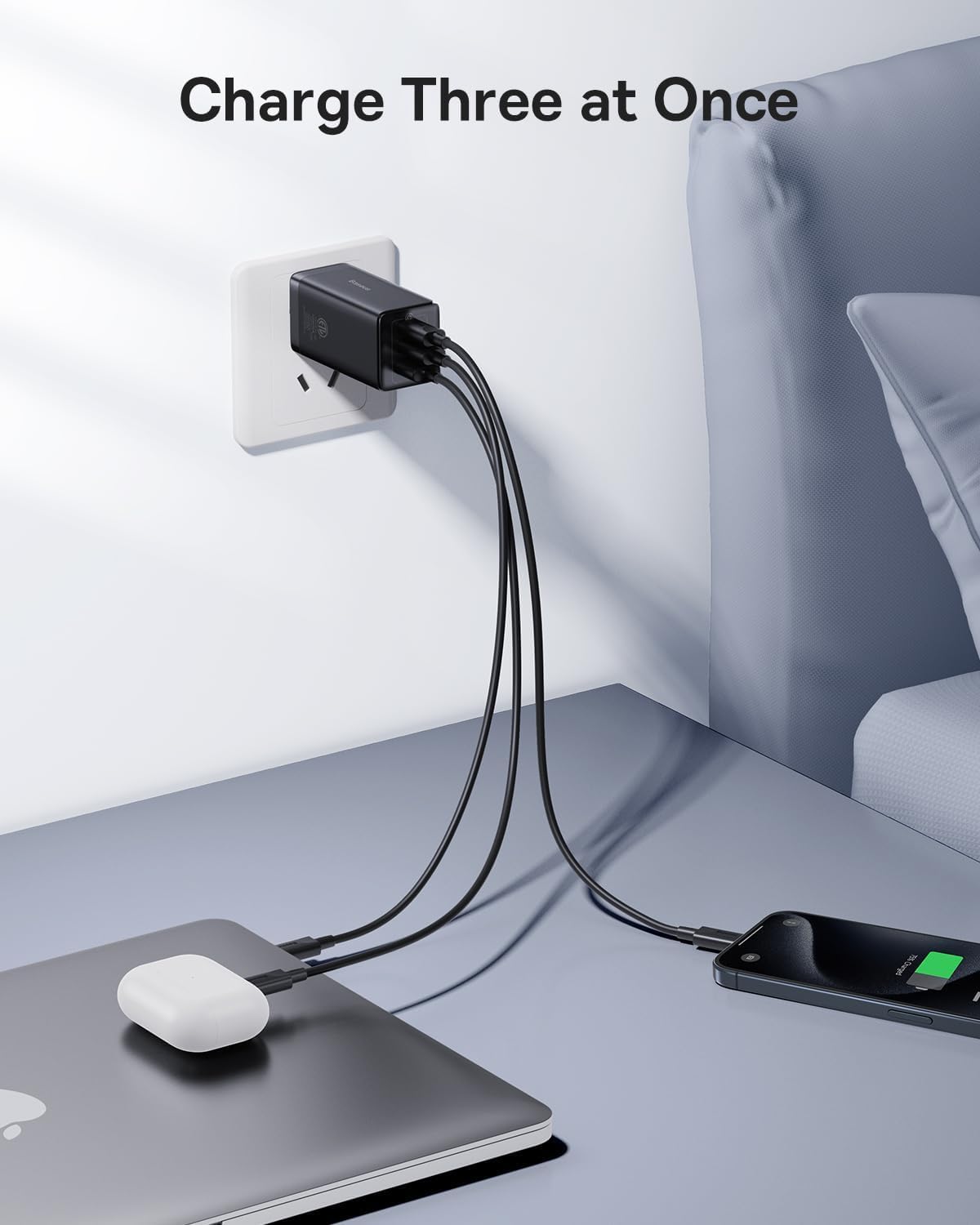
Image: The Baseus 65W USB C Charger connected to a wall outlet, charging a laptop, earbuds, and a smartphone simultaneously.

Image: A diagram showing the power distribution (in watts) for single, two, and three-port charging scenarios with the Baseus 65W charger.
Manutenzione
- Pulizia: Scollegare il caricabatterie dalla presa di corrente prima di pulirlo. Utilizzare un panno asciutto e morbido per pulire la superficie. Non utilizzare detergenti liquidi o spray.
- Magazzinaggio: Quando non lo usi, ripiega i rebbi per riporlo in modo compatto. Conserva il caricabatterie in un luogo fresco e asciutto, lontano dalla luce solare diretta e da temperature estreme.
- Gestione: Avoid dropping the charger or subjecting it to strong impacts. Do not attempt to disassemble or repair the charger yourself.
Risoluzione dei problemi
| Problema | Possibile causa | Soluzione |
|---|---|---|
| Il dispositivo non si carica o si carica lentamente. |
|
|
| Il caricabatterie risulta caldo durante il funzionamento. | Normal operation, especially during fast charging or when multiple devices are connected. | This is normal. The GaN technology helps manage heat efficiently. If it becomes excessively hot to touch, disconnect immediately and contact support. |
| USB-A port not working. | Port malfunction or incompatible device/cable. | Try a different USB-A cable and device. If the issue persists, contact customer service for assistance. |
| Charger pulls out of outlet easily. | Loose outlet or heavy cables pulling down. | Ensure the outlet is not worn. Position cables to minimize downward pull on the charger. |
Specifiche
| Caratteristica | Dettaglio |
|---|---|
| Marca | Baseo |
| Numero di modello | CCGAN65S5 |
| Tipo di connettore | USB tipo C, USB tipo A |
| Porte USB totali | 3 (2x USB-C, 1x USB-A) |
| Cosatage | 65 W (potenza massima) |
| Ingresso volumetage | 240 volts_of_alternating_current (Standard North American) |
| Corrente di uscita | 5 A |
| Caratteristica speciale | Fast Charging, GaN Technology, Foldable Prongs |
| Colore | Nero |
| Fattore di forma | Pieghevole |
| Dispositivi compatibili | Tablets, Rog Ally, Laptops, iPhone (15/15 Plus/15 Pro/15 Pro Max/14/14 Plus/14 Pro/14 Pro Max/13/13 Mini/13 Pro/13 Pro Max/12/12 Mini/12 Pro/12 Pro Max/XS/XS Max/XR/X /11/11 Pro/11 Pro max/8 Plus/8/7/6), Samsung (Galaxy S22+/S22/ S21 Ultra/S21+/ S21/ S20 Ultra/ S20+/ S20/S10/S10+/S9/S9+/S8/S8+ / Note20+/20/Note10+/10/Note 9/Note 8/ Note 7/Z Fold2 / Z Flip), LG (V60/ V50/ G8/ G7), Oneplus (9 Pro/9/8T/8 Pro/8/7 pro/6T), Google Pixel (3/4/4a/5), MacBook Air (2020)/ MacBook Pro (13" 2017/ 13" 2020 / 15" 2017/ 16" / 12" / Air 13" / Air 12"), iPad Pro (12.9"/11"/10.5"/9.7"), iPad Air (1/2/3/4) / iPad mini (1/2/3/4/5), AirPods / AirPods Pro / Apple Watch (6/SE/3), Surface Pro 7 / HP Stream 14"/Omen 17/Envy 13t/Spectre x360 13t, DELL Latitude 7380/XPS 13/16, ASUS ROG zephyrus G14/Zenbook13/14/15/flip 15/TUF A15/Vivobook 14/15/17, Lenovo ThinkPad X1 Carbon / X1 YOGA/YOGA 730/YOGA 920 /YOGA 930 /X1 NANO / E14 / E15/ T490s /T495s/T480s/X270/X390/T470 /E490 / IdeaPad 3 /5 / flex 5, MSI GS66 / MSI PRESTIGE 15, Nintendo Switch Dock, and more. |
Garanzia e supporto
Informazioni sulla garanzia
Questo prodotto Baseus è dotato di un Garanzia di 2 anno from the date of purchase, covering manufacturing defects and normal operational failures.
Assistenza clienti
For technical assistance, troubleshooting, or warranty claims, please contact Baseus customer service. You can typically find contact information through your purchase platform (e.g., Amazon order details page) by selecting "Ask a question" or "Send message" to the seller.
All messages are generally answered within 48 hours.

Image: Baseus product showcasing design awards, indicating quality and innovation.