
1. Introduzione
This manual provides comprehensive instructions for the installation, operation, and maintenance of your BLESYS A1819 replacement battery. Please read this guide carefully before proceeding with the installation to ensure safe and optimal performance.
2. Prodotto finitoview
The BLESYS A1819 battery is a high-performance lithium polymer replacement designed for specific MacBook Pro models. It features:
- Alta capacità: 11.4V, 4314 mAh / 49.2 Wh, utilizing 6 Grade A cells for extended laptop use.
- Maggiore sicurezza: Built-in circuit protection mechanisms ensure safe charging, discharge, and temperature control, preventing overcharge, over-discharge, over-current, and short-circuiting.
- Prestazioni affidabili: Engineered for fast charging and low power consumption, providing stable and consistent power delivery.

Image: The BLESYS A1819 replacement battery, showing its compact design and connector.
3. Compatibilità
This BLESYS A1819 battery is specifically designed for the following Apple MacBook Pro models:
- MacBook Pro 13-inch A1706 (Late 2016) with Touch Bar, EMC 3071
- MacBook Pro 13-inch A1706 (Mid 2017) with Touch Bar, EMC 3163
Before installation, verify your MacBook Pro's model number and year to ensure compatibility. This information can typically be found on the back of your laptop or by accessing "About This Mac" from the Apple menu.

Image: A visual guide demonstrating how to check your MacBook Pro's model number on the back cover and through the "About This Mac" system information.

Image: A detailed compatibility table showing the BLESYS A1819 battery part number, compatible laptop models (A1706), corresponding P/N (e.g., MLH12xx/A), Mac IDs (MacBookPro13,2, MacBookPro14,2), and EMC numbers (3071, 3163) for 2016 and 2017 models.
4. Contenuto della confezione
Your BLESYS A1819 replacement battery package includes:
- 1 x BLESYS A1819 Replacement Battery
- Necessary removal and installation tools (screwdrivers, suction cup, spudger)
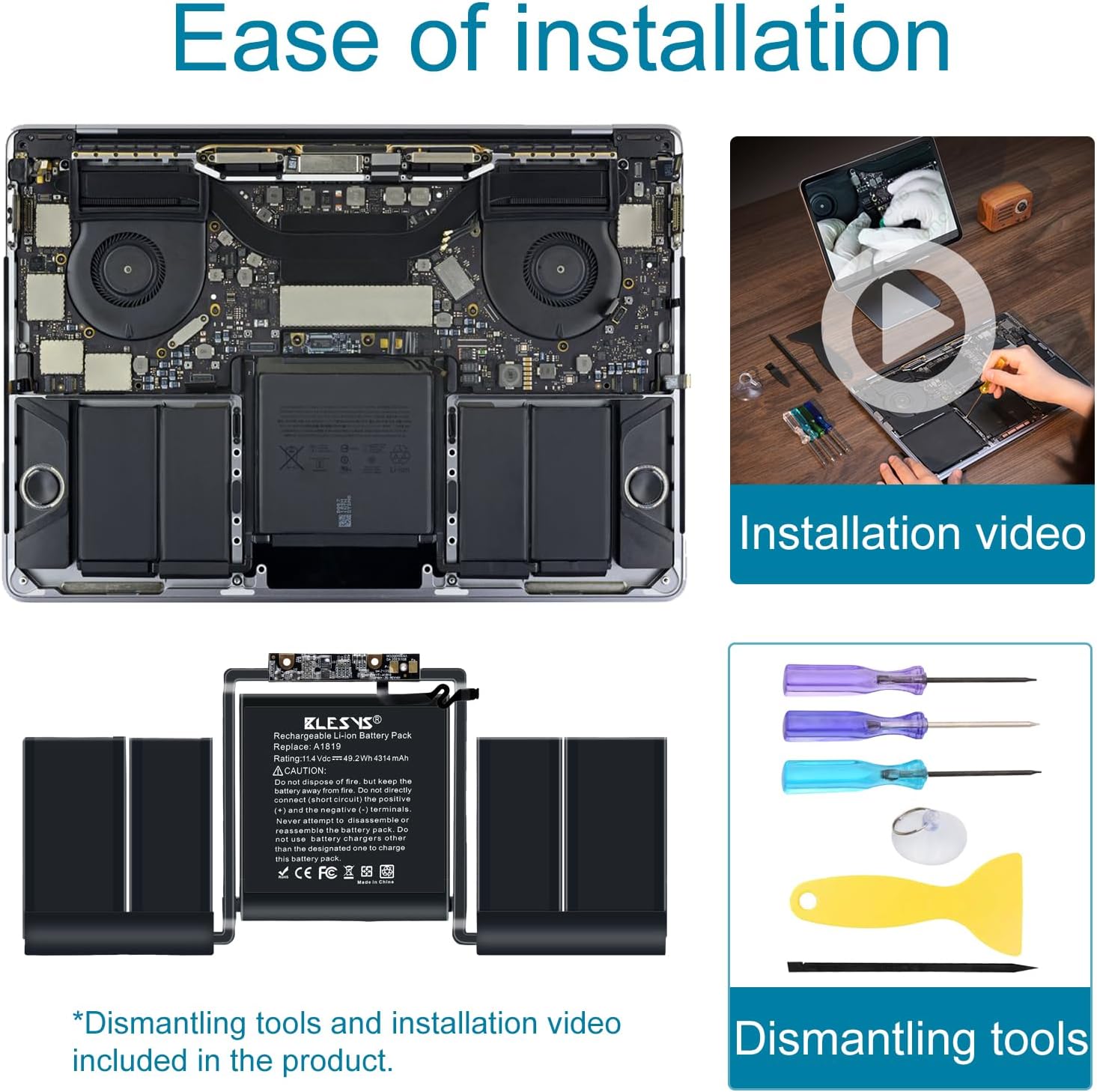
Image: The BLESYS A1819 battery alongside the included dismantling tools, such as screwdrivers, a suction cup, and a plastic spudger, designed to assist with the installation process.
5. Informazioni sulla sicurezza
Observe the following safety precautions to prevent damage to the battery or your device, and to avoid personal injury:
- Non smontare, schiacciare, forare o cortocircuitare la batteria.
- Do not expose the battery to fire, high temperatures, or water.
- Use only the designated charger for this battery.
- Tenere la batteria lontano dalla portata dei bambini.
- If the battery appears damaged, swollen, or leaks, discontinue use immediately.
- Smaltire le batterie usate secondo le normative locali.

Image: The BLESYS A1819 battery displaying CE, RoHS, FCC, and PSE certifications, indicating compliance with international safety and environmental standards.
6. Configurazione (installazione)
Replacing a MacBook Pro battery requires technical skill and careful handling. While necessary tools are provided, detailed step-by-step instructions are not included in this manual. It is highly recommended to consult reliable online resources, such as video tutorials from reputable repair guides (e.g., iFixit), before attempting installation.
- Preparazione: Power off your MacBook Pro completely and disconnect it from any power source.
- Smontaggio: Carefully open the back cover of your MacBook Pro using the provided tools. Disconnect the old battery.
- Rimozione della vecchia batteria: The original battery is typically secured with adhesive. Exercise extreme caution when removing it to avoid puncturing the battery cells.
- New Battery Installation: The BLESYS A1819 battery comes with pre-applied adhesive. Turn the battery over and carefully peel off the inner liner to expose the adhesive before securing the battery in place.
- Connessione: Connect the new battery to the logic board.
- Rimontaggio: Riposizionare con cautela il coperchio posteriore e fissare tutte le viti.
Nota: Incorrect installation can damage your device. If you are unsure, seek professional assistance.
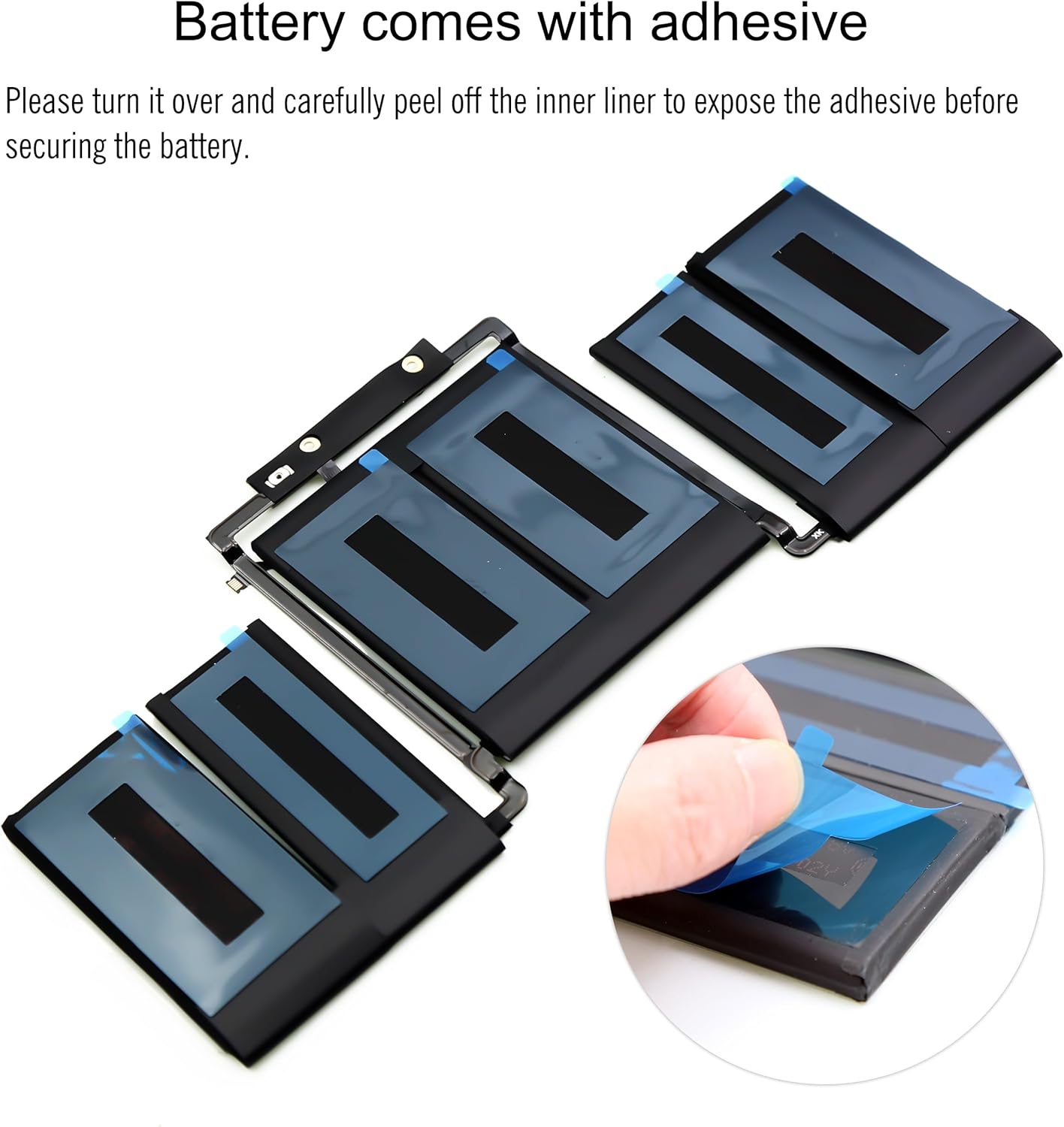
Image: The BLESYS A1819 battery showing its adhesive backing, which needs to be exposed by peeling off a protective liner before installation into the laptop chassis.
7. Istruzioni per l'uso
7.1 Primo utilizzo e calibrazione
After installing the new battery, it is recommended to perform a calibration cycle for optimal performance and accurate battery reporting:
- Fully charge the battery to 100%.
- Keep the laptop plugged in for at least two more hours after it reaches 100%.
- Unplug the power adapter and use the laptop until the battery is completely drained and the laptop shuts down automatically.
- Let the laptop rest for at least 5-6 hours.
- Plug in the power adapter and charge the battery to 100% without interruption.
This calibration process helps the battery management system accurately estimate the battery's capacity and remaining charge.
7.2 Normal Charging and Usage
- Use your original Apple power adapter or a certified compatible charger.
- Avoid frequently draining the battery to 0% or keeping it at 100% for extended periods. Optimal battery health is maintained by keeping the charge between 20% and 80%.
- If storing the laptop for a long time, charge the battery to about 50% before storage.
8. Manutenzione
- Temperatura: Avoid exposing your laptop to extreme temperatures (very hot or very cold), as this can degrade battery performance and lifespan.
- Pulizia: Keep the laptop's vents clear of dust to ensure proper cooling, which indirectly benefits battery health.
- Aggiornamenti software: Keep your macOS updated, as Apple often releases power management improvements.
9. Risoluzione Dei Problemi
| Problema | Possibile causa | Soluzione |
|---|---|---|
| Battery not recognized or charging | Incorrect installation, loose connection, software issue. |
|
| Durata della batteria scarsa | Incomplete calibration, high power consumption by applications, degraded battery. |
|
| Gonfiore della batteria | Overheating, manufacturing defect, end of lifespan. |
|
10. Specifiche
| Caratteristica | Dettaglio |
|---|---|
| Modello della batteria | A1819 |
| Modello di laptop compatibile | MacBook Pro 13-inch A1706 (Late 2016 - Mid 2017) |
| Tipo di batteria | Polimero di litio (Li-Po) |
| Voltage | 11.4 Volt |
| Capacità | 4314 mAh / 49.2 Wh |
| Numero di celle | 6 (Grade A) |
| Dimensioni del prodotto (L x P x A) | Dimensioni: 24 x 11 x 0.7 cm |
| Peso della batteria | 207 grammi |
| Certificazioni | CE, RoHS, FCC, PSE |

Image: A diagram illustrating the physical dimensions of the BLESYS A1819 battery, showing its length (240mm), width (110mm), and height (7mm).
11. Garanzia e supporto
BLESYS offers the following for your product:
- Politica di ritorno: Politica di reso incondizionato di 30 giorni.
- Garanzia: Garanzia di 12 mesi dalla data di acquisto.
- Assistenza clienti: For any questions, concerns, or assistance with installation, please contact BLESYS customer service via email. Your feedback and suggestions are valued.
Conservare la prova d'acquisto per eventuali richieste di garanzia.