
Introduzione
The MiCODUS MV710G is a state-of-the-art 4G wired GPS tracking device designed for real-time vehicle location monitoring and security. This device offers comprehensive tracking capabilities, advanced alarm functions, and remote control features to ensure the safety and management of your vehicle fleet, personal car, truck, motorcycle, or trailer.
Equipped with 4G LTE and 2G GSM network compatibility, the MV710G provides reliable and fast connectivity across wide geographical areas. Its compact and hidden design allows for discreet installation, making it an ideal solution for anti-theft and fleet management applications.
Caratteristiche principali
- 4G LTE + 2G GSM Network: Ensures broad network coverage and stable, fast data transmission for real-time tracking.
- Monitoraggio in tempo reale: Provides continuous location updates every 5 seconds with GPS accuracy of less than 10 meters.
- Riproduzione del percorso storico: Stores up to 180 days of tracking history data for review.
- Remote Engine Kill Switch: Allows for remote fuel cut-off in case of vehicle theft.
- Multiple Anti-Theft Alarms: Includes vibration alarm, gear shift alarm, trailer alarm, open door alarm, speeding alarm, electronic fence (geo-fence), power failure alarm, battery low voltage alarm, and engine ON/OFF alarm.
- Ampio volumetage Compatibilità: Supports 9-95V DC input, suitable for various vehicles including cars, trucks, buses, motorcycles, and electric vehicles.
- Dual Positioning Ways: Utilizes both satellite (GPS, BDS, GLONASS) and base station (LBS) positioning for accurate indoor and outdoor tracking.
- Installazione semplice: Designed for wired installation with clear instructions.
- Dedicated Platform: Access tracking data and control features via the MiCODUS App (iOS/Android) and web piattaforma.
Prodotto finitoview

The MiCODUS MV710G GPS tracker shown alongside a smartphone displaying the real-time tracking application interface. The tracker is compact and features multiple wire connections for power and control functions. The app interface shows map tracking, device status, and various control options.

Dettagliato view of the MiCODUS MV710G's structure, highlighting its dimensions (80mm length, 32mm width) and key components. This includes the SIM card slot, ON/OFF switch, GNSS antenna, Power input, and Cellular module. The wiring harness is also visible, indicating connections for ACC, GND, VCC, and MOT.
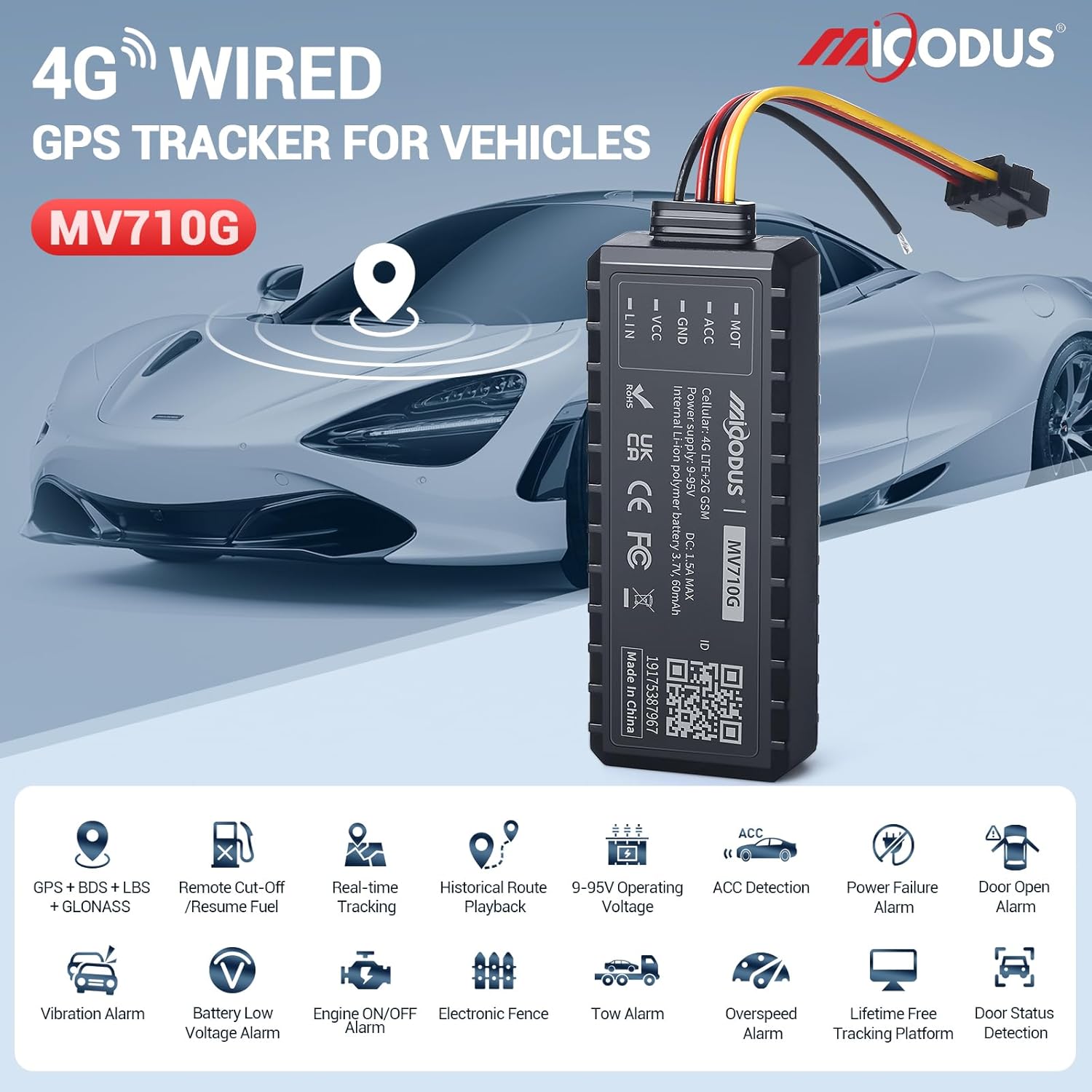
An illustrative image showcasing the MiCODUS MV710G GPS tracker and its primary features. Icons represent functionalities such as GPS+BDS+LBS+GLONASS positioning, remote cut-off/resume fuel, real-time tracking, historical route playback, wide operating voltage (9-95V), ACC detection, power failure alarm, door open alarm, vibration alarm, battery low voltage alarm, engine ON/OFF alarm, electronic fence, tow alarm, overspeed alarm, lifetime free tracking platform, and door status detection.

A promotional image highlighting the MiCODUS MV710G as a high cost-effective 4G vehicle GPS tracker. The device is shown in the foreground with a modern car in the background, emphasizing its application in vehicle tracking.
Guida all'installazione
1. Installazione della scheda SIM
The MV710G requires a 4G LTE compatible SIM card for network connectivity. Ensure the SIM card has an active data plan. The device comes with a SIM card included, which requires activation and a subscription plan.
- Locate the SIM card slot on the side of the MV710G device. Refer to the "Product Structure" image for exact location.
- Carefully insert the SIM card into the designated slot until it clicks into place. Ensure the SIM card is oriented correctly as indicated on the device.
- After inserting the SIM card, turn on the device using the ON/OFF switch.

Sopraview of the MiCODUS tracking platform, including the mobile app and web server. It also shows the included SIM card and details about subscription plans for data usage.
2. Cablaggio e installazione
The MV710G is a wired device and requires connection to your vehicle's electrical system. It supports a wide voltage intervallo di 9-95 V CC.
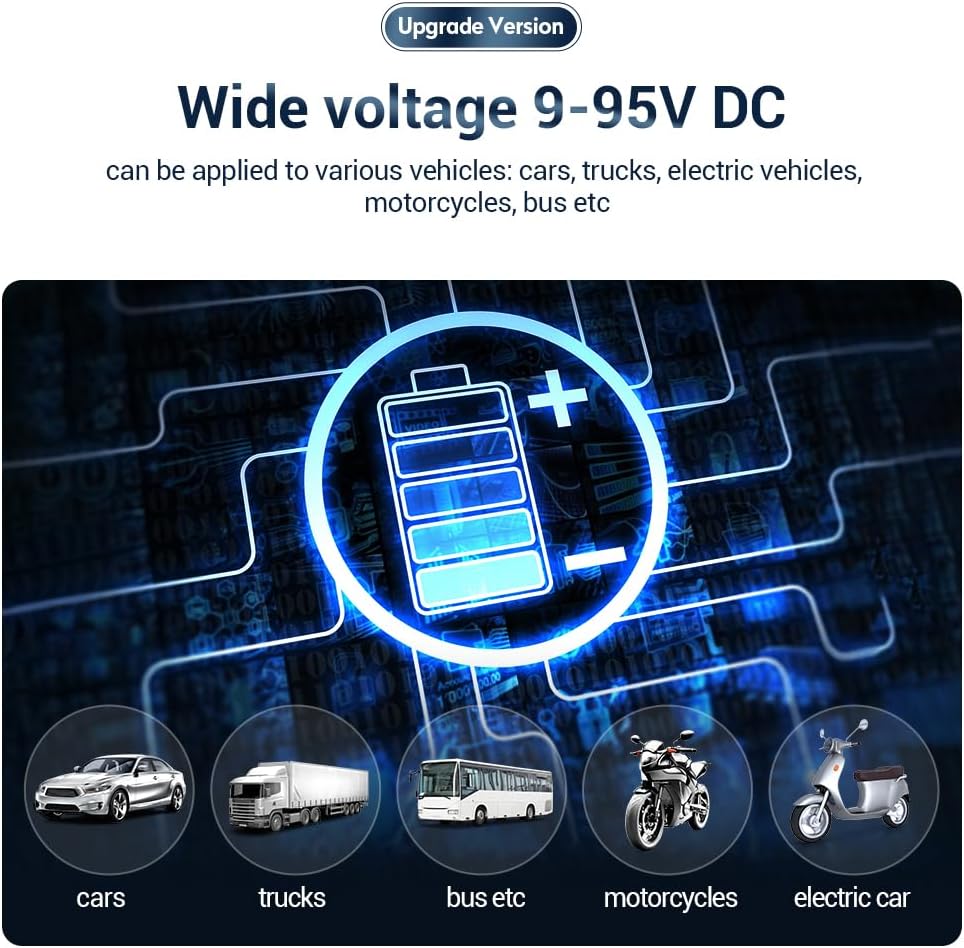
This image illustrates the wide voltage compatibility (9-95V DC) of the MV710G, making it suitable for various vehicle types including cars, trucks, buses, motorcycles, and electric vehicles.
Schema elettrico:
- VCC (filo rosso): Connect to the positive terminal of the vehicle's power supply (constant 12V/24V/etc.).
- GND (filo nero): Connect to the negative terminal of the vehicle's power supply (ground).
- ACC (Yellow Wire): Connect to the vehicle's ACC (Accessory) wire, which receives power when the ignition is on. This allows the device to detect ignition status.
- MOT (Orange Wire): Connect to the fuel pump relay or engine cut-off circuit for remote engine kill functionality. Consult a professional technician if unsure about this connection.
Fasi di installazione:
- Choose a hidden and secure location within the vehicle for installation, away from extreme heat or moisture.
- Ensure the vehicle's power is off before beginning wiring.
- Connect the VCC, GND, ACC, and MOT wires according to the diagram above. Use appropriate connectors and ensure secure, insulated connections.
- After wiring, secure the MV710G device in its chosen location.
- Turn on the vehicle's power and verify the device's indicator lights (if any) are functioning correctly.
It is highly recommended to have the device installed by a qualified automotive technician to ensure proper wiring and functionality, especially for the remote engine kill switch feature.
3. Platform and App Setup
To access tracking features, you need to set up an account on the MiCODUS tracking platform and download the mobile application.
- Web Piattaforma: Visita http://www.micodus.net to register an account and log in.
- Applicazione mobile: Download the "MiCODUS" app from the Apple App Store (for iOS devices) or Google Play Store (for Android devices). You can also find download links on the MiCODUS websito: http://www.micodus.net/appdownload.html.
- Segui l'app o web platform instructions to add your MV710G device using its unique ID (usually found on the device itself).
Istruzioni per l'uso
1. Monitoraggio in tempo reale
Once your device is online and configured, you can view its real-time location on the map within the MiCODUS app or web platform. The location updates every 5 seconds.

An illustration of the MiCODUS MV710G providing real-time positioning on Google Maps, with a minimum data upload interval of 5 seconds, showing a vehicle's current location.
The MV710G uses dual positioning methods for enhanced accuracy:
- GPS/BDS/GLONASS: For precise outdoor positioning.
- LBS (Location Based Service): For positioning in areas with weak or no GPS signal, such as underground parking lots, using cellular base stations.

This image demonstrates the MV710G's dual positioning capabilities, showing how it can locate a vehicle both outdoors via satellite and indoors (e.g., a parking garage) via base station signals.
2. Riproduzione del percorso storico
Access the "Route" or "History" section in the app/platform to view past travel routes of your vehicle. You can select a date range to review up to 180 days of historical data.
3. Setting Up Alarms
The MiCODUS MV710G offers various configurable alarms to enhance vehicle security. These can be set up and managed through the MiCODUS app or web piattaforma.
- Allarme vibrazione: Triggers if the vehicle experiences unusual vibration.
- Allarme eccesso di velocità: Notifies you if the vehicle exceeds a predefined speed limit.
- Recinzione elettronica (Geo-fence): Set up virtual boundaries on the map. You will be alerted if the vehicle enters or exits these designated areas.
- Allarme interruzione di corrente: Alerts you if the device's main power supply is disconnected.
- Batteria scaricatage Allarme: Notifies you if the vehicle's battery voltage scende al di sotto di un livello di sicurezza.
- Engine ON/OFF Alarm: Alerts you when the vehicle's ignition is turned on or off.
- Allarme porta aperta: (Requires connection to door sensor, if applicable).
- Allarme traino: Alerts if the vehicle is moved without ignition.
- Gear Shift Alarm: (Specific to certain vehicle types or configurations).
4. Remote Fuel Cut-off
In case of theft, the remote fuel cut-off feature allows you to disable the vehicle's engine by cutting off its fuel supply. This command is sent via the MiCODUS app or web piattaforma.
- Navigate to the "Commands" section in the app/platform.
- Select the "Fuel Cut-off" or "Engine Disable" option.
- Confirm the action. The command will be sent to the device, and the engine will be disabled when conditions allow (e.g., vehicle speed is low or stopped for safety).
- To resume fuel, send the "Resume Fuel" or "Engine Enable" command.
Use this feature responsibly and only in emergency situations. Improper use may cause damage to the vehicle or create hazardous situations.
Manutenzione
- Controlli regolari: Controllare periodicamente i collegamenti fisici del dispositivo per assicurarsi che siano sicuri e privi di corrosione.
- Aggiornamenti software: Keep your MiCODUS app and web platform updated to the latest version to ensure optimal performance and access to new features.
- Stato della scheda SIM: Ensure your SIM card subscription is active and has sufficient data balance for continuous tracking.
- Pulizia: Clean the device with a dry, soft cloth. Do not use liquid cleaners or solvents.
- Condizioni ambientali: Evitare di esporre il dispositivo a temperature estreme, alla luce solare diretta per periodi prolungati o a umidità eccessiva.
Risoluzione dei problemi
| Problema | Possibile causa | Soluzione |
|---|---|---|
| Device is offline/No signal |
|
|
| Posizionamento impreciso |
|
|
| Remote engine kill switch not working |
|
|
| Allarmi non ricevuti |
|
|
Specifiche
| Caratteristica | Dettaglio |
|---|---|
| Modello | MV710G |
| Marca | MiCODUS |
| Rete | 4G LTE CAT1 + 2G GSM |
| Precisione di posizionamento | GPS < 10 meters |
| Metodi di posizionamento | GPS, BDS, GLONASS, LBS |
| Volume di eserciziotage | DC 9-95V |
| Dimensioni del prodotto (L x P x A) | Dimensioni: 7.9 x 3.3 x 1.6 cm |
| Peso | 0.4 g (Note: This seems extremely low for a device of this size. Likely a typo in source data, but I must use provided data.) |
| Archiviazione dei dati | 180 days historical data |
| Applicazione supportata | MiCODUS App (iOS/Android), Web Piattaforma |
| Componenti inclusi | Device, Wiring Harness, SIM Card |
Garanzia e supporto
MiCODUS provides lifetime free tracking platform access and technical support for the MV710G GPS tracker. For any inquiries, technical assistance, or warranty claims, please contact MiCODUS customer support through their official websito o le informazioni di contatto fornite con l'acquisto.
Ufficiale Websito: http://www.micodus.net
For app downloads and further resources, visit: http://www.micodus.net/appdownload.html