
Introduzione
The Vieta Pro Way 3 headphones are designed to provide a versatile audio experience with multiple connectivity options and features. This device supports Bluetooth wireless connection, an Aux-in port for wired use, an integrated microphone for hands-free communication, a dedicated gaming mode, and Dual Pairing functionality. With an impressive battery life of up to 50 hours, these headphones are suitable for extended listening sessions.
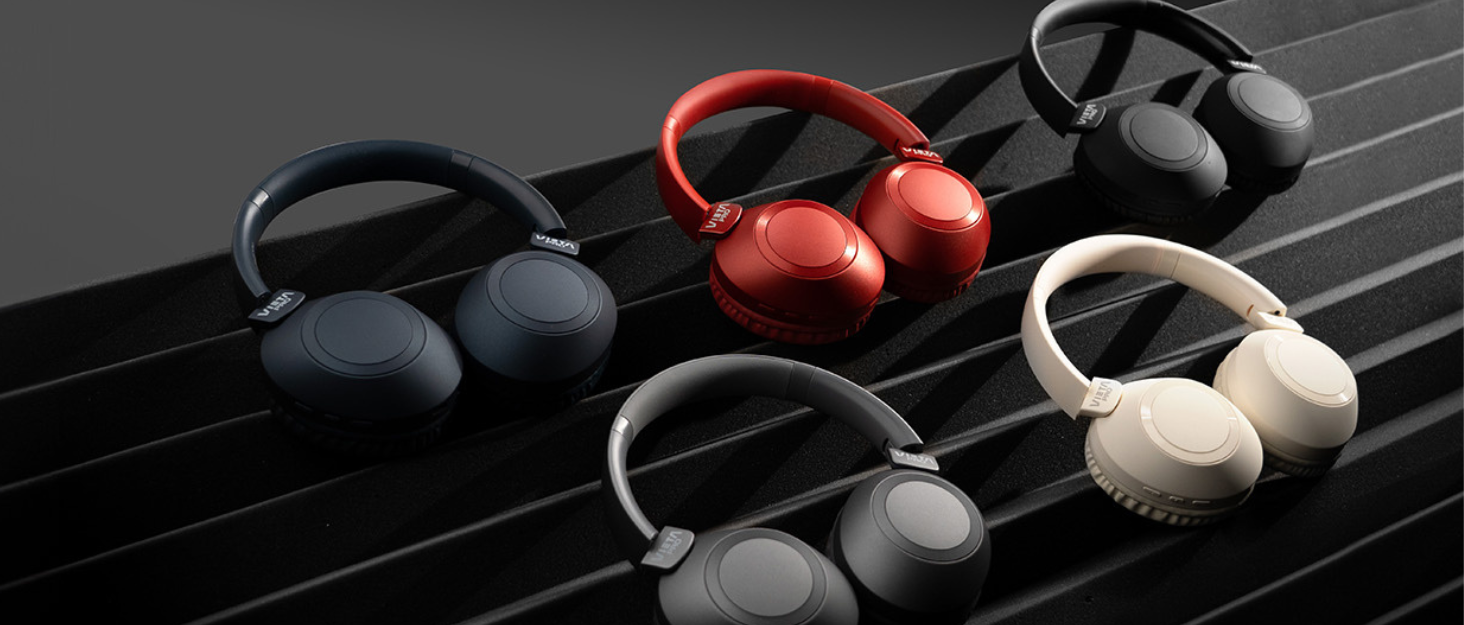
Image: Vieta Pro Way 3 headphones displayed in multiple color options.
Impostare
1. Carica delle cuffie
Before initial use, ensure the headphones are fully charged. The Vieta Pro Way 3 headphones support wireless charging. A full charge provides up to 50 hours of continuous playback.
- Connect the provided charging cable to the charging port on the headphones and to a compatible USB power source.
- Alternatively, place the headphones on a compatible wireless charging pad.
- The indicator light will show the charging status and turn off or change color once fully charged.
2. Accensione/Spegnimento
- Per accendere: Tenere premuto il pulsante di accensione per circa 3 secondi finché la spia non si accende.
- Per spegnere: Tenere premuto il pulsante di accensione per circa 3 secondi finché la spia non si spegne.
3. Accoppiamento Bluetooth
Per connettere le cuffie in modalità wireless a un dispositivo:
- Assicurati che le cuffie siano spente.
- Tenere premuto il pulsante di accensione per circa 5-7 secondi finché la spia luminosa non lampeggia rapidamente, indicando la modalità di associazione.
- Attiva il Bluetooth sul tuo smartphone, tablet o computer e cerca i dispositivi disponibili.
- Select "Vieta Pro Way 3" from the list of found devices.
- Once connected, the indicator light will stop flashing and remain solid or flash slowly.
4. Connessione Aux-in
For a wired connection, use a 3.5mm audio cable:
- Connect one end of the 3.5mm audio cable to the Aux-in port on the headphones.
- Connect the other end to the 3.5mm audio output of your audio source.
- The headphones will automatically switch to Aux-in mode when a cable is detected.
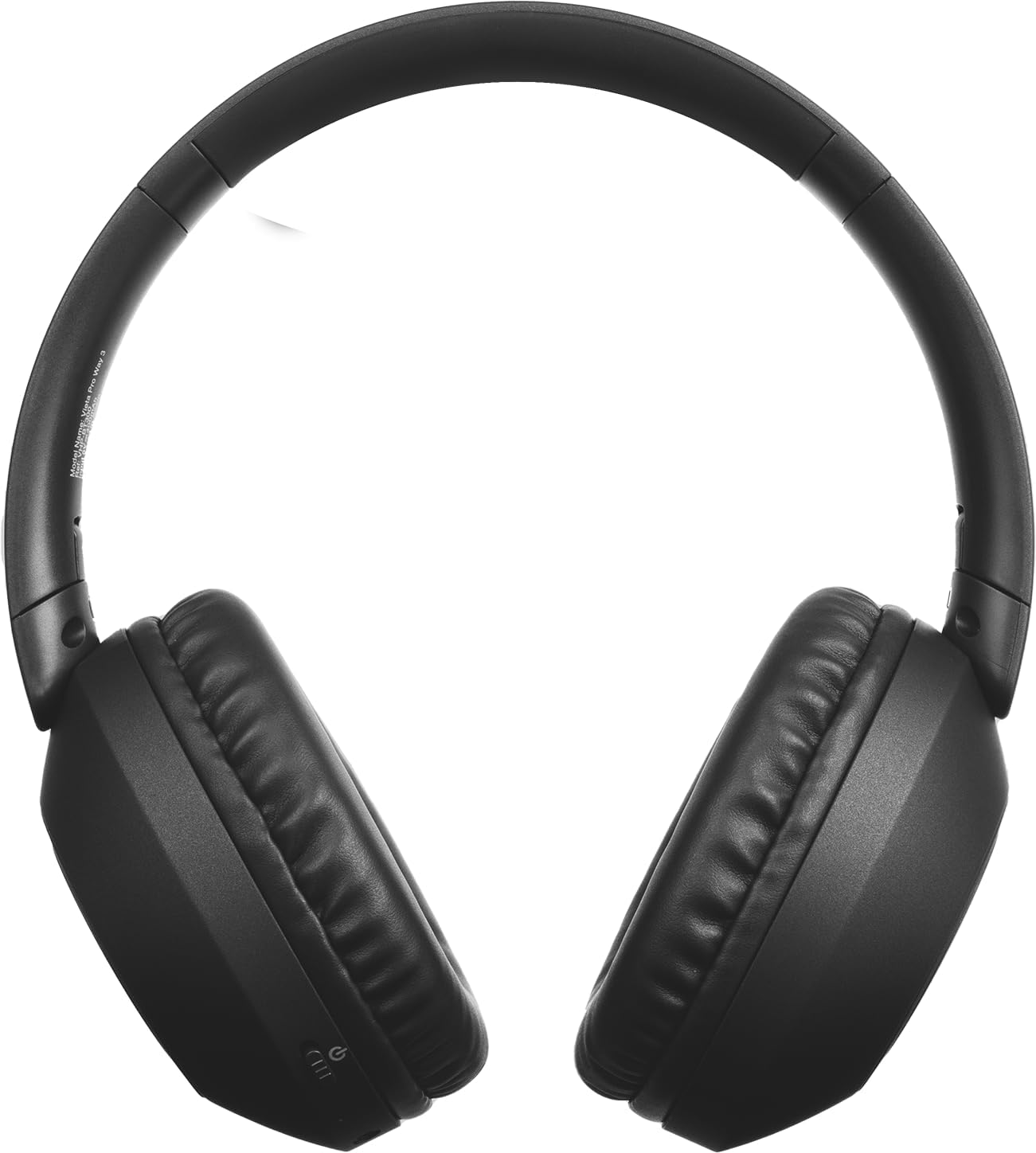
Immagine: Frontale view of the Vieta Pro Way 3 headphones, showing the earcups and headband.
Istruzioni per l'uso
1. Riproduzione di musica
When connected via Bluetooth or Aux-in, you can control your music:
- Riproduci/Pausa: Premi una volta il pulsante Multifunzione.
- Traccia successiva: Tieni premuto il pulsante Volume su.
- Traccia precedente: Premere e tenere premuto il pulsante Volume Giù.
- Aumenta volume: Premere brevemente il pulsante Volume su.
- Volume basso: Premere brevemente il pulsante Volume giù.
2. Gestione delle chiamate
The integrated microphone allows for hands-free calls when connected via Bluetooth:
- Rispondi/Termina chiamata: Premi una volta il pulsante Multifunzione.
- Rifiuta chiamata: Tenere premuto il pulsante multifunzione per 2 secondi.
- Assistente vocale: Premi due volte il pulsante Multifunzione per attivare l'assistente vocale del tuo dispositivo.
3. Modalità di gioco
Activate the dedicated gaming mode for optimized audio performance during gameplay, reducing latency and enhancing sound effects.
- Attiva la modalità di gioco: Refer to the specific button or gesture indicated in the quick start guide for your model. (Typically a dedicated button or a long press on a volume button).
4. Doppio accoppiamento
The Dual Pairing feature allows the Vieta Pro Way 3 headphones to connect to two different Bluetooth devices simultaneously. This enables seamless switching between audio sources without the need to disconnect and re-pair.
- Pair the headphones with your first device following the Bluetooth Pairing instructions.
- Disconnettere temporaneamente il Bluetooth sul primo dispositivo.
- Associa le cuffie al secondo dispositivo.
- Riattiva il Bluetooth sul primo dispositivo. Le cuffie dovrebbero ora essere connesse a entrambi i dispositivi.
- Audio will play from the active source, and you can switch by pausing one and playing the other.

Image: A person wearing the Vieta Pro Way 3 headphones, demonstrating comfortable use.
Manutenzione
1. Pulizia
- Pulisci le cuffie con un panno morbido, asciutto e privo di lanugine.
- Non utilizzare detergenti abrasivi, solventi o sostanze chimiche aggressive, poiché potrebbero danneggiare la superficie o i componenti interni.
- Evitare che l'umidità penetri nelle aperture.
2. Conservazione
- Conservare le cuffie in un luogo fresco e asciutto, lontano dalla luce solare diretta e da temperature estreme.
- When not in use for extended periods, store them in their protective case (if included) to prevent dust and damage.
3. Cura della batteria
- To prolong the lifespan of the battery, avoid fully discharging the headphones frequently.
- Caricare regolarmente le cuffie, anche se non vengono utilizzate frequentemente.
Risoluzione dei problemi
1. Nessun suono
- Assicurarsi che le cuffie siano accese e cariche.
- Controllare i livelli del volume sia delle cuffie che del dispositivo collegato.
- Verify that the headphones are properly paired via Bluetooth or securely connected via the Aux-in cable.
- Prova a riavviare sia le cuffie sia il dispositivo sorgente audio.
2. Problemi di accoppiamento
- Ensure the headphones are in Bluetooth pairing mode (indicator light flashing rapidly).
- Disattiva e riattiva il Bluetooth sul tuo dispositivo.
- Move the headphones closer to your device to ensure a strong signal.
- Clear previous Bluetooth connections from your device's Bluetooth settings and try pairing again.
3. Problemi di ricarica
- Verify that the charging cable is securely connected to both the headphones and the power source, or that the headphones are correctly placed on the wireless charging pad.
- Ensure the power source (USB adapter, computer port, wireless charger) is functional.
- Check the charging port on the headphones for any debris that might obstruct the connection.
Specifiche
| Marca | Vieta Pro |
| Modello | Metodo 3 |
| Fattore di forma | Over-ear (Headband) |
| Tecnologia di connettività | Wireless (Bluetooth), Wired (Aux-in) |
| Comunicazione senza fili | Bluetooth |
| Durata della batteria | Fino a 50 ore (riproduzione) |
| Caratteristiche speciali | Wireless Charging, Built-in Microphone, Gaming Mode, Dual Pairing |
| Produttore | FRAMASON AUDIO SA |
| ASIN | B0CRL99NBD |
Nota: le specifiche sono soggette a modifiche senza preavviso.
Garanzia e supporto
For detailed warranty information, product registration, or technical assistance, please refer to the official Vieta Pro website or contact their customer support directly. It is recommended to retain your purchase receipt as proof of purchase for any warranty claims.
- Ufficiale Websito: Visita www.vietapro.com (or relevant regional site) for support resources.
- Assistenza clienti: Contact information can typically be found on the official websito.