
1. Prodotto finitoview
The Nitecore NL1416R is a high-capacity 1600mAh USB-C rechargeable Li-ion battery designed for high-drain devices, such as the Nitecore MT2A Pro flashlight. It features an integrated USB-C charging port and a light indicator for charging status. This battery incorporates advanced safety features, including a built-in intelligent protective circuit and a pressure relief valve, to prevent overcharging, over-discharging, and short circuits. Constructed with durable materials like nickel-plated stainless steel protectors and a metallic film coating, the NL1416R offers enhanced resilience and efficient conductivity.
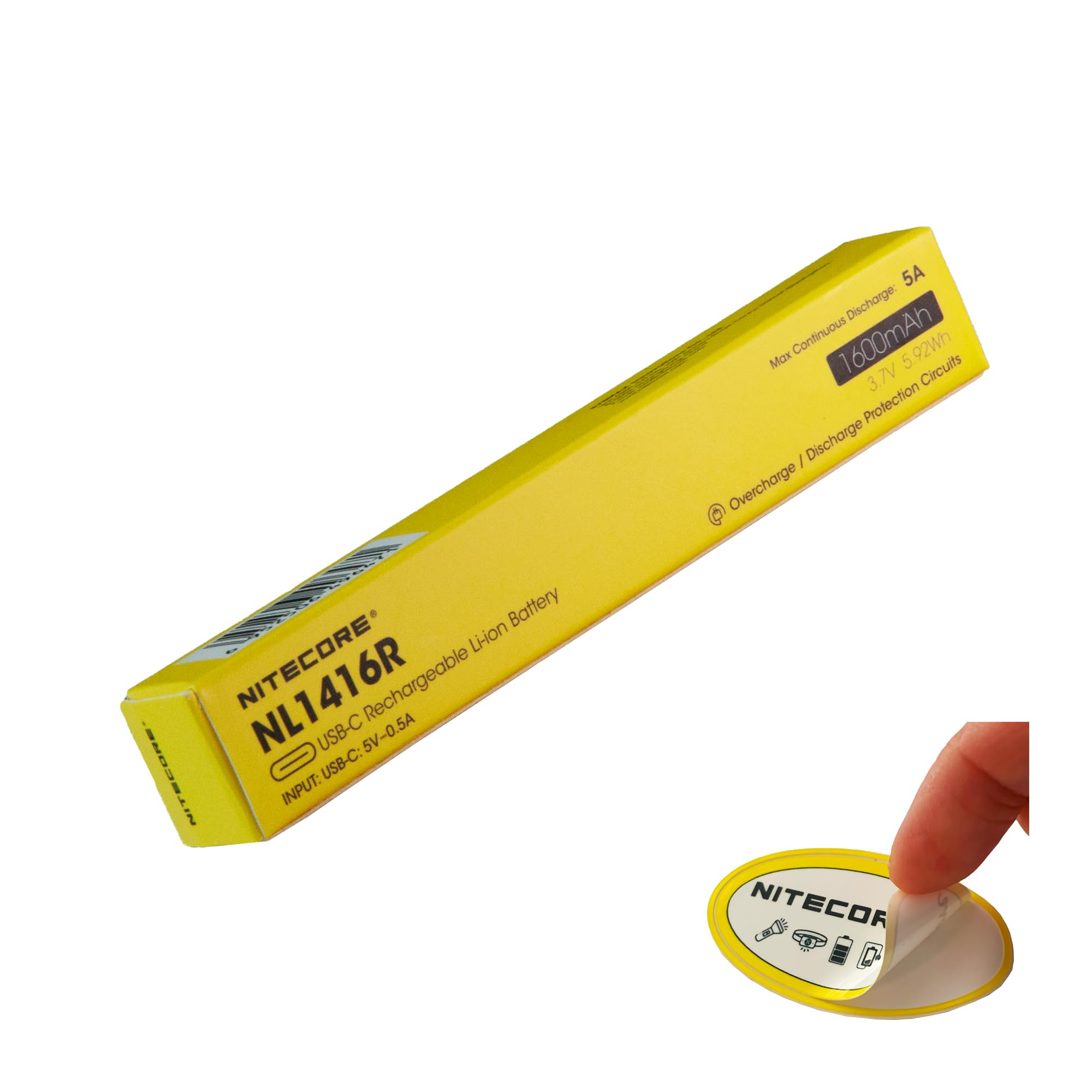
Image 1.1: The Nitecore NL1416R 1600mAh USB-C Rechargeable Battery, showcasing il suo design compatto.
2. Configurazione e primo utilizzo
Before initial use, fully charge the Nitecore NL1416R battery. The battery comes with an integrated USB-C charging port for convenience.
- Carica iniziale: Connect a standard USB-C cable to the battery's charging port and to a USB power source (e.g., wall adapter, computer USB port).
- Indicatore di carica: A light indicator on the battery will illuminate during charging. This indicator will change color or turn off once the battery is fully charged. Refer to the "Operating" section for details on indicator behavior.
- Inserimento della batteria: Once charged, insert the battery into your compatible device, such as the Nitecore MT2A Pro flashlight, ensuring correct polarity.
3. Funzionamento
3.1 Caricamento della batteria
The NL1416R battery features a built-in USB-C charging port, eliminating the need for an external charger.
- Collegare: Plug a USB-C cable into the battery's USB-C port.
- Fonte di energia: Connect the other end of the USB-C cable to any compatible USB power source (e.g., USB wall adapter, power bank, computer USB port).
- Indicatore di stato di carica: The indicator light on the battery will show the charging status.
- Red Light (or similar): Indica che la batteria è attualmente in carica.
- Green Light (or similar) / Light Off: Indica che la batteria è completamente carica.
3.2 Using the Battery in Devices
The NL1416R is designed for devices requiring high-drain 14500-sized Li-ion batteries, such as the Nitecore MT2A Pro flashlight.
- Inserimento: Insert the battery into your device according to the device's instructions, paying close attention to polarity (+/-). Incorrect insertion can damage the battery or device.
- Scarico: The battery provides a continuous 5A discharge current, suitable for devices requiring consistent power output.
Video 3.1: This video demonstrates the Nitecore MT series EDC flashlights, including the MT2A Pro, which is compatible with the NL1416R battery. It provides context for the battery's intended use.
4. Manutenzione e conservazione
- Ricarica regolare: For optimal performance and longevity, avoid fully discharging the battery. Recharge it when the device indicates low power.
- Magazzinaggio: Store the battery in a cool, dry place away from direct sunlight and extreme temperatures. For long-term storage, it is recommended to charge the battery to approximately 50% capacity.
- Pulizia: Keep the battery contacts clean. Use a dry, soft cloth to wipe away any dust or debris.
- Evitare l'impatto: While designed with impact protection, avoid dropping or subjecting the battery to severe physical shocks.
- Disposizione: Dispose of depleted or damaged batteries responsibly according to local regulations. Do not dispose of batteries in general waste.
5. Risoluzione Dei Problemi
| Problema | Possibile causa | Soluzione |
|---|---|---|
| Batteria non in carica. |
|
|
| Device not powering on with battery. |
|
|
| Reduced runtime or performance. |
|
|
6. Specifiche del prodotto
| Caratteristica | Dettaglio |
|---|---|
| Numero di modello | NL1416R |
| Tipo di batteria | Ioni di litio (Li-ion) |
| Capacità | 1600 mAh |
| Amperage / Discharge Current | 5 Amps (continuo) |
| Riutilizzabilità | Rechargeable (via USB-C) |
| Porta di ricarica | USB-C |
| Caratteristiche di sicurezza | Intelligent protective circuit, pressure relief valve (overcharging, over-discharging, short circuit protection) |
| Dimensioni | 3.86 x 0.56 x 0.56 pollici |
| Peso | 1.6 Ounces (approx. 45 Grams) |
| Uso consigliato | Flashlights (e.g., Nitecore MT2A Pro) |
7. Informazioni sulla garanzia
The Nitecore NL1416R battery comes with a Garanzia del produttore di 12 mesi dalla data di acquisto. La presente garanzia copre i difetti di materiali e fabbricazione in condizioni di normale utilizzo. Si prega di conservare la prova d'acquisto per eventuali reclami in garanzia.
The warranty does not cover damage caused by misuse, unauthorized modification, improper storage, or normal wear and tear. For detailed warranty terms and conditions, please refer to the official Nitecore websito o contattare l'assistenza clienti.
8. Assistenza clienti
For technical assistance, product inquiries, or warranty claims, please contact Nitecore customer support through their official channels.
- Ufficiale Websito: Visitare il Nitecore official websito per informazioni sui prodotti, FAQ e recapiti di supporto.
- Supporto al venditore: If purchased from a specific retailer, you may also contact the seller for assistance. For purchases made via Amazon, refer to your order details for seller contact information.
Please have your product model number (NL1416R) and proof of purchase ready when contacting support.