
1. Informazioni importanti sulla sicurezza
Please read all instructions before using this product. Keep this manual for future reference.
- Assemblea per adulti richiesta: This product contains small parts prior to assembly. Adult supervision is required during assembly and play.
- Età consigliata: Intended for children aged 12 to 36 months.
- Limite di peso: Maximum user weight is 42 pounds (19 kg).
- Sicurezza della batteria: Requires 2 AA batteries. Batteries included are for demo purposes only; new batteries are recommended for regular use. Ensure batteries are inserted with correct polarity (+/-). Do not mix old and new batteries or different types of batteries. Remove exhausted batteries promptly.
- Supervisione: Always supervise children during play to prevent falls or injuries.
- Ambiente di utilizzo: Use on flat, stable surfaces. Avoid stairs, inclines, or uneven terrain.
2. Cosa c'è nella scatola
Verificare che tutti i componenti siano presenti prima di iniziare il montaggio:
- VTech 2-in-1 Map and Go Scooter (main body)
- Guida rapida

Image: The product packaging, highlighting the 2-in-1 functionality and key features.
3. Installazione e assemblaggio
3.1 Installazione della batteria
- Locate the battery compartment, typically on the underside or dashboard of the scooter.
- Utilizzando un cacciavite a croce, allentare la vite sul coperchio del vano batteria.
- Inserire 2 batterie AA nuove, assicurandosi della corretta polarità (+ e -).
- Riposizionare il coperchio e serrare saldamente la vite.
3.2 Transforming from Trike to Scooter
The VTech 2-in-1 Map and Go Scooter is designed to grow with your child, transforming from a stable three-wheeled trike to a two-wheeled scooter.
- Trike Mode (Initial Setup): The product comes pre-assembled in trike mode, providing maximum stability for younger toddlers. Ensure the rear wheels are spread wide for a stable base.
- Scooter Mode Transformation: When your child is ready for more advanced balance and coordination, the rear wheels can be adjusted. Locate the locking mechanism near the rear axle. Follow the specific instructions in the Quick Start Guide to safely bring the two rear wheels closer together, forming a single, wider wheel for scooter mode. Ensure the mechanism clicks securely into place.

Image: The scooter in its stable trike configuration, viewed di lato.
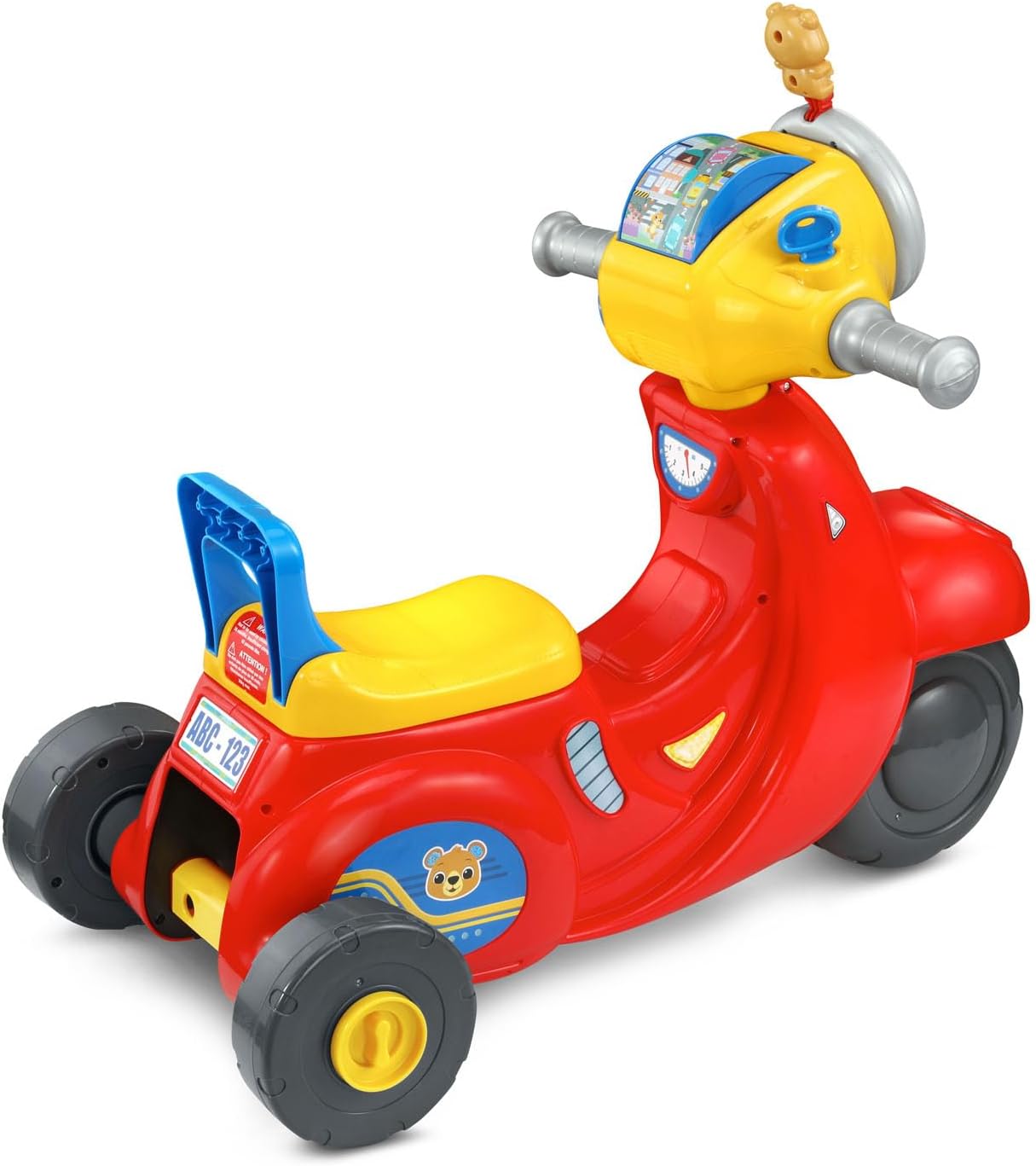
Immagine: La parte posteriore view of the scooter, showing the wide-set wheels for trike mode.
4. Istruzioni per l'uso
Familiarize yourself with the interactive features of the scooter's dashboard.
4.1 Accensione/spegnimento
- Locate the power switch, usually on the dashboard. Slide it to the 'On' position to activate the toy.
- To conserve battery life, slide the switch to the 'Off' position when not in use.
4.2 Interactive Dashboard Features
- Chiave d'accensione: Turn the ignition key to hear realistic engine sounds, enhancing imaginative play.
- Roller Map: Explore different locations by spinning the roller map.
- Headlight Ring: Twist the outer headlight ring to activate various sounds and phrases, including those from the Bear character.
- Pulsanti del cruscotto: Press the various buttons on the dashboard to hear counting, traffic and road safety phrases, as well as engaging songs and melodies.
- Directional Buttons (Left/Right): Press the 'Left' or 'Right' buttons to hear corresponding directional cues and sounds.
- Pulsante clacson: Press the horn button to activate a horn sound.
4.3 Motion-Activated Sounds
The scooter features motion-activated motor sounds that engage as the child rides, adding to the immersive play experience.
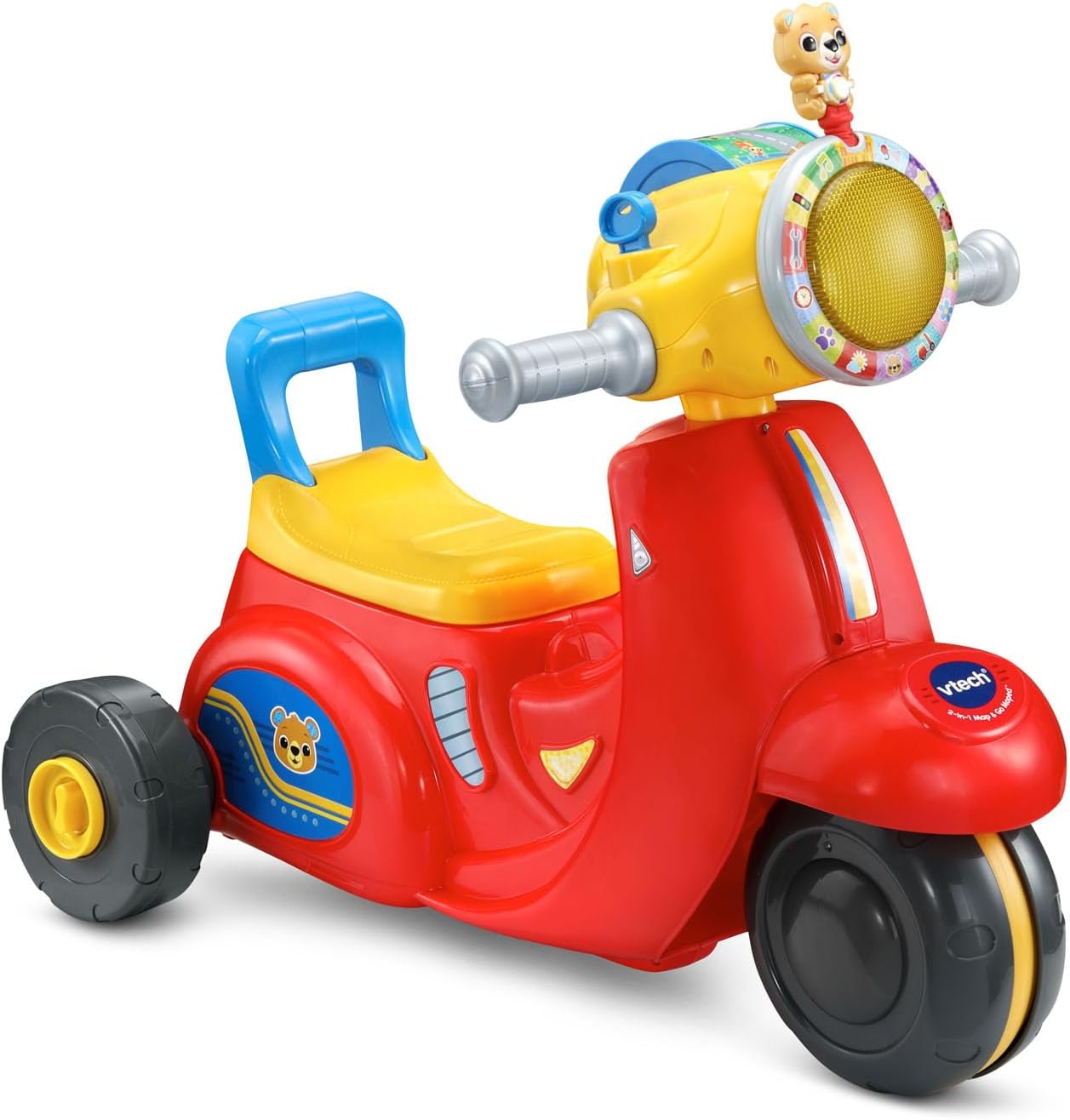
Immagine: Un'immagine complessiva view of the VTech 2-in-1 Map and Go Scooter, showcasing its vibrant colors and dashboard.
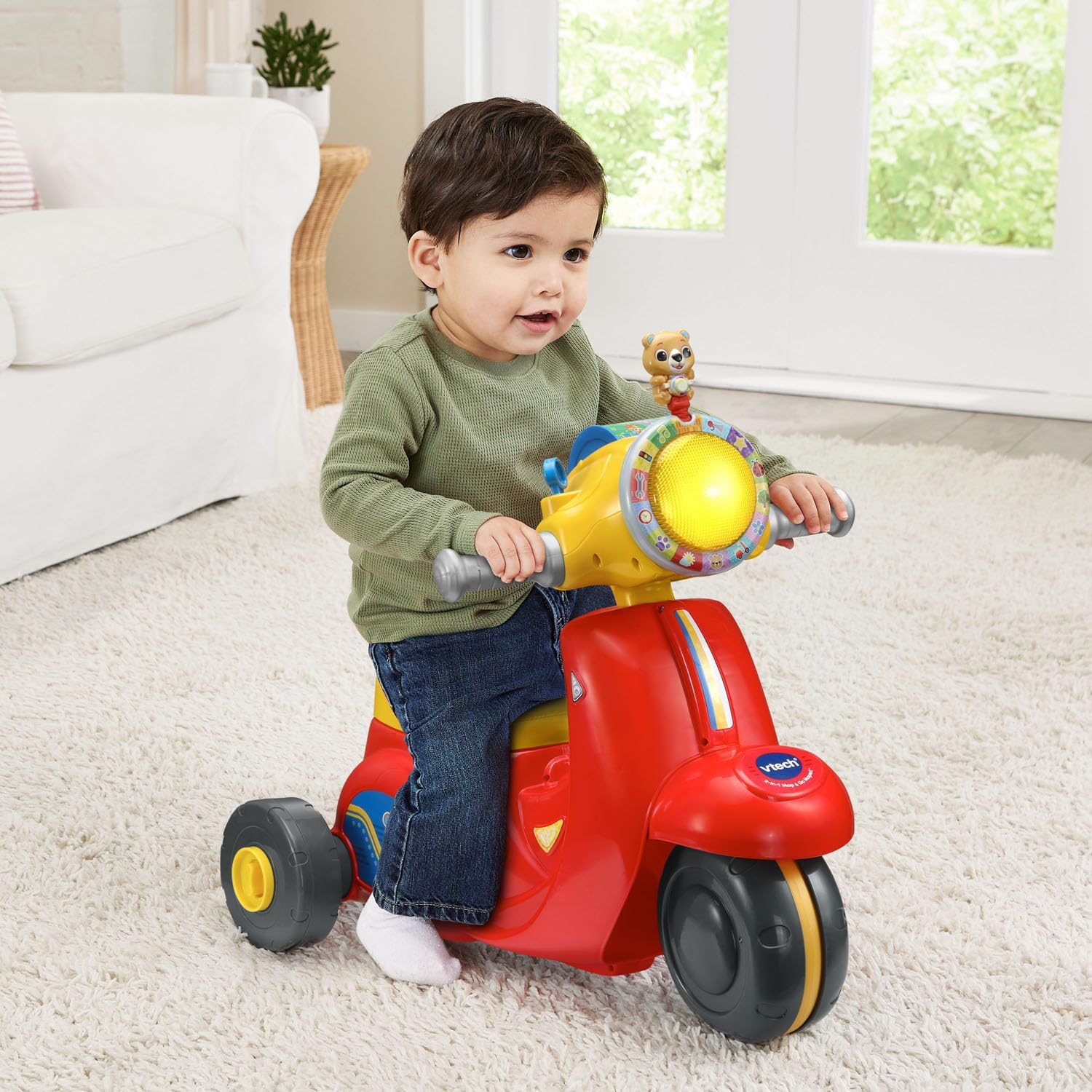
Image: A young child seated on the scooter in trike mode, demonstrating its use.
5. Manutenzione
5.1 Pulizia
Pulisci il giocattolo con l'annuncioamp panno e sapone neutro. Non immergere il giocattolo in acqua. Evitare l'uso di detergenti aggressivi o abrasivi.
5.2 Conservazione
Store the scooter in a cool, dry place away from direct sunlight. If storing for an extended period, remove the batteries to prevent leakage.
6. Risoluzione Dei Problemi
| Problema | Possibile causa | Soluzione |
|---|---|---|
| Il giocattolo non si accende o non emette alcun suono. | Le batterie sono scariche o installate in modo errato. | Check battery polarity. Replace with new AA batteries. Ensure the power switch is in the 'On' position. |
| I suoni sono distorti o intermittenti. | Batteria scarica. | Sostituirle con nuove batterie AA. |
| Le ruote non girano fluidamente. | Debris caught in wheels or worn wheels. | Inspect wheels for any obstructions and remove them. Ensure the toy is used on appropriate surfaces. |
7. Specifiche
- Dimensioni del prodotto: 14.48 x 23.26 x 21.06 pollici (36.78 x 59.08 x 53.49 cm)
- Peso dell'articolo: 6.42 libbre (2.91 kg)
- Numero modello articolo: 80-572360
- Età consigliata dal produttore: 12 mesi - 3 anni
- Batterie: Sono necessarie 2 batterie AA (incluse a scopo dimostrativo)
- Capacità di peso massima: 42 libbre (19 kg)
- Data di rilascio: 23 luglio 2025
8. Garanzia e supporto
For warranty information or technical support regarding your VTech 2-in-1 Map and Go Scooter, please contact VTech customer service directly. Refer to the contact details provided on the product packaging or visit the official VTech websito per le informazioni di supporto più aggiornate.
VTech Official Websito: www.vtechkids.com