
1. Introduzione
The BoxWave AllReader SD Card Reader is a versatile and compact device designed for easy file transfer between various digital devices and SD or microSD cards. It features multiple interfaces to ensure broad compatibility with smartphones, tablets, laptops, and desktop PCs. This manual provides instructions for setting up, operating, and maintaining your AllReader SD Card Reader.
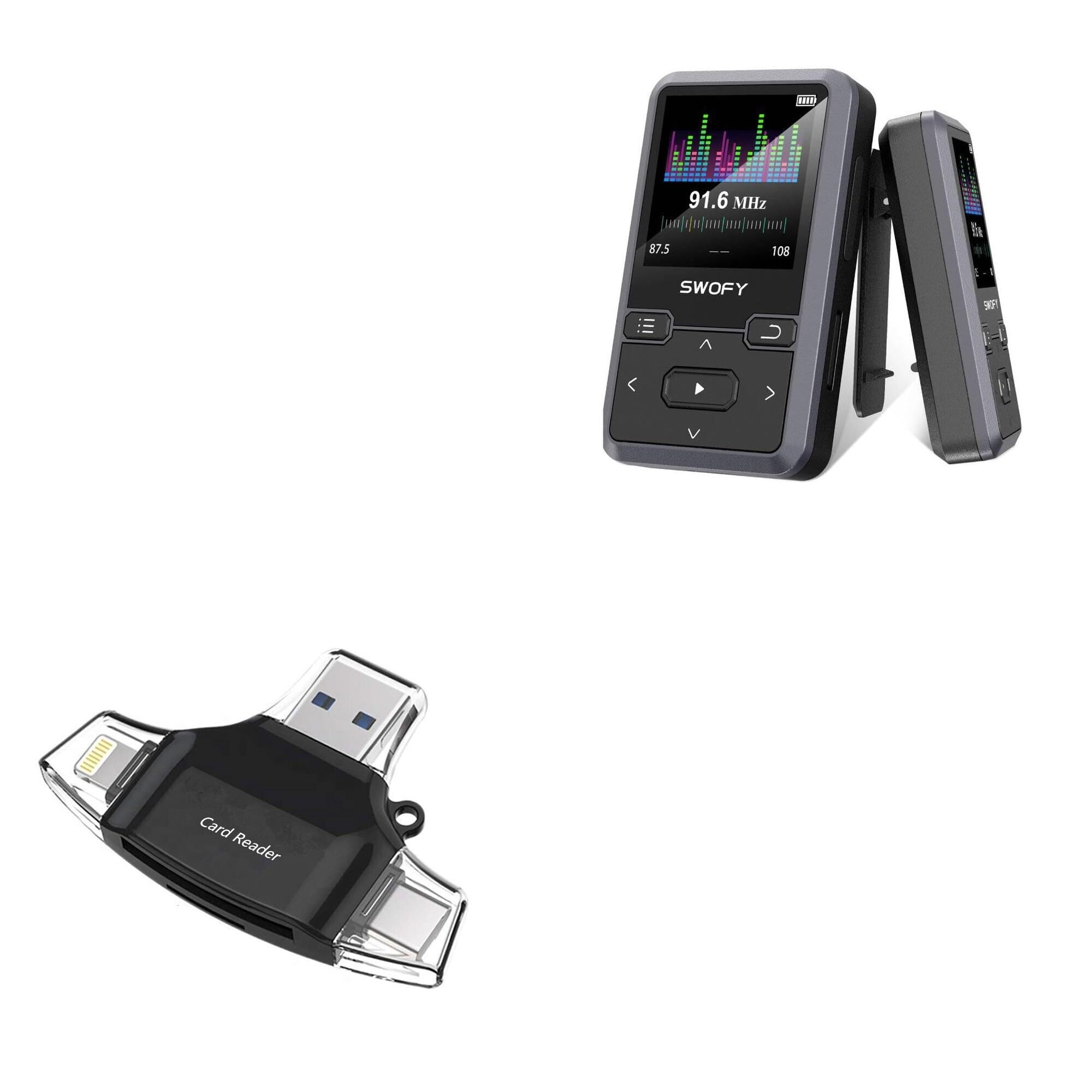
Image: The BoxWave AllReader SD Card Reader, showcasing its compact design and various connector types.
2. Caratteristiche del prodotto
- Four Interfaces: Equipped with USB-C, USB-A, Micro-USB, and Apple/Lightning connectors for maximum device compatibility.
- Facile File Trasferimento: Facilitates quick and straightforward transfer of photos, videos, music, and other files between your memory cards and devices.
- Collega e usa: No drivers or complex software installation required. Simply connect and use.
- Design compatto: Small and portable, designed to fit easily in your pocket, bag, or purse.
- Compatibilità universale delle schede: Supports both standard SD cards and microSD cards.

Immagine: dettagliata view of the four distinct interfaces on the AllReader SD Card Reader.
3. Guida all'installazione
Setting up your BoxWave AllReader SD Card Reader is a simple plug-and-play process.
- Inserire la scheda di memoria: Gently insert your SD card or microSD card into the appropriate slot on the AllReader. Ensure the card is fully seated.
- Connetti al dispositivo: Select the correct connector (USB-C, USB-A, Micro-USB, or Apple/Lightning) for your smartphone, tablet, laptop, or desktop PC. Plug the AllReader into your device's port.
- Accesso Files: Your device should automatically detect the AllReader and the inserted memory card. You can then navigate to the card's contents through your device's file applicazione per gestori o foto.

Image: The AllReader connected to a tablet with an SD card, illustrating the ease of setup and file accesso.
4. Istruzioni per l'uso
Once connected, the AllReader allows for seamless data management.
- File Navigazione: On most devices, the inserted memory card will appear as an external storage device. Open your device's file manager (e.g., "Files" on iOS, "My Files" on Android, "File Explorer" on Windows, "Finder" on macOS) to browse the contents of the card.
- Trasferimento Files: Per trasferire files, simply copy and paste or drag and drop files between the memory card and your device's internal storage or other connected storage.
- Rimozione sicura: Before disconnecting the AllReader from your computer, always safely eject the device through your operating system to prevent data corruption. For mobile devices, simply unplugging is generally safe after file transfers are complete.

Image: The AllReader facilitating file transfers across various devices including smartphones, tablets, laptops, and desktop PCs.
5. Manutenzione
To ensure the longevity and optimal performance of your BoxWave AllReader SD Card Reader, follow these maintenance guidelines:
- Mantenere pulito: Utilizzare un panno morbido e asciutto per pulire l'esterno del dispositivo. Evitare l'uso di detergenti liquidi o solventi.
- Proteggere i connettori: Keep the connectors free from dust and debris. Avoid touching the metal contacts directly.
- Conservare correttamente: Quando non in uso, conservare il lettore di schede in un luogo fresco e asciutto, lontano dalla luce solare diretta e da temperature estreme.
- Maneggiare con cura: Evitare di far cadere il dispositivo o di sottoporlo a forti urti, che potrebbero danneggiare i componenti interni.
6. Risoluzione Dei Problemi
If you encounter issues with your AllReader SD Card Reader, consider the following troubleshooting steps:
- Dispositivo non riconosciuto:
- Ensure the AllReader is firmly plugged into your device's port.
- Try connecting to a different port on your device or a different device altogether to rule out port issues.
- Riavvia il dispositivo e riprova.
- Scheda di memoria non rilevata:
- Ensure the SD or microSD card is correctly and fully inserted into the AllReader.
- Try using a different memory card to determine if the issue is with the card or the reader.
- Check the memory card for physical damage or a locked switch (for SD cards).
- Velocità di trasferimento lente:
- Transfer speeds can vary based on the memory card's speed class and the device's USB port version.
- Ensure your device's USB port is functioning correctly.
If these steps do not resolve the issue, please contact BoxWave customer support.
7. Specifiche
| Caratteristica | Dettaglio |
|---|---|
| Nome del prodotto | BoxWave AllReader SD Card Reader |
| Numero di modello | B0CS4HCWLK |
| Interfacce | USB-C, USB-A, Micro-USB, Apple/Lightning |
| Compatibilità Scheda | Scheda SD, microSD |
| Peso | 6 once |
| Produttore | ScatolaWave |
| Progetto | Compatto, portatile |
8. Garanzia e supporto
BoxWave is committed to providing high-quality accessories and excellent customer service. If you have any questions, require assistance, or experience any issues with your AllReader SD Card Reader, please do not hesitate to contact our customer support team. We are dedicated to offering real answers and helpful advice to ensure your satisfaction.
For support, please refer to the contact information provided with your product packaging or visit the official BoxWave websito.