
VTech 80-519935
VTech KidiZoom Duo Camera FX User Manual
Marca: VTech | Modello: 80-519935
Introduzione
The VTech KidiZoom Duo Camera FX is an interactive digital camera designed for children aged 3 years and up. It features dual cameras, a 2.4-inch color screen, and a variety of creative tools to enhance photos and videos. Beyond photography, it includes built-in games and an MP3 player for extended entertainment.
Caratteristiche principali:
- 8MP front camera and 2MP selfie cam with 4X digital zoom.
- Over 80 photo and video effects, filters, and frames, including Live AR Avatar, Chin Puppet Theater, and Cartoon Studio.
- Five built-in games for interactive play.
- Voice recording with funny effects and MP3 player functionality (microSD card not included).
- Durable design suitable for young users.
Impostare
Installazione della batteria
The KidiZoom Duo Camera FX requires 4 AA batteries for operation. Batteries are included for demo purposes only; new batteries are recommended for regular use to ensure optimal performance.
- Individuare il vano batteria sul lato della fotocamera.
- Utilizzare un cacciavite per aprire il coperchio della batteria.
- Inserire 4 batterie AA nuove, assicurandosi della corretta polarità (+/-).
- Chiudere bene il coperchio della batteria e stringere la vite.

Image: VTech KidiZoom Duo Camera FX with wrist strap, showing the side where the battery compartment is located.
Accensione iniziale
After installing batteries, press the power button to turn on the camera. The VTech logo will appear on the screen, indicating successful startup.

Immagine: Indietro view of the camera, highlighting the screen and control buttons. The screen shows a child's face with a filter applied.
Istruzioni per l'uso
Scattare foto e video
The camera features an 8MP front camera and a 2MP selfie cam. Use the 2.4-inch color screen or the dual viewfinders to compose your shots. The 4X digital zoom allows for closer capture of subjects.
- To take a photo: Aim the camera and press the shutter button (typically the large button on top).
- To record a video: Switch to video mode (refer to on-screen icons) and press the shutter button to start/stop recording.

Image: A child holding the camera, demonstrating the action of taking a photo.
Creative Effects and Filters
Explore over 80 built-in photo and video effects, filters, and frames to add a unique touch to your creations. These include:
- Live AR Avatar: Interact with augmented reality characters.
- Chin Puppet Theater: Transform your face into a puppet.
- Cartoon Studio: Animate your photos.
- Panoramica: Capture wide-angle shots.

Image: A child using a creative filter on the camera, showing a stage background effect.
Built-in Games and Music Player
The camera offers more than just photography. Enjoy five interactive games, such as finding lost ducklings or helping aliens. You can also record your voice with fun effects or load your own MP3 music files onto a microSD card (not included) to use the camera as a music player.

Image: A child wearing headphones and holding the camera, illustrating its music player functionality.
Integrazione dei media
Immagini del prodotto
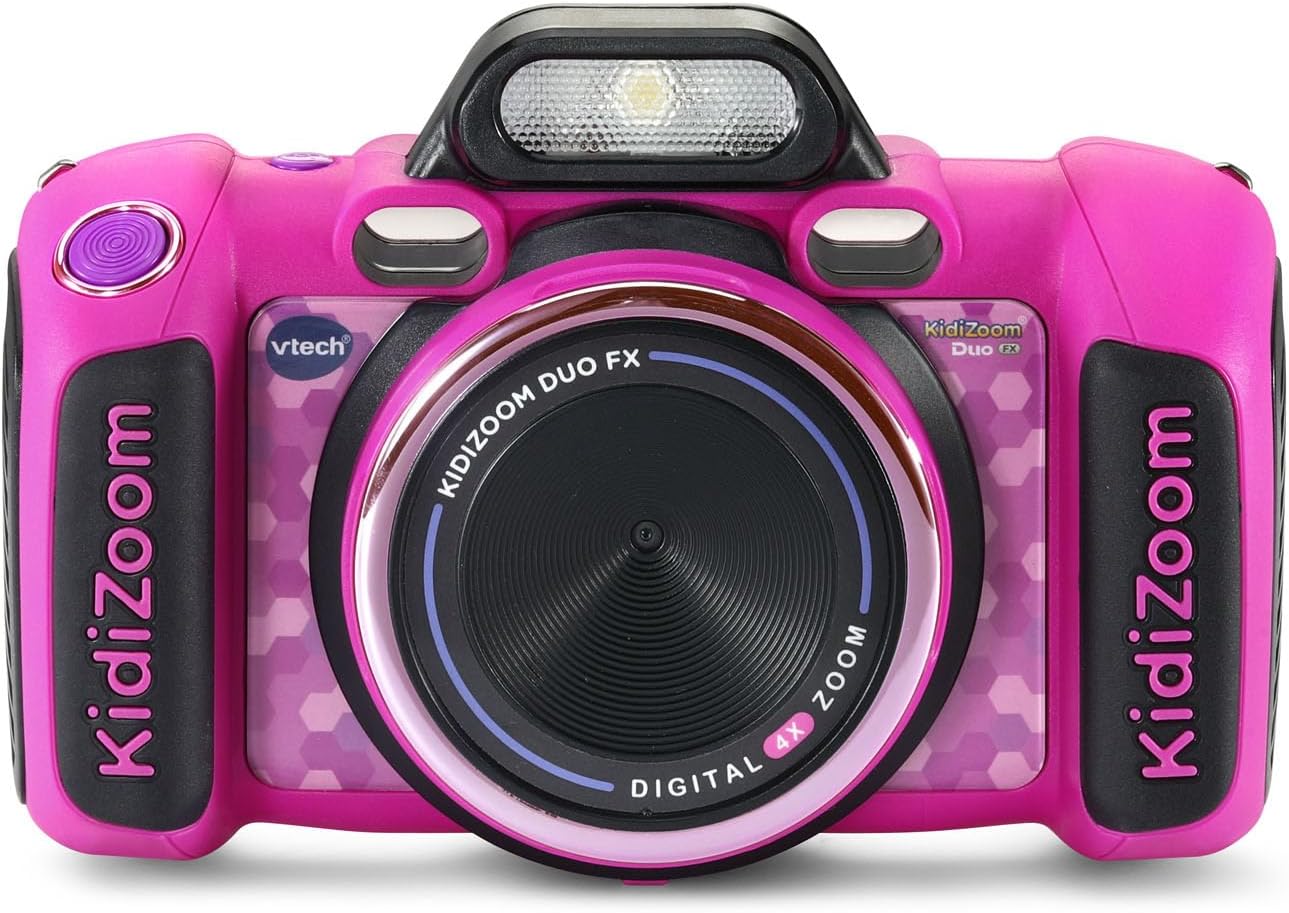
Davanti view of the VTech KidiZoom Duo Camera FX in pink.

The camera is designed for durability, shown here in a simulated drop scenario.

un example of a fun filter: a child appears to be weightlifting with cartoon weights.

The camera connected to a laptop, illustrating how photos and videos can be transferred.
Video ufficiali dei prodotti
Video: VTech Kid Zoom FX Camera - Pink Demo Video. This video provides a demonstration of the camera's features and functionality.
Video: Prodotto finitoview Video. This video offers a comprehensive overview of the VTech KidiZoom Duo Camera FX.
Manutenzione
Pulizia
To clean the camera, wipe it gently with a slightly damp cloth. Do not use harsh chemicals or abrasive cleaners. Ensure the camera is completely dry before use or storage.
Cura della batteria
Always use fresh, high-quality AA batteries. Remove batteries if the camera will not be used for an extended period to prevent leakage. Dispose of used batteries responsibly.
Magazzinaggio
Store the camera in a cool, dry place away from direct sunlight and extreme temperatures. Avoid storing in dusty or humid environments.
Risoluzione dei problemi
La fotocamera non si accende
- Controllare che le batterie siano installate correttamente e con la giusta polarità.
- Sostituisci le batterie vecchie o esaurite con batterie nuove.
- Assicurarsi che il pulsante di accensione sia premuto saldamente.
Scarsa qualità dell'immagine
- Assicurarsi che la lente sia pulita e priva di macchie.
- Check lighting conditions; the camera performs best in well-lit environments.
- Hold the camera steady when taking photos.
Cannot Delete Photos/Videos
Come indicato nel cliente reviews, deleting photos can be tedious as there is no grid view; you have to scroll through each photo individually and manually delete each one. Connect the camera to a computer to manage and delete filein modo più efficiente.
Specifiche
| Caratteristica | Valore |
|---|---|
| Marca | VTech |
| Nome del modello | Kidi Zoom |
| Numero di modello | 80-519935 |
| Descrizione della fascia d'età | 3+ anni |
| Risoluzione del sensore fotografico | 8 MP |
| Dimensioni dello schermo | 2.4 pollici |
| Tipo di batteria | 4 batterie AA |
| Digital Zoom | 4 volte |
| Capacità di archiviazione della memoria | 256 MB |
| Supportato File Formato | JPEG (Image), MP4 (Video), MP3/WAV (Audio) |
| Tecnologia di connettività | Micro USB |
| Peso dell'articolo | 0.9 libbre |
| Altezza dell'articolo | 2.29 pollici |
| Livello di resistenza all'acqua | Non resistente all'acqua |
Garanzia e supporto
Informazioni sulla garanzia
The VTech KidiZoom Duo Camera FX comes with a 90-day warranty against manufacturer defects.
Supporto aggiuntivo
For further assistance, you may refer to the official user manual PDF or visit the VTech store online.
Ask a question about this manual
Ask about setup, troubleshooting, compatibility, parts, safety, or missing instructions. Manuals+ will review the question and use this page’s manual context to help answer it.