
1. Introduzione
The ZEBRONICS Pulse Wireless Mouse is designed for versatile and comfortable use across various devices. Featuring multi-connectivity options including dual Bluetooth and a 2.4GHz USB nano receiver, it offers seamless switching between systems. Its ergonomic design and 1200 DPI optical sensor ensure precise and smooth cursor control for enhanced productivity.

Immagine 1.1: In alto view of the ZEBRONICS Pulse Wireless Mouse, showcasinil suo elegante design nero e la rotellina di scorrimento.
2. Contenuto della confezione
Si prega di verificare che tutti gli articoli siano presenti nel pacco:
- ZEBRONICS Pulse Wireless Mouse
- Ricevitore nano USB
- Manuale d'uso
3. Caratteristiche principali
- Multi-connettività: Supports dual Bluetooth and 2.4GHz wireless connections.
- Alta precisione: 1200 DPI optical sensor for accurate tracking.
- Design ergonomico: Comfortable and lightweight for extended use.
- 3 Pulsanti: Standard left, right, and scroll wheel buttons.
- Removable USB Nano Receiver: Conveniently stored in the mouse's bottom panel.
- Ampia compatibilità: Works with desktop PCs, laptops, Mac OS, tablets, and more.
- Risparmio energetico: Features an auto-shutoff function to conserve battery life.

Image 3.1: A visual summary of the mouse's key features, including its comfortable design, power switch, plug-and-play functionality, and high precision.
4. Guida all'installazione
4.1. Installazione della batteria
- Flip the mouse over to access the bottom panel.
- Locate the battery compartment cover and slide it open.
- Inserire una batteria AA, assicurandosi della corretta polarità (+/-).
- Chiudere saldamente il coperchio del vano batterie.
4.2. Connecting via 2.4GHz USB Nano Receiver
- Locate the USB nano receiver stored in the slot on the bottom of the mouse.
- Rimuovere il ricevitore dal suo alloggiamento.
- Collega il nano-ricevitore USB a una porta USB disponibile sul tuo computer o laptop.
- Spostare l'interruttore di alimentazione nella parte inferiore del mouse in posizione "ON".
- The mouse should automatically connect. If not, press the connection toggle button on the bottom of the mouse to select the 2.4GHz mode (indicated by '2.4G').

Image 4.1: The underside of the mouse, highlighting the battery slot, nano receiver storage, power switch, and connection toggle button.

Image 4.2: The USB nano receiver plugged into a laptop, demonstrating the 2.4GHz wireless connection.
4.3. Connessione tramite Bluetooth (BT1 / BT2)
- Ensure the mouse has a fresh battery and the power switch is in the 'ON' position.
- Press the connection toggle button on the bottom of the mouse to select either 'BT1' or 'BT2' mode. The corresponding LED indicator will blink.
- Sul tuo dispositivo (laptop, tablet, ecc.), vai alle impostazioni Bluetooth.
- Cercare new devices. The mouse should appear as 'ZEB-PULSE' or similar.
- Select the mouse to pair. Once paired, the LED indicator will stop blinking and remain solid for a few seconds before turning off.
- You can pair a second device using the other Bluetooth channel (BT2) by repeating steps 2-5.
5. Istruzioni per l'uso
5.1. Funzioni di base
- Pulsante sinistro: Funzione di clic primaria.
- Pulsante destro: Funzione di clic secondario (menu contestuale).
- Rotella di scorrimento: Funzione di scorrimento verso l'alto/verso il basso e clic centrale.

Image 5.1: Illustration of the mouse's three buttons: left, right, and the scroll wheel/middle button.
5.2. Cambiare modalità di connettività
To switch between the 2.4GHz wireless mode and Bluetooth modes (BT1, BT2), press the connection toggle button located on the bottom of the mouse. The mouse will cycle through the available modes, indicated by the corresponding LED.
5.3. Impostazione DPI
The ZEBRONICS Pulse mouse operates at a fixed 1200 DPI (Dots Per Inch), providing a balance of speed and precision suitable for general use. This setting ensures smooth and responsive cursor movement.

Image 5.2: Visual representation of the mouse's 1200 DPI precision for accurate tracking.
6. Manutenzione
- Pulizia: Per pulire il mouse, utilizzare un panno morbido e asciutto. Evitare l'uso di prodotti chimici aggressivi o materiali abrasivi.
- Sostituzione della batteria: Sostituire la batteria AA quando le prestazioni del mouse diminuiscono o il mouse smette di rispondere.
- Magazzinaggio: When not in use for extended periods, turn off the mouse to conserve battery life. Store the USB nano receiver in its dedicated slot on the mouse's bottom.
- Ambiente: Evitare di esporre il mouse a temperature estreme, alla luce solare diretta o a umidità eccessiva.
7. Risoluzione Dei Problemi
7.1. Il mouse non risponde
- Ensure the mouse is turned 'ON'.
- Controllare la batteria. Sostituirla se necessario.
- For 2.4GHz connection: Ensure the USB nano receiver is securely plugged into a working USB port and the mouse is in 2.4GHz mode.
- For Bluetooth connection: Ensure Bluetooth is enabled on your device and the mouse is in the correct BT1/BT2 mode. Try re-pairing the mouse.
- Try connecting the mouse to a different USB port or a different device to rule out port or device issues.
7.2. Movimento irregolare del cursore
- Pulire il sensore ottico nella parte inferiore del mouse con un panno morbido e asciutto.
- Assicurarsi di utilizzare il mouse su una superficie pulita e non riflettente.
- Verificare la presenza di interferenze da altri dispositivi wireless.
7.3. Difficulty Switching Modes
- Assicurarsi che la batteria abbia energia sufficiente.
- Press the connection toggle button firmly and observe the LED indicators to confirm mode changes.
8. Specifiche
| Caratteristica | Dettaglio |
|---|---|
| Marca | ZEBRONICI |
| Modello | Zeb-Pulse |
| Tecnologia di connettività | Wireless (2.4GHz, Dual Bluetooth) |
| Tecnologia di rilevamento del movimento | Ottico |
| DPI | 1200 |
| Numero di pulsanti | 3 |
| Fonte di alimentazione | Alimentato a batteria (1x AA) |
| Peso dell'articolo | 160 grammi |
| Dimensioni del prodotto | Dimensioni: 16.6 x 9.5 x 0.1 cm |
| Compatibilità del sistema operativo | Windows, Mac OS, etc. |
| Paese di origine | Cina |
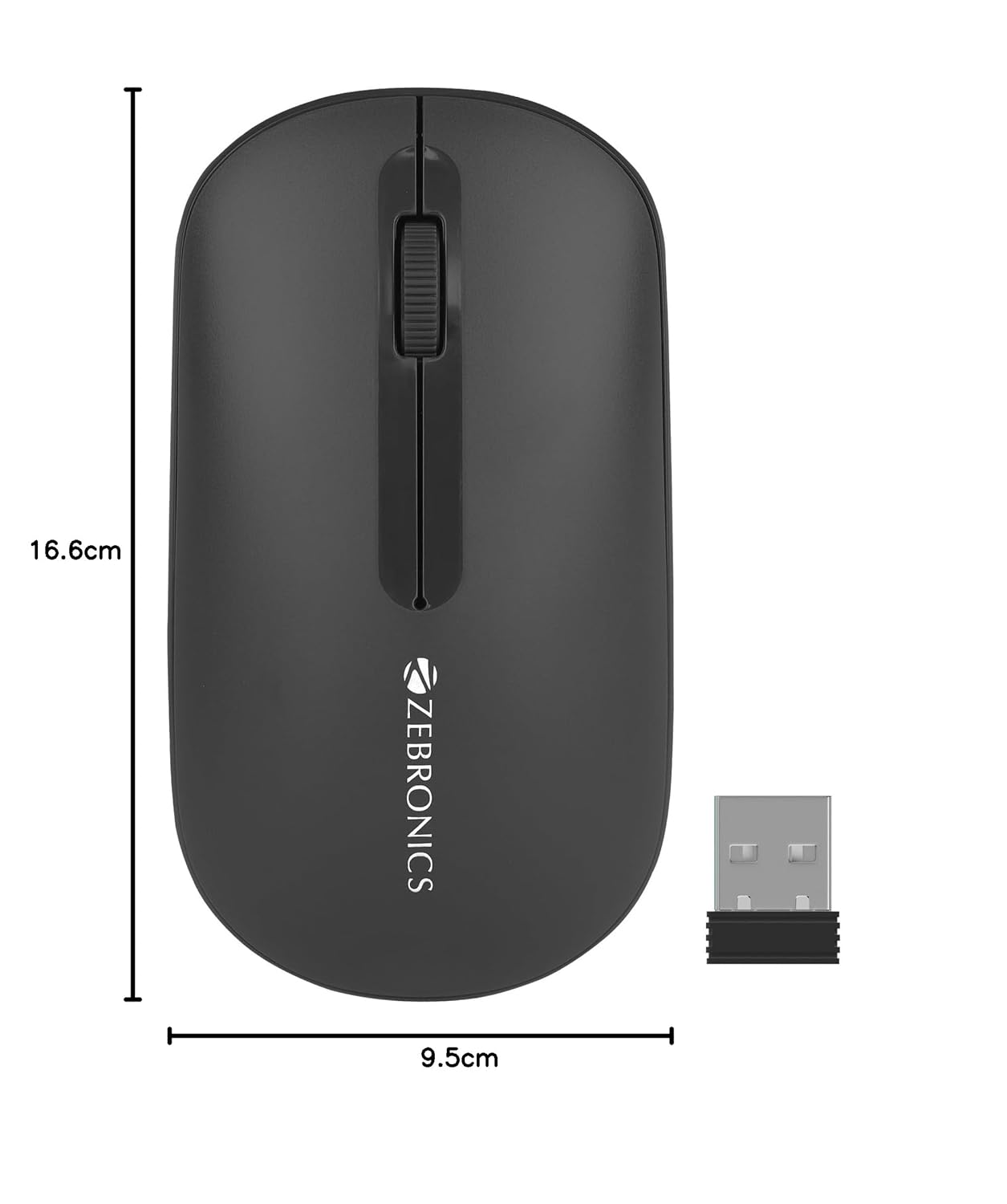
Image 8.1: Diagram showing the physical dimensions of the ZEBRONICS Pulse Wireless Mouse.
9. Garanzia e supporto
For warranty information, technical support, or service inquiries, please refer to the warranty card included with your product or visit the official ZEBRONICS websito. Conservare la ricevuta d'acquisto come prova d'acquisto per eventuali reclami in garanzia.
Official ZEBRONICS Websito: www.zebronics.com