
1. Introduzione
The PNI PMR R70 PRO is a portable PMR446 radio designed for reliable communication. This device operates on the 446 MHz frequency band, offering 16 channels and 99 PC programmable channels. It features 50 CTCSS tones and 166 DCS tones for enhanced privacy and interference reduction. With an IP67 rating, the radio is protected against dust and water immersion, making it suitable for various environments. No license is required for operation in most European Union countries.
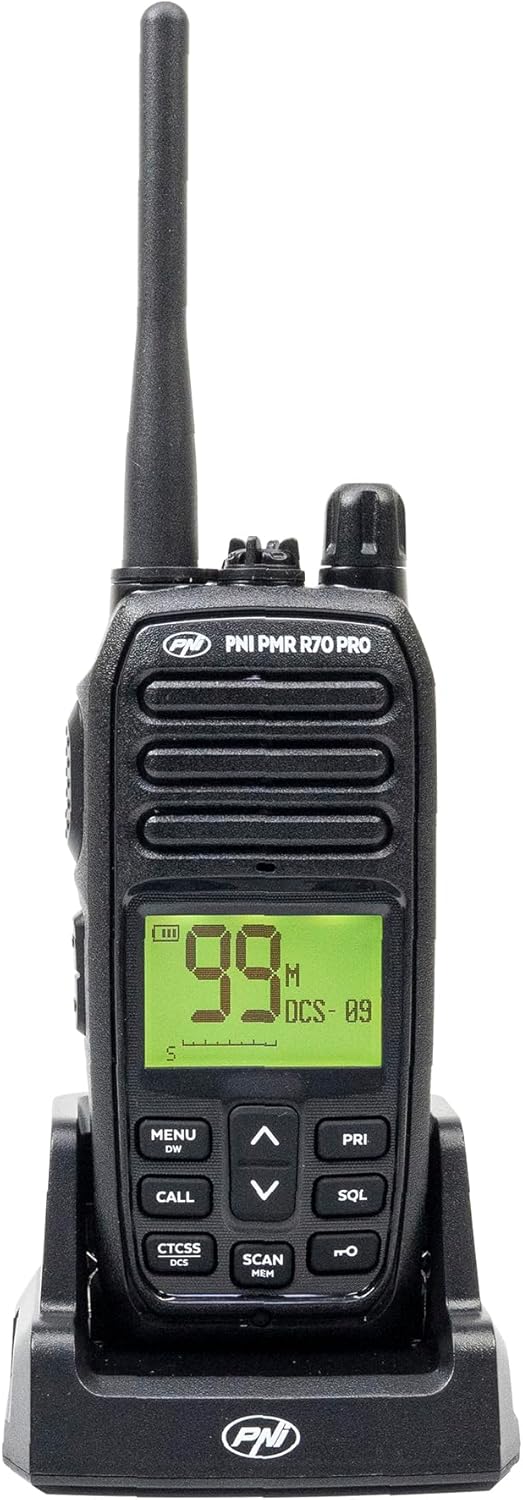
Immagine 1.1: anteriore view of the PNI PMR R70 PRO portable radio, showing the display and control buttons.
2. Contenuto della confezione
Verifica che tutti gli articoli elencati di seguito siano inclusi nel tuo pacchetto:
- PNI PMR R70 PRO Radio Unit
- Antenna
- Batteria da 1800 mAh
- Caricatore da tavolo
- Clip per cintura
- Guida per l'utente
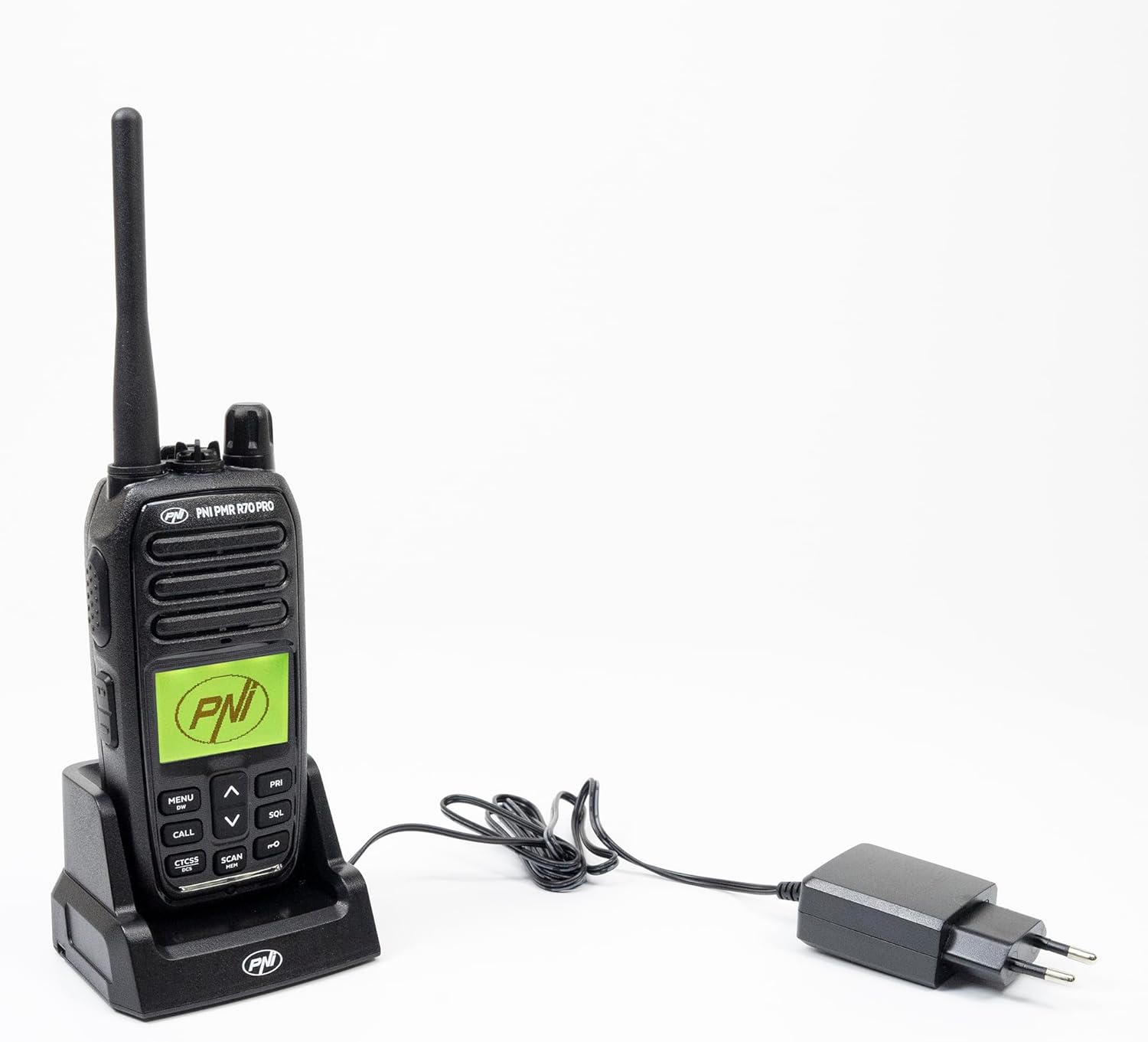
Image 2.1: All components included in the PNI PMR R70 PRO package: radio, antenna, battery, desktop charger, and belt clip.
3. Impostazione
3.1 Installazione della batteria
- Assicurarsi che la radio sia spenta.
- Individuare il coperchio del vano batteria sul retro della radio.
- Unscrew the retaining screw and carefully remove the cover.
- Insert the 1800 mAh battery into the compartment, ensuring the contacts align correctly.
- Riposizionare il coperchio del vano batteria e fissarlo con la vite.

Immagine 3.1: posteriore view of the PNI PMR R70 PRO radio with the battery compartment open, showing the battery and its connection.
3.2 Caricamento della batteria
- Collegare il caricabatterie da tavolo a una presa di corrente.
- Place the radio unit into the charging cradle. Ensure the charging contacts on the radio align with those on the charger.
- La spia di carica sul caricabatterie si illuminerà, solitamente rossa per indicare che la carica è in corso e verde per indicare che la carica è completa.
- Una carica completa richiede in genere diverse ore. Non sovraccaricare la batteria.
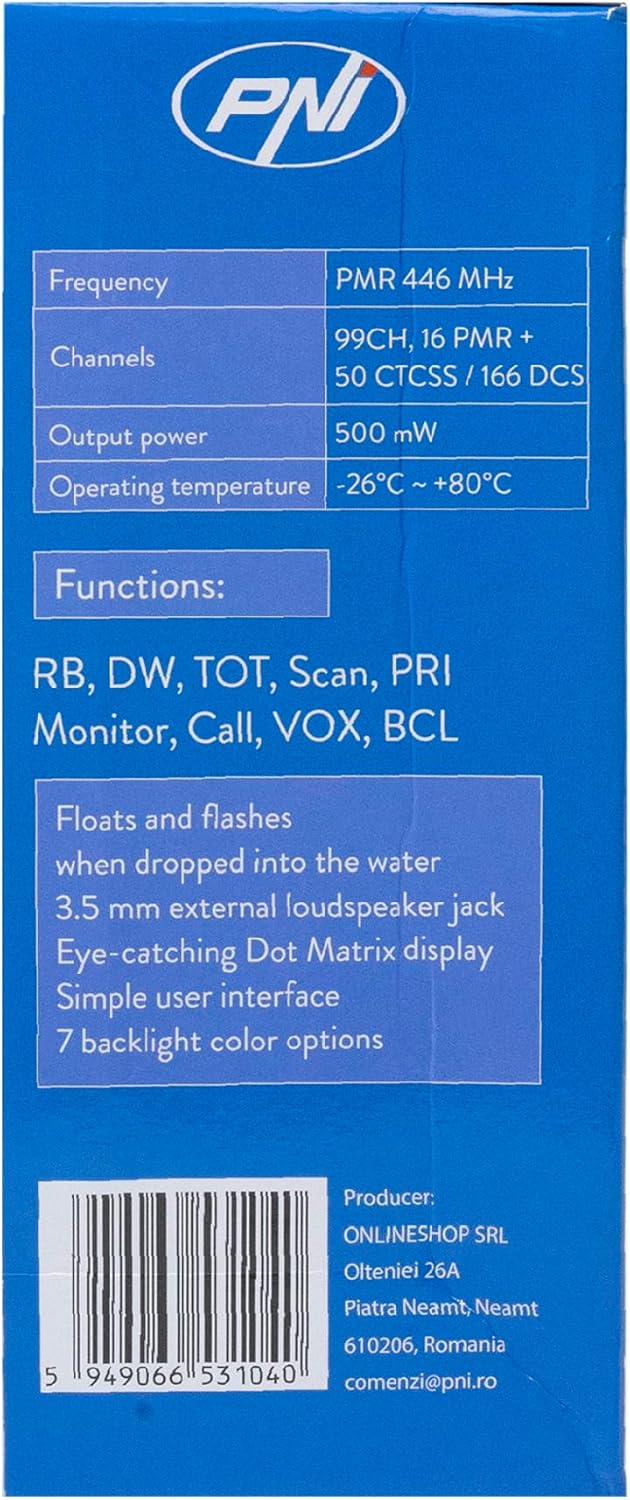
Image 3.2: The PNI PMR R70 PRO radio placed in its desktop charging cradle, connected to a power adapter.
4. Istruzioni per l'uso
4.1 Accensione/spegnimento
Per accendere la radio, ruotare la manopola di accensione/volume in senso orario fino a sentire un clic. Per spegnerla, ruotare la manopola in senso antiorario fino a sentire un clic.
4.2 Regolazione del volume
Ruotare la manopola di accensione/volume in senso orario per aumentare il volume e in senso antiorario per diminuirlo.
4.3 Selezione del canale
Usa il SU (^) e giù (v) arrow buttons on the front panel to select one of the 16 available channels. The selected channel number will be displayed on the screen.
4.4 Trasmissione e ricezione
- Per trasmettere: Press and hold the Push-To-Talk (PTT) button located on the side of the radio. Speak clearly into the microphone. Release the PTT button to stop transmitting.
- Per ricevere: Assicurarsi che il pulsante PTT non sia premuto. La radio riceverà automaticamente i segnali sul canale selezionato.
4.5 Funzioni speciali
- Toni CTCSS/DCS: The radio supports 50 CTCSS (Continuous Tone-Coded Squelch System) and 166 DCS (Digitally Coded Squelch) tones. These tones help filter out unwanted conversations on the same channel. Refer to the full user guide for programming instructions.
- Funzione di scansione: Activate the scan function to monitor all active channels. The radio will stop on an active channel until the transmission ends.
- Doppio orologio (DW): This feature allows the radio to monitor two channels simultaneously.
- Ruggero Bip: An audible tone emitted when the PTT button is released, signaling the end of your transmission.
- Blocco tastiera: Impedisce modifiche accidentali alle impostazioni.
- PC Programmable Channels: The radio supports 99 PC programmable channels. This requires a specific programming cable (PNI - PSR70) and software.

Image 4.1: The PNI PMR R70 PRO radio connected to a laptop via a programming cable for channel and feature customization.
5. Manutenzione
5.1 Pulizia
Pulire la radio con un panno morbido, damp panno. Non utilizzare prodotti chimici aggressivi o detergenti abrasivi. Assicurarsi che la radio sia asciutta prima dell'uso o della ricarica.
5.2 Resistenza all'acqua (IP67)
The PNI PMR R70 PRO is rated IP67, meaning it is fully protected against dust ingress and can withstand immersion in water up to 1 meter for 30 minutes. While robust, avoid unnecessary exposure to water and ensure all covers (e.g., battery cover, accessory port cover) are securely closed before exposing the radio to water.

Image 5.1: The PNI PMR R70 PRO radio with water droplets, illustrating its IP67 water resistance feature.
6. Risoluzione Dei Problemi
If you encounter issues with your PNI PMR R70 PRO radio, consider the following common troubleshooting steps:
- Nessun potere: Assicurarsi che la batteria sia installata correttamente e completamente carica. Verificare che la manopola di accensione/volume sia accesa.
- Impossibile trasmettere o ricevere: Verify that you are on the correct channel. Check if the PTT button is functioning. Ensure the antenna is securely attached.
- Scarsa qualità audio: Adjust the volume. Ensure the microphone and speaker are not obstructed. Move to an area with fewer obstructions for better signal.
- A corto raggio: Obstacles like buildings and terrain can significantly reduce range. Operate in open areas for maximum range. Ensure the battery is fully charged.
- Tastiera non reattiva: Check if the keypad lock feature is activated. Deactivate it if necessary.
For persistent issues, consult the comprehensive user guide or contact customer support.
7. Specifiche
| Caratteristica | Specificazione |
|---|---|
| Marca | PNI |
| Numero di modello | PNI-R70-PRO |
| Gamma di frequenza | 446.00625 ~ 446.19375 MHz |
| Numero di canali | 16 (PMR), 99 PC Programmable |
| Potenza di uscita | 0.5 L |
| Toni CTCSS | 50 |
| DCS Tones | 166 |
| Valutazione internazionale di protezione | IP67 (Dustproof, Submersible up to 1m for 30 min) |
| Batteria | 1800 mAh (inclusi) |
| Durata media della batteria | 18 ore |
| Voltage | 7.4 Volt (CC) |
| Portata massima | Up to 10 Kilometers (open space) |
| Temperatura di esercizio | Temperatura di esercizio -26°C ~ +80°C |
| Dimensioni del prodotto (P x L x A) | 6P x 13l x 4H centimetri |
| Peso dell'articolo | 225 grammi |
| Caratteristiche speciali | Digital Display, Rechargeable, Roger Beep, Submersible, Keypad Lock |
8. Garanzia e supporto
8.1 Informazioni sulla garanzia
The PNI PMR R70 PRO radio comes with a Garanzia di 2 anno dalla data di acquisto. La presente garanzia copre i difetti di fabbricazione in condizioni di normale utilizzo. Si prega di conservare la prova d'acquisto per eventuali reclami in garanzia.
8.2 Assistenza clienti
For technical assistance, troubleshooting, or warranty service, please contact your retailer or the manufacturer's customer support. Refer to the contact information provided in your purchase documentation.