
Introduzione
This manual provides essential information for the safe and efficient use of your YEELIGHT W4 Smart Bulb. Please read these instructions carefully before installation and operation. Keep this manual for future reference.
The YEELIGHT W4 Smart Bulb is an E27 base LED bulb featuring dimmable functionality, color changing capabilities, and connectivity via Wi-Fi and Bluetooth for smart control.
Informazioni sulla sicurezza
- Prima di installare o rimuovere la lampadina, assicurarsi che l'alimentazione sia disattivata.
- Do not use with standard dimmers. This bulb is designed for smart dimming via the app or compatible smart home systems.
- Suitable for dry locations only. Do not expose to water or moisture.
- Do not disassemble the bulb. This will void the warranty.
- Operare entro il volume specificatotage gamma (230 Volt).
Contenuto della confezione
Verifica che tutti gli articoli siano presenti nel tuo pacco:
- YEELIGHT W4 Smart Bulb (4 units)
- Manuale dell'utente (questo documento)
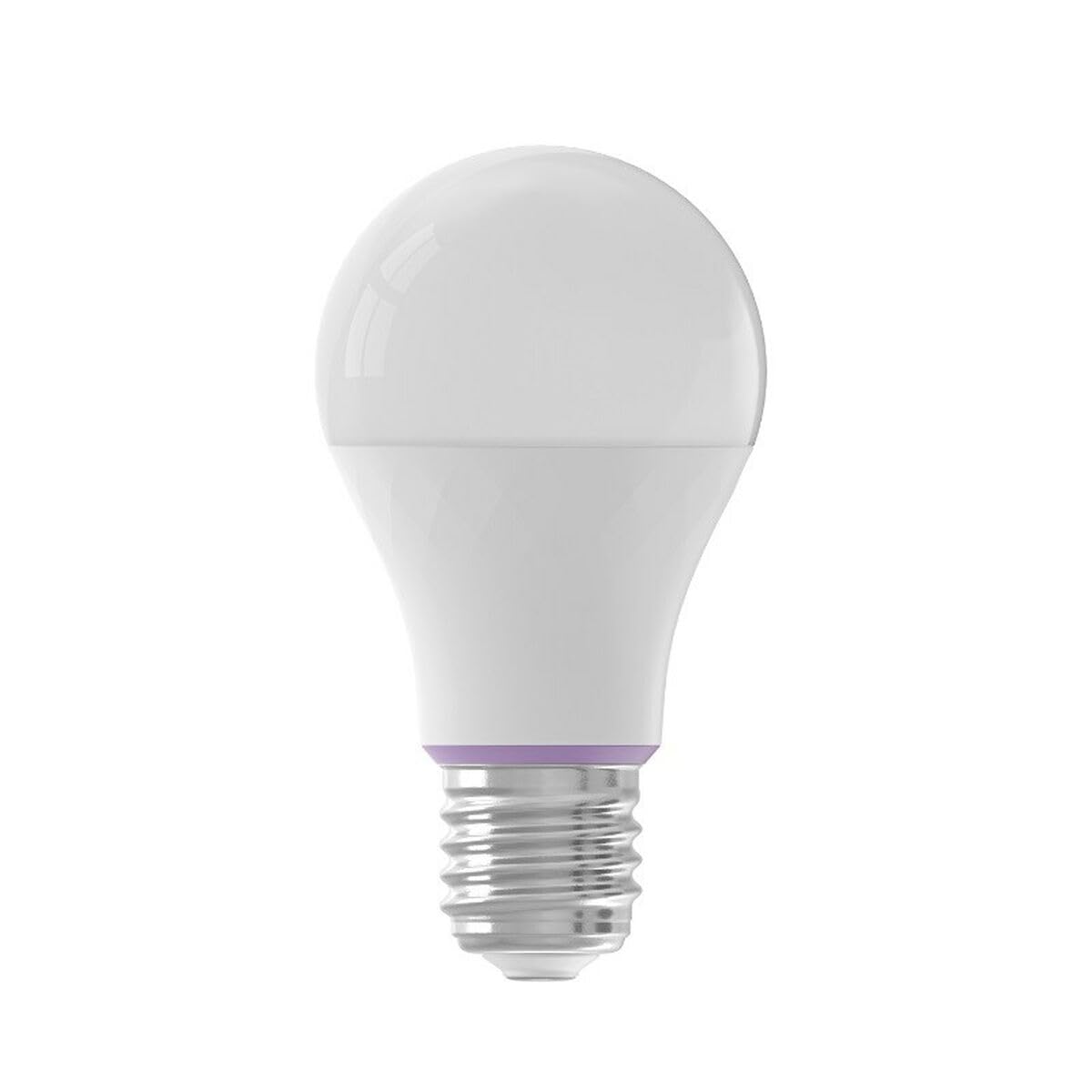
Image: YEELIGHT W4 Smart Bulb. This image displays the smart bulb, typically with an E27 screw base and a frosted or clear dome, indicating its design and form factor.
Specifiche
| Caratteristica | Specificazione |
|---|---|
| Numero di modello | YLQPD-0012 (S9144407) |
| Tipo di base | E27 |
| Connettività | Wi-Fi, Bluetooth |
| Energia | 9 Watt |
| Equivalente a incandescenza | 60 Watt |
| Voltage | 230 Volt |
| Temperatura del colore | 6500 Kelvin (bianco) |
| Caratteristiche speciali | Dimmerabile, cambia colore |
| Dimensioni (L x P x A) | Dimensioni: 14.92 x 9.94 x 10.04 cm |
| Peso | 620 grammi |
Impostare
1. Installazione hardware
- Spegni: Ensure the power switch to the light fixture is in the OFF position before installation.
- Installa la lampadina: Screw the YEELIGHT W4 Smart Bulb into a standard E27 light socket. Do not overtighten.
- Accensione: Turn the power switch to the ON position. The bulb should light up, indicating it is ready for pairing.
2. Download e associazione dell'app
- Scarica l'app: Scarica la versione ufficiale Yeelight App dall'App Store (iOS) o dal Google Play Store (Android).
- Creare un account: Open the Yeelight App and create a new account or log in to an existing one.
- Aggiungi dispositivo: Tap the "+" icon in the app to add a new device. Select the YEELIGHT W4 Smart Bulb from the list of available devices.
- Connettiti al Wi-Fi: Follow the on-screen instructions to connect the bulb to your 2.4GHz Wi-Fi network. Ensure your phone is connected to the same 2.4GHz network during the pairing process.
- Accoppiamento Bluetooth (opzionale): The bulb also supports Bluetooth for local control. If Wi-Fi is unavailable or unstable, the app may prompt for Bluetooth pairing.
- Rename Bulb: Once connected, you can rename the bulb for easier identification (e.g., "Living Room Lamp").
Operativo
Controllo di base
- Acceso/Spento: Use the Yeelight App to turn the bulb on or off. You can also use the physical light switch, but this will cut power to the smart features.
- dimming: Adjust the brightness level from 1% to 100% using the slider in the Yeelight App.
- Cambio colore: Select from a wide spectrum of colors or choose from preset scenes within the app.
Funzionalità avanzate
- Pianificazione: Imposta orari per l'accensione/spegnimento della lampadina o per la modifica delle impostazioni in orari specifici.
- Scene: Crea scene di illuminazione personalizzate per diverse atmosfere o attività.
- Controllo di gruppo: Group multiple YEELIGHT W4 bulbs together to control them simultaneously.
- Controllo vocale: Integrate with compatible smart home assistants (e.g., Google Assistant, Amazon Alexa) for voice commands. Refer to your smart assistant's setup guide for integration instructions.
- Telecomando: Control your bulbs from anywhere with an internet connection via the Yeelight App.
Manutenzione
- Pulizia: Assicurarsi che la lampadina sia spenta e fredda prima di pulirla. Pulire con un panno morbido e asciutto. Non utilizzare detergenti liquidi o materiali abrasivi.
- Magazzinaggio: Se si conserva il bulbo per un periodo prolungato, conservarlo in un luogo fresco e asciutto, lontano dalla luce solare diretta.
- Aggiornamenti del firmware: Periodically check the Yeelight App for firmware updates to ensure optimal performance and access to new features.
Risoluzione dei problemi
- La lampadina non si accende:
- Check if the light fixture has power.
- Assicurarsi che la lampadina sia avvitata correttamente e saldamente.
- Test the bulb in another working fixture.
- La lampadina non si connette al Wi-Fi:
- Assicurati che la tua rete Wi-Fi sia a 2.4 GHz. La lampadina non supporta reti a 5 GHz.
- Controlla la tua password Wi-Fi.
- Durante la configurazione, avvicina la lampadina al router Wi-Fi.
- Reset the bulb by turning it off and on five times consecutively (1-2 second intervals). The bulb will flash, indicating it's in pairing mode.
- Riavvia il router.
- L'app non riesce a trovare la lampadina:
- Assicurati che il Bluetooth sia abilitato sul tuo telefono.
- Confirm the bulb is powered on and in pairing mode (if recently reset).
- Update the Yeelight App to the latest version.
- Dimming or color changing issues:
- Ensure the bulb is connected to the app and has a stable Wi-Fi connection.
- Avoid using external dimmers, as they can interfere with the bulb's smart dimming capabilities.
- Perform a bulb reset and re-pair if issues persist.
Garanzia
YEELIGHT products are covered by a limited warranty. For detailed warranty terms and conditions, please refer to the official YEELIGHT websito o contattare l'assistenza clienti. Conservare la ricevuta d'acquisto come prova d'acquisto per eventuali reclami in garanzia.
Supporto
For further assistance, technical support, or to report issues, please visit the official YEELIGHT support website or contact their customer service team. Contact information can typically be found on the YEELIGHT website or within the Yeelight App.
Websito: www.yeelight.com