
STF Kronos Trek Smartwatch User Manual
Model: ST-W78527
1. Introduzione
Thank you for choosing the STF Kronos Trek Smartwatch. This manual provides essential information for setting up, operating, maintaining, and troubleshooting your device. Please read it carefully to ensure optimal performance and longevity of your smartwatch.
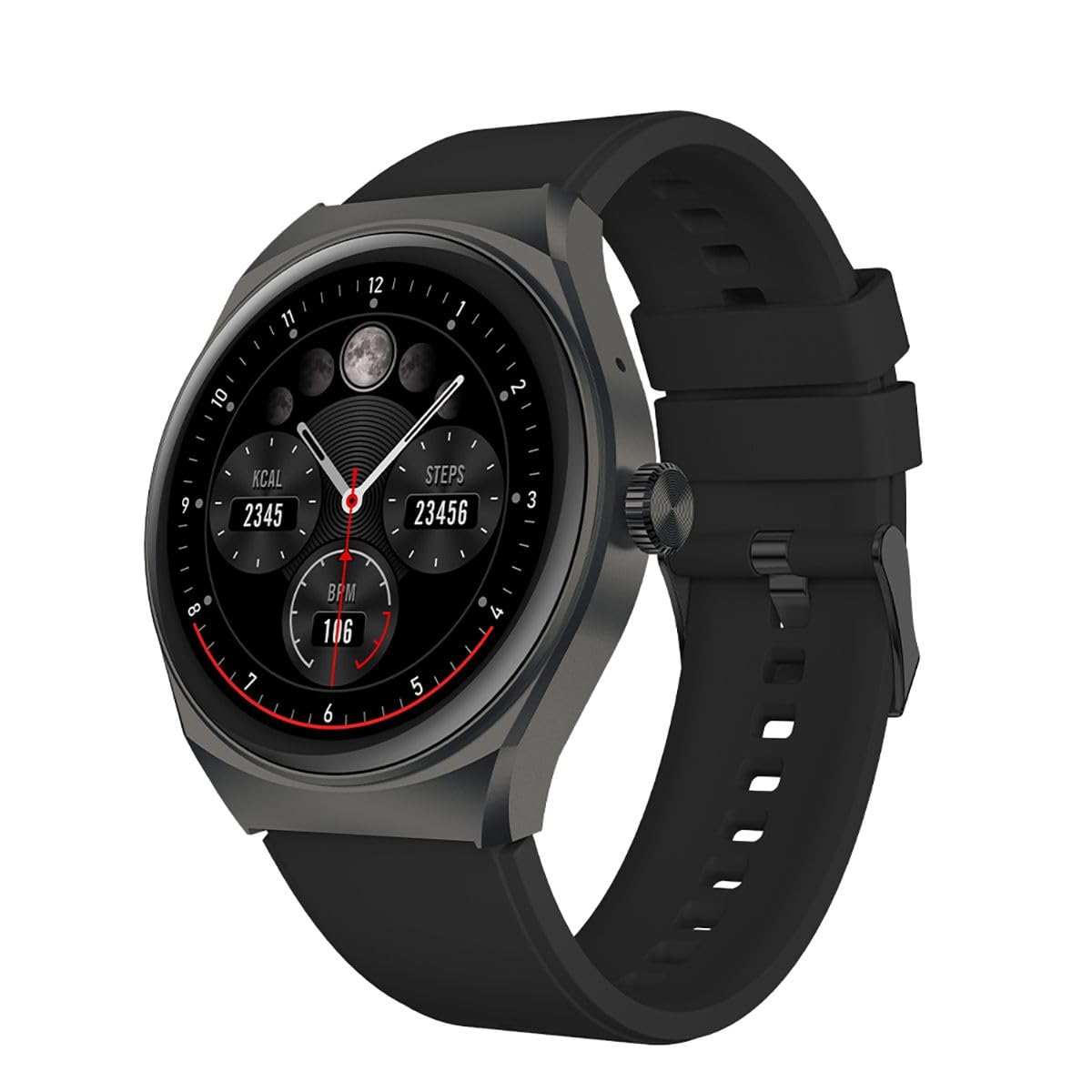
Immagine 1.1: anteriore view of the STF Kronos Trek Smartwatch.
2. Contenuto della confezione
- STF Kronos Trek Smartwatch
- Cavo di ricarica
- Manuale dell'utente (questo documento)
3. Dispositivo suview
The STF Kronos Trek Smartwatch features a 1.38-inch IPS display and a durable design. It includes various sensors for health monitoring and supports multiple sports modes.

Image 3.1: Smartwatch display showing health metrics like calories, steps, and BPM.

Immagine 3.2: posteriore view of the smartwatch, highlighting the health sensors and charging contacts.
4. Impostazione
4.1 Ricarica dello smartwatch
- Collegare il cavo di ricarica ai pin di ricarica sul retro dello smartwatch.
- Collegare l'estremità USB del cavo di ricarica a un adattatore di alimentazione USB compatibile (non incluso) o alla porta USB di un computer.
- The smartwatch display will indicate charging status.
- Allow approximately 2-3 hours for a full charge. A full charge provides up to 7 days of battery life under normal usage.
4.2 Associazione con lo smartphone
- Download the official STF companion application from your smartphone's app store (iOS or Android).
- Assicurati che il Bluetooth sia abilitato sul tuo smartphone.
- Open the STF companion application and follow the on-screen instructions to create an account or log in.
- In the app, select 'Add Device' or 'Pair New Device' and choose 'Kronos Trek' from the list of available devices.
- Conferma la richiesta di associazione sia sullo smartwatch che sullo smartphone.
Note: For optimal performance, keep the smartwatch and smartphone within Bluetooth range during initial setup and regular use.
5. Istruzioni per l'uso
5.1 Navigazione di base
- Schermo tattile: Scorri verso sinistra, destra, in alto o in basso per navigare tra i menu e le funzionalità. Tocca per selezionare un'opzione.
- Pulsante laterale: Premi il pulsante laterale per tornare alla schermata iniziale o riattivare il dispositivo.
Video 5.1: Demonstrates basic interaction with the STF Kronos Trek Smartwatch, including screen navigation and multi-sport mode selection. This video highlights how to stay active and healthy by tracking your workouts.
5.2 Effettuare e ricevere chiamate
The Kronos Trek Smartwatch allows you to answer calls directly from your wrist when connected to your smartphone via Bluetooth.
- Rispondere alle chiamate: When a call comes in, tap the green icon on the smartwatch screen.
- Effettuare le chiamate: Access the dialer or contact list through the smartwatch menu to initiate a call.

Image 5.2: The smartwatch screen indicating the ability to answer calls directly.
5.3 Modalità multi-sport
The smartwatch supports over 100 multi-sport modes to track various physical activities. To access:
- Swipe on the home screen to find the 'Sports' or 'Workout' icon.
- Tocca l'icona per view the list of available sports modes (e.g., running, walking, cycling, swimming).
- Select your desired activity to start tracking. The watch will record duration, calories burned, and other relevant metrics.

Immagine 5.3: Passoview of the multi-sport mode feature with various activity icons.
Video 5.4: Illustrates how to use the multi-sport mode to time efforts and record progress during workouts. This video focuses on the male user's experience.
5.4 Monitoraggio sanitario
The Kronos Trek Smartwatch includes sensors to monitor various health metrics:
- Frequenza cardiaca: Monitora costantemente la frequenza cardiaca durante il giorno.
- Monitoraggio del sonno: Analizza i tuoi schemi di sonno, inclusi sonno profondo, sonno leggero e orari di veglia.
- Monitoraggio delle attività: Registra i passi, la distanza e le calorie bruciate.
Note: The health monitoring features are for general fitness and wellness purposes only and are not intended for medical diagnosis or treatment.
5.5 Notifiche
Receive notifications from your smartphone directly on your smartwatch. Ensure the companion app is running in the background and notification permissions are granted.
5.6 Resistenza all'acqua (IP67)
The smartwatch is rated IP67, meaning it is resistant to dust and can withstand immersion in water up to 1 meter for 30 minutes. It is suitable for daily use and light water activities but not recommended for diving or high-pressure water exposure.

Image 5.5: Icon representing the IP67 water resistance feature.
6. Manutenzione
6.1 Pulizia
- Pulisci regolarmente lo smartwatch e il cinturino con un panno morbido e asciutto.amp stoffa.
- Evitare l'uso di prodotti chimici aggressivi, detergenti abrasivi o solventi.
- Prima di procedere alla ricarica, assicurarsi che i contatti di ricarica siano puliti e asciutti.
6.2 Esposizione all'acqua
- After exposure to water, especially saltwater, rinse the smartwatch with fresh water and dry it thoroughly.
- Non premere pulsanti né utilizzare il touchscreen sott'acqua.
6.3 Cura della batteria
- Avoid extreme temperatures when charging or storing the device.
- Non lasciare la batteria completamente scarica per periodi prolungati.
7. Risoluzione Dei Problemi
7.1 Il dispositivo non si accende
- Ensure the smartwatch is fully charged. Connect it to the charger for at least 30 minutes.
- Tenere premuto il pulsante laterale per 10-15 secondi per tentare un riavvio forzato.
7.2 Problemi di associazione
- Assicurati che il Bluetooth sia abilitato sullo smartphone e sullo smartwatch.
- Riavvia sia lo smartphone che lo smartwatch.
- Try unpairing the device from your smartphone's Bluetooth settings and then re-pairing through the STF companion app.
- Ensure the STF companion app is updated to the latest version.
7.3 Dati sanitari inesatti
- Assicurati che lo smartwatch sia indossato comodamente al polso, ma non troppo stretto.
- Pulisci i sensori sul retro dell'orologio.
- I fattori ambientali e la fisiologia individuale possono influenzare la precisione del sensore.
7.4 Durata breve della batteria
- Ridurre la luminosità dello schermo.
- Disattivare il monitoraggio continuo della frequenza cardiaca se non necessario.
- Limitare il numero di notifiche ricevute.
- Ensure the smartwatch is not constantly searching for a Bluetooth connection.
8. Specifiche
| Caratteristica | Specificazione |
|---|---|
| Nome del modello | ST-W78527 |
| Dimensioni dello schermo | 1.38 pollici |
| Tipo di visualizzazione | Digitale |
| Risoluzione | 240x240 |
| Tecnologia di connettività | Bluetooth |
| Standard di comunicazione wireless | Bluetooth |
| Durata della batteria (media) | 168 ore (7 giorni) |
| Capacità della batteria | 300 mAh |
| Composizione delle celle della batteria | Polimero di litio |
| Resistenza all'acqua | Grado di protezione IP67 |
| Caratteristiche speciali | Notifications, Multi-sport Mode, Health Monitors |
| Input dell'interfaccia umana | Schermo tattile |
| Dimensioni del prodotto | 25 x 3 x 2 cm; 210 g |
9. Garanzia e supporto
For warranty information and customer support, please refer to the documentation provided with your purchase or visit the official STF website. You may also contact the seller, Stuffactory, for assistance.
This product is eligible for a 30-day free return policy through Amazon. Please check Amazon's return policy for details.