1. Introduzione
Thank you for choosing the Vandlion V22-64GB Voice Recorder. This manual provides detailed instructions on how to set up, operate, and maintain your device to ensure optimal performance. Please read this manual thoroughly before using the product.
The Vandlion V22-64GB is a compact and powerful digital voice recorder designed for clear audio capture in various environments. Key features include:
- Capacità di archiviazione: 64GB of internal storage for extended recording sessions.
- Riduzione del rumore a 7 livelli: Enhances audio clarity by minimizing background noise.
- Registrazione attivata dalla voce (VAR): Automatically starts recording when sound is detected, conserving memory and battery.
- Funzionamento con un solo tasto: Simple and quick recording activation.
- Orarioamped Recordings: Easy organization and retrieval of audio files.
2. Contenuto della confezione
Si prega di controllare la confezione per verificare la presenza dei seguenti elementi:
- Vandlion V22-64GB Voice Recorder
- Cavo dati
- Cuffie
- OTG adapters
- Manuale dell'utente (questo documento)
3. Prodotto finitoview
The Vandlion V22-64GB Voice Recorder is designed for portability and ease of use. Its compact metal casing ensures durability while providing a sleek appearance.

Image 3.1: Vandlion V22-64GB Voice Recorder in use. This image shows the compact size of the recorder, suitable for various recording environments like meetings or lectures.
The device features a simple ON/OFF/SAVE toggle switch for intuitive operation and a built-in microphone for 360-degree panoramic sound capture.

Image 3.2: The ON/REC and OFF/SAVE switch on the Vandlion V22-64GB Voice Recorder. This switch allows for quick initiation and saving of recordings.
4. Impostazione
4.1 Ricarica del dispositivo
Before first use, fully charge the voice recorder. Connect the device to a computer's USB port or a USB wall adapter (not included) using the provided data cable. The indicator light will show charging status and turn off when fully charged.
- Connect the small end of the data cable to the recorder's charging port.
- Connect the standard USB end to a power source.
- La ricarica richiede in genere circa 2-3 ore.
4.2 Accensione iniziale
To power on the device, slide the ON/REC switch to the 'ON' position. The device will vibrate briefly or an indicator light will illuminate, indicating it is ready for operation.
5. Istruzioni per l'uso
5.1 Registrazione di base
The Vandlion V22-64GB features a simple one-key recording function:
- To start recording, slide the switch to the 'ON/REC' position. The device will begin recording within approximately 5 seconds.
- Per interrompere la registrazione e salvare il file, fai scorrere l'interruttore su 'OFF/SAVE' posizione. La registrazione verrà salvata automaticamente.
Ogni audio file is automatically timestamped for easy organization and retrieval when connected to a computer.
5.2 Voice-Activated Recording (VAR)
The voice-activated recording feature helps conserve battery life and memory by only recording when sound is detected. To enable and adjust VAR:
- Collegare il registratore a un computer.
- Access the device's settings file (usually a configuration file or through dedicated software, refer to device's internal documentation if available).
- Adjust the sensitivity level for voice activation (typically 7 levels available). A higher sensitivity will trigger recording with softer sounds, while lower sensitivity requires louder sounds.
- Save the settings and disconnect the device. The VAR function will now be active.
5.3 Riduzione del rumore
The recorder features 7-level noise reduction to improve audio clarity. This function is typically automatic, but its effectiveness can be influenced by recording environment and microphone placement.

Image 5.1: Illustration of the noise reduction capability of the Vandlion V22-64GB Voice Recorder. The image depicts how unwanted noise (red waves) is reduced, resulting in clearer audio (blue waves).
5.4 Riproduzione
You can play back recordings directly from the device using the included headphones:
- Assicurati che il dispositivo sia acceso.
- Connect the included headphones to the recorder's headphone jack.
- Use the controls on the headphone cable (if available) or the device's internal controls (if applicable, refer to specific model's internal documentation) to navigate and play audio files.

Image 5.2: The Vandlion V22-64GB Voice Recorder connected to earphones for direct audio playback. This feature allows listening to recordings without needing a computer.
Alternatively, connect the recorder to a computer to play back fileutilizzando il lettore multimediale del tuo computer.
5.5 File Gestione
To manage your recorded files:
- Connect the voice recorder to your computer using the provided data cable.
- Il dispositivo apparirà come un'unità disco rimovibile.
- Apri l'unità per accedere all'audio registrato files (typically in a folder like 'RECORD' or 'VOICE').
- Puoi copiare, spostare, eliminare o rinominare files as you would with any other filesul tuo computer.
- Prima di scollegare il dispositivo dal computer, espellerlo sempre in modo sicuro.
The included OTG adapters allow you to connect the recorder to compatible Android smartphones for file gestione.
6. Manutenzione
- Pulizia: Per pulire il dispositivo, utilizzare un panno morbido e asciutto. Non utilizzare detergenti liquidi o solventi.
- Magazzinaggio: Conservare il registratore in un luogo fresco e asciutto, lontano dalla luce solare diretta, da temperature estreme e dall'umidità.
- Cura della batteria: Per prolungare la durata della batteria, evitare di scaricarla completamente frequentemente. Caricare il dispositivo regolarmente, anche se non viene utilizzato per periodi prolungati.
- Backup dei dati: Esegui regolarmente il backup delle registrazioni importanti sul tuo computer per evitare la perdita di dati.
7. Risoluzione Dei Problemi
| Problema | Possibile causa | Soluzione |
|---|---|---|
| Il dispositivo non si accende. | Batteria scarica o dispositivo spento. | Charge the device fully. Ensure the ON/REC switch is in the 'ON' position. |
| Impossibile registrare. | Insufficient storage space or device not in recording mode. | Controlla la memoria disponibile ed elimina quella non necessaria files. Ensure the switch is in the 'ON/REC' position. |
| Poor sound quality during recording. | Microphone obstructed, noisy environment, or incorrect VAR sensitivity. | Ensure the microphone is clear. Record in a quieter environment. Adjust VAR sensitivity if enabled. |
| Dispositivo non riconosciuto dal computer. | Faulty USB cable, incorrect port, or driver issue. | Try a different USB cable or port. Restart your computer. Ensure the device is powered on when connecting. |
| Cannot hear playback through headphones. | Headphones not properly connected, volume too low, or corrupted file. | Ensure headphones are fully plugged in. Adjust volume. Try playing the file su un computer. |
8. Specifiche
| Marca | Vandlion |
| Modello | V22-64 GB |
| Capacità di archiviazione della memoria | 64 GB |
| Dimensioni del prodotto | 0.76 x 2.21 x 7.37 cm; 150 g (or 8 x 22 x 74 Millimeters) |
| Interfaccia Hardware | USB 2.0 |
| Dispositivi compatibili | Auricolare |
| Fattore di forma del microfono | Incorporato |
| Presa per cuffie | 3.5 millimetri |
| Batterie incluse | Sì (polimero di litio) |
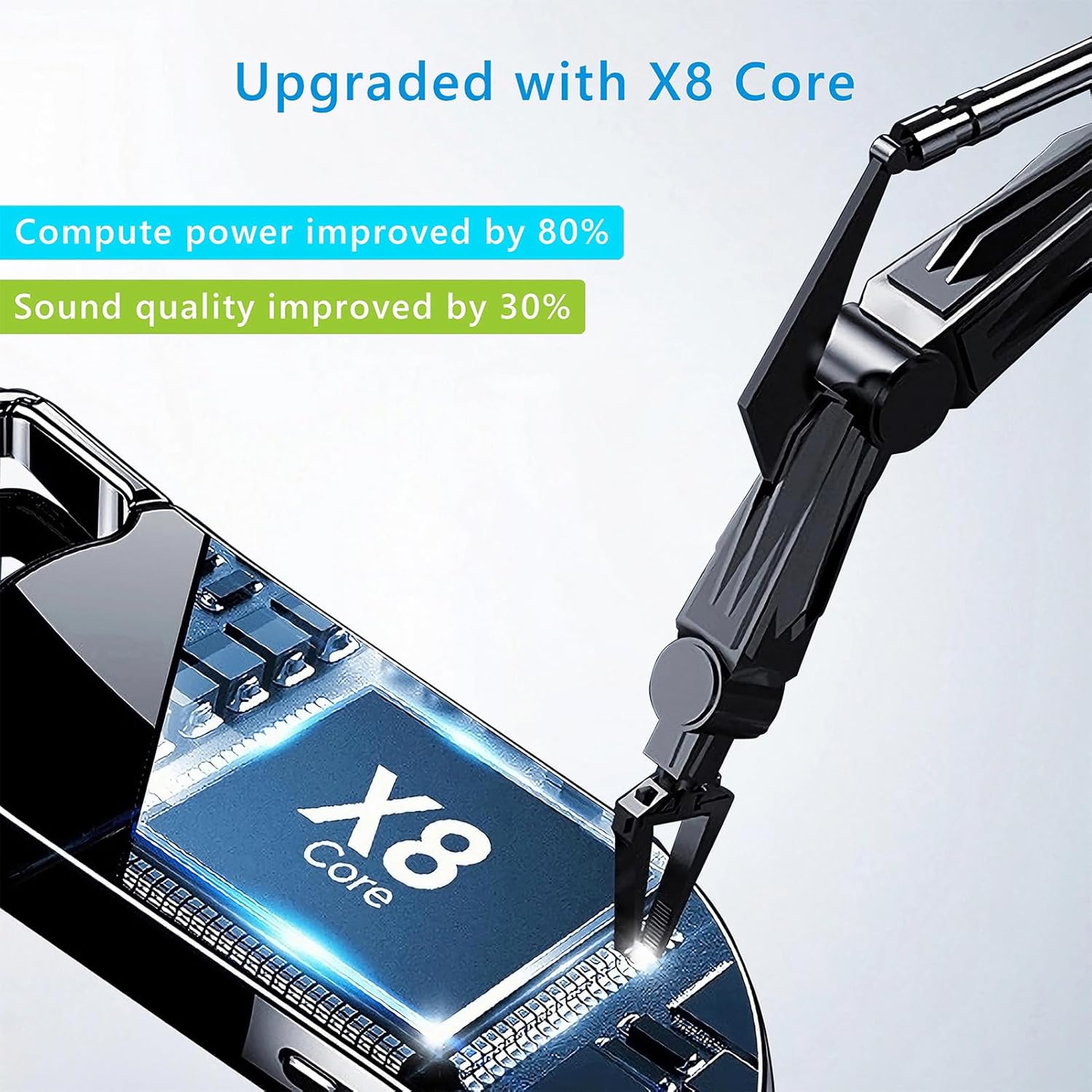
Immagine 8.1: Componente interno view of the Vandlion V22-64GB Voice Recorder, showcasing the X8 Core. This illustrates the advanced processing unit within the device.
9. Garanzia e supporto
For warranty information and technical support, please refer to the documentation provided with your purchase or contact Vandlion customer service through their official websito o il rivenditore presso cui hai acquistato il prodotto.
Conservare la ricevuta d'acquisto come prova d'acquisto per eventuali reclami in garanzia.