
1. Introduzione
This manual provides comprehensive instructions for the installation, operation, and maintenance of the PHYSEN Wireless Doorbell Signal Extension Kit, model WET02. This kit is designed to extend the signal of your existing doorbell system, ensuring you never miss a visitor.
The PHYSEN WET02 system offers easy integration with various doorbell types, including electronic, electromechanical, and mechanical systems. It features a digital code system to prevent interference and provides a universal wireless chime with multiple melodies and adjustable volume levels.
2. Prodotto finitoview
The PHYSEN WET02 kit includes a wireless converter (transmitter) and two wireless receivers (chimes). The converter connects to your existing doorbell, and when the doorbell button is pressed, it sends a wireless signal to the receivers.
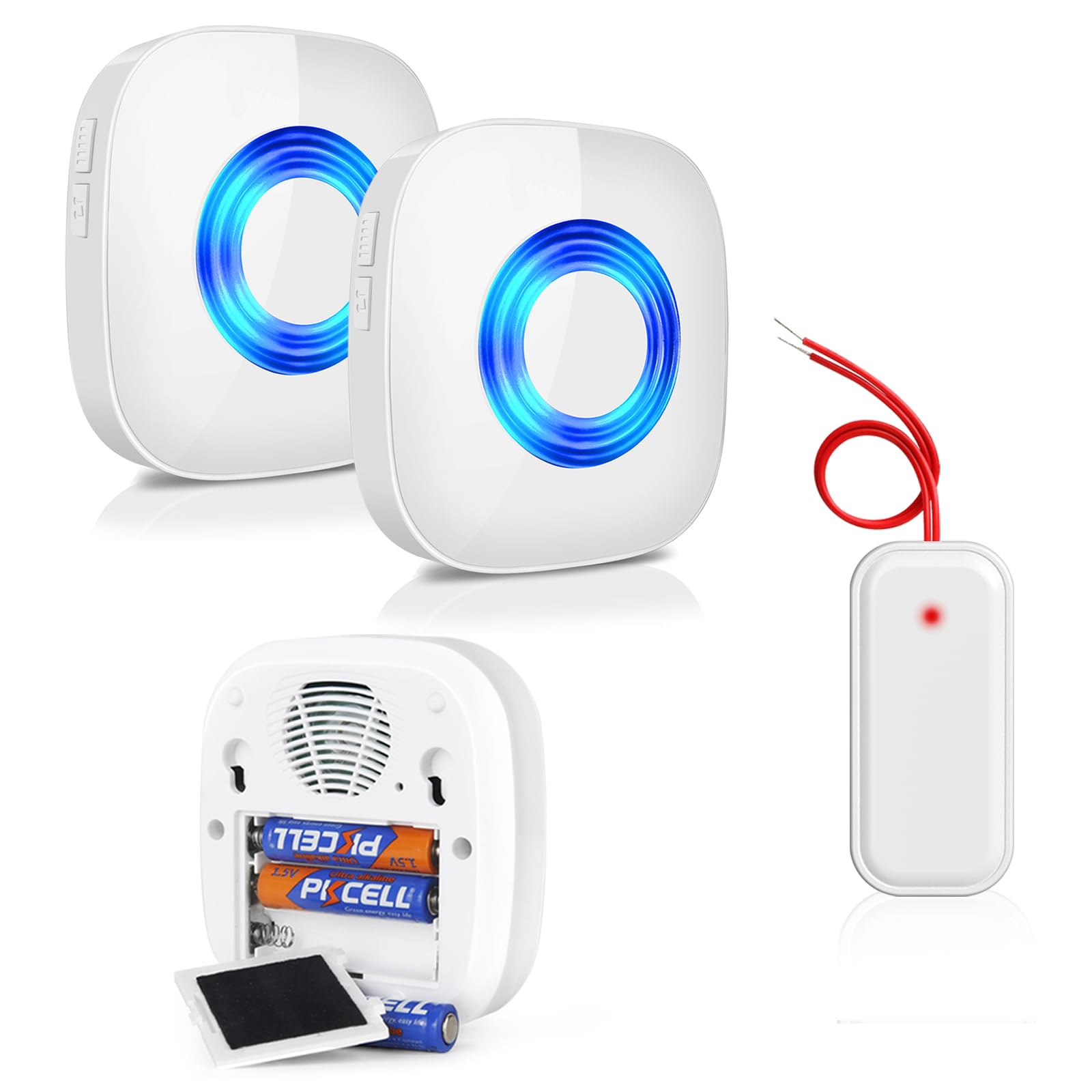
Figure 2.1: PHYSEN WET02 Kit Components. The kit includes two wireless chimes, one wireless converter (transmitter), and three AAA batteries for each receiver.
2.1 Componenti
- 1 x WET02 Wireless Converter (Transmitter): Connects to your existing doorbell wiring.
- 2 x Wireless Receivers (Chimes): Portable units that play melodies and provide visual alerts.
- Batterie: Required for receivers (included).
2.2 Caratteristiche principali
- Easy and quick integration with existing doorbell systems.
- Digital code system for interference elimination.
- Wide operating frequency: 433 MHz (± 40 kHz).
- Non-polarity wiring for the converter (+/-).
- 58 polyphonic melodies.
- 5 adjustable volume levels (0-110 dB).
- Optical LED signal.
- Memory function for settings.
- Wireless range up to 400 feet (120 meters) in open areas.
3. Specifiche

Figure 3.1: Product Dimensions and Receiver Details.
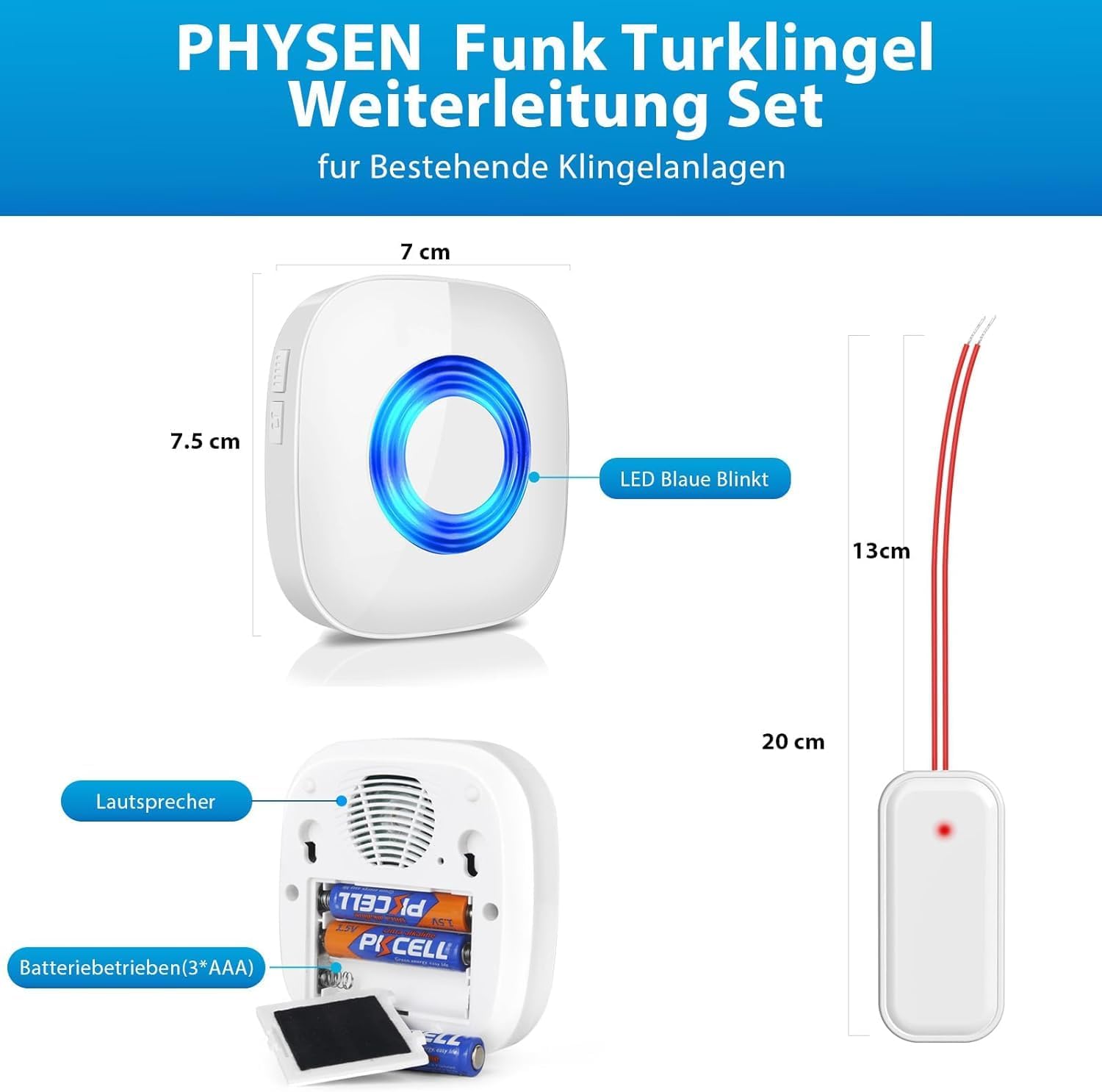
Figure 3.2: Wireless Converter Technical Details.
| Caratteristica | Specificazione |
|---|---|
| Numero di modello | BAGNATO02 |
| Frequenza senza fili | 433.92 MHz (± 40 kHz) |
| Vol. operativo del trasmettitoretage | 3-24V AC / DC |
| Temperatura di esercizio | da -10°C a +55°C |
| Product Dimensions (Converter) | Approx. 13 cm (length) |
| Dimensioni del prodotto (ricevitore) | Circa 7 cm (larghezza) x 7.5 cm (altezza) |
| Peso | 310 grams (total kit) |
| Power Source (Receivers) | Batterie 3 x AAA (incluse) |
| Melodie | 58 opzioni polifoniche |
| Livelli di volume | 5 livelli (0-110 dB) |
| wireless Range | Fino a 400 piedi (120 metri) in aree aperte |
4. Configurazione e installazione
Follow these steps to install your PHYSEN WET02 Wireless Doorbell Signal Extension Kit.
4.1 Wireless Converter (Transmitter) Installation
- Aprire il coperchio del campanello: Carefully open the cover of your existing doorbell unit.
- Collegare i fili: Connect the two wires from the WET02 wireless converter to the switch and power terminals of your doorbell button. The wires are marked (+/-) but do not require distinction between positive and negative poles, simplifying installation.
- Prova la connessione: Turn on the power. Press your doorbell button. The LED on the converter should light up, and the receiver (chime) should ring, indicating a successful connection.
- Secure the Converter: Use adhesive tape to secure the converter inside the doorbell cover or a suitable location, ensuring it does not interfere with the doorbell mechanism.

Figure 4.1: Wireless Converter Installation Steps.

Figure 4.2: Working Principle of the Signal Extension Kit.
4.2 Wireless Receiver (Chime) Setup
- Inserire le batterie: Open the battery compartment on the back of each receiver and insert 3 AAA batteries (included), ensuring correct polarity.
- Posizionamento: Place the receivers in desired locations within your home. The wireless range is up to 400 feet (120 meters) in open areas, but walls and obstacles may reduce this.
- Abbinamento (se necessario): The kit is usually pre-paired. If a receiver does not ring when the doorbell is pressed, refer to the "Troubleshooting" section for pairing instructions.

Figure 4.3: Wireless Range Illustration.
5. Istruzioni per l'uso
Once installed, the PHYSEN WET02 system is straightforward to operate.
5.1 Melodie cangianti
Each receiver has a button (often labeled with a music note or similar icon) to cycle through the 58 available polyphonic melodies. Press the button repeatedly until you find your preferred melody.
5.2 Regolazione del volume
Locate the volume button on the side of the receiver. Press it to cycle through the 5 volume levels, from silent (0 dB) to maximum (110 dB). Select the volume appropriate for your environment.

Figure 5.1: Chime Features and Volume Levels.
5.3 indicatore LED
When the doorbell button is pressed, the receiver's blue LED will flash, providing a visual alert in addition to the audible chime. This is particularly useful in noisy environments or for individuals with hearing impairments.
6. Manutenzione
Regular maintenance ensures the longevity and optimal performance of your doorbell extension kit.
- Sostituzione della batteria: Replace the AAA batteries in the receivers when the chime volume becomes low or the LED indicator no longer flashes. Ensure correct polarity when inserting new batteries.
- Pulizia: Wipe the surfaces of the converter and receivers with a soft, dry cloth. Do not use abrasive cleaners or solvents.
- Condizioni ambientali: Ensure the devices are not exposed to extreme temperatures or direct moisture, although the operating temperature range is -10°C to +55°C.
7. Risoluzione Dei Problemi
If you encounter issues with your PHYSEN WET02 kit, refer to the following common problems and solutions:
| Problema | Possibile causa | Soluzione |
|---|---|---|
| Il ricevitore non squilla. |
|
|
| Converter LED does not light up when doorbell is pressed. |
|
|
| Segnale a corto raggio o intermittente. |
|
|
7.1 Pairing Instructions (if needed)
If your receiver and converter lose their connection or you add a new component, follow these steps to re-pair them:
- Ensure the receiver has fresh batteries and is powered on.
- On the receiver, press and hold the volume button for approximately 5 seconds until you hear a "ding" sound and the LED indicator starts flashing rapidly. This indicates it's in pairing mode.
- Within 10 seconds, press your existing doorbell button (which is connected to the WET02 converter).
- The receiver should chime, confirming successful pairing. If not, repeat the process.
8. Assistenza clienti
For any questions, concerns, or technical assistance regarding your PHYSEN WET02 Wireless Doorbell Signal Extension Kit, please do not hesitate to contact our customer support team.
We offer 24/7 customer service to ensure your satisfaction.
Informazioni di contatto (ad esempio, e-mail, websito) verrebbe solitamente fornito qui dal produttore.