
Introduzione
The Muddy CRV3 HD SD Card Viewer is designed for easy viewing of SD card captures with its high-definition, 4.3-inch color LCD screen. This device features durable, water-resistant housing, intuitive menu operation, and adjustable settings for optimal performance in outdoor environments. It supports 1080P video playback for SD cards up to 32GB and is powered by four AA batteries (not included).
Cosa c'è nella scatola
- SD Card Reader/Viewer with 4.3" LCD Screen
- da polso Lanyard
Caratteristiche principali
- Riproduzione video 1080P: Supporta la riproduzione di video ad alta definizione.
- 4.3" Color LCD Screen: Fornisce una visualizzazione chiara per viewmedia.
- Intuitive Menu Operation: Easy-to-navigate menu for user convenience.
- Headphone Jack for Audio: Allows for private audio monitoring.
- Adjustable Brightness & Volume: Customize display and sound levels.
- Gestione delle immagini: Opzioni per View, Transfer, and Delete images.
- Durable Water-Resistant Housing: Built to withstand outdoor conditions.
- Slot micro USB: For connectivity and data transfer.
- Slot per scheda SD: Supporta schede SD fino a 32 GB.
- Fonte di energia: Operates on 4 AA Batteries (not included).
Impostare
1. Installazione della batteria
The Muddy CRV3 HD SD Card Viewer requires four (4) AA batteries (not included) for operation. To install batteries:
- Individuare il vano batteria sul retro del dispositivo.
- Turn the locking tab counter-clockwise to unlock and open the battery cover.
- Inserire quattro batterie AA, assicurandosi che la polarità (+/-) sia corretta, come indicato all'interno del vano.
- Close the battery cover and turn the locking tab clockwise to secure it.
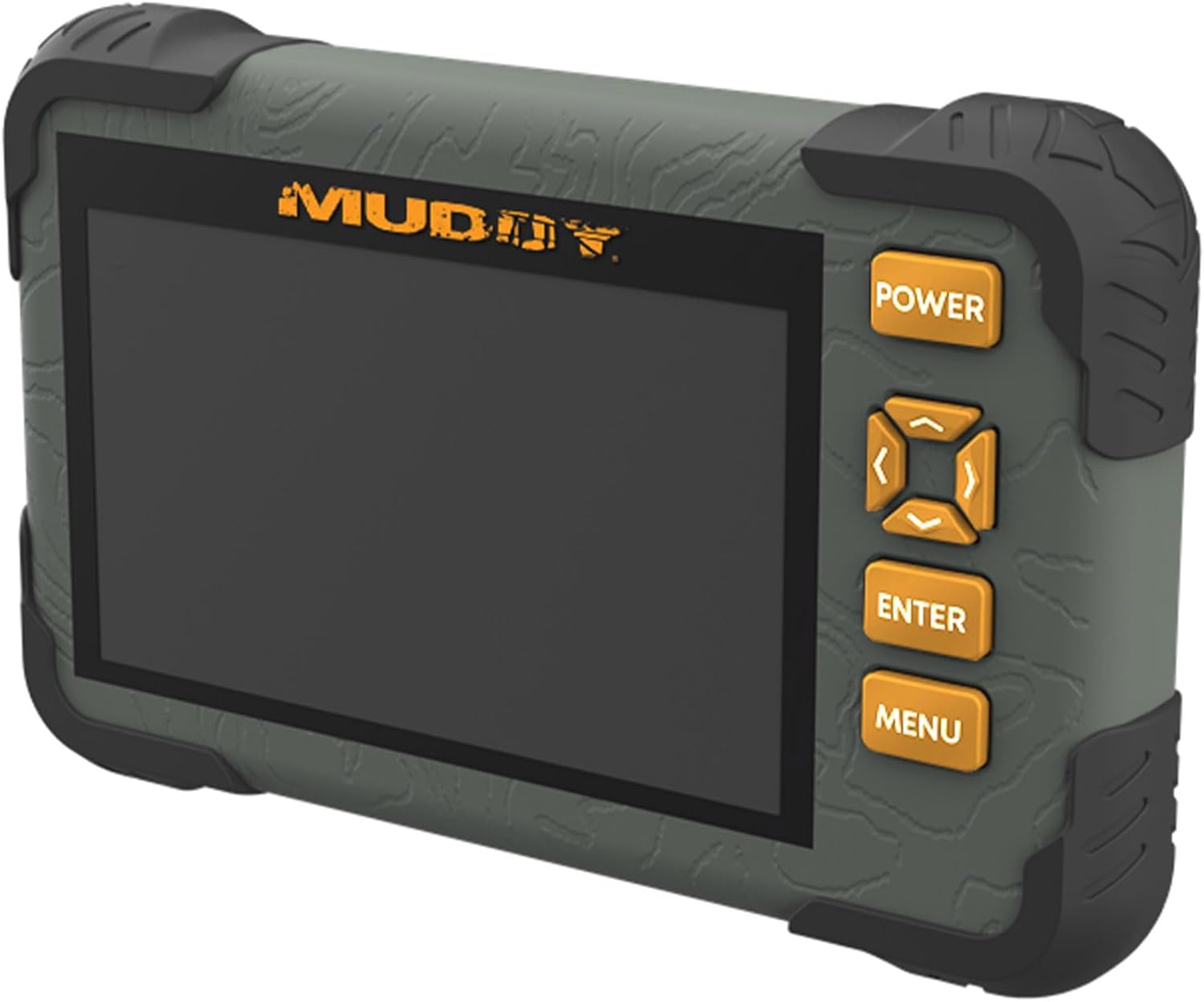
Immagine: Posteriore view of the Muddy CRV3 HD SD Card Viewer showing the circular locking tab for the battery compartment. The compartment is opened to reveal four AA batteries.
2. Inserimento della scheda SD
The device supports SD cards up to 32GB. To insert an SD card:
- Locate the SD card slot on the side of the vieweh.
- Inserire delicatamente la scheda SD nello slot con i contatti metallici rivolti verso il basso finché non scatta in posizione.
- To remove, push the SD card inward until it clicks, then release to eject.

Immagine: Lato view of the Muddy CRV3 HD SD Card Viewer highlighting the SD card slot and Micro USB port.
Istruzioni per l'uso
1. Accensione/spegnimento
- Per accendere: Premere e tenere premuto il tasto ENERGIA button located on the right side of the device until the screen changes color and the Muddy logo appears. The device will then initialize the SD card and display the main menu.
- Per spegnere: Premere e tenere premuto il tasto ENERGIA button until the "POWER OFF" message appears on the screen, then release.
2. Navigazione nel menu
The Muddy CRV3 features an intuitive menu system. Use the directional arrow buttons (UP, GIÙ, SINISTRA, GIUSTO) to navigate through options. An orange border will highlight the currently selected item.
- Use the directional buttons to move the orange border to your desired menu icon.
- Premere il tasto ENTRARE pulsante per confermare la selezione.
- Premere il tasto MENU button to go back to the previous screen or exit a function.
3. Viewimmagini e video
From the main menu, select the appropriate icon to view images or videos stored on your SD card.
- Select the "View Images" icon (typically represented by a picture frame) and press ENTRARE.
- Use the directional buttons to scroll through thumbnails.
- Premere ENTRARE A view a selected image or play a video in full screen.
- For videos, the device supports 1080P playback. Use the directional buttons for play/pause/fast-forward/rewind if available.
- Per tornare alla miniatura view, premere MENU.
4. Gestione FileS (View/Transfer/Delete)
Il dispositivo consente di base file management directly on the vieweh.
- Mentre viewing an image or video, access the options menu (usually by pressing MENU or a dedicated button) to find options like "Delete" or "Transfer".
- Follow on-screen prompts to perform desired actions. Be cautious when deleting files as this action is often irreversible.
- Per il trasferimento files, connect the Micro USB slot to a computer using a compatible cable. The device should appear as a removable drive.
5. Regolazione delle impostazioni
From the main menu, select the "Settings" icon (typically a gear symbol) to adjust various parameters.
- Luminosità: Adjust the screen brightness for better visibility in different lighting conditions.
- Volume: Control the audio output volume, especially when using the headphone jack.
- Other settings may include date/time, language, and device information.
Video: A user demonstrates the functions of the Muddy CRV3 HD SD Card Viewer, including navigating menus, viewing images, and adjusting settings.
Manutenzione
- Pulizia: Utilizzare un panno morbido e asciutto per pulire lo schermo e l'esterno del dispositivo. Evitare detergenti abrasivi o solventi.
- Resistenza all'acqua: The device features durable water-resistant housing. However, it is not designed for submersion. Ensure battery compartment and port covers are securely closed to maintain water resistance.
- Magazzinaggio: When not in use for extended periods, remove batteries to prevent leakage and store the device in a cool, dry place.
Risoluzione dei problemi
| Problema | Possibile causa | Soluzione |
|---|---|---|
| Il dispositivo non si accende. | Batterie scariche o esaurite; batterie inserite in modo errato. | Replace with fresh AA batteries; ensure correct polarity. |
| Scheda SD non rilevata. | SD card not inserted correctly; incompatible SD card; faulty SD card. | Re-insert SD card until it clicks; ensure card is up to 32GB; try a different SD card. |
| Non può view immagini/video. | Corrotto files on SD card; unsupported file formato. | Tentativo viewing files on a computer; ensure files are standard image/video formats. |
| Nessun audio dal jack delle cuffie. | Volume too low; faulty headphones. | Adjust volume in settings; try different headphones. |
Specifiche
- Nome modello: CRV3 HD SD Card Viewer
- Schermo: 4.3" Color LCD Screen
- Riproduzione video: 1080P
- Supporto per scheda SD: Fino a 32 GB
- Connettività: Micro USB
- Audio: Presa per cuffie
- Energia: 4 batterie AA (non incluse)
- Alloggiamento: Durable, Water-Resistant
- Dimensioni (L x P x A): 9.26" x 8.43" x 2.95"
- Produttore: GSM all'aperto
- Codice UPC: 888151030974
Garanzia e supporto
MUDDY is committed to quality, durability, and functionality. For warranty information or technical support, please refer to the product packaging or visit the official MUDDY websito. Conservare la ricevuta d'acquisto per eventuali reclami in garanzia.