
1. Introduzione
This manual provides detailed instructions for the Nilox MOUSB3013 USB Ergonomic Mouse. It covers setup, operation, maintenance, and troubleshooting to ensure optimal performance and user comfort. The Nilox MOUSB3013 is a black, wired USB mouse designed with an ergonomic shape for comfortable use.

Image 1.1: The Nilox MOUSB3013 ergonomic mouse, showcasing its design and primary controls.
2. Contenuto della confezione
Si prega di verificare che tutti gli articoli siano presenti nel pacco:
- Nilox MOUSB3013 USB Ergonomic Mouse
- Manuale dell'utente (questo documento)
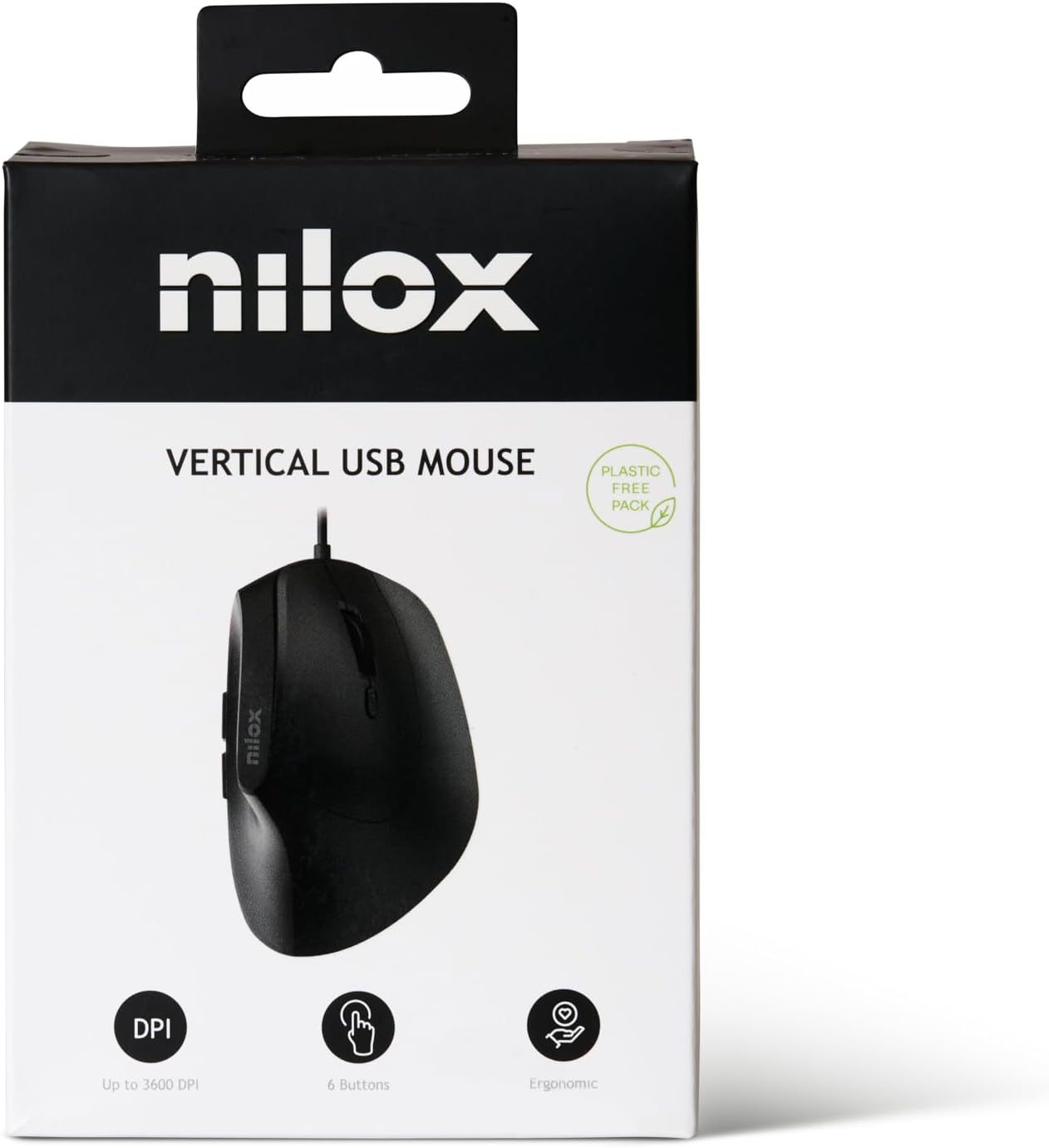
Image 2.1: The Nilox MOUSB3013 mouse packaging, highlighting its features.
3. Istruzioni per l'installazione
The Nilox MOUSB3013 mouse is designed for plug-and-play functionality, requiring no additional software installation for basic operation.
- Collegare il cavo USB: Locate an available USB port on your computer. Insert the USB connector of the Nilox MOUSB3013 mouse firmly into the USB port.
- Riconoscimento del sistema: Your operating system (Windows, macOS, Linux) will automatically detect and install the necessary drivers. This process usually takes a few seconds.
- Inizia l'uso: Once the system indicates that the device is ready, you can begin using your mouse.

Image 3.1: The underside of the Nilox MOUSB3013 mouse, illustrating the optical sensor.
4. Utilizzo del mouse
The Nilox MOUSB3013 features an ergonomic design for comfortable hand positioning and includes 6 buttons for enhanced functionality.
4.1 Funzioni dei pulsanti
- Pulsante sinistro del mouse: Pulsante principale per la selezione degli elementi, l'apertura files ed esecuzione di comandi.
- Pulsante destro del mouse: Secondary button for accessing context menus and special functions.
- Rotella di scorrimento: Utilizzato per scorrere i documenti e web pagine. Può anche funzionare come pulsante centrale.
- Pulsante di regolazione DPI: Located near the scroll wheel, this button allows you to cycle through different DPI (Dots Per Inch) sensitivity settings to adjust cursor speed.
- Pulsanti laterali (2): Typically configured as "Forward" and "Back" buttons for web navigazione e file navigation. These functions may be customizable via operating system settings or third-party software.

Immagine 4.1: In alto view of the mouse, highlighting the main buttons and scroll wheel.
4.2 Design ergonomico
The vertical orientation of the Nilox MOUSB3013 is designed to promote a more natural hand and wrist posture, reducing strain during prolonged use. This ergonomic feature aims to enhance comfort and prevent repetitive strain injuries.
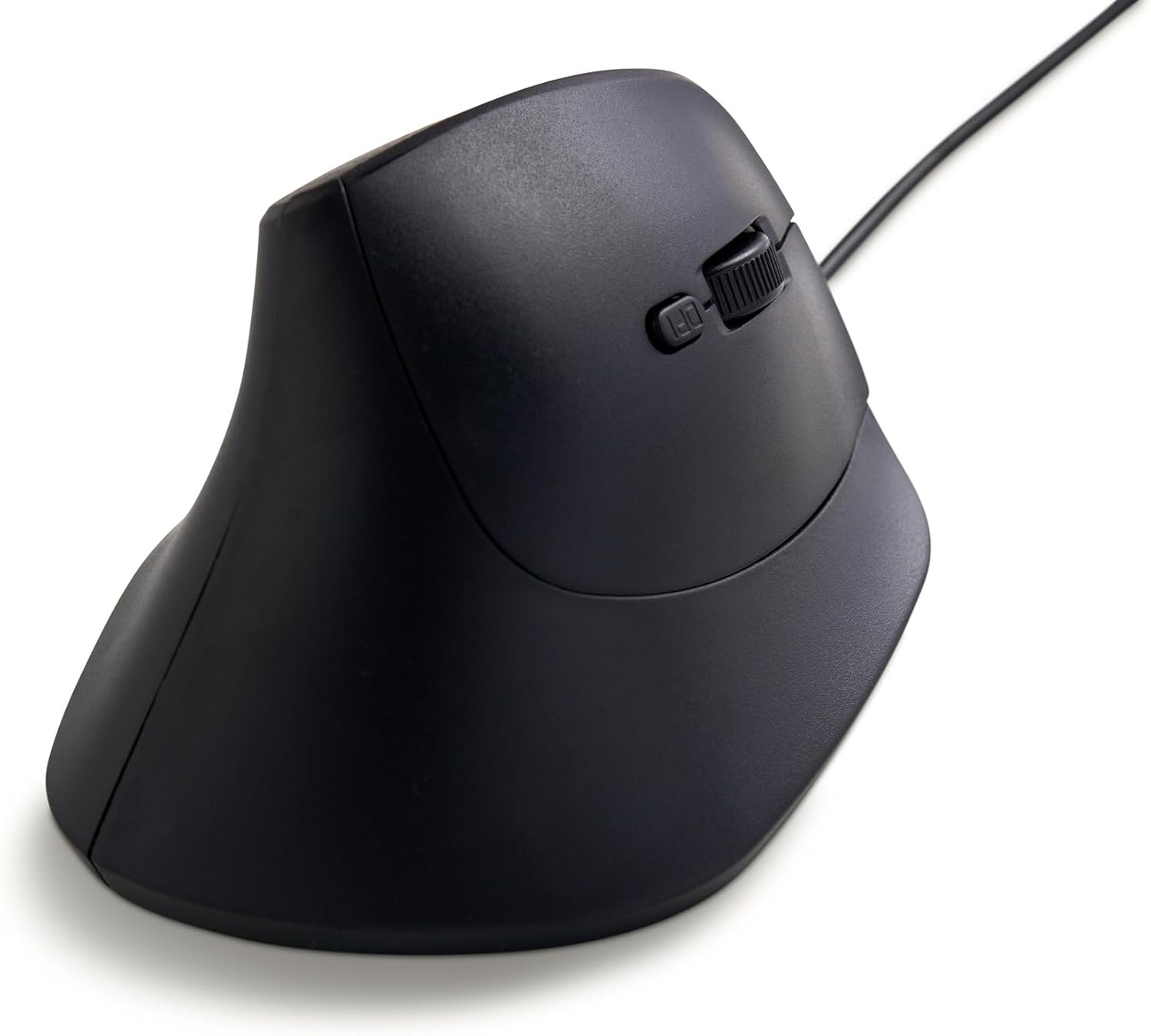
Immagine 4.2: Prospettiva lateralefile of the Nilox MOUSB3013, illustrating its ergonomic vertical design.
5. Manutenzione e cura
Proper maintenance ensures the longevity and optimal performance of your Nilox MOUSB3013 mouse.
- Pulizia: Utilizzare un panno morbido, asciutto e privo di lanugine per pulire la superficie del mouse. Per lo sporco ostinato, leggermente dampPulire il panno con acqua o con un detergente delicato e non abrasivo. Evitare l'uso di prodotti chimici aggressivi o materiali abrasivi.
- Cura del sensore: Mantenere pulito e libero da polvere o detriti il sensore ottico sul lato inferiore del mouse per garantire un tracciamento accurato.
- Magazzinaggio: Quando non lo si utilizza, conservare il mouse in un ambiente pulito e asciutto, lontano da temperature estreme e dalla luce solare diretta.
6. Risoluzione Dei Problemi
If you encounter issues with your Nilox MOUSB3013 mouse, please refer to the following common solutions:
| Problema | Soluzione |
|---|---|
| Il mouse non risponde. |
|
| Il movimento del cursore è irregolare o saltellante. |
|
| I pulsanti non funzionano correttamente. |
|
7. Specifiche tecniche
| Marca | Nilox |
| Numero di modello | MOUSB3013 (S77103754) |
| Tecnologia di connettività | USB (cablato) |
| Tecnologia di rilevamento del movimento | Ottico |
| Caratteristica speciale | Design ergonomico |
| Numero di pulsanti | 6 |
| Colore | Nero |
| Compatibilità del sistema operativo | Windows, macOS, Linux |
| Dimensioni del prodotto (LxWxH) | 6.75 x 4.94 x 3.51 pollici (circa 17.1 x 12.5 x 8.9 cm) |
| Peso dell'articolo | 14.1 once (circa 400 grammi) |
8. Garanzia e supporto
For information regarding the product warranty, please refer to the warranty card included with your purchase or visit the official Nilox website. For technical support or further assistance, please contact Nilox customer service through their official channels.
Official Nilox Websito: www.nilox.com