
1. Prodotto finitoview
The Logitech Zone 301 is an essential wireless Bluetooth headset designed for both work and leisure. It offers reliable connectivity with multipoint Bluetooth, allowing you to move freely up to 30 meters (98 feet) from your device. Equipped with dual noise-canceling microphones on an extended boom, it effectively suppresses background noise, ensuring clear communication. Enhanced speakers provide excellent audio quality for calls and other listening activities. The headset is also constructed with a minimum of 55% recycled plastic (excluding PWA, cables, and packaging), making it an environmentally conscious choice.
Caratteristiche principali
- LogiTune Software Compatibility: Download LogiTune for advanced features, firmware updates, and customization of sidetone, mic level, and EQ.
- Microfono con cancellazione del rumore: Dual beamforming mics with noise-canceling algorithms reduce background sound for clear conversations in various environments.
- Impressive Audio: Features 30 mm dynamic audio drivers with fine-tuned diaphragm patterns for clear sound.
- Libertà senza fili: Enjoy a wireless range of up to 30 meters (98 feet) and seamless switching between computer and phone.
- Durata prolungata della batteria: Provides up to 20 hours of listening time and 16 hours of talk time on a full charge. A 5-minute quick charge offers up to 1 hour of talk time.
- Design confortevole: Lightweight at just 122 grams (4.3 oz), with enlarged earpads and a padded headband for all-day comfort.
- Cuscinetti auricolari sostituibili: Earpads can be replaced to extend the headset's lifespan (sold separately).
- Costruzione sostenibile: Certified carbon neutral and made with certified post-consumer recycled plastic (Graphite: 55%, Off-white and Rose: 42%).
- Ampia compatibilità: Fully compatible with Windows 11, Mac, Chrome, Linux, iOS, iPadOS, and Android devices.

Figure 1.1: The Logitech Zone 301 Wireless Bluetooth Headset in Graphite, showcasinil suo design elegante e il braccio del microfono integrato.

Figure 1.2: Detail of the dual noise-canceling microphones on the boom, designed to ensure clear voice transmission by suppressing background noise.

Figure 1.3: A user wearing the headset, highlighting the comfortable fit and the position of the microphone for optimal audio input.

Figure 1.4: The headset positioned on a desk, illustrating its wireless capability and connectivity to multiple devices like a laptop and smartphone.
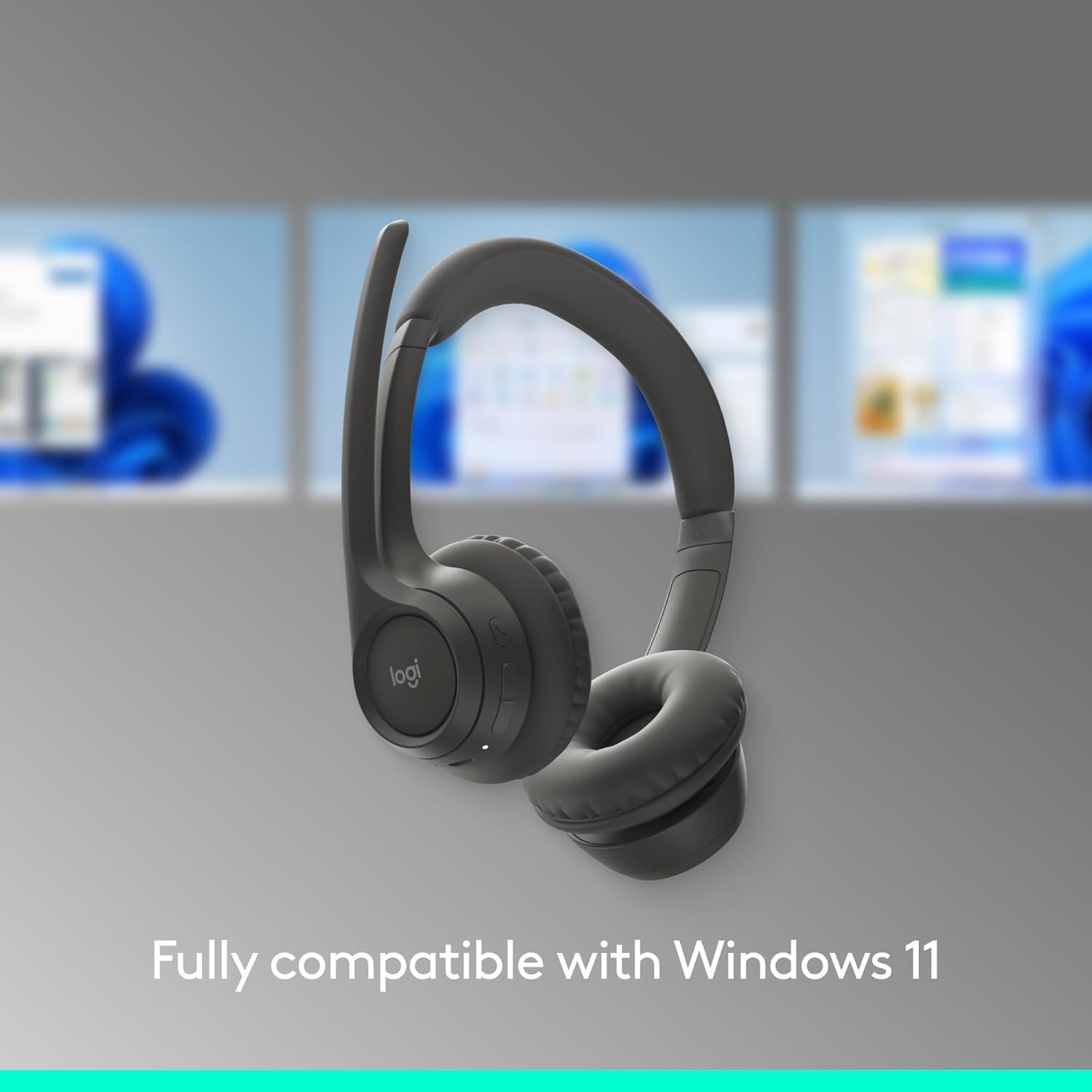
Figure 1.5: The headset shown with a background depicting the Windows 11 operating system, emphasizing its full compatibility.

Figure 1.6: An annotated diagram pointing out key features such as the 2 noise-canceling mics, padded headband, flip-to-mute function, on-ear controls, and USB-C charging port.

Figure 1.7: Visual representation of the headset's sustainable design, highlighting its use of recycled plastic, responsibly sourced packaging, and carbon-neutral certification.

Figure 1.8: A user wearing the headset, with an overlay indicating up to 20 hours of battery life and the quick charge feature providing 1 hour of talk time from a 5-minute charge.

Figure 1.9: The headset displayed on a stand, emphasizing its lightweight construction at just 122 grams (4.3 oz) for enhanced comfort.

Figure 1.10: The headset shown alongside a laptop running the LogiTune application, illustrating how users can customize settings for a personalized audio experience.
2. Guida all'installazione
2.1 Carica iniziale
Before first use, fully charge your Logitech Zone 301 headset. Use the included USB-C charging cable to connect the headset to a power source (e.g., computer USB port or USB wall adapter). The LED indicator on the headset will show charging status.

Figure 2.1: The headset and its accompanying USB-C charging cable, which is used for initial charging and power.
2.2 Associazione con dispositivi (Bluetooth)
- Accensione: Tenere premuto il pulsante di accensione sull'auricolare finché l'indicatore LED non si accende.
- Entra in modalità di associazione: Press and hold the Bluetooth pairing button (usually indicated by a Bluetooth icon) until the LED indicator flashes rapidly, indicating it's in pairing mode.
- Abilita Bluetooth sul dispositivo: On your computer, smartphone, or tablet, go to Bluetooth settings and ensure Bluetooth is enabled.
- Seleziona auricolare: In the list of available Bluetooth devices, select "Logitech Zone 301" (or similar name).
- Conferma connessione: Once connected, the LED indicator on the headset will turn solid, and you will hear an audible confirmation.
2.3 Installing LogiTune Software
For enhanced features and customization, it is recommended to install the LogiTune software on your computer.
- Visita il supporto ufficiale Logitech websito.
- Cercare "LogiTune" and download the appropriate version for your operating system (Windows or macOS).
- Seguire le istruzioni sullo schermo per completare l'installazione.
- Once installed, open LogiTune to access settings for sidetone, mic level, EQ, and firmware updates.
3. Istruzioni per l'uso
3.1 Accensione/spegnimento
- Accensione: Tenere premuto il pulsante di accensione per circa 2 secondi, finché l'indicatore LED non si accende e non si sente un tono di accensione.
- Spegni: Tenere premuto il pulsante di accensione per circa 3 secondi, finché l'indicatore LED non si spegne e non si sente un tono di spegnimento.
3.2 Controllo del volume
The volume buttons are located on the right earcup.
- Aumenta volume: Premere il pulsante '+' per aumentare il volume di ascolto.
- Volume basso: Premere il pulsante '-' per diminuire il volume di ascolto.
3.3 Mute/Unmute Microphone (Flip-to-Mute)
The Zone 301 features a convenient flip-to-mute function for the microphone.
- Disattiva audio: Flip the microphone boom arm upwards until it is parallel with the headband. You will hear an audible confirmation that the microphone is muted.
- Riattiva: Flip the microphone boom arm downwards towards your mouth. You will hear an audible confirmation that the microphone is unmuted.
3.4 Gestione delle chiamate
Use the multi-function button (often indicated by a phone icon) on the earcup for call control.
- Rispondi/Termina chiamata: Premi una volta il pulsante multifunzione.
- Rifiuta chiamata: Tieni premuto il pulsante multifunzione per 2 secondi.
- Riproduci/Pausa audio: Press the multi-function button once when not on a call.
3.5 Passaggio da un dispositivo all'altro
The Zone 301 supports multipoint Bluetooth, allowing connection to two devices simultaneously.
- To switch audio source, simply play audio on the desired connected device. The headset will automatically switch.
- If automatic switching does not occur, pause audio on the current device and initiate playback on the other.
Figura 3.1: Un dettaglio view of the headset's on-ear controls, including volume buttons, multi-function button, and the USB-C charging port.
4. Cura e manutenzione
4.1 Pulizia
- Per pulire le cuffie, utilizzare un panno morbido, asciutto e privo di lanugine.
- Non utilizzare detergenti abrasivi, solventi o spray aerosol.
- Evitare che l'umidità penetri nelle aperture.
4.2 Sostituzione dei cuscinetti auricolari
The earpads on your Zone 301 headset are replaceable to extend the product's life. Replacement earpads can be purchased separately from Logitech's official websito o rivenditori autorizzati.
- Gently twist and pull the old earpads off the earcups.
- Align the new earpads with the earcup and press firmly, twisting slightly until they click into place.
4.3 Cura della batteria
- Caricare regolarmente le cuffie, anche se non vengono utilizzate frequentemente, per preservare la salute della batteria.
- Avoid exposing the headset to extreme temperatures (hot or cold), as this can degrade battery performance.
- Quando non vengono utilizzate, conservare le cuffie in un luogo fresco e asciutto.
5. Risoluzione Dei Problemi
| Problema | Possibile causa | Soluzione |
|---|---|---|
| Nessun audio dall'auricolare | Headset not powered on; Not paired correctly; Volume too low; Incorrect audio output selected on device. | Ensure headset is powered on and charged. Re-pair the headset. Increase headset and device volume. Select Logitech Zone 301 as the audio output device in your system settings. |
| Il microfono non funziona | Microfono disattivato; dispositivo di input selezionato non corretto; asta del microfono non posizionata correttamente. | Ensure microphone boom is flipped down (unmuted). Select Logitech Zone 301 as the microphone input device in your system settings. Position the microphone closer to your mouth. |
| Cannot pair headset with device | Headset not in pairing mode; Device Bluetooth off; Interference; Device limit reached. | Put headset into pairing mode (rapidly flashing LED). Ensure Bluetooth is enabled on your device. Move closer to the device and away from other wireless devices. Try unpairing other devices from the headset or device. |
| Durata breve della batteria | Batteria non completamente carica; Batteria vecchia; Utilizzo ad alto volume. | Ensure headset is fully charged before use. Battery life naturally degrades over time. Lower volume settings can extend battery life. |
| Audio cutting out or poor connection | Too far from device; Obstructions; Wireless interference. | Move closer to your connected device. Ensure there are no large obstructions (walls, metal objects) between the headset and device. Avoid using near other strong wireless signals (Wi-Fi routers, microwaves). |
6. Specifiche tecniche
| Caratteristica | Dettaglio |
|---|---|
| Nome del modello | 981-001468 |
| Tecnologia di connettività | Wireless (Bluetooth) |
| Tecnologia di comunicazione wireless | Bluetooth 5.3 |
| Portata Bluetooth | Fino a 30 metri (98 piedi) |
| Tipo di driver audio | Driver dinamico |
| Dimensioni del driver audio | 30 millimetri |
| Gamma di frequenza | Frequenza |
| Impedenza | 38 Ohm |
| Controllo del rumore | Cancellazione attiva del rumore (microfono) |
| Durata della batteria (ascolto) | Fino a 20 ore |
| Durata della batteria (tempo di conversazione) | Fino a 16 ore |
| Tempo di ricarica | Circa 2 ore (per una carica completa) |
| Carica rapida | 5 min charge for up to 1 hour talk time |
| Peso dell'articolo | 122 grammi (4.3 once) |
| Dimensioni del prodotto | 2.6 x 6.6 x 6.8 pollici |
| Materiale | Plastic (minimum 55% recycled plastic for Graphite model) |
| Posizionamento dell'orecchio | Sull'orecchio |
| Tipo di controllo | Media Control, Touch, App |
| Dispositivi compatibili | Windows, Mac, Chrome, Linux, iOS, iPadOS, Android, Phone |
| Componenti inclusi | Headset, USB-C Charging Cable |
| Codice UPC | 097855196989 |
7. Informazioni sulla garanzia
Logitech products are designed with reliability in mind. The Logitech Zone 301 Wireless Bluetooth Headset typically comes with a limited hardware warranty. For specific warranty terms, duration, and conditions applicable to your region, please refer to the warranty card included with your product or visit the official Logitech websezione di supporto del sito.
Optional protection plans may also be available for purchase, offering extended coverage beyond the standard manufacturer's warranty. Please check with your retailer or Amazon for details on available protection plans.
8. Assistenza clienti
For further assistance, technical support, or to access additional resources for your Logitech Zone 301 headset, please visit the official Logitech Support websito:
Qui puoi trovare:
- FAQs and knowledge base articles
- Driver and software downloads (including LogiTune)
- Forum della comunità
- Informazioni di contatto per supporto diretto