Introduzione
Welcome to the GOBOULT UFO True Wireless Earbuds user manual. These earbuds are designed to provide a superior audio experience with features like extended playtime, low latency gaming, advanced noise cancellation, and robust bass drivers. Please read this manual carefully to ensure proper use and optimal performance of your device.
Cosa c'è nella scatola
- GOBOULT UFO True Wireless Earbuds
- Custodia di ricarica wireless
- Cavo di ricarica rapida di tipo C
- Coppia extra di auricolari
- Manuale d'uso
- Scheda di garanzia
Prodotto finitoview
The GOBOULT UFO earbuds feature a distinctive design with integrated breathing LEDs on both the earbuds and the charging case. They are equipped with 13mm drivers for rich bass and Quad Mic ENC for clear calls.

Image: GOBOULT UFO Earbuds and Charging Case. This image highlights key features such as Bluetooth 5.3 connectivity, 48 hours of playtime, Quad Mic ENC, 13mm drivers, 45ms low latency, and Type-C fast charging.
LED respiratori
The breathing LEDs on the case and earbuds provide visual feedback for various actions, including opening/closing the case, charging, and when buds are connected.

Image: The GOBOULT UFO charging case and earbuds displaying their distinctive breathing LED lights, which indicate various operational states.
Qualità audio
Experience high-fidelity sound with precision-tuned 13mm drivers, ensuring clear audio across all frequencies and rich bass. The Quad Mic ENC (Environmental Noise Cancellation) system ensures crystal-clear, interference-free calls.
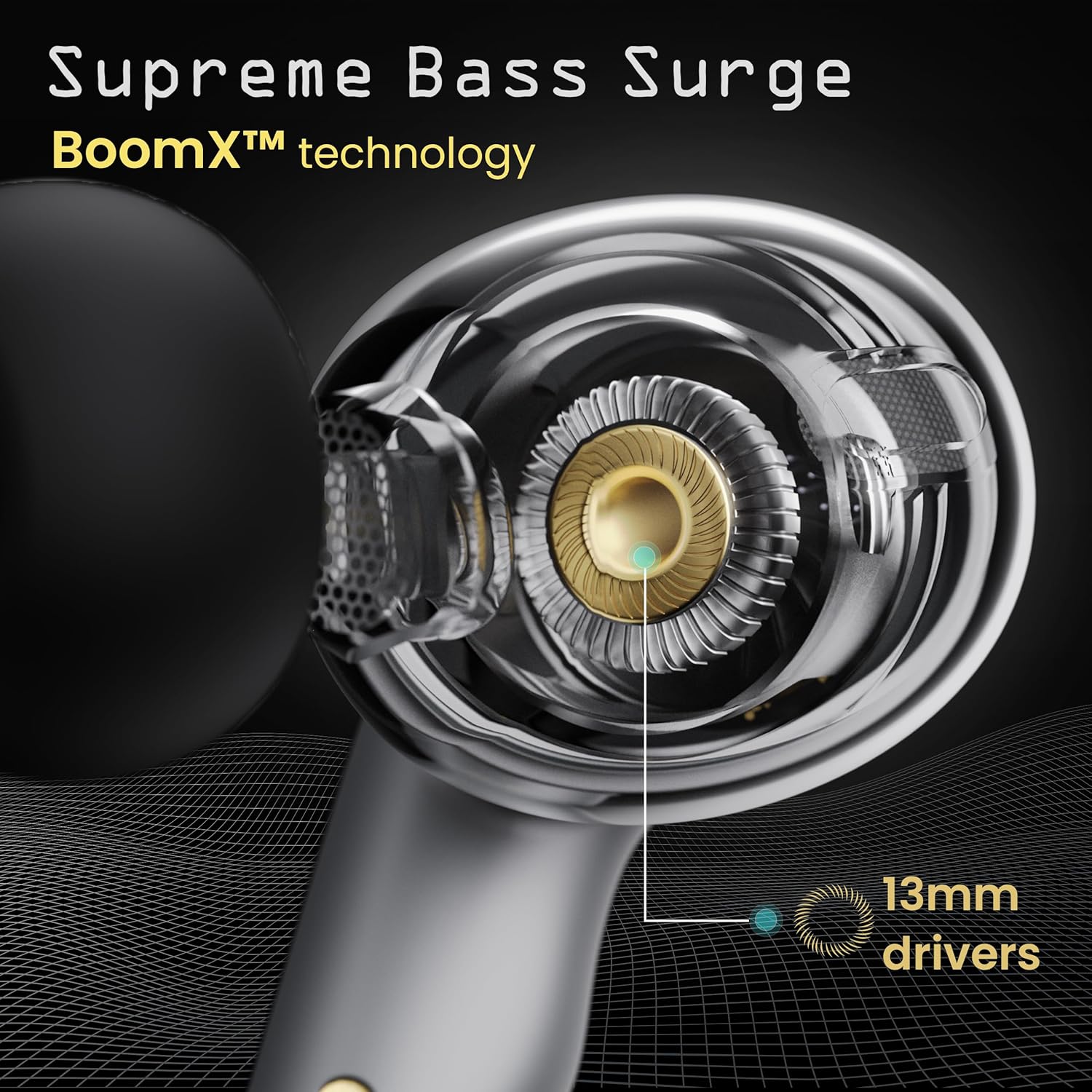
Image: A close-up of a GOBOULT UFO earbud, highlighting the 13mm drivers responsible for supreme bass surge.

Immagine: Un dettaglio view of a GOBOULT UFO earbud, showcasing the AI-powered Quad Mic AI-ENC technology for high-definition call clarity and Zen™ mode for silence.
Impostare
Abbinamento iniziale
- Aprire la custodia di ricarica. Gli auricolari entreranno automaticamente in modalità di associazione.
- Sul tuo dispositivo (smartphone, tablet, ecc.), attiva il Bluetooth.
- Cercare "GOBOULT UFO" in the list of available Bluetooth devices and select it to connect.
- Once connected, you will hear an audio prompt, and the LED indicators on the earbuds will change.
The earbuds utilize Bluetooth 5.3 for stable and efficient connection, featuring Blink & Pair™ technology for fast pairing.

Image: GOBOULT UFO Earbuds illustrating stable connectivity with Bluetooth 5.3 and fast pairing technology.
Supporto app
Enhance your experience by downloading the dedicated GOBOULT app. The app allows you to:
- Switch between 6 Equalizer Modes.
- Personalizza i controlli touch.
- Rinomina i tuoi auricolari.
- Accedi a impostazioni e funzionalità aggiuntive.
Istruzioni per l'uso
Controlli touch
The GOBOULT UFO earbuds feature intuitive touch controls on each earbud.
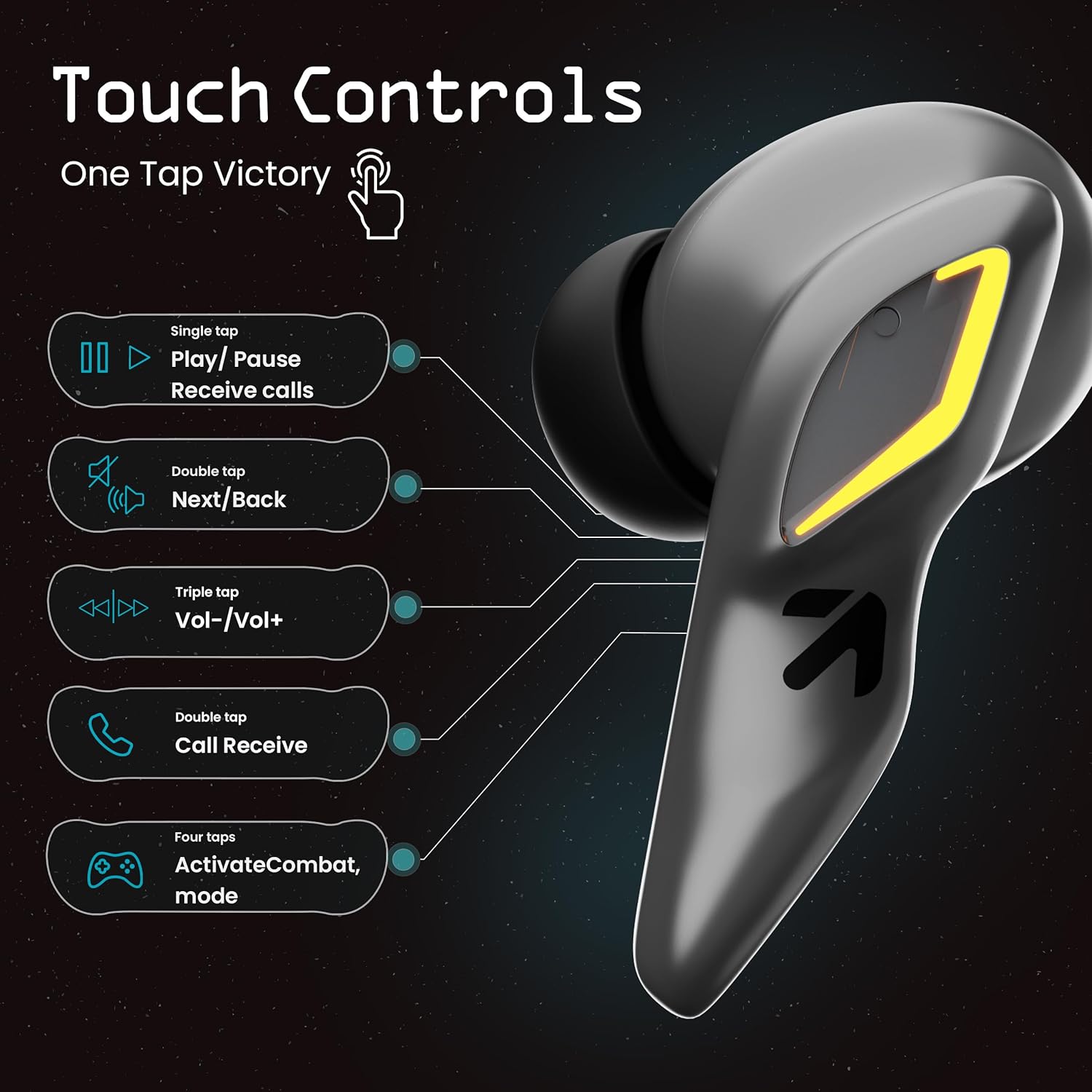
Image: A visual guide to the touch controls on the GOBOULT UFO Earbuds, detailing single, double, triple, and four-tap functions.
- Singolo tocco: Play/Pause music, Receive calls.
- Doppio tocco: Next/Back track.
- Tap triplo: Volume su/giù.
- Four Taps: Activate Combat Mode (Gaming Mode).
- Premere a lungo: Activate Voice Assistant (Google Assistant, Siri).
Gaming Mode (Combat Mode)
Activate Combat Mode for an ultra-low latency experience of 45ms, ideal for gaming. Tap the earbud four times to toggle this mode.

Image: The GOBOULT UFO Earbuds case open, highlighting the Combat Gaming Mode with 45ms ultra-low latency, activated by four taps.
Assistente vocale
Long press the touch control area on either earbud to activate your device's voice assistant (e.g., Google Assistant, Siri).

Image: GOBOULT UFO Earbuds demonstrating the long-press gesture to activate the voice assistant feature.
Ricarica
The GOBOULT UFO earbuds offer up to 48 hours of total playtime with the charging case.
Ricarica della custodia e degli auricolari
- Inserisci gli auricolari nella custodia di ricarica. Assicurati che siano posizionati correttamente.
- Connect the Type-C fast charging cable to the charging port on the case and to a power source.
- Gli indicatori LED sulla custodia mostreranno lo stato di ricarica.
- A full charge for the earbuds and case takes approximately 100 minutes.
- With Type-C fast charging, a 10-minute charge can provide up to 1.5 hours of playtime.
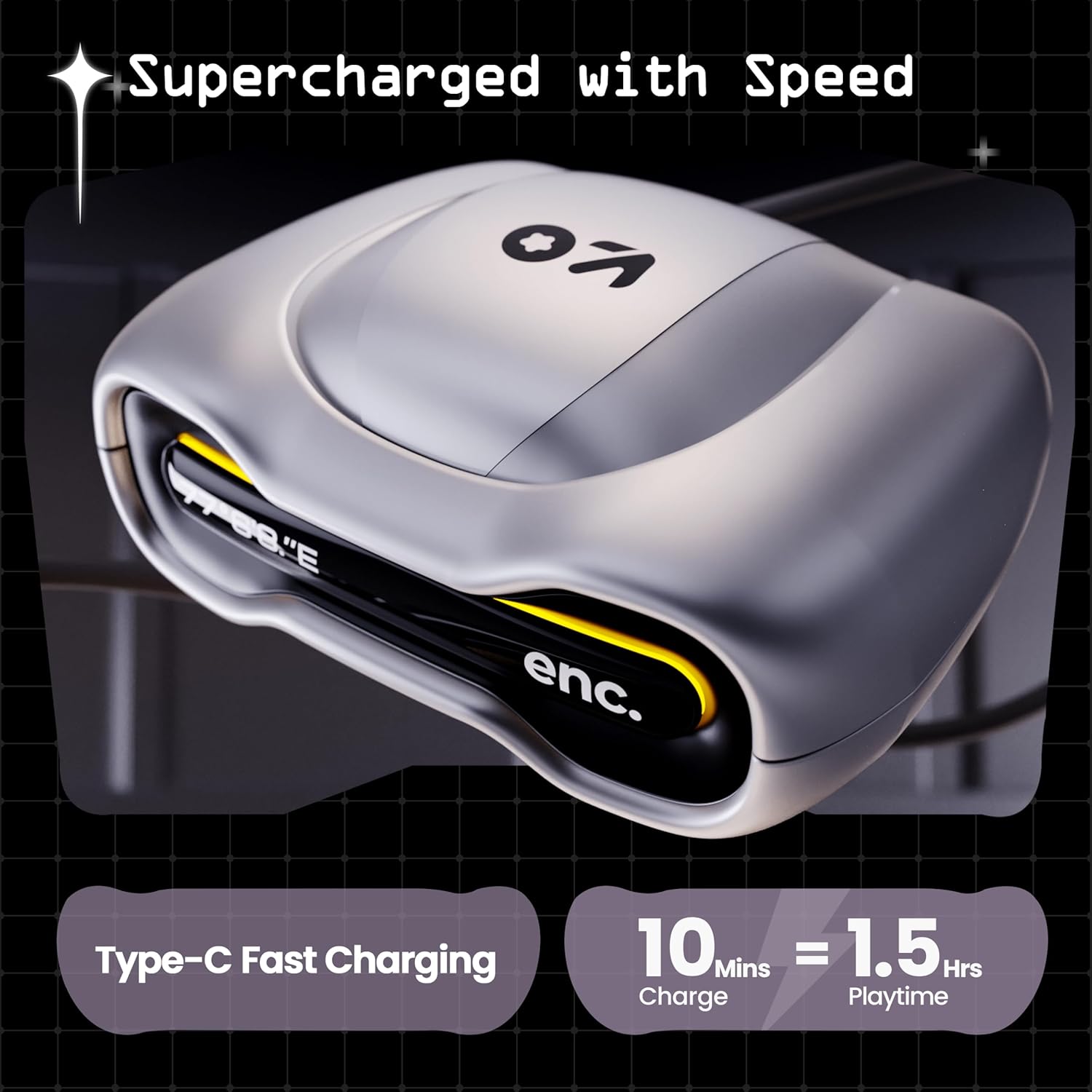
Image: The GOBOULT UFO charging case, illustrating its Type-C fast charging capability, providing 1.5 hours of playtime from a 10-minute charge.
Manutenzione
Resistenza all'acqua
The GOBOULT UFO earbuds are IPX5 water-resistant, making them sweatproof, rainproof, and splashproof. This protection allows for use during workouts or in light rain.

Image: GOBOULT UFO Earbuds on a metallic surface, indicating their IPX5 water resistance, making them suitable for sweat, rain, and splashes.
Pulizia
Per mantenere prestazioni e igiene ottimali, pulire regolarmente gli auricolari e la custodia di ricarica.
- Per pulire gli auricolari e la custodia, utilizzare un panno morbido, asciutto e privo di lanugine.
- Per sporco ostinato, leggermente dampLavare il panno con acqua. Evitare l'uso di prodotti chimici aggressivi o materiali abrasivi.
- Assicurarsi che i contatti di ricarica sia sugli auricolari che sulla custodia siano puliti e privi di detriti.
- Allow all components to dry completely before placing earbuds back in the case or charging.
Risoluzione dei problemi
If you encounter any issues with your GOBOULT UFO earbuds, please refer to the following common solutions:
- Nessun suono: Ensure earbuds are charged and properly connected to your device. Check device volume.
- Problemi di accoppiamento: Make sure Bluetooth is enabled on your device. Try forgetting the device in your Bluetooth settings and re-pairing. Ensure earbuds are fully charged.
- Un auricolare non funziona: Place both earbuds back in the case, close it, and then open it again. This often resets the connection.
- Scarsa qualità della chiamata: Ensure microphones are clean. Check for strong Bluetooth connection.
- Controlli touch che non rispondono: Assicurati che le dita siano pulite e asciutte. Prova a riavviare gli auricolari inserendoli nella custodia e togliendoli.
For further assistance, please contact GOBOULT customer support.
Specifiche
| Caratteristica | Dettaglio |
|---|---|
| Nome del modello | UFO (Airbass Earbuds) |
| Versione Bluetooth | 5.3 |
| Tempo di gioco | Fino a 48 ore (con custodia di ricarica) |
| Latenza audio | 45 millisecondi (modalità di gioco) |
| Autisti | Driver dinamici da 13 mm |
| Microfoni | Quad Mic ENC (cancellazione del rumore ambientale) |
| Resistenza all'acqua | IPX5 (resistente al sudore, alla pioggia, agli schizzi) |
| Porta di ricarica | Ricarica rapida di tipo C |
| Tempo di ricarica | Circa. 100 minuti |
| Portata Bluetooth | 10 metri |
| Risposta in frequenza | Frequenza 20 Hz |
| Sensibilità | 115 dB |
| Impedenza | 32 Ohm |
| Peso dell'articolo | 60 grammi |
| Dimensioni del prodotto | Dimensioni: 4.7 x 9 x 10 cm |
| Materiale | Metallo |
Garanzia e supporto
Informazioni sulla garanzia
The GOBOULT UFO True Wireless Earbuds come with a Garanzia del produttore di 1 anni from the date of purchase. Please retain your proof of purchase for warranty claims. The warranty covers manufacturing defects. It does not cover damage caused by misuse, accidents, or unauthorized modifications.
Assistenza clienti
For any questions, technical support, or warranty claims, please contact GOBOULT customer service.
Produttore: Exotic Mile Pvt. Ltd.
Indirizzo: B67 Wazirpur Industrial Area, New Delhi 110052, India.
Please refer to the warranty card included in your product packaging for specific contact details and procedures.


