
1. Prodotto finitoview
The Lexar SL500 Portable SSD is a high-performance external solid-state drive designed for fast data transfer and reliable storage. Its compact and durable design makes it ideal for professionals, gamers, and anyone needing portable, high-speed storage.
- Prestazioni eccezionali: Up to 2000MB/s read and 1800MB/s write speeds for efficient file trasferimenti.
- Design sottile e leggero: Solid aluminum unibody construction, easily fits in your pocket.
- Ampia compatibilità: Works with Type-C laptops, iPhone 15/16 series, smartphones, tablets, PS5, Xbox, and cameras.
- Apple ProRes Recording: Supports direct recording in up to 4K 60FPS with iPhone 15 Pro and iPhone 15 Pro Max.
- Thermal Control Design: Ensures optimal temperatures for sustained high performance.
- Sicurezza dei dati: Includes Lexar DataShield 256-bit AES encryption software.
- Collega e usa: Equipped with a Type-C data cable for immediate use.
1 video: Lexar SL500 Portable SSD Overview. This video provides a general introduction to the Lexar SL500 Portable SSD, highlighting its key features and design.
2 video: Meet The Lexar 2TB SL500 Portable SSD. A brief video showcasing the Lexar SL500 SSD's design and portability.
3 video: Prodotto finitoview Video. This video offers a detailed look at the Lexar SL500 Portable SSD and its features.
2. Impostazione
Setting up your Lexar SL500 Portable SSD is straightforward. It is designed for plug-and-play convenience across various devices.
2.1 Cosa c'è nella scatola
- SL500 Portable SSD
- Cavo USB di tipo C.
2.2 Collegamento dell'SSD
- Locate the USB Type-C port on your device (laptop, smartphone, gaming console, camera).
- Connect one end of the provided USB Type-C cable to the Lexar SL500 Portable SSD.
- Connect the other end of the USB Type-C cable to your device's USB Type-C port.
- The SSD should be automatically recognized by your device. For some operating systems, you may need to format the drive before first use. Refer to your device's operating system instructions for formatting external drives.
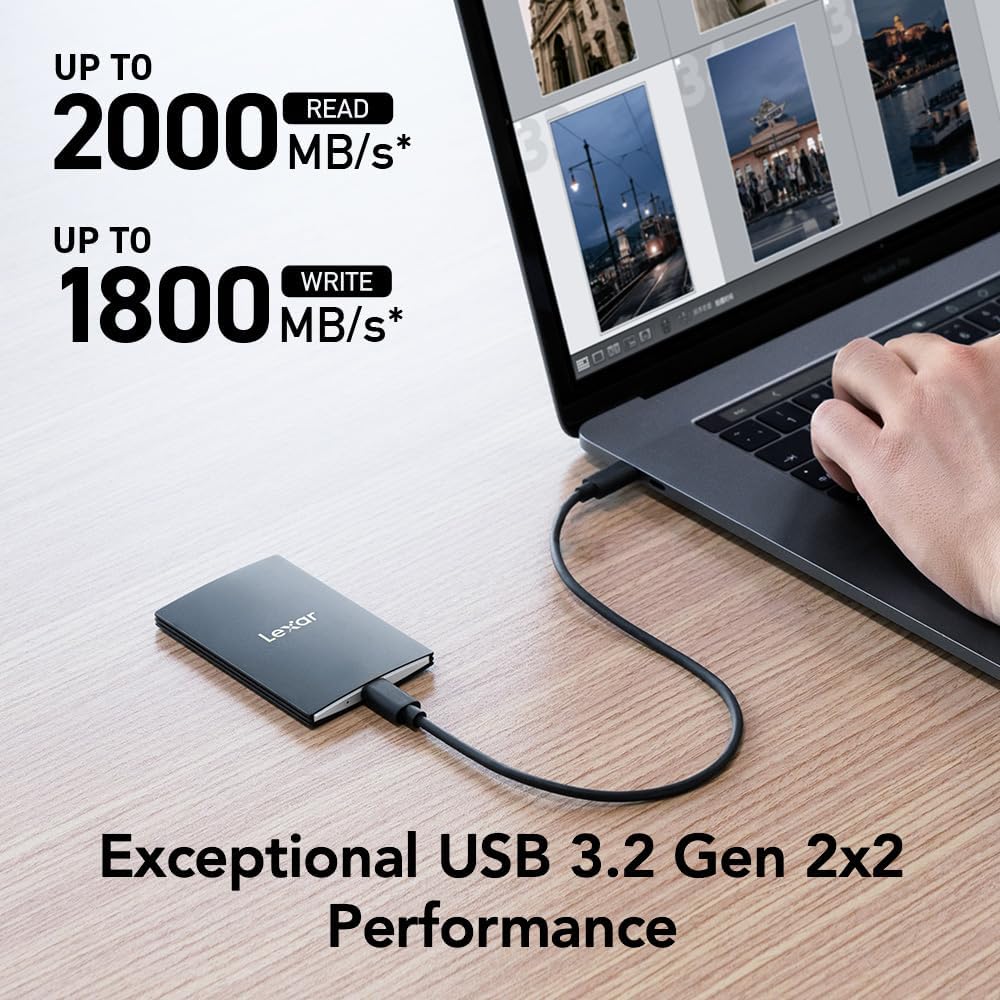
Immagine 1: The Lexar SL500 Portable SSD connected to a laptop, demonstrating its high-speed data transfer capabilities.
3. Istruzioni per l'uso
The Lexar SL500 Portable SSD offers versatile functionality for various tasks, from general file storage to specialized media recording.
3.1 File Trasferire
Una volta connesso, puoi trascinare e rilasciare files to and from the Lexar SL500 SSD just like any other external drive. Its USB 3.2 Gen 2x2 interface ensures rapid transfer of large files, making it efficient for backups, project transfers, and media editing.
3.2 Compatibilità e scenari di utilizzo
- Laptops & PCs: Ideal for expanding storage, backing up important documents, and running applications directly from the drive.
- Smartphones & Tablets (Type-C): Transfer photos, videos, and other large files rapidamente.
- iPhone 15 Pro/Pro Max: Supports direct Apple ProRes video recording in up to 4K 60FPS, saving valuable internal storage space.
- Gaming Consoles (PS5, Xbox): Expand your game library and reduce load times for compatible games.
- Telecamere: Use as an external recording device for high-resolution video capture.

Immagine 2: The Lexar SL500 Portable SSD connected to an iPhone 15 Pro, enabling direct Apple ProRes video recording.

Immagine 3: A visual representation of the Lexar SL500 Portable SSD's wide compatibility with multiple devices, including smartphones, cameras, gaming consoles, and laptops.
3.3 DataShield Encryption Software
The Lexar SL500 includes Lexar DataShield 256-bit AES encryption software to protect your sensitive files. Follow the instructions provided on the drive or Lexar's official website to install and configure the software for enhanced data security.
4. Manutenzione
To ensure the longevity and optimal performance of your Lexar SL500 Portable SSD, follow these maintenance guidelines:
- Gestione corretta: While durable, avoid dropping the SSD from excessive heights or subjecting it to extreme physical impact.
- Gestione termica: The unique thermal control design helps maintain optimal temperatures. Ensure the drive is not covered or placed in enclosed spaces during heavy use to allow for proper heat dissipation.
- Espulsione sicura: Always safely eject the SSD from your device before disconnecting the cable to prevent data corruption.
- Aggiornamenti del firmware: Periodically check the Lexar official websito per eventuali aggiornamenti firmware disponibili per garantire le migliori prestazioni e compatibilità.
- Pulizia: Use a soft, dry cloth to clean the exterior of the SSD. Avoid using harsh chemicals or abrasive materials.

Immagine 4: Un interno view highlighting the unique thermal control design of the Lexar SL500 Portable SSD, which helps maintain optimal operating temperatures.
5. Risoluzione Dei Problemi
If you encounter issues with your Lexar SL500 Portable SSD, try the following troubleshooting steps:
- Unità non riconosciuta:
- Ensure the USB Type-C cable is securely connected to both the SSD and your device.
- Try connecting the SSD to a different USB Type-C port on your device.
- Test with a different compatible USB Type-C cable.
- Riavvia il computer o il dispositivo.
- Check your device's Disk Management (Windows) or Disk Utility (macOS) to see if the drive is detected but unformatted.
- Velocità di trasferimento lente:
- Ensure your device's USB port supports USB 3.2 Gen 2x2 for optimal performance. Older USB standards will result in lower speeds.
- Chiudere tutte le applicazioni non necessarie in esecuzione in background che potrebbero consumare risorse di sistema.
- Verify the cable is the original Lexar cable or a high-quality USB 3.2 Gen 2x2 compatible cable.
- Performance on Mac and other systems not supporting USB 3.2 Gen 2x2 may be lower.
- Corruzione dei dati:
- Always safely eject the SSD before disconnecting.
- If data corruption occurs, try running a disk check utility on your operating system.
- Surriscaldamento:
- Ensure the SSD has adequate airflow and is not covered during prolonged use.
- Reduce the intensity of data transfer operations if the drive consistently overheats.
6. Specifiche
Detailed technical specifications for the Lexar SL500 Portable SSD (Model: LSL500X002T-RNBNU).
| Caratteristica | Dettaglio |
|---|---|
| Numero di modello | LSL500X002T-RNBNU |
| Capacità di archiviazione digitale | 2 TB |
| Velocità di lettura | Fino a 2000 MB/s |
| Velocità di scrittura | Fino a 1800 MB/s |
| Interfaccia | USB 3.2 Gen 2x2 (Type-C) |
| Dimensioni (LxWxH) | 3.15 x 2.76 x 1.97 pollici (80 x 70 x 50 mm) |
| Peso dell'articolo | 1.52 once (43 grammi) |
| Colore | Nero |
| Caratteristiche speciali | Compact, Thin, Durable Metal Design, Ultra Lightweight, Thermal Control Design |
| Compatibilità | Camera, Gaming Console, Laptop, Smartphone (Type-C) |

Immagine 5: Dimensions of the Lexar SL500 Portable SSD, highlighting its compact and slim profile.
7. Garanzia e supporto
Lexar stands behind the quality of its products. Your Lexar SL500 Portable SSD comes with a limited warranty and additional support options.
7.1 Garanzia limitata
The Lexar SL500 Portable SSD is covered by a Garanzia limitata di cinque anni. This warranty covers defects in materials and workmanship under normal use. For full terms and conditions, please refer to the warranty documentation included with your product or visit the official Lexar support websito.
7.2 Piani di recupero dati
For added peace of mind, optional data recovery plans are available:
- Piano di recupero dati di 2 anni: Provides professional data recovery services for two years.
- Piano di recupero dati di 3 anni: Extends professional data recovery services for three years.
These plans can be purchased separately to protect against accidental data loss. Contact Lexar customer support or your retailer for more information on purchasing and activating these plans.
7.3 Assistenza clienti
For technical assistance, product inquiries, or warranty claims, please visit the official Lexar support website or contact their customer service team. You can find contact information and FAQs on the Lexar websito.