
1. Introduzione
This manual provides essential instructions for setting up, operating, and maintaining your PELADN HA-4 Mini PC. Please read this manual thoroughly before using the device to ensure proper function and longevity.
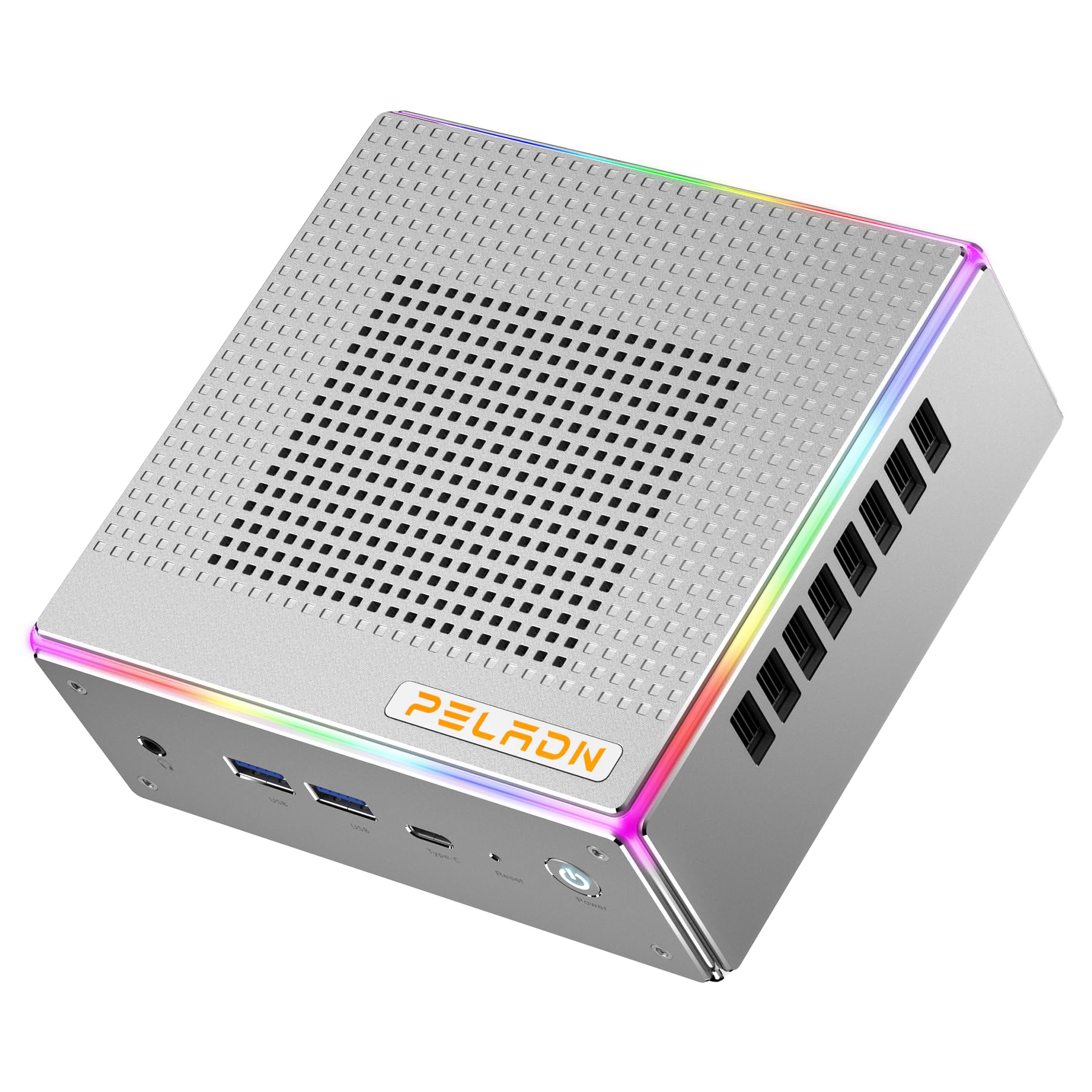
Immagine: Frontale view of the PELADN HA-4 Mini PC, showcasing il suo design compatto.
2. Informazioni sulla sicurezza
- Assicurarsi che il dispositivo sia posizionato su una superficie stabile e piana, con un'adeguata ventilazione.
- Non esporre il Mini PC ad acqua, umidità o temperature estreme.
- Per evitare danni, utilizzare solo l'adattatore di alimentazione fornito.
- Evitare di aprire il casing unless performing authorized upgrades (e.g., RAM/SSD installation) as per instructions.
- Tenere fuori dalla portata dei bambini.
3. Contenuto della confezione
Verificare che tutti gli articoli siano presenti nel pacco:
- PELADN HA-4 Mini PC
- Adattatore di alimentazione
- Cavo HDMI
- Manuale dell'utente (questo documento)
- Supporto VESA (opzionale, può variare in base alla confezione)
4. Prodotto finitoview
4.1 Porte del pannello frontale

Image: Diagram illustrating the front and back ports of the PELADN HA-4 Mini PC.
- Jack audio (HP&MIC): Per cuffie e microfono.
- USB 3.2 x 2: Trasferimento dati ad alta velocità per le periferiche.
- Type-C (data & video): Versatile port for data, display, and power delivery.
- Reset (Clear CMOS): Pulsante per cancellare le impostazioni CMOS.
- Pulsante di accensione: Per accendere o spegnere il dispositivo.
4.2 Porte del pannello posteriore
- Porta DC: Per collegare l'adattatore di alimentazione.
- Porta USB 2.0: Per collegare dispositivi USB standard.
- Porta USB 3.2: Trasferimento dati ad alta velocità.
- Porta LAN RJ45: 2.5G Ethernet port for wired network connection.
- HD Port x 2 (HDMI 2.0): Per collegare i display.
- Controllo dell'illuminazione: Button to adjust RGB lighting.
5. Istruzioni per l'installazione
- Connetti le periferiche: Connect your monitor(s) using HDMI or Type-C cables. Plug in your keyboard, mouse, and any other USB devices into the available USB ports.
- Connetti alimentazione: Insert the power adapter into the DC port on the rear panel, then plug the adapter into a power outlet.
- Accensione: Press the Power Button on the front panel. The system will boot up.
- Configurazione iniziale: Seguire le istruzioni visualizzate sullo schermo per completare la configurazione del sistema operativo (ad esempio, Windows 11 Pro).

Image: The PELADN HA-4 Mini PC connected to a monitor and peripherals, ready for use.
6. Istruzioni per l'uso
6.1 Accensione/spegnimento
- Per accendere: Premere una volta il pulsante di accensione.
- Per spegnere: Click the Start menu in the operating system and select "Shut down." Alternatively, press and hold the Power Button for 5 seconds for a forced shutdown (not recommended for regular use).
6.2 Connessione di rete
- Connessione cablata: Connect an Ethernet cable to the RJ45 LAN port on the rear panel.
- Connessione wireless (Wi-Fi 6): Access network settings in your operating system, select your Wi-Fi network, and enter the password.
6.3 Triple Display Output
The PELADN HA-4 supports up to three 4K@60Hz displays simultaneously using its two HDMI 2.0 ports and one Type-C port (which supports video output).
- Connect your primary monitor to one of the HDMI ports.
- Connect your second monitor to the other HDMI port.
- Connect your third monitor to the Type-C port using a compatible Type-C to DisplayPort/HDMI adapter or cable.
- Adjust display settings within your operating system to extend or duplicate your desktop across the connected monitors.

Image: The PELADN HA-4 Mini PC connected to three monitors, demonstrating its triple display output capability.
7. Manutenzione e aggiornamenti
7.1 Pulizia
- Pulire regolarmente l'esterno del Mini PC con un panno morbido e asciutto.
- Use compressed air to clear dust from ventilation openings to maintain optimal airflow.
- Assicurarsi che il dispositivo sia spento e scollegato prima della pulizia.
7.2 Aggiornamenti di RAM e SSD
The PELADN HA-4 supports dual-channel DDR5-5600MHz RAM up to 64GB and a single M.2 2280 PCIe 4.0 SSD up to 2TB. Refer to the diagram below for component location.

Immagine: Interna view of the PELADN HA-4 Mini PC, highlighting the dual-channel RAM slots and the M.2 SSD slot for upgrades.
Importante: Disconnect the power adapter before performing any internal upgrades. If you are unsure about the upgrade process, consult a qualified technician.
8. Risoluzione Dei Problemi
| Problema | Possibile causa | Soluzione |
|---|---|---|
| Nessun potere | Adattatore di alimentazione non collegato; problema con la presa di corrente. | Assicurarsi che l'adattatore di alimentazione sia collegato saldamente sia al Mini PC sia a una presa di corrente funzionante. |
| Nessun output di visualizzazione | Monitor not connected; incorrect input source on monitor; faulty cable. | Check HDMI/Type-C cable connections. Ensure monitor is set to the correct input source. Try a different cable or monitor. |
| Wi-Fi non connesso | Password errata; problema con il router; problema con il driver. | Verify Wi-Fi password. Restart your router. Check device manager for Wi-Fi driver status. |
| System slow/unresponsive | Too many applications running; insufficient RAM/SSD space; overheating. | Close unnecessary applications. Check available storage. Ensure proper ventilation. Consider RAM/SSD upgrade if consistently slow. |
9. Specifiche
| Caratteristica | Dettaglio |
|---|---|
| Modello | PELADN HA-4 |
| Processore | AMD Ryzen 7 7840HS (8C/16T, up to 5.1 GHz) |
| Grafica | Scheda grafica AMD Radeon 780M |
| Memoria RAM | 32GB DDR5-5600MHz (Dual Channel, upgradeable to 64GB) |
| Magazzinaggio | 1TB PCIe 4.0 SSD (M.2 2280, upgradeable to 2TB) |
| Uscita video | 2x HDMI 2.0, 1x Type-C (Triple 4K@60Hz output) |
| Fare rete | 2.5G LAN, Wi-Fi 6 (802.11ax), Bluetooth 5.2 |
| Porte USB | 2x USB 3.2 (Front), 1x USB 3.2 (Rear), 1x USB 2.0 (Rear), 1x Type-C (Front) |
| Audio | 1x Jack audio (HP e MIC) |
| Sistema operativo | Windows 11 Pro (preinstallato) |
| Dimensioni | Circa 7.56 x 7.56 x 3.82 pollici (confezione) |
| Peso | Circa 3.76 libbre |

Immagine: Oltreview of the PELADN HA-4 Mini PC's core features including CPU, GPU, RAM, SSD, connectivity, and cooling.
10. Garanzia e supporto
For warranty information and technical support, please refer to the warranty card included with your product or visit the official PELADN websito. Contattare il servizio clienti per assistenza su qualsiasi problema non trattato in questo manuale.