
Introduzione
The Yesido YSP13 Air Conduction Bluetooth Earphones are designed to provide a comfortable and secure audio experience without blocking your ear canals. Featuring Bluetooth 5.3 for stable connectivity, an ear hook design for active use, and IPX4 waterproofing, these earphones are suitable for various activities. The included charging case offers extended battery life and a digital display for convenience.
Impostare
1. Ricarica degli auricolari e della custodia di ricarica
Prima del primo utilizzo, caricare completamente gli auricolari e la custodia di ricarica.
- Inserire gli auricolari nella custodia di ricarica. Assicurarsi che siano posizionati correttamente per avviare la ricarica.
- Collega la custodia di ricarica a una fonte di alimentazione utilizzando il cavo USB in dotazione.
- Il display digitale sulla custodia di ricarica indicherà il livello della batteria.
- Charging time for the earphones is approximately 1 hour. The charging case takes approximately 2.5 hours to fully charge.
- A fully charged earphone battery provides about 6 hours of music/call time. The charging case has a capacity of 600mAh, allowing for multiple earphone recharges.

Immagine: Earphones inside the charging case, showing the digital battery display. This display indicates the current charge level of the case and the charging status of the earbuds.
2. Accoppiamento Bluetooth
Follow these steps to pair your Yesido YSP13 earphones with your device:
- Assicurarsi che gli auricolari siano carichi.
- Aprire la custodia di ricarica. Gli auricolari entreranno automaticamente in modalità di associazione.
- Sul tuo smartphone o dispositivo abilitato Bluetooth, vai alle impostazioni Bluetooth.
- Cercare available devices and select "YSP13" (or similar name) from the list.
- Una volta effettuata la connessione, verrà riprodotto un suono di conferma e gli auricolari saranno pronti per l'uso.
- Gli auricolari utilizzano il Bluetooth 5.3 per una connessione veloce e stabile.
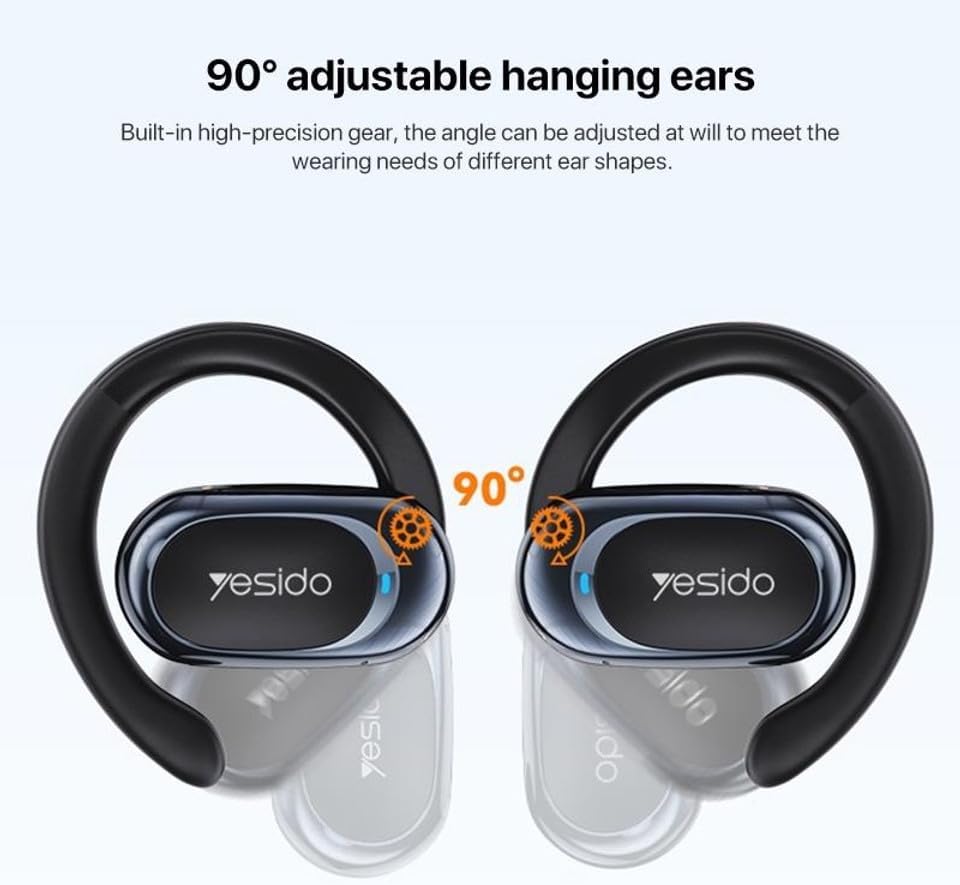
Immagine: Earphones shown next to a smartphone, illustrating quick connection and readiness for music playback.
Istruzioni per l'uso
1. Indossare gli auricolari
The Yesido YSP13 earphones feature a rotatable ear hook design for a secure and comfortable fit.
- Gently place the earphone over your ear, positioning the main body in front of your ear canal.
- Adjust the ear hook to fit snugly and comfortably around the back of your ear. The ear hooks are 90° adjustable to accommodate different ear shapes.
- The air conduction technology allows you to hear your audio while remaining aware of your surroundings.

Immagine: Illustration showing the 90° adjustable ear hooks, highlighting their flexibility for a custom fit.

Immagine: An earphone positioned on an ear, illustrating the adaptive directional sound transmission technology.
2. Toccare Controlli
The earphones feature intuitive touch controls for managing audio playback and calls. The specific touch functions are typically:
- Riproduci/Pausa: Un singolo tocco su uno degli auricolari.
- Traccia successiva: Tocca due volte l'auricolare destro.
- Traccia precedente: Tocca due volte l'auricolare sinistro.
- Rispondi/Termina chiamata: Un singolo tocco su uno degli auricolari durante una chiamata in arrivo o una chiamata attiva.
- Rifiuta chiamata: Tenere premuto uno dei due auricolari durante una chiamata in arrivo.
- Assistente vocale: Triple tap on either earphone (functionality may vary by device).
Note: Specific touch control mappings may vary slightly. Refer to the quick start guide included in your product packaging for precise instructions.
3. Sound Quality and Calls
The Yesido YSP13 earphones deliver HiFi sound quality through master-level tuning, providing a balanced audio experience with clear highs, rich mids, and strong lows. The built-in microphone ensures clear voice transmission for hands-free calls.

Immagine: An exploded diagram illustrating the internal components responsible for the high-fidelity sound production.
Manutenzione
1. Pulizia
To maintain optimal performance and hygiene, regularly clean your earphones.
- Pulisci gli auricolari e la custodia di ricarica con un panno morbido, asciutto e privo di lanugine.
- Per lo sporco ostinato, una leggera damp cloth can be used, ensuring no moisture enters any openings.
- Evitare l'uso di materiali abrasivi, solventi o prodotti chimici aggressivi.
2. Resistenza all'acqua
The Yesido YSP13 earphones feature an IPX4 waterproof design, providing protection against splashing water from any direction.
- This makes them suitable for workouts and light rain.
- Do not submerge the earphones in water or expose them to strong jets of water.
- Ensure the earphones are dry before placing them back into the charging case to prevent damage.
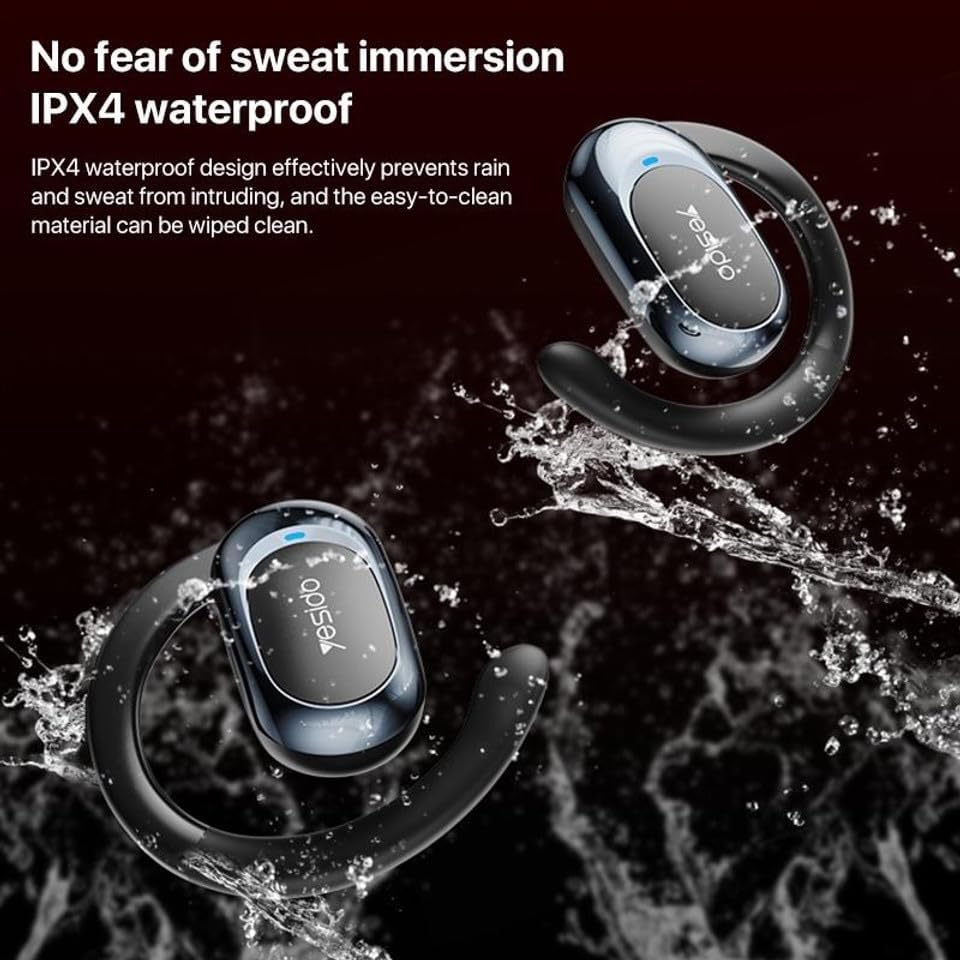
Immagine: Earphones shown with water splashing, demonstrating their IPX4 waterproof capability against sweat and light rain.
3. Conservazione
Store the earphones in their charging case when not in use to protect them from dust, damage, and to keep them charged.
Risoluzione dei problemi
If you encounter issues with your Yesido YSP13 earphones, try the following solutions:
- No Sound/Cannot Connect:
- Assicurarsi che gli auricolari siano carichi.
- Assicurati che il Bluetooth sia abilitato sul tuo dispositivo.
- Check if the earphones are paired with another device. Disconnect and re-pair if necessary.
- Try resetting the earphones (refer to specific reset instructions if available in the product's quick start guide, otherwise, place them in the case and close/open).
- Avvicinati al tuo dispositivo per assicurarti di essere entro il raggio di azione del Bluetooth di 10 metri.
- Un auricolare non funziona:
- Place both earphones back into the charging case and then take them out again.
- Assicurarsi che entrambi gli auricolari siano carichi.
- Prova ad associare nuovamente gli auricolari al tuo dispositivo.
- Problemi di ricarica:
- Verificare che il cavo di ricarica e l'adattatore funzionino correttamente.
- Assicurarsi che i contatti di ricarica sugli auricolari e all'interno della custodia siano puliti e privi di detriti.
- Check the digital display on the charging case for charging indicators.
- Scarsa qualità della chiamata:
- Assicurarsi che il microfono non sia ostruito.
- Spostati in un ambiente più tranquillo.
- Controlla il segnale di rete del tuo dispositivo.
Specifiche
| Marca | YESIDO |
| Nome del modello | YSP13 (Model Number: BUF58) |
| Tecnologia di connettività | Senza fili (Bluetooth 5.3) |
| Versione Bluetooth | BT8926B2 V5.3 |
| Portata Bluetooth | Fino a 10 metri |
| Capacità della batteria degli auricolari | 50mAh x 2 |
| Capacità della batteria della scatola di ricarica | 600mAh |
| Tempo di musica/chiamata | Circa 6 ore |
| Tempo di ricarica degli auricolari | Circa 1 ora |
| Tempo di ricarica della scatola di ricarica | Circa 2.5 ore |
| Livello di resistenza all'acqua | IPX4 (impermeabile) |
| Metodo di controllo | Tocco |
| Materiale | PC+ABS+Electroplating UV |
| Fattore di forma | On Ear (Ear Hook Design) |
| Caratteristiche aggiuntive | Air Conduction Technology, Digital Display, Built-in Microphone |
Informazioni sulla garanzia
The product comes with a manufacturer's warranty. For detailed information regarding the warranty period and terms, please refer to the warranty card included in your product packaging or contact your retailer. Please retain your proof of purchase for any warranty claims.
Assistenza clienti
For further assistance, technical support, or inquiries, please visit the official YESIDO website or contact the customer service department of your retailer.